1. Танилцуулга
This manual provides detailed instructions for the setup, operation, and maintenance of your SUPVAN E11 Label Maker. Please read this manual thoroughly before using the device to ensure proper function and longevity.
Багцын агуулга:
- 1 x SUPVAN E11 Label Maker
- 2 x Rolls White Continuous Label
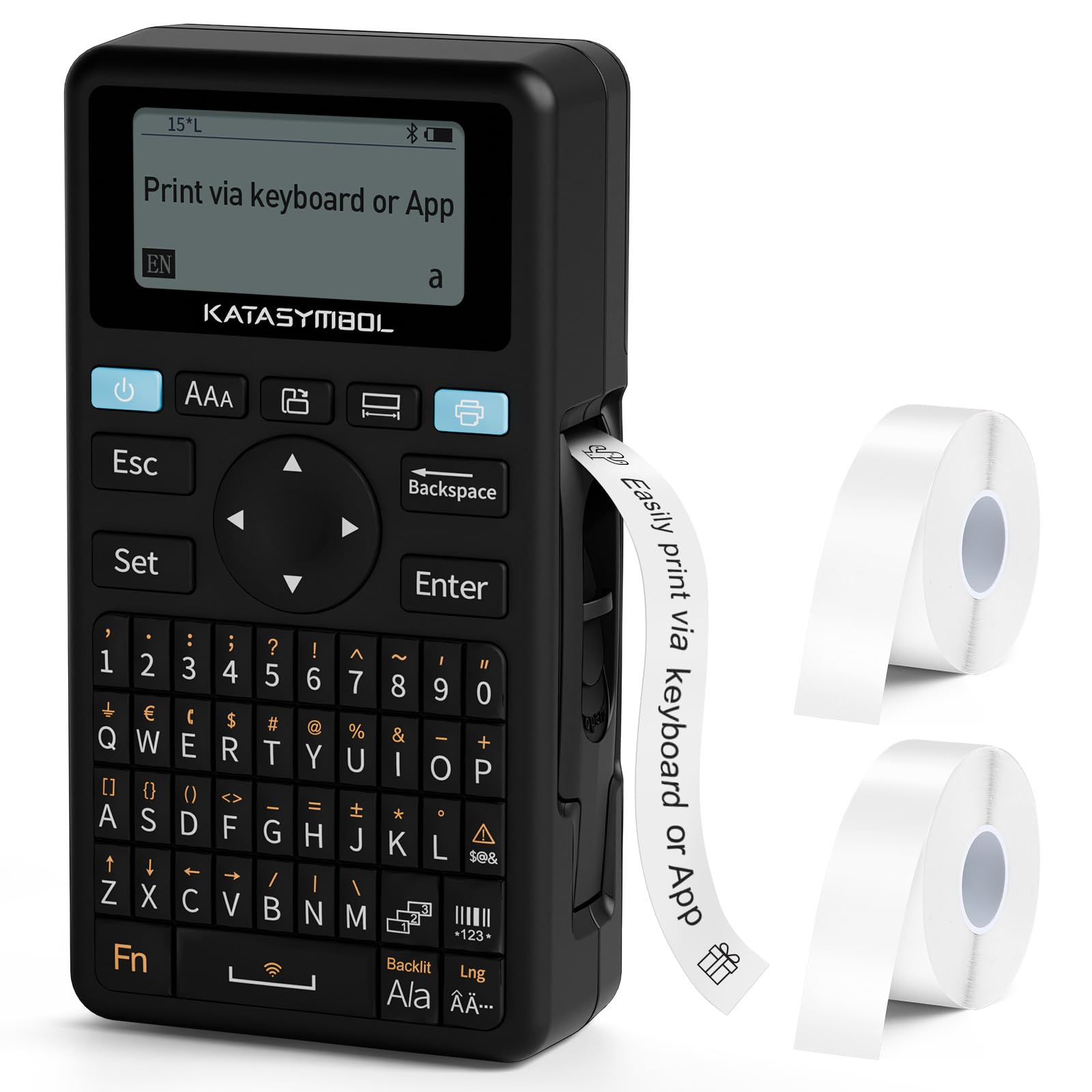
Image: The SUPVAN E11 Label Maker with its included label rolls.
2. Тохиргоо
2.1 Төхөөрөмжийг тэжээх
The SUPVAN E11 Label Maker features a built-in rechargeable battery with a 1200 mAh capacity, offering approximately one month of standby time. To charge the device, connect it to a power source using the provided USB cable.

Image: The label maker highlighting its built-in rechargeable battery for cost-effective and environmentally friendly use.
2.2 Шошгыг ачаалж байна
The E11 Label Maker uses thermal paper and does not require ink or toner. Open the label compartment, insert the label roll with the printing surface facing up, and ensure it is properly aligned. The smart RFID auto-detection feature will instantly recognize and detect the label size, reducing misalignment errors and minimizing waste.

Image: Demonstrating the process of loading thermal paper into the label maker.
3. Ашиглалтын заавар
3.1 Printing via Keyboard
The E11 Label Maker features an integrated QWERTY keyboard for direct text input. Turn on the device, type your desired text using the keyboard, and press the 'Print' button. The device will print the label, which can then be cut to your preferred length.
3.2 Printing via Bluetooth App
For enhanced customization and design options, connect your E11 Label Maker to your smartphone or tablet via Bluetooth. Download the official SUPVAN app, pair your device, and use the app's editing functions to create labels. The app offers over 40 fonts, 450 icons, and 50 frames to personalize your labels.

Image: Comparison of printing directly using the keyboard for fast printing versus using the app for creative designs.

Image: The app's editing functions, showcasing a wide range of fonts, icons, and frames available for label customization.
4. Онцлогууд
- Smart RFID Auto-Detection: Automatically recognizes label size, reducing errors and waste.
- Cost-Effective & Long-Lasting: Designed for efficient label usage.
- BPA-free & High Safety: Labels comply with BPA-free standards, suitable for food, cosmetics, and consumables.
- Олон талын шошгоны дэмжлэг: Compatible with continuous, die-cut, round, and cable labels.

Image: Illustrating the E11's ability to print with less margin, reducing label waste.

Image: Demonstrating the wide range of label styles and applications supported by the E11 Label Maker.
5. Засвар үйлчилгээ
The SUPVAN E11 Label Maker is a thermal printer, meaning it does not require ink or toner cartridges. This simplifies maintenance significantly. To ensure optimal performance, regularly clean the print head and the label path with a soft, lint-free cloth. Avoid using harsh chemicals or abrasive materials.
6. Алдаа засах
- Төхөөрөмж асахгүй байна: Батерей цэнэглэгдсэн эсэхийг шалгана уу. Төхөөрөмжийг тэжээлийн эх үүсвэрт холбоод дахин оролдоно уу.
- Label not printing: Check if the label roll is correctly installed and the printing surface is facing up. Ensure there is sufficient label material.
- Хэвлэлийн чанар муу: Clean the print head. Ensure the label roll is not old or damaged.
- Bluetooth холболттой холбоотой асуудлууд: Ensure Bluetooth is enabled on your mobile device and the label maker is within range. Restart both devices and try pairing again.
- App not detecting label size: Ensure the label roll is properly seated and the RFID chip (if applicable) is clean and unobstructed.
7. Техникийн үзүүлэлтүүд
| Загвар | E11 |
| Брэнд | СУПВАН |
| Хэвлэлийн технологи | Thermal Printing (No Ink/Toner) |
| Холболт | Keyboard, Bluetooth App |
| Батерей | Built-in Rechargeable (1200 mAh) |
| Label Detection | Smart RFID Auto-Detection |
| ASIN | B0F9FDYSVG |
| Эхний боломжтой огноо | 4 оны гуравдугаар сарын 2025 |
8. Баталгаат хугацаа ба дэмжлэг
For warranty information, technical support, or to purchase additional label supplies, please visit the official SUPVAN website or contact their customer service. Refer to the product packaging for specific contact details and warranty terms.
Албан ёсны SUPVAN дэлгүүр: SUPVAN Store on Amazon


