1. Танилцуулга
The Amazon Echo Studio (2025 Model) is a smart speaker designed to deliver immersive spatial audio and Dolby Atmos sound. It features a compact design, a built-in smart home hub, and is powered by the AZ3 Pro chip for advanced performance. This device also includes early access to Alexa+, offering a smarter and more proactive AI assistant experience.

Image 1.1: The Amazon Echo Studio (2025 Model) in Glacier White, showcasing its compact, spherical design with control buttons on top.
2. Хайрцагт юу байна
Эхлэхээсээ өмнө савлагаанд байгаа бүх зүйлс байгаа эсэхийг шалгаарай:
- Echo Studio (2025 release)
- Цахилгаан адаптер (50 Вт)
- Түргэн эхлүүлэх гарын авлага
3. Тохиргоо
3.1 Анхдагч асаалттай
- Connect the provided power adapter to the Echo Studio and then to a wall outlet.
- The light ring on your Echo Studio will turn blue, then orange, indicating it is ready for setup.
3.2 Alexa App Installation and Connection
- Download the Alexa app on your mobile device (compatible with Fire OS, Android, and iOS).
- Alexa аппликейшнийг нээгээд Amazon бүртгэлээрээ нэвтэрнэ үү.
- Follow the on-screen instructions to add a new device. Select "Amazon Echo" then "Echo Studio".
3.3 Wi-Fi тохиргоо
The Alexa app will guide you through connecting your Echo Studio to your Wi-Fi network. The device supports 1x1 Wi-Fi 6E (11a/b/g/n/ac/ax). Amazon Wi-Fi simple setup is available to streamline this process.
3.4 Room Adaptation
After initial setup, Echo Studio analyzes the acoustics of your room to fine-tune playback for optimal sound. This process occurs automatically.
3.5 Pairing for Enhanced Audio
- Multi-Room Music: Play music across multiple Echo devices by grouping them in the Alexa app.
- Гэрийн театр: Pair your Echo Studio with compatible Fire TV devices for an immersive home theater experience. This can be done through the Fire TV settings.
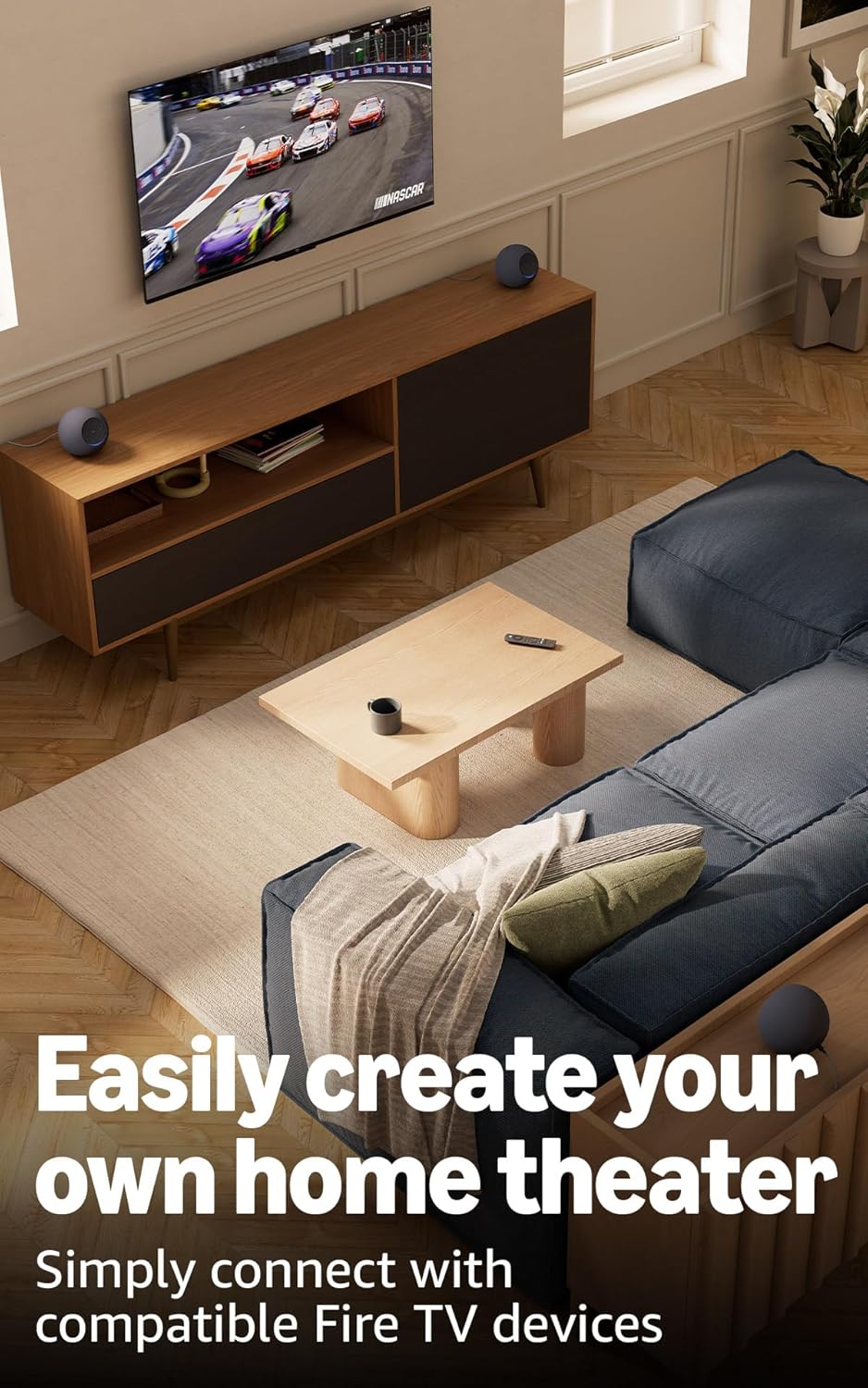
Image 3.1: Two Echo Studio devices positioned to create a home theater setup with a television, demonstrating multi-speaker audio.
4. Operating Your Echo Studio
4.1 Alexa-тай дуут удирдлага
Your Echo Studio is primarily controlled by voice commands using the wake word "Alexa". Speak clearly and directly to the device.

Image 4.1: A graphic introducing the updated Alexa+ assistant, highlighting its smarter and more proactive capabilities.
4.2 Alexa+ Early Access
This device provides early access to Alexa+. Upon setup, you can upgrade to this enhanced AI assistant for a more natural and conversational experience, capable of handling a wider range of tasks.
4.3 Ухаалаг гэрийн удирдлага
The Echo Studio includes a built-in smart home hub supporting Zigbee, Matter, and Thread Border Router protocols. This allows you to connect and control compatible smart lights, locks, and other devices directly without a separate hub.
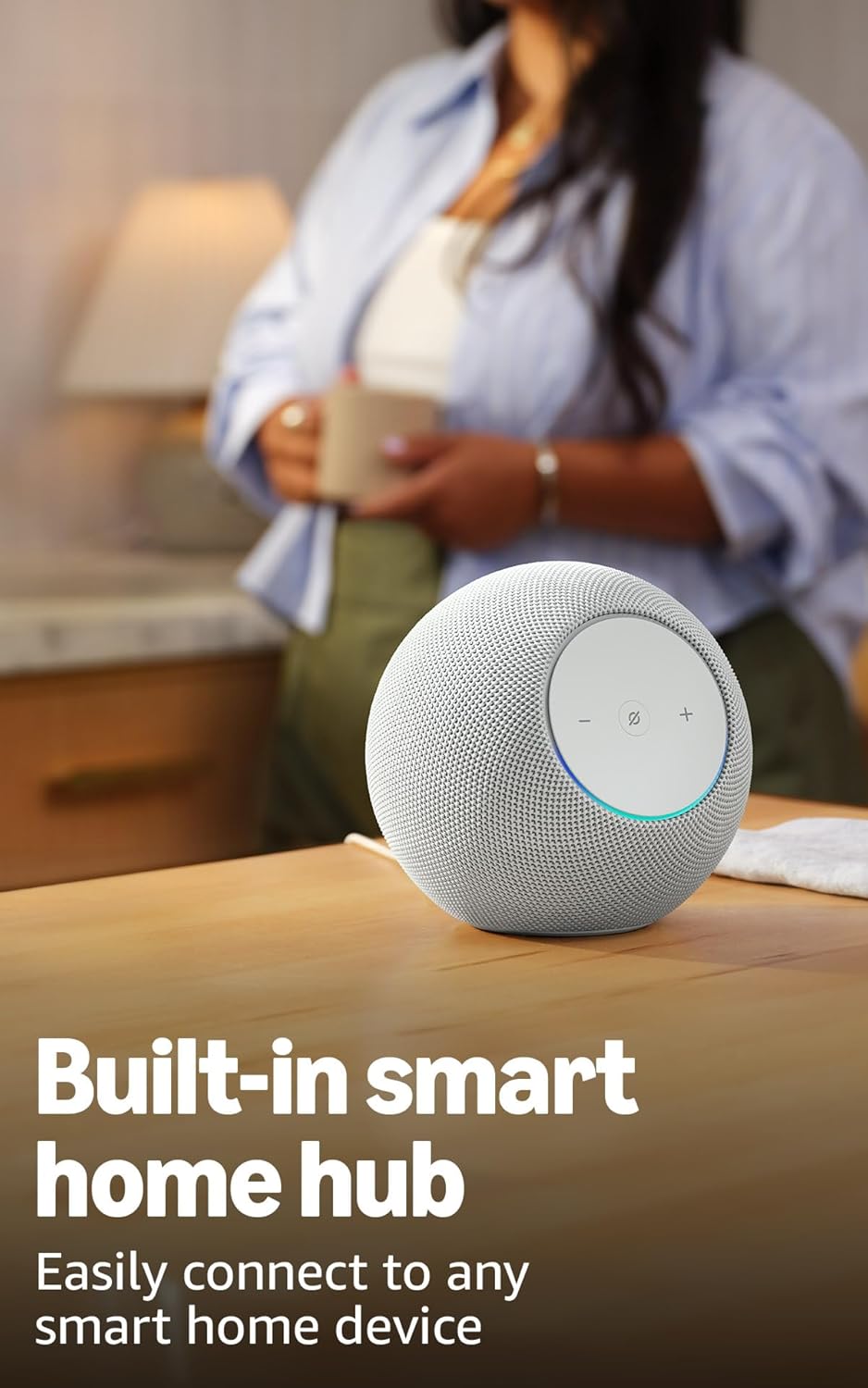
Image 4.2: The Echo Studio on a table, emphasizing its function as a built-in smart home hub for easy device connectivity.
4.4 Bluetooth холболт
Echo Studio supports Bluetooth wireless technology/Bluetooth Low Energy 5.3. You can stream audio from your mobile device to Echo Studio (A2DP) or from Echo Studio to a Bluetooth speaker (A2DP). AVRCP is supported for voice control of connected mobile devices. Bluetooth speakers requiring PIN codes are not supported.
4.5 Omnisense Technology
Omnisense technology enables proactive and personalized experiences through features like presence detection, ambient temperature sensing, and accelerometer-based tap gestures. For example, you can activate routines based on temperature changes or detected presence.
4.6 eero Built-in
If you have a compatible eero router, your Echo Studio can extend Wi-Fi coverage. Link your eero and Amazon accounts and manage this feature through the eero mobile application. This feature supports up to 1,000 sq. ft. of additional coverage, speeds up to 100 Mbps, and 10 or fewer connected devices in the 5GHz band.
5. Засвар үйлчилгээ
To ensure the longevity and optimal performance of your Echo Studio:
- Keep the device dry and away from direct sunlight or heat sources.
- Clean the exterior with a soft, dry, lint-free cloth. Do not use abrasive cleaners or solvents.
- Санамсаргүй уналтаас урьдчилан сэргийлэхийн тулд төхөөрөмжийг тогтвортой гадаргуу дээр байрлуулсан эсэхийг шалгаарай.
6. Алдаа засах
If you encounter issues with your Echo Studio, consider the following steps:
- Эрчим хүчгүй: Цахилгаан адаптер нь төхөөрөмж болон ажиллаж байгаа ханын залгуурт найдвартай холбогдсон эсэхийг шалгаарай.
- Wi-Fi холболт байхгүй: Check your router and internet connection. Verify that your Echo Studio is within range of your Wi-Fi network. Re-attempt Wi-Fi setup through the Alexa app.
- Alexa хариу өгөхгүй байна: Ensure the microphone is not muted (the light ring will be red if muted). Try saying the wake word more clearly or adjusting your proximity to the device.
- Аудио чанарын асуудал: Confirm the device is placed optimally for room adaptation. Check audio settings in the Alexa app.
- Ерөнхий асуудлууд: Try restarting your Echo Studio by unplugging it from the power outlet for a few seconds and then plugging it back in.
For further assistance, refer to the help section within the Alexa app or visit the Amazon support webсайт.
7. Техникийн үзүүлэлтүүд
| Онцлог | Дэлгэрэнгүй |
|---|---|
| Хэмжээ | 6.1”W x 5.6”D x 5.8”H (155mm W x 142.2mm D x 147.3mm H) |
| Жин | 57.56 oz (1632 grams) 3.6 lbs |
| Аудио зурвасын өргөн | 30 Hz - 18 kHz (volume 6) |
| Loudspeaker Drivers | 1x 3.75” high excursion woofer, 3x 2.25” full-range drivers |
| Тоглуулах сувгууд | 3.1.1 (left, center, right, height, subwoofer) |
| Аудио боловсруулалт | Distortion reduction, Lossless High Definition, Automatic Room Adaptation, Amazon Spatial Audio, Dolby Atmos |
| Wi-Fi холболт | 1x1 Wi-Fi 6E 11a/b/g/n/ac/ax |
| Bluetooth холболт | Bluetooth wireless technology/Bluetooth Low Energy 5.3 (A2DP, AVRCP) |
| Ухаалаг гэрийн төв | Zigbee + Matter + Thread Border Router |
| Процессор | Хиймэл оюун ухааны хурдасгууртай AZ3 Pro |
| Мэдрэгч | Ambient temperature, Ambient light, Presence Detection, Accelerometer for Tap Gestures |
| Omnisense технологи | Custom technology for ambient AI, enabling proactive and personalized experiences |
| eero Баригдсан | Extends Wi-Fi coverage with compatible eero routers (up to 1,000 sq. ft. additional coverage) |
| Хэл | Alexa англи, испани хэлээр ярьдаг |
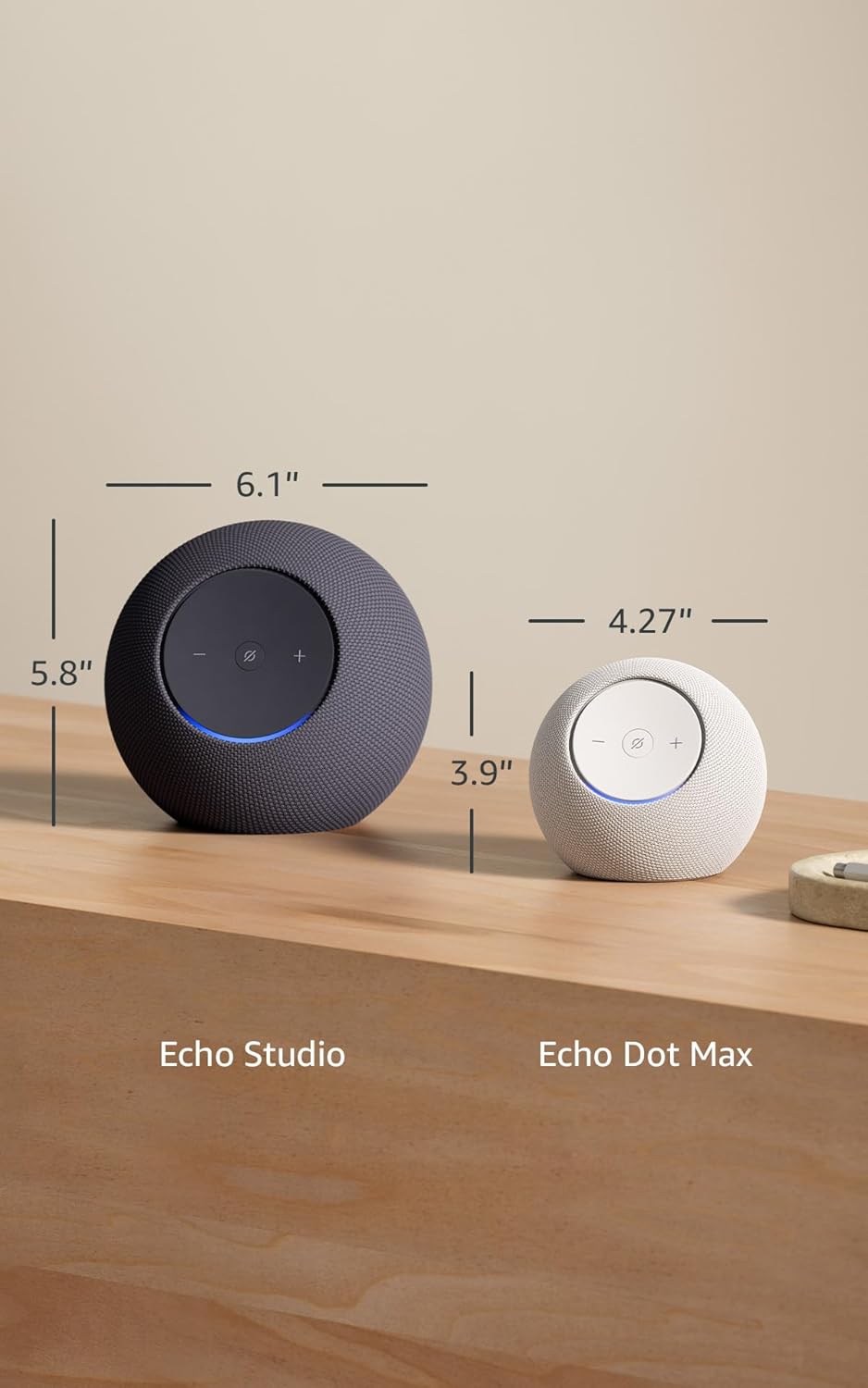
Image 7.1: A visual comparison showing the dimensions of the Echo Studio next to an Echo Dot Max.
8. Аюулгүй байдал ба дагаж мөрдөх
8.1 Нууцлалын онцлогууд
The Echo Studio is designed with multiple layers of privacy controls:
- Microphones Enable/Disable Button: A physical button allows you to electronically disconnect the microphones. When disabled, the light ring will turn red.
- Wake Word технологи: The device only begins recording and sending audio to the cloud after detecting the wake word (e.g., "Alexa").
- Дуу бичлэгийн удирдлага: Чадвартай view мөн Alexa програмаар дамжуулан дуут бичлэгээ устгана уу.

Зураг 8.1: Ойрын зураг view of the Echo Studio's control panel, highlighting the microphone enable/disable button for privacy control.
8.2 Хүртээмжтэй байдлын онцлогууд
Alexa offers various accessibility features to personalize your experience. These can be enabled in the Alexa App under Settings → Accessibility:
- Дасан зохицох сонсох: Alexa хариу өгөхөөс өмнө ярьж дуусгахад илүү их цаг өгдөг.
- Сонгосон ярианы түвшин: Control how fast or slow Alexa speaks (e.g., "Alexa, speak slower").
- Дуу хүсэх: Plays an audible tone when you speak to Alexa.
- Kindle чанга унших: Алексад Kindle номоо чангаар уншуул.
- Ойролцоох үед мэдэгдэх: Таныг цуурай төхөөрөмжийн ойролцоо байгааг илрүүлэх үед мэдэгдлийн дууг тоглуулна.
9. Баталгаат хугацаа ба дэмжлэг
Your Echo Studio comes with a 1-year limited warranty and service. Optional 1-year, 2-year, and 3-year extended warranties are available for U.S. customers, sold separately. For detailed warranty terms and conditions, please refer to the documentation provided with your device or visit the Amazon support webсайт.
For customer support, visit the Amazon Help & Customer Service pages or contact Amazon customer service directly.


