1. Танилцуулга
Thank you for choosing the Pro Breeze 40L Smart Dehumidifier. This manual provides important information regarding the safe operation, installation, use, and maintenance of your appliance. Please read this manual thoroughly before use and retain it for future reference.
This dehumidifier is designed to efficiently remove excess moisture from the air, helping to prevent mold, mildew, and condensation in spaces up to 50 m².
2. Аюулгүй ажиллагааны чухал заавар
Гал түймэр, цахилгаанд цохиулах, гэмтэх эрсдлийг бууруулахын тулд цахилгаан хэрэгсэл ашиглахдаа аюулгүй байдлын үндсэн арга хэмжээг үргэлж дагаж мөрдөөрэй.
- Төхөөрөмжийг ажиллуулахын өмнө бүх зааврыг анхааралтай уншина уу.
- Боть байгаа эсэхийг баталгаажуулна ууtagҮнэлгээний шошгон дээр заасан e нь таны үндсэн хүчдэлийн хэмжээтэй тохирч байнаtage.
- Төхөөрөмж, цахилгааны утас, залгуурыг ус болон бусад шингэнд дүрж болохгүй.
- Do not operate the appliance with a damaged cord or plug, or after it malfunctions or has been dropped or damaged in any manner.
- Төхөөрөмжийг хүүхэд, тэжээвэр амьтдын гар хүрэхгүй газар хадгална уу.
- Always unplug the appliance when not in use, before cleaning, or before moving.
- Төхөөрөмжийг тогтвортой, тэгш гадаргуу дээр байрлуулсан эсэхийг шалгаарай.
- Агаарын оролт, гаралтыг хааж болохгүй. Төхөөрөмжийн эргэн тойронд 20 см-ээс багагүй зайтай байх ёстой.
- Энэ хэрэгсэл нь зөвхөн дотор ашиглах зориулалттай.
- Do not use in bathrooms or other excessively humid environments where water may splash onto the unit.
3. Бүтээгдэхүүн дууссанview
3.1 Бүрэлдэхүүн хэсэг
The Pro Breeze 40L Smart Dehumidifier features a compact design with integrated controls and a water tank. It includes a continuous drainage option and mobility wheels for easy placement.
Зураг: Урд view of the Pro Breeze 40L Smart Dehumidifier, highlighting its dimensions (52cm height, 28cm depth, 35.5cm width) and key features like smart app control, laundry mode, 5.5L tank, and low energy consumption.
3.2 Хяналтын самбар ба дэлгэц
The dehumidifier is equipped with an intuitive touch control panel and an LED display for easy operation and monitoring of humidity levels.

Image: A hand interacting with the touch control panel of the dehumidifier, showing the digital display and various function buttons.
4. Тохиргоо
4.1 Савлах
- Чийгшүүлэгчийг сав баглаа боодолоос нь болгоомжтой авч хая.
- Хамгаалалтын хальс, соронзон хальс зэрэг бүх савлагааны материалыг зайлуул.
- Inspect the appliance for any signs of damage. If damaged, do not operate and contact customer support.
4.2 Байршил
Place the dehumidifier on a firm, level surface in the desired room. Ensure there is at least 20 cm of clear space around all sides of the unit to allow for proper airflow.

Image: A person easily moving the dehumidifier across a wooden floor in a living room, demonstrating its portability with four swivel wheels.
4.3 Эрчим хүчний холболт
Цахилгааны утсыг газардуулгатай цахилгааны залгуурт залгаарай. Залгуур нь 'Техникийн үзүүлэлтүүд' хэсэгт заасан цахилгааны шаардлагыг хангаж байгаа эсэхийг шалгаарай.
4.4 Тасралтгүй ус зайлуулах систем (заавал биш)
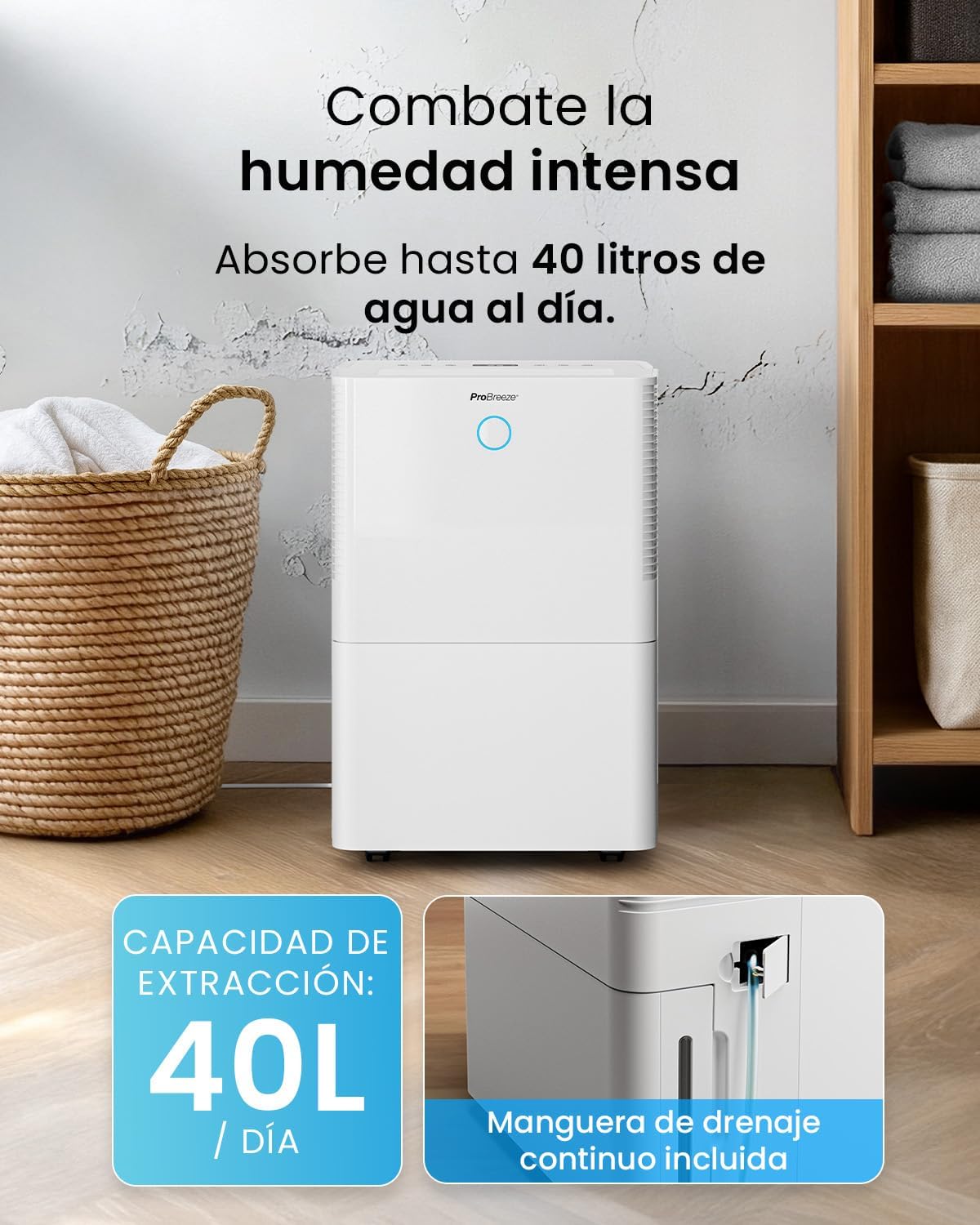
For continuous operation without needing to empty the water tank, attach the included drainage hose. Connect one end to the drainage port on the back of the unit and the other end to a suitable drain or container that is lower than the drainage port.

Зураг: Ойролцоогоор view of the dehumidifier's side, showing the continuous drainage hose connected and leading to a floor drain.
5. Ашиглалтын заавар
5.1 Асаах/унтраах
дээр дарна уу Хүч button on the control panel to turn the unit on or off.
5.2 Хүссэн чийгшлийг тохируулах
The dehumidifier features an automatic sensor that continuously measures room humidity. Use the Чийгшил buttons to set your desired humidity level between 30% and 80%.

Image: A family relaxing in a living room with the dehumidifier operating. An overlay illustrates the humidity indicator lights: Blue for >50% (Low), Green for 50-70% (Medium), and Red for <70% (High).
5.3 Үйлдлийн горимууд
- Автомат горим: The unit will automatically adjust its operation to maintain the set humidity level.
- Тасралтгүй горим: The dehumidifier will operate continuously regardless of the humidity level, ideal for very damp нөхцөл.
- Угаалгын горим: This mode is designed to accelerate the drying of clothes indoors by running at maximum fan speed and continuous dehumidification.
- Унтах горим: Reduces fan speed and dims the display for quiet operation during the night.

Image: A woman smiling while placing clothes on a drying rack next to the dehumidifier, illustrating the accelerated laundry drying feature.

Image: A family watching television in a dimly lit living room, with the dehumidifier operating quietly in the foreground, indicating its silent operation and night mode features.
5.4 Таймер функц
-г ашиглана уу Цаг хэмжигч button to set a 24-hour timer for automatic power on or off. This allows you to schedule operation according to your needs.

Image: A close-up of a smartphone screen displaying the Pro Breeze app's 24-hour timer function, allowing users to schedule the dehumidifier's operation.
6. Wi-Fi холболт болон аппликейшн хяналт
The Pro Breeze 40L Smart Dehumidifier can be controlled remotely via the free Pro Breeze app, compatible with both Alexa and Google Home.
6.1 Програм суулгах, холбох
- Download the Pro Breeze app from your smartphone's app store.
- Follow the in-app instructions to create an account and pair your dehumidifier.
- Ensure your dehumidifier is powered on and your smartphone is connected to a 2.4GHz Wi-Fi network during the pairing process.
6.2 Алсын удирдлагын онцлог
Аппликейшнаар дамжуулан та дараах зүйлсийг хийж болно:
- Turn the dehumidifier on/off.
- Чийгийн тохиргоог тохируулна уу.
- Select operating modes (Auto, Continuous, Laundry, Sleep).
- Set and manage the 24-hour timer.
- Monitor current room humidity.

Image: A woman using a smartphone to control the dehumidifier, with icons for Amazon Alexa and Google Home indicating voice control compatibility.
7. Засвар үйлчилгээ
Тогтмол засвар үйлчилгээ нь таны чийгшүүлэгчийн оновчтой ажиллагаа, удаан эдэлгээг баталгаажуулдаг.
7.1 Агаар шүүгчийг цэвэрлэх
Агаар шүүгчийг ашиглалт, агаарын чанараас хамааран хоёр долоо хоног тутамд эсвэл түүнээс олон удаа цэвэрлэж байх ёстой.
- Чийгшүүлэгчийг унтрааж, салга.
- Агаар шүүгчийг төхөөрөмжийн арын хэсгээс ав.
- Шүүлтүүрийг бүлээн, савантай усаар угаана. Дахин оруулахын өмнө сайтар зайлж, агаарт бүрэн хатаана.
- Do not operate the dehumidifier without the filter installed.
7.2 Усны савыг хоослох, цэвэрлэх
When the water tank is full, the unit will automatically shut off and an indicator light will illuminate. Empty the tank and clean it regularly to prevent mold and bacteria growth.
- Усны савыг төхөөрөмжийн урд талаас болгоомжтой татаж гаргана уу.
- Цуглуулсан усаа асга.
- Clean the tank with mild detergent and water. Rinse thoroughly.
- Reinsert the dry tank firmly into the dehumidifier.

Image: The dehumidifier in operation, with an overlay indicating its 40L/day extraction capacity and the continuous drainage hose option.
7.3 Гадаад цэвэрлэгээ
Чийгшүүлэгчийн гадна талыг зөөлөн, damp даавуу. Зүлгүүрийн цэвэрлэгч, уусгагчийг бүү ашигла.
8. Алдаа засах
If you encounter issues with your dehumidifier, refer to the following table before contacting customer support.
| Асуудал | Боломжит шалтгаан | Шийдэл |
|---|---|---|
| Чийгшүүлэгч асахгүй байна. | No power; Power cord not plugged in; Water tank full or not correctly inserted. | Check power supply; Plug in power cord; Empty and reinsert water tank correctly. |
| Ус цуглуулаагүй. | Room humidity too low; Temperature too low; Air filter blocked; Continuous drainage hose connected. | Increase desired humidity setting; Ensure room temperature is above 5°C; Clean air filter; Disconnect continuous drainage hose if collecting water in tank. |
| Нэгж дуу чимээтэй байна. | Unit not on a level surface; Air filter blocked; Fan obstruction. | Place on a flat, stable surface; Clean air filter; Check for obstructions in fan area. |
| Wi-Fi холболтын асуудал. | Incorrect Wi-Fi password; Not connected to 2.4GHz network; Router too far. | Verify password; Connect to 2.4GHz Wi-Fi; Move unit closer to router or use a Wi-Fi extender. |
9. Техникийн үзүүлэлтүүд
- Брэнд: Pro Breeze
- Загварын нэр: PB-D-32W-W
- Moisture Extraction: Өдөрт 40 литр хүртэл
- Усны савны багтаамж: 5.3 литр
- Санал болгож буй өрөөний хэмжээ: 50 м² (538 кв фут) хүртэл
- Хэмжээ (L x W x H): 27.5 x 35.5 x 52.2 см
- Жин: 16.36 кг
- Хурдны тоо: 3
- Онцлог шинж чанарууд: Smart App Control, Automatic Humidity Sensor, Automatic Shut-off, 24-hour Timer, Laundry Mode, Sleep Mode, Continuous Drainage
- Дуу чимээний түвшин: <49дБ
10. Баталгаат хугацаа ба дэмжлэг
For warranty information and customer support, please refer to the documentation included with your purchase or visit the official Pro Breeze website. Ensure you have your model number (PB-D-32W-W) and proof of purchase available when contacting support.
Үйлдвэрлэгч: Нэг жижиглэн худалдааны групп


