Бүтээгдэхүүн дууссанview
The Anweller P7BF is a versatile smart padlock offering multiple unlocking methods for enhanced security and convenience. It features fingerprint recognition, passcode entry, and mobile app control.
Гол онцлогууд
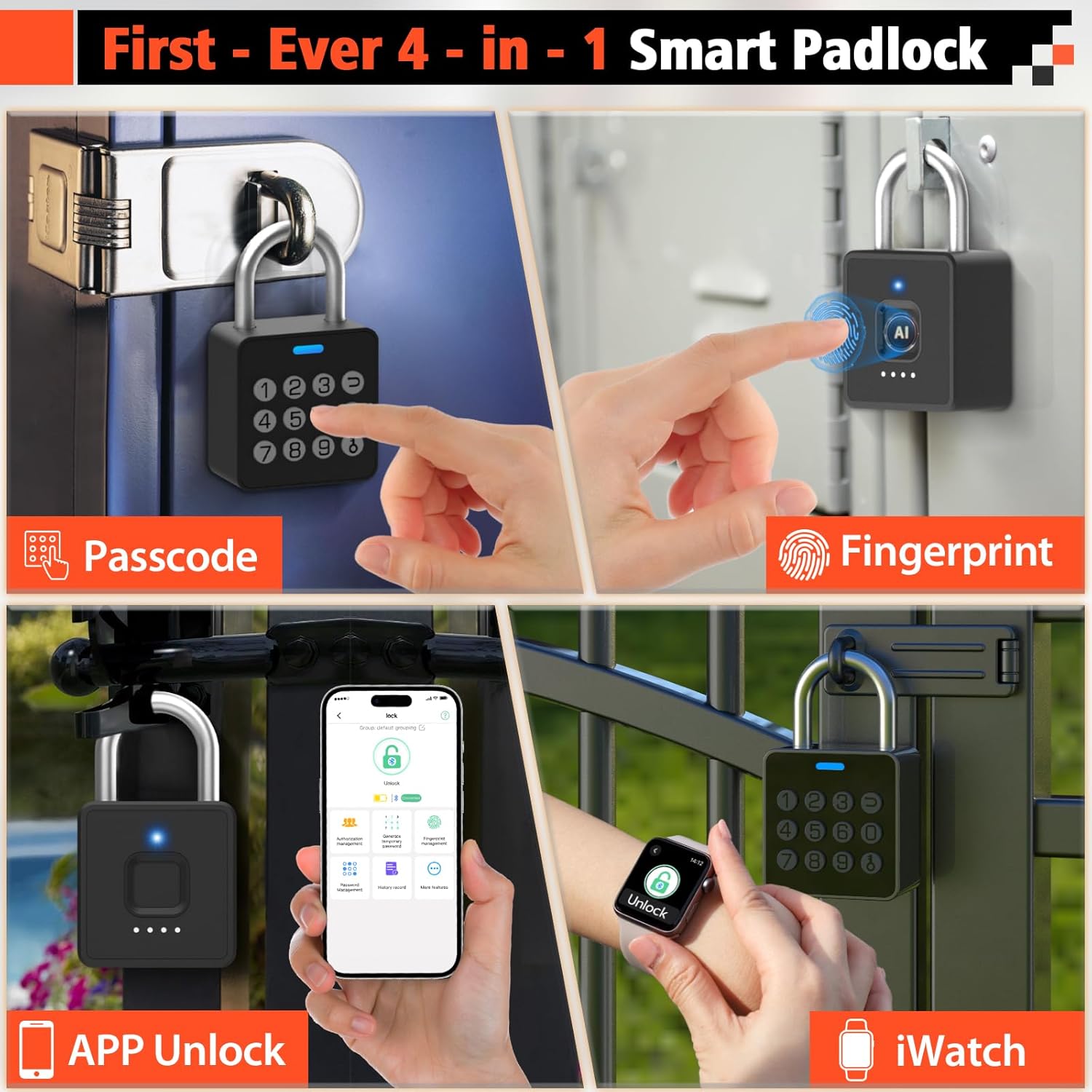
- 4-in-1 Unlocking: Fingerprint, Passcode, Mobile App, and iWatch.
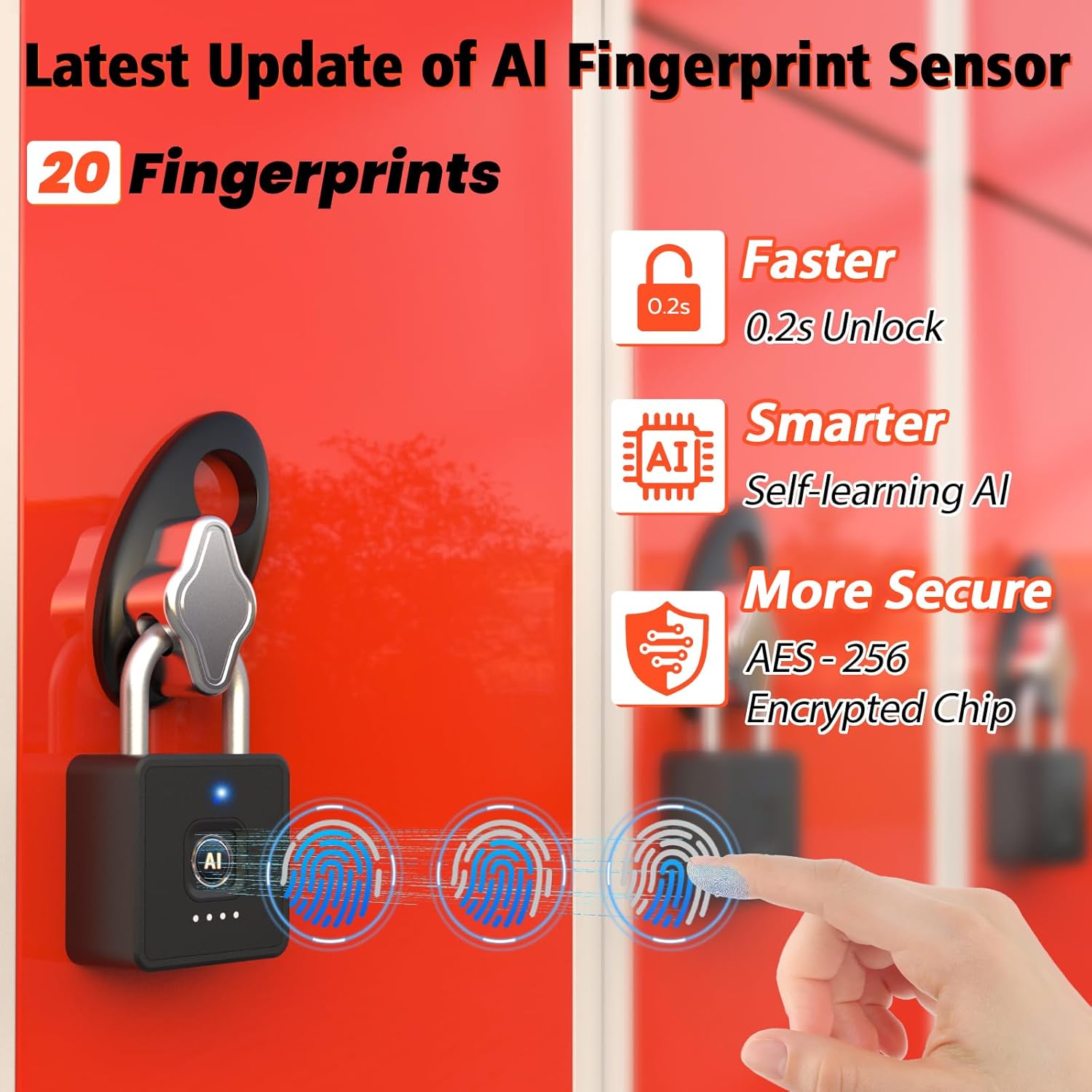
- Хурдан хурууны хээ таних: Unlocks in 0.2 seconds. Supports up to 20 fingerprints.
- Multi-function Passwords: Permanent, Guest (scheduled), and One-time codes.
- Ухаалаг програмын удирдлага: Bluetooth connectivity for user management, password generation, and unlock records.
- Бат бөх дизайн: IP65 waterproof and dustproof, withstands temperatures from -4°F to 113°F.
- Батерейны урт наслалт: Up to 180 days standby time, Type-C charging.

Юу багтсан бэ
- Anweller Smart Padlock
- C төрлийн цэнэглэгч кабель
- Хэрэглэгчийн гарын авлага
Тохируулах гарын авлага
Анхны цэнэглэлт
Before first use, fully charge the padlock using the provided Type-C cable. The charging port is typically located at the bottom or side of the lock. A full charge ensures optimal performance.

Програм суулгах ба холболт
- Download the "eSmartLock" app from your device's app store (Android or iOS).
- Програмаа нээгээд бүртгэл үүсгэ.
- Утасныхаа Bluetooth идэвхжсэн эсэхийг шалгаарай.
- In the app, select "Add Device" and follow the on-screen instructions to pair with your Anweller P7BF padlock. The lock's indicator light will typically flash during pairing.
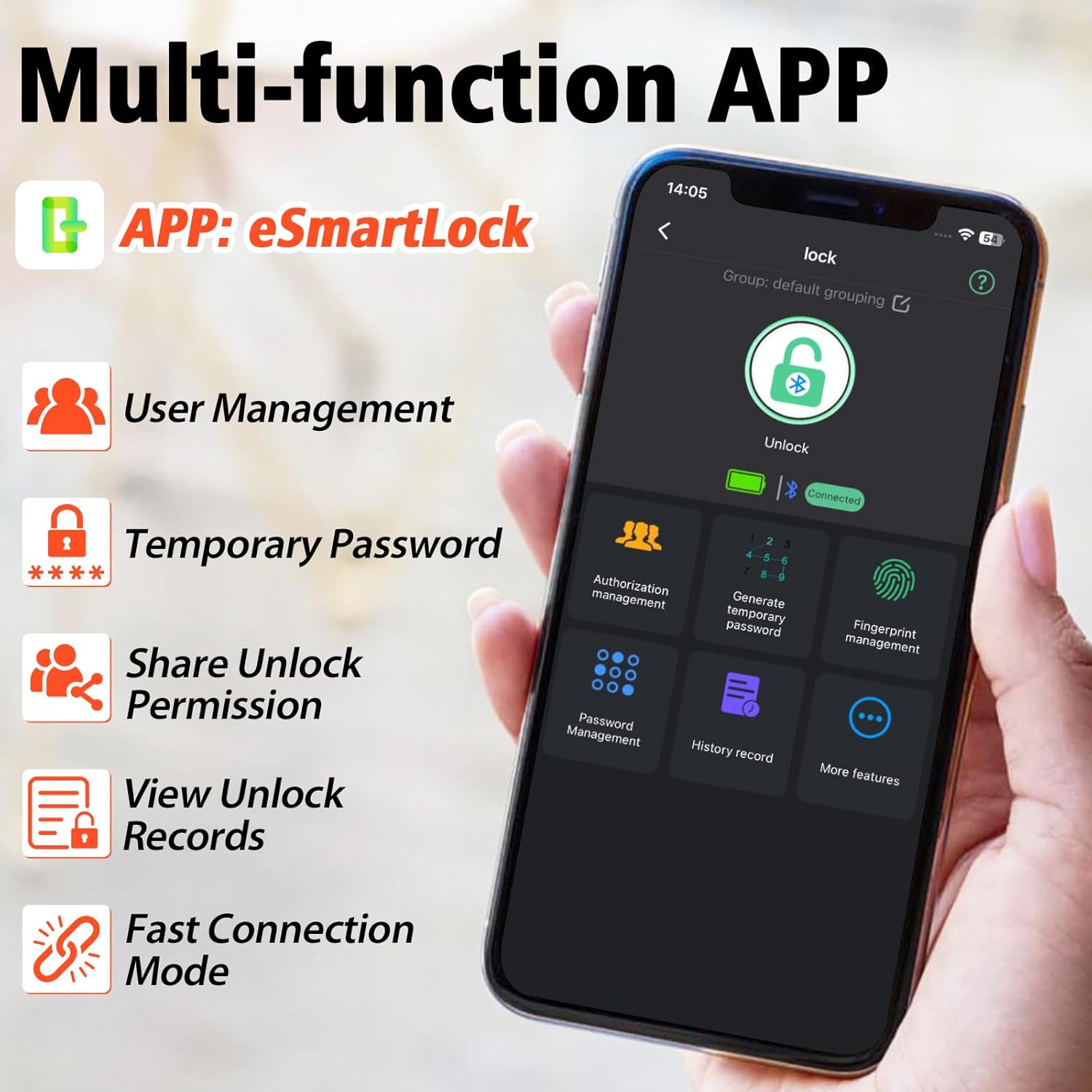
Хурууны хээг бүртгэж байна
- Once connected via the app, navigate to "Fingerprint Management".
- Select "Add Fingerprint" and follow the app's prompts to register your fingerprint. You will typically need to place your finger on the sensor multiple times from different angles.
- Register all desired fingerprints (up to 20).
Setting Passcodes
- In the app, go to "Password Management".
- You can set permanent passcodes (up to 20), generate guest passwords with scheduled entry times, or create one-time passwords.
- Follow the app's instructions to create and manage your desired passcodes.

Ашиглалтын заавар
Хурууны хээгээр түгжээг тайлж байна
Place your registered finger firmly on the fingerprint sensor. The lock will unlock in approximately 0.2 seconds if the fingerprint is recognized.
Unlocking with Passcode
Enter your registered passcode on the keypad and press the unlock button (often represented by a key or checkmark symbol).
Unlocking via Mobile App
Open the "eSmartLock" app on your smartphone. Ensure Bluetooth is active and you are within range of the padlock. Tap the "Unlock" button within the app interface.
Unlocking via iWatch
If configured, use the dedicated iWatch app to unlock the padlock.
Засвар үйлчилгээ
Батерейны удирдлага
The padlock is powered by a rechargeable Lithium-ion battery. When the battery is low, the indicator light may flash differently, or the app will notify you. Charge the lock using the provided Type-C cable. Avoid prolonged exposure to extreme temperatures to preserve battery life.
Цэвэрлэгээ
Wipe the lock body and fingerprint sensor with a soft, dry cloth. Do not use abrasive cleaners or solvents.
Байгаль орчны нөхцөл
The lock is IP65 rated for water and dust resistance, making it suitable for outdoor use. However, avoid submerging it in water or exposing it to harsh chemicals.

Алдааг олж засварлах
Хурууны хээ танигдаагүй байна
- Хуруугаа цэвэр, хуурай эсэхийг шалгаарай.
- Try placing your finger on the sensor from different angles.
- Хэрэв асуудал үргэлжилсээр байвал хурууны хээгээ дахин бүртгүүлнэ үү.
- Ensure the sensor is clean and free of debris.
Passcode Not Working
- Та зөв нууц үг оруулсан эсэхээ давхар шалгана уу.
- Verify if the passcode is still active (for guest or one-time codes).
- Ensure the lock's battery is not critically low.
Апп холболтын асуудал
- Ухаалаг утсан дээрээ Bluetooth идэвхжсэн эсэхийг шалгаарай.
- Make sure you are within Bluetooth range of the padlock.
- Програм эсвэл ухаалаг гар утсаа дахин эхлүүлнэ үү.
- Аппликешн шинэчлэх шаардлагатай эсэхийг шалгана уу.
Түгжээ хариу өгөхгүй байна
- The battery might be completely drained. Connect the lock to a Type-C charger.
- If the lock is completely unresponsive after charging, contact customer support.
Үзүүлэлтүүд
| Өмч | Үнэ цэнэ |
|---|---|
| Брэнд | Анвеллер |
| Загварын дугаар | P7BF |
| Бүтээгдэхүүний хэмжээ (L x W x H) | 4.42 x 2.46 x 7.49 см |
| Жин | 240 грамм |
| Материал | Зэвэрдэггүй ган |
| Өнгө | Хар |
| Түгжээний төрөл | Биометр |
| Онцлог шинж чанарууд | Anti-drill, Cut-resistant |
| Зайны төрөл | 1 Лити-ион (оруулсан) |
| Хянагчийн төрөл | Android, iOS |
| Усны хамгаалалттай үнэлгээ | IP65 |
| Ашиглалтын температур | -4°F-ээс 113°F хүртэл |
| Unlock Cycle Lifespan | 10,000 мөчлөг |
| Жингийн багтаамж | 220 фунт |
Баталгаат болон дэмжлэг
For warranty information and technical support, please refer to the contact details provided with your purchase or visit the official Anweller webсайт. Баталгаат нэхэмжлэл гаргахын тулд худалдан авалтаа нотлох баримтаа хадгалаарай.
