1. Танилцуулга
This manual provides essential information for the proper use and maintenance of your TECLAST T65 Android 15 Tablet. Please read it thoroughly before using the device to ensure optimal performance and longevity.

2. Хайрцагт юу байна
Бүх зүйл багцад байгаа эсэхийг шалгана уу:
- Android 15 T65 tablet x 1
- Цэнэглэгч x 1
- Цэнэглэх кабель x 1
- Зааварчилгааны гарын авлага x 1
- Ejection pin x 1
3. Бүтээгдэхүүний онцлог
3.1 Дэлгэц ба дүрслэл
- 13.4 инчийн IPS дэлгэц: Өргөн хүрээтэй viewing area with narrow bezels for an immersive experience.
- 1920x1200 HD Resolution: Delivers clear and detailed visuals.
- TDDI Technology: Reduces touch layers for brighter images and faster response.
- 120Гц Өндөр Сэргээх Хурд: Ensures smooth animations and agile touch response.
- Widevine L1 дэмжлэг: Enables streaming of 1080P content from platforms like Netflix and YouTube.
- Нүд хамгаалах горимууд: Includes Reading Mode, Eye Protection Mode, and Dark Mode for comfortable viewing.

3.2 Гүйцэтгэл ба хадгалалт
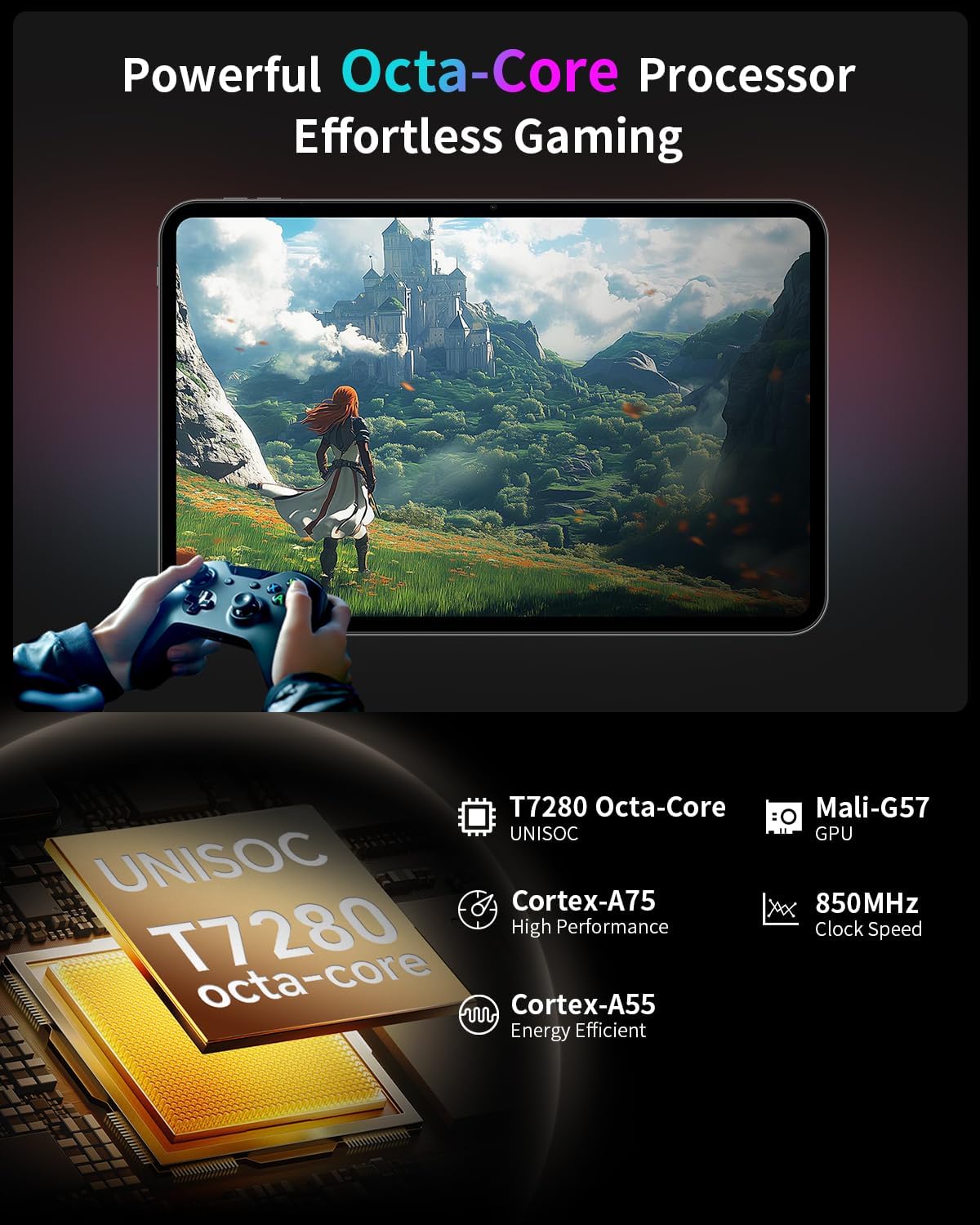
- Найман цөмт процессор: Features a Unisoc T7280 CPU with A75 and A55 cores, clocking up to 2.2GHz for efficient performance.
- Mali-G57 GPU: Integrated graphics coprocessor for enhanced visual processing.
- 20GB (8GB+12GB Expansion) RAM: хангадаг ample memory for multitasking.
- 128 ГБ дотоод санах ой: Sufficient space for applications and media.
- Өргөтгөх боломжтой хадгалах сан: Supports up to 1TB via TF (microSD) card (sold separately).
3.3 Operating System and User Experience
- Android 15 (GMS Certified): Offers a smooth, fast, and secure operating experience with enhanced privacy features.
- AI Intelligent Optimization: Improves system efficiency.
- Бүтээмжийн онцлогууд: Includes split-screen function, Quick Sidebar for fast app launch, and Assistive Control for quick system navigation.
- Эцэг эхийн хяналт: Built-in Google Family Link for managing screen time, app usage, and device location for children.

3.4 Connectivity and Battery
- 8000 мАч батерей: Provides extended usage, up to 8 hours of video playback.
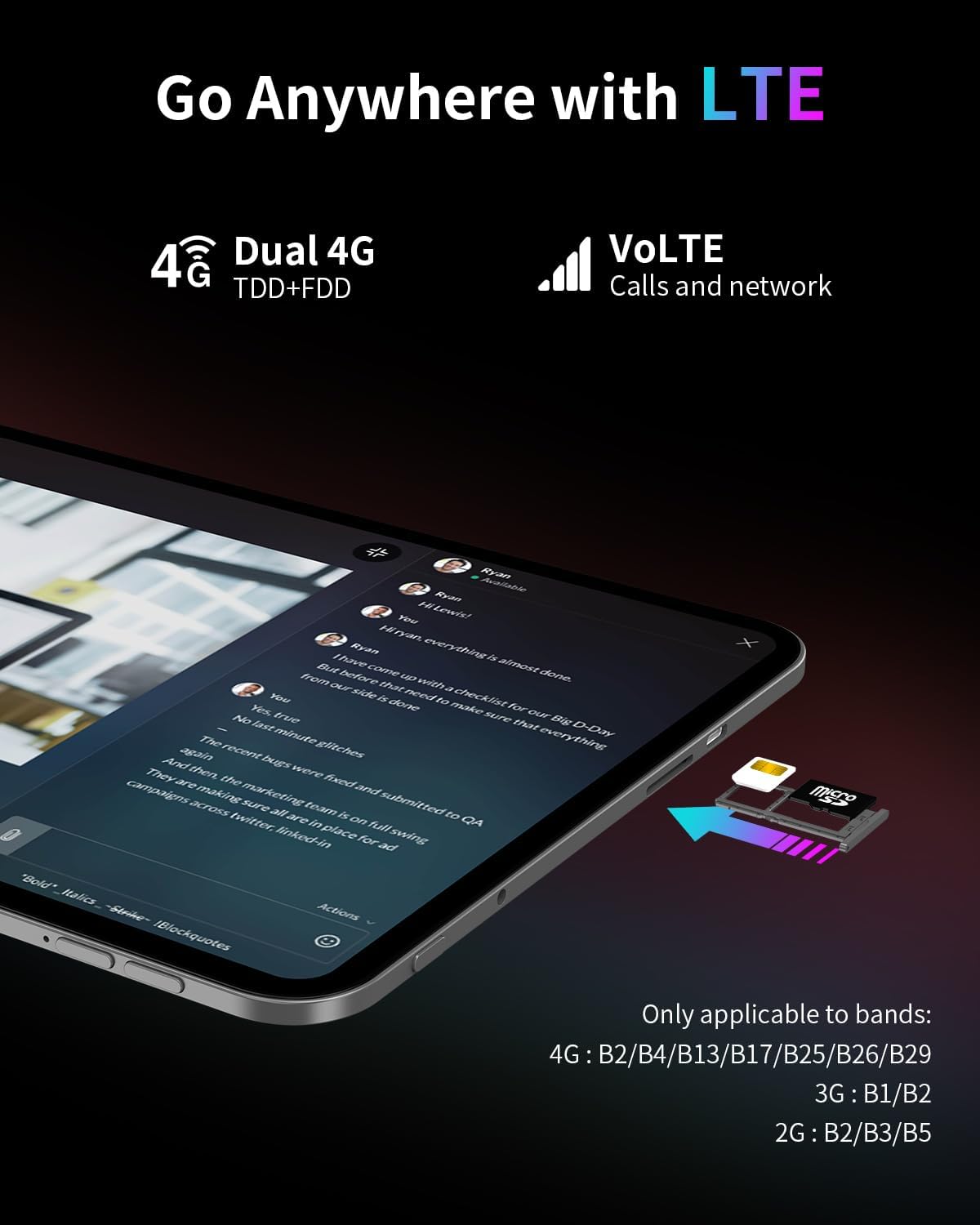
- 4G LTE холболт: Supports mobile data for on-the-go internet access (bands: 4G: B2/B4/B13/B17/B25/B26/B29; 3G: B1/B2; 2G: B2/B3/B5).
- Dual-Band Wi-Fi (2.4GHz+5GHz): Supports 802.11a/b/g/n/ac for stable wireless internet.
- Bluetooth 5.0: Утасгүй дагалдах хэрэгслийг холбох зориулалттай.
- GPS: Supports BeiDou, GPS, GLONASS, and GALILEO for accurate navigation.
- OTG функц: Allows connection of USB peripherals.
- USB Type-C: Цэнэглэх, өгөгдөл дамжуулах зориулалттай.
3.5 Аудио
- SWEET 4 Sound System: Enhanced audio output.
- Smart K Intelligent Ampөргөгч чип: Improves sound clarity.
- 3.5 мм чихэвчний залгуур: Утастай аудио холболтын хувьд.
4. Тохиргоо
4.1 Анхдагч асаалттай
- Press and hold the power button located on the side of the tablet until the TECLAST logo appears.
- Дэлгэц дээрх зааврыг дагаж хэлээ сонгож, Wi-Fi сүлжээнд холбогдож, Google бүртгэлээ тохируулна уу.
4.2 Inserting SIM/TF Card
- Таблетын хажуу талд SIM/TF картын үүрийг олоорой.
- Use the provided ejection pin to gently press into the small hole next to the tray until it pops out.
- Place your Nano-SIM card(s) and/or TF card into the tray, ensuring correct orientation as indicated on the tray.
- Тавиурыг үүрэнд болгоомжтой оруулаарай.
4.3 Таблетыг цэнэглэх
- Connect the charging cable to the USB Type-C port on the tablet.
- Plug the other end of the cable into the provided charger, and then into a power outlet.
- Дэлгэц дээрх батерейны дүрс нь цэнэглэх төлөвийг харуулах болно.
5. Ашиглалтын заавар
5.1 Үндсэн навигаци
- Хүрэх дохио: Сонгохын тулд товш, гүйлгэхийн тулд шудар, томруулахын тулд чимхээрэй.
- Үндсэн дэлгэц: Апп, виджет, мэдэгдэлд хандах.
- Quick Sidebar: Swipe inward from the edge of the screen to access frequently used apps and system controls.
- Assistive Control: A virtual button providing quick access to system functions.
5.2 Дэлгэцийн тохиргоо
- Гэрэлтүүлгийн тохируулга: Drag the brightness slider in the quick settings panel or navigate to Settings > Display.
- Сэргээх хурд: The tablet automatically adjusts to 120Hz for smoother visuals. This can be managed in Display settings.
- Нүд хамгаалах горимууд: Activate Reading Mode, Eye Protection Mode, or Dark Mode from quick settings or Display settings to reduce eye strain.
5.3 Холболт
- Wi-Fi: Боломжтой сүлжээнд холбогдохын тулд Тохиргоо > Сүлжээ ба интернет > Wi-Fi руу очно уу.
- Мобайл өгөгдөл: Ensure a SIM card is inserted and mobile data is enabled in Settings > Network & internet > Mobile network.
- Bluetooth: Тохиргоо > Холбогдсон төхөөрөмжүүд > Bluetooth-ээр дамжуулан Bluetooth төхөөрөмжүүдтэй холбогдоно уу.
- GPS: Location services can be managed in Settings > Location.
5.4 Эцэг эхийн хяналт
To set up parental controls, navigate to Settings > Digital Wellbeing & parental controls. You can use Google Family Link to manage screen time, monitor app usage, and set content restrictions for children's profiles.
6. Засвар үйлчилгээ
6.1 Цэвэрлэгээ
- Таблетын дэлгэц болон их биеийг цэвэрлэхийн тулд зөөлөн, хөвөнгүй даавуу ашиглана уу.
- Хүчтэй химийн бодис, зүлгүүрийн цэвэрлэгч, аэрозоль шүршигч хэрэглэхээс зайлсхий.
- Зөрүүд толбоны хувьд бага зэрэг dampдаавууг ус эсвэл дэлгэц цэвэрлэх уусмалаар хийнэ.
6.2 Батерейны арчилгаа
- Таблетыг хэт өндөр температурт байлгахаас зайлсхий.
- Таблетыг удаан хугацаанд бүрэн цэнэглэгдсэн эсвэл бүрэн цэнэггүй орхиж болохгүй.
- Зөвхөн төхөөрөмжид дагалдаж ирсэн анхны цэнэглэгч болон кабелийг ашиглана уу.
6.3 Програм хангамжийн шинэчлэлтүүд
Regularly check for and install software updates to ensure optimal performance, security, and access to new features. Go to Settings > System > System update.
7. Алдаа засах
7.1 Нийтлэг асуудал ба шийдвэрлэх арга замууд
- Таблет асахгүй байна:
- Ensure the battery is charged. Connect the charger and wait a few minutes before attempting to power on again.
- Press and hold the power button for at least 10-15 seconds to perform a forced restart. - Дэлгэц хариу өгөхгүй байна:
- Restart the tablet.
- Ensure the screen is clean and free of moisture or debris. - Wi-Fi холболтын асуудал:
- Restart the tablet and your Wi-Fi router.
- Forget the network in Wi-Fi settings and reconnect.
- Ensure you are within range of the Wi-Fi signal. - Apps are crashing or freezing:
- Close and reopen the app.
- Clear the app's cache and data in Settings > Apps.
- Ensure the app is updated to the latest version.
- Restart the tablet. - Батерей хурдан дуусдаг:
- Reduce screen brightness.
- Close unused apps running in the background.
- Disable Wi-Fi, Bluetooth, or GPS when not in use.
- Check for apps consuming excessive battery in Settings > Battery.
7.2 Үйлдвэрийн тохиргоонд дахин оруулах
Анхааруулга: Үйлдвэрийн тохиргоонд оруулснаар таны таблет дээрх бүх өгөгдөл устах болно. Үргэлжлүүлэхийн өмнө чухал өгөгдлөө нөөцөлнө үү.
Үйлдвэрийн тохиргоонд дахин тохируулахын тулд Тохиргоо > Систем > Дахин тохируулах сонголт > Бүх өгөгдлийг устгах (үйлдвэрийн тохиргоонд дахин тохируулах) хэсэгт очно уу.
8. Техникийн үзүүлэлтүүд
| Онцлог | Тодорхойлолт |
|---|---|
| Загварын нэр | T65 |
| Брэнд | TECLAST |
| Үйлдлийн систем | Android 15 |
| Дэлгэцийн хэмжээ | 13.4 инч |
| Дэлгэцийн нягтрал | 1920 x 1200 пиксел |
| Сэргээх хурд | 120 Гц |
| Процессор | Unisoc T7280 найман цөмт (2.2 GHz) |
| График процессор | Мали-G57 |
| RAM | 20GB (8GB LPDDR4 + 12GB Expansion) |
| Флаш санах ойн хэмжээ | 128 ГБ |
| Өргөтгөх боломжтой хадгалах сан | Up to 1TB TF Card (sold separately) |
| Утасгүй төрөл | 802.11a/b/g/n/ac (Dual-Band Wi-Fi) |
| Bluetooth | Bluetooth 5.0 |
| Үүрэн холболт | 4G LTE (B2/B4/B13/B17/B25/B26/B29), 3G (B1/B2), 2G (B2/B3/B5) |
| GPS | 4-Mode Satellite Positioning (BeiDou, GPS, GLONASS, GALILEO) |
| Зайны багтаамж | 8000 мАч |
| Батерейны дундаж хугацаа | 8 Hours (video playback) |
| Арын Webкамерын нягтрал | 13 МП |
| Зүйлийн жин | 1.59 фунт (ойролцоогоор 720 гр) |
| Бүтээгдэхүүний хэмжээс | 12 x 7.9 x 0.33 инч (ойролцоогоор 30.5 x 20.1 x 0.84 см) |
| Өнгө | Саарал |
9. Баталгаат хугацаа ба дэмжлэг
9.1 Баталгаат хугацааны мэдээлэл
Please refer to the warranty card included in your product packaging for detailed warranty terms and conditions. Keep your proof of purchase for warranty claims.
9.2 Хэрэглэгчийн дэмжлэг
For any questions, technical assistance, or issues with your TECLAST T65 tablet, please contact TECLAST customer support. Most inquiries are answered within 24 hours.
You can typically find contact information on the official TECLAST website or through the seller's platform where you purchased the product.


