Танилцуулга
This manual provides essential information for setting up, operating, maintaining, and troubleshooting your NIMO 15.6" IPS FHD Business Laptop. Please read this manual thoroughly before using your device to ensure optimal performance and longevity.
Хайрцагт юу байна
- 1 x Nimo N154 зөөврийн компьютер
- 1 x Type-C 65W PD хурдан цэнэглэгч
- 1 х хэрэглэгчийн гарын авлага (энэ баримт бичиг)
- Windows 11 Home (урьдчилан суулгасан)
- Баталгаат хугацааны мэдээлэл (2 жилийн баталгаат хугацаа, 90 хоногийн буцаалт)
Бүтээгдэхүүн дууссанview
Familiarize yourself with the key components and features of your NIMO laptop.

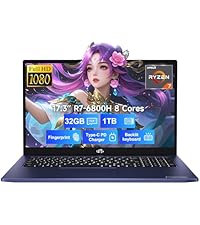
Зураг 1: NIMO 15.6" Laptop Front View Үндсэн шинж чанаруудтай
This image displays the NIMO 15.6-inch laptop from the front, showcasing its full HD IPS display. Icons on the screen highlight key features including the Intel Core i3-1215U 6-core processor, 8GB RAM, 256GB SSD, fingerprint reader, Type-C PD charger, and backlit keyboard. An eagle graphic is prominently featured on the screen.
Портууд ба холбогч

Зураг 2: Laptop Ports and Connectors
This image illustrates the various ports available on the NIMO laptop. On the left side, from left to right, are the Micro SD card slot, USB 2.0 port, USB 3.0 port, headphone combo jack, and Kensington lock slot. On the right side, from left to right, are a Type-C (charge only) port, USB 3.0 port, HDMI port, Type-C (multifunction) port, and a Charge LED indicator.
- Зүүн тал: Micro SD Card Slot, USB 2.0, USB 3.0, Headphone Combo Jack, Kensington Lock
- Баруун тал: Type-C (Charge Only), USB 3.0, HDMI, Type-C (Multifunction), Charge LED
Тохируулах гарын авлага
1. Анхны цэнэглэлт
Before first use, fully charge your laptop. Connect the provided 65W Type-C PD fast charger to the Type-C (Charge only) port on the right side of the laptop and to a power outlet. The Charge LED will indicate charging status.

Зураг 3: 65W Type-C PD Fast Charger
This image shows the compact NIMO 65W Type-C PD fast charger with its accompanying Type-C cable. It highlights the charger's versatility, indicating it can be used for laptops, tablets, and iPhones. Below, a comparison graphic contrasts the single, organized Type-C charger with a cluttered power strip filled with multiple, tangled chargers, emphasizing the convenience of the NIMO charger.
2. Асаах
Open the laptop lid. Press the power button, typically located on the top right of the keyboard, to turn on the device. The laptop will boot into Windows 11 Home.
3. Windows-ийн анхны тохиргоо
Follow the on-screen prompts to complete the Windows 11 Home setup. This includes selecting your region, language, connecting to a Wi-Fi network, creating a user account, and setting up security features like the fingerprint reader.
4. Хурууны хээ уншигчийн тохиргоо
During Windows setup or later via Windows Settings, configure the integrated fingerprint reader for secure and quick login. This feature is located on the touchpad area.

Зураг 4: Fingerprint Reader and Webкамерын нууцлалын хамгаалалт
This image highlights two security features of the NIMO laptop. The upper left section shows a close-up of the touchpad with a glowing fingerprint icon, indicating the integrated fingerprint scanner for seamless security integration. The lower right section displays the laptop's webcam with a physical privacy shield, emphasizing privacy-focused camera convenience.
Ашиглалтын заавар
Гар болон мэдрэгчтэй самбар
Your NIMO laptop features a full-size keyboard with a numeric keypad and a backlit function for use in low-light conditions. The large trackpad supports multi-touch gestures.

Зураг 5: Гарны онцлог
This image displays the NIMO laptop's keyboard, highlighting its features for effortless typing in any environment. Icons above the keyboard represent the backlit keyboard, webcam shield, fingerprint reader, and numeric keypad. Insets show the backlit keyboard in use in a dimly lit setting.
Дэлгэц
The 15.6" Full HD (1920x1080) IPS display offers vibrant colors and wide viewing angles. Adjust brightness and display settings through Windows settings.

Зураг 6: Тод Full HD дэлгэц
This image showcases the NIMO laptop's vivid Full HD display, featuring a vibrant image of a jellyfish on the screen. Icons above the display highlight its key attributes: FHD 1920x1080 resolution, IPS technology, Bright View, and Eye Protection. The screen-to-body ratio is indicated as 85%.
Холболт
- Wi-Fi 6: Өндөр хурдны утасгүй сүлжээнд холбогдоно уу.
- Bluetooth: Pair with Bluetooth-enabled devices such as headphones or mice.
- USB портууд: Utilize the USB 2.0 and USB 3.0 ports for connecting external devices.
- HDMI: Гадаад монитор эсвэл проектортой холбогдоно уу.
Засвар үйлчилгээ
Зөөврийн компьютерээ цэвэрлэх
- Зөөлөн, хөвөнгүй даавууг бага зэрэг хэрэглээрэй dampДэлгэцийг цэвэрлэхийн тулд ус эсвэл дэлгэц цэвэрлэгчээр зайлна.
- Гар болон явах эд ангийн хувьд зөөлөн даавуу хэрэглээрэй. Химийн хүчтэй бодисоос зайлсхий.
- Periodically use compressed air to clear dust from vents to ensure proper cooling.
Батерейны арчилгаа
- Зайг байнга бүрэн цэнэглэхээс зайлсхий.
- Зөөврийн компьютерээ удаан хугацаагаар ашиглаагүй бол сэрүүн, хуурай газар хадгална уу.
- Use only the provided NIMO 65W Type-C PD charger.
Storage and Upgrades
The laptop comes with 8GB DDR4 RAM and a 256GB SSD. Both RAM and SSD are upgradeable, offering flexibility for future performance enhancements.

Зураг 7: RAM and SSD Configuration
This image shows the NIMO laptop screen displaying various applications, illustrating its multitasking capabilities. Below the laptop, three boxes highlight its memory and storage specifications: 8GB DDR4 RAM, 256GB PCIe 4.0 SSD, and the presence of Dual RAM Channels, indicating support for upgrades and expansion.
Алдааг олж засварлах
Энэ хэсэгт таны NIMO зөөврийн компьютерт тулгарч болох нийтлэг асуудлуудыг авч үзэх болно.
Зөөврийн компьютер асахгүй байна
- Цэнэглэгч нь зөөврийн компьютер болон ажиллаж байгаа цахилгаан залгуурт найдвартай холбогдсон эсэхийг шалгаарай.
- Check if the Charge LED illuminates when connected to power.
- Хатуу дахин тохируулахын тулд асаах товчийг 10-15 секунд дарж үзээрэй.
Батерей хурдан дуусдаг
- Adjust screen brightness to a lower setting.
- Ар талд ажиллаж байгаа шаардлагагүй програмуудыг хаа.
- Ensure Windows is updated, as updates often include power management improvements.
- Check power settings in Windows to optimize battery usage.
Applications Freeze or Laptop is Slow
- Close any applications that are not in use.
- Зөөврийн компьютераа дахин эхлүүлнэ үү.
- Check Task Manager (Ctrl+Shift+Esc) for processes consuming high CPU or RAM.
- Үйлдлийн систем болон драйверууд тань шинэчлэгдсэн эсэхийг шалгаарай.
- Consider upgrading RAM or SSD if performance issues persist, as the laptop supports upgrades.
Wi-Fi холболтын асуудал
- Wi-Fi чиглүүлэгч болон модемоо дахин эхлүүлнэ үү.
- Disable and re-enable Wi-Fi on your laptop.
- Wi-Fi драйверууд шинэчлэгдсэн эсэхийг шалгаарай.
- Сүлжээгээ мартаад дахин холбогдоно уу.
Үзүүлэлтүүд
Detailed technical specifications for your NIMO N154 laptop.
| Онцлог | Тодорхойлолт |
|---|---|
| Брэнд | NIMO |
| Загварын нэр | Нимо N154 |
| Дэлгэцийн хэмжээ | 15.6 инч |
| Дэлгэцийн нягтрал | 1920 x 1080 пиксел (Full HD IPS) |
| Процессор | Intel Core i3-1215U (6 цөмт, 4.4 GHz хүртэл) |
| RAM | 8 GB DDR4 (Upgradeable) |
| Санах ойн хурд | 3200 МГц |
| Хатуу диск | 256 GB SSD (Upgradeable) |
| График процессор | Нэгдсэн Intel график |
| Үйлдлийн систем | Windows 11 Нүүр хуудас |
| Утасгүй төрөл | Wi-Fi 6 (802.11a/b/g/n/ac), Bluetooth 5.2 |
| USB портууд | 1x USB 2.0, 3x USB 3.0, 2x Type-C (1x Charge Only, 1x Multifunction) |
| Бусад портууд | HDMI, Headphone Combo Jack, Micro SD Card Slot, Kensington Lock |
| Онцлог шинж чанарууд | Fingerprint Reader, HD Audio, Memory Card Slot, Numeric Keypad, Backlit Keyboard, Webcam Shield |
| Зүйлийн жин | 3.8 фунт |
| Бүтээгдэхүүний хэмжээс | 14.07 x 8.98 x 0.76 инч |
| Батерейны дундаж хугацаа | 5 Hours (54Wh Smart Battery) |
| Эрчим хүчний эх үүсвэр | Battery Powered, 65W Type-C PD Charger |
Баталгаат болон дэмжлэг
NIMO нь найдвартай бүтээгдэхүүн, маш сайн харилцагчийн үйлчилгээ үзүүлэхийг зорьдог.
- Баталгаат хугацаа: Your NIMO laptop is covered by a 2-year warranty.
- Буцах: You may return the product within 90 days of purchase.
- Хэрэглэгчийн дэмжлэг: Our 24/7 support team is available to provide assistance.
- Холбоо барих: For support inquiries, please visit the official NIMO webсайт эсвэл холбоо барих service@nimopc.com.

Зураг 8: Professional Customer Assistance
This image depicts a customer service representative wearing a headset, symbolizing the availability of professional customer assistance via phone and live chat.
Зураг 9: 2 жилийн дэмжлэг
This image shows a technician working on a laptop's internal components with tools, representing the 2-year support coverage for Nimo products.

Зураг 10: 90 хоногийн буцах бодлого
This image illustrates a delivery person handing a package to a customer, signifying the 90-day return policy for Nimo products.