Танилцуулга
This manual provides comprehensive instructions for the setup, operation, and maintenance of your V7 Dual Bay Docking Station USB 3.0. This device is designed to provide convenient access to 2.5-inch and 3.5-inch SATA hard disk drives (HDDs) and solid-state drives (SSDs), offering high-speed data transfer and a standalone cloning function.
Бүтээгдэхүүний зөв ажиллагааг хангах, эвдрэлээс урьдчилан сэргийлэхийн тулд ашиглахаасаа өмнө энэхүү гарын авлагыг сайтар уншина уу.
Багцын агуулга

Image: The side of the V7 Dual Bay Docking Station packaging, detailing the included items.
Доор жагсаасан бүх зүйл таны багцад байгаа эсэхийг шалгаарай.
- 1x V7 Dual Bay Docking Station
- 1x USB 3.0 A to B Cable
- 1x DC 12V/3A Power Adapter
- 1x хэрэглэгчийн гарын авлага (энэ баримт бичиг)
Бүтээгдэхүүн дууссанview
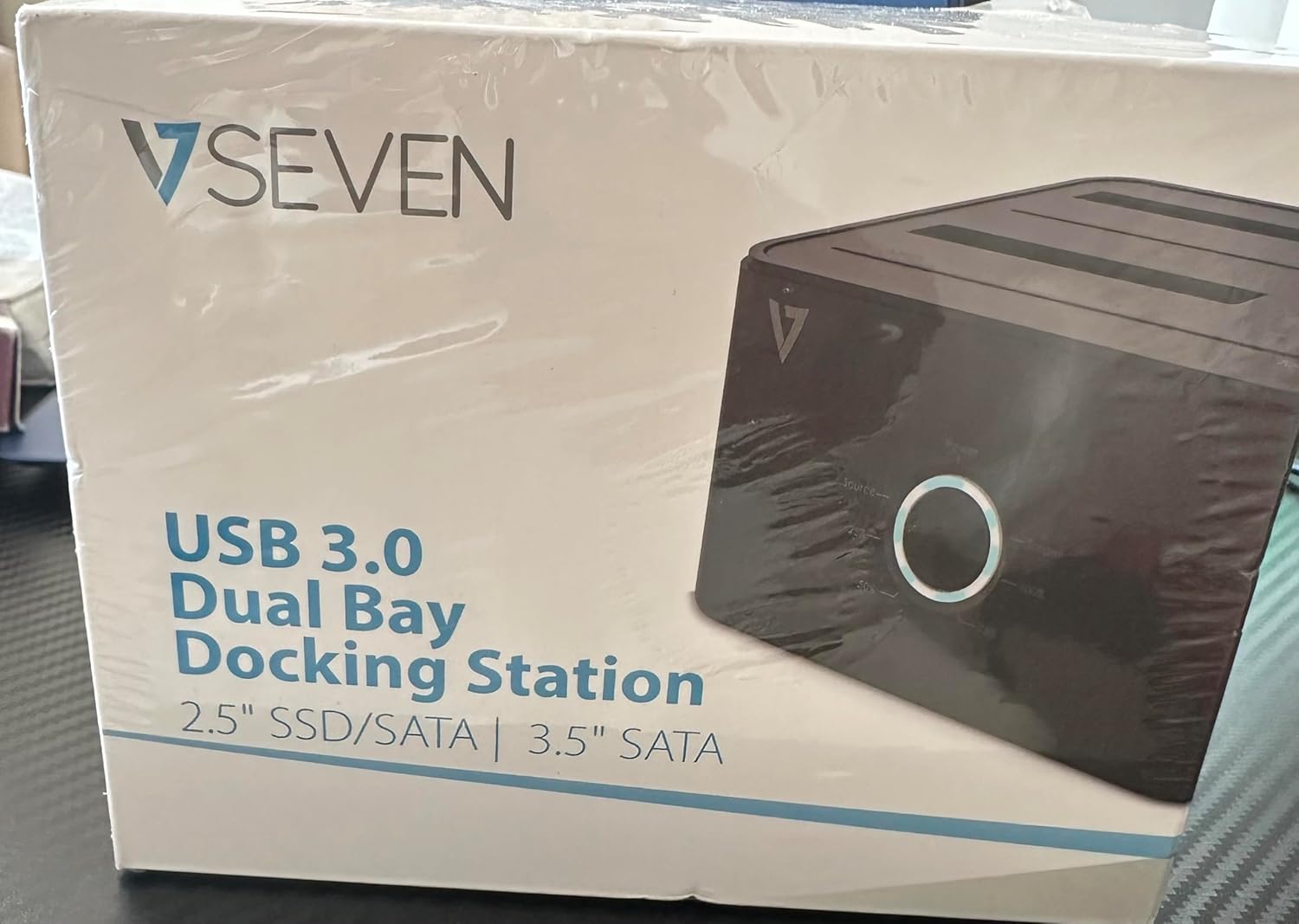
Image: The front of the V7 Dual Bay Docking Station packaging, displaying the product and its name.
The V7 Dual Bay Docking Station provides a versatile solution for managing your 2.5-inch and 3.5-inch SATA drives. Key features include:
- USB 3.0 Super-Speed Data Transfer: Achieves speeds up to 5 Gbps, significantly faster than USB 2.0.
- Dual Bay Design: Supports two SATA I/II/III HDDs or SSDs simultaneously.
- Standalone Clone Function: Allows direct cloning of one drive to another without requiring a computer.
- Лэд дэлгэц: Provides status indication during operation, especially for cloning.
- Дахин боловсруулсан материал: Constructed with recycled materials, contributing to environmental sustainability.

Image: The back of the V7 Dual Bay Docking Station packaging, illustrating key features and benefits, including the use of recycled materials.
Портууд ба үзүүлэлтүүд:
- USB-B Port (1x): Connects the docking station to your computer.
- SATA Drive Bays (2x): For inserting 2.5-inch or 3.5-inch SATA HDDs/SSDs.
- DC Power Input (1x): 12V/3A тэжээлийн адаптерийг холбох зориулалттай.
- Power Button/LED: Эрчим хүчийг удирдаж, үйл ажиллагааны төлөвийг заана.
- Clone Button/LEDs: Initiates the cloning process and indicates progress.
Тохиргоо
- Эрчим хүчийг холбох: Insert the DC 12V/3A power adapter into the "DC Power Input" port on the docking station, then plug the adapter into a wall outlet.
- Драйвуудыг оруулах:
- Gently slide your 2.5-inch or 3.5-inch SATA HDD/SSD into the drive bay(s) until it is securely seated. Ensure the SATA connector aligns correctly.
- For cloning, insert the source drive into Bay 1 (Source) and the target drive into Bay 2 (Target). The target drive must be equal to or larger in capacity than the source drive.
- Connect to Computer (for data transfer): If you intend to use the docking station for data transfer with a computer, connect one end of the USB 3.0 A to B cable to the USB-B port on the docking station and the other end to an available USB 3.0 port on your computer.
- Асаах: Press the power button on the docking station. The power LED should illuminate.
Ашиглалтын заавар
A. Data Transfer Mode (Connected to Computer)
- Ensure the docking station is powered on and connected to your computer via the USB 3.0 cable.
- Нэг эсвэл хоёр SATA хөтчийг үүрэнд оруулна уу.
- Your operating system should detect the drives as external storage. You may need to initialize and format new drives through Disk Management (Windows) or Disk Utility (macOS) before use.
- You can now access, read, and write data to the inserted drives as you would with any external storage device.
- Always safely eject the drives from your operating system before powering off the docking station or removing the drives.
B. Standalone Clone Function (Without Computer)
The clone function allows you to duplicate a source drive to a target drive without a computer connection. The target drive must have a capacity equal to or greater than the source drive.
- Бэлтгэл:
- Ensure the docking station is disconnected from any computer.
- -г оруулна уу Эх Драйв (the drive you want to copy FROM) into Булан 1.
- -г оруулна уу Зорилтот хөтөч (the drive you want to copy TO) into Булан 2.
- Warning: All data on the target drive will be erased during the cloning process. Back up any important data on the target drive before proceeding.
- Клоныг эхлүүлэх:
- Док станцыг асаана уу.
- Press and hold the "Clone" button for approximately 3-5 seconds until the clone progress LEDs begin to flash.
- Confirm Clone:
- Release the "Clone" button. The 25% progress LED should start blinking.
- Press the "Clone" button again briefly to confirm and start the cloning process.
- Явцыг хянах: The progress LEDs (25%, 50%, 75%, 100%) will illuminate sequentially to indicate the cloning status.
- Дуусгах: When the 100% LED remains solid, the cloning process is complete.
- Унтраах ба устгах: Power off the docking station before removing the drives.
Засвар үйлчилгээ
- Холбох станцыг цэвэр, тоос шороогүй байлга. Цэвэрлэхийн тулд зөөлөн, хуурай даавуу ашиглана уу.
- Төхөөрөмжийг хэт өндөр температур, чийгшил, нарны шууд тусгалд оруулахаас зайлсхий.
- Төхөөрөмжийг өөрөө задлах, засах гэж бүү оролдоорой. Энэ нь баталгааг хүчингүй болгоно.
- Ашиглалтын явцад төхөөрөмжийн эргэн тойронд агааржуулалт сайтай байх ёстой.
Алдааг олж засварлах
| Асуудал | Боломжит шалтгаан | Шийдэл |
|---|---|---|
| Төхөөрөмж асахгүй байна. | Цахилгаан адаптер холбогдоогүй эсвэл алдаатай байна. | Ensure the power adapter is securely connected to both the docking station and a working power outlet. Try a different outlet. |
| Drives not detected by computer. | USB cable not connected properly; drive not seated correctly; drive uninitialized/unformatted. | Check USB cable connection. Re-seat the drive(s). For new drives, initialize and format them via Disk Management (Windows) or Disk Utility (macOS). Try a different USB port on your computer. |
| Clone function not starting. | Incorrect drive placement; target drive too small; clone button not held long enough. | Ensure source drive is in Bay 1 and target drive in Bay 2. Verify target drive capacity is equal to or larger than source. Hold the clone button for 3-5 seconds until LEDs flash. |
| Өгөгдөл дамжуулах хурд удаан. | Connected to USB 2.0 port; faulty USB cable. | Ensure the docking station is connected to a USB 3.0 port on your computer. Try a different USB 3.0 cable. |
Үзүүлэлтүүд
- Загвар: 9UDBBS-BLK
- Техник хангамжийн интерфейс: USB 3.0 (USB 2.0-тэй буцаж нийцдэг)
- Өгөгдөл дамжуулах хурд: Up to 5 Gbps (USB 3.0 Super-Speed)
- Драйвын нийцтэй байдал: 2.5" and 3.5" SATA I/II/III HDDs and SSDs
- Драйв-тай тэмцэх газар: 2
- Портууд: 1x USB-B (Host), 2x SATA (Internal), 1x DC Power Input
- Эрчим хүчний оролт: DC 12V/3A (12 Watts)
- UPC: 662919116557
- Үйлдвэрлэгч: Ingram Micro Inc
- Материал: Made from Recycled Materials
Баталгаат болон дэмжлэг
For warranty information and technical support, please refer to the official V7 webсайт эсвэл худалдагчтайгаа холбогдоно уу. Баталгаат нэхэмжлэл гаргахын тулд худалдан авалтаа нотлох баримтаа хадгалаарай.
Нэмэлт тусламж авахыг хүсвэл зочилно уу: www.v7world.com/support (Жишээ ньample холбоос, бодит холбоос өөр байж болно)