Танилцуулга
This manual provides comprehensive instructions for the setup, operation, and maintenance of your memzuoix WM125B Wireless Mouse. Designed for comfort and precision, this 2.4GHz wireless mouse offers adjustable DPI settings and broad compatibility for various computing needs.
Гол онцлогууд:
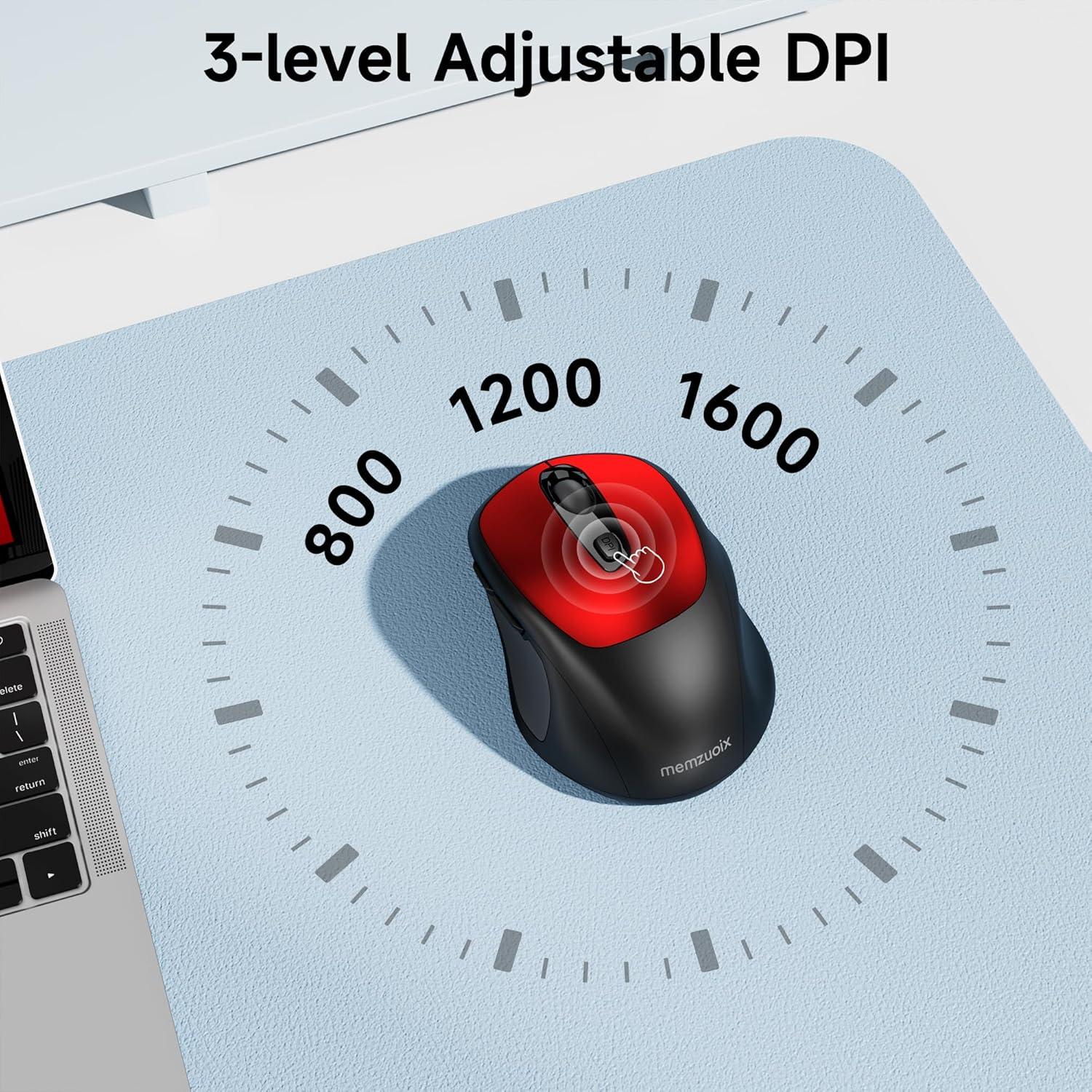
- 3 тохируулж болох DPI түвшин: Easily switch between 800, 1200, and 1600 DPI for optimal control.
- Ergonomic & Ambidextrous Design: Contoured shape with rubberized side grips for comfortable use by both left and right-handed users.
- Plug & Play 2.4GHz Nano Receiver: Instant connectivity without software installation, offering a reliable 33ft range.
- Удаан эдэлгээтэй барилга: Buttons and scroll wheel tested for 10 million clicks, ensuring long-term reliability.
- Нийтэд нийцтэй байдал: Works seamlessly with Windows, macOS, Linux, and ChromeOS devices.
- Зөөврийн дизайн: Lightweight and compact, ideal for travel and on-the-go use.
Тохируулах гарын авлага
1. Батерейг суурилуулах
- Хулганы доод талд зайны тасалгааны тагийг олоорой.
- Тасалгааг нээхийн тулд тагийг нь зөөлөн гулсуулж эсвэл өргөж ав.
- Хоёр AAA батерейг зөв туйлшралыг (+/-) баталгаажуулна уу.
- Батерейны тасалгааны тагийг байрандаа найдвартай тогших хүртэл нь буцааж тавь.

2. USB хүлээн авагчийг холбоно уу
- Locate the nano USB receiver, typically stored within the battery compartment of the mouse.
- Plug the USB receiver into an available USB port on your computer (PC, Mac, laptop, etc.).
- The computer should automatically detect and install the necessary drivers. No additional software installation is required.

Ашиглалтын заавар
1. Асаах/унтраах
Locate the ON/OFF switch on the underside of the mouse. Slide the switch to the 'ON' position to activate the mouse. Slide it to 'OFF' when not in use to conserve battery life.
2. Товчлуурын функцууд
- Зүүн товчлуур: Үндсэн товшилтын функц.
- Баруун товчлуур: Хоёрдогч товшилтын функц (контекст цэс).
- Гүйлгэх дугуй: Документуудыг дээш/доошоо гүйлгэ web хуудаснууд. Мөн дунд товчлуурын функцийг ашиглахын тулд дарж болно.
- DPI товчлуур: Cycles through DPI settings (800/1200/1600).
- Урагшаа товч: Урагшаа дотогш чиглүүлнэ web хөтөч эсвэл file судлаачид.
- Буцах товч: Буцаж дотогш шилжинэ web хөтөч эсвэл file судлаачид.
3. DPI мэдрэгчийг тохируулж байна
дээр дарна уу DPI товчлуур located below the scroll wheel to cycle through the available sensitivity settings: 800 DPI (for precise control), 1200 DPI (standard use), and 1600 DPI (for faster cursor movement). The mouse will indicate the change, often with a brief LED flash.
Засвар үйлчилгээ
1. Цэвэрлэгээ
Хамгийн оновчтой гүйцэтгэлийг хадгалахын тулд хулганаа тогтмол цэвэрлэж байх хэрэгтэй. Зөөлөн, хөвөнгүй даавууг бага зэрэг хэрэглээрэй dampус эсвэл зөөлөн цэвэрлэгээний уусмалаар дүүргэнэ. Хүчтэй химийн бодис, зүлгүүрийн материалаас зайлсхий. Хулганы дотоод бүрэлдэхүүн хэсгүүдэд шингэн орохгүй эсэхийг шалгаарай.
2. Зай солих
When the mouse's performance degrades or it stops responding, it may be time to replace the batteries. Follow the steps in the 'Install Batteries' section of this manual to replace the two AAA batteries. Dispose of old batteries responsibly according to local regulations.
Алдааг олж засварлах
- Хулгана хариу өгөхгүй байна:
- Ensure the mouse is switched 'ON' using the power switch on the underside.
- Батерейг зөв суурилуулсан, хангалттай цэнэгтэй эсэхийг шалгана уу. Шаардлагатай бол солино.
- USB хүлээн авагч нь компьютер дээрх ажиллаж байгаа USB порт руу найдвартай залгагдсан эсэхийг шалгана уу. Өөр USB порт ашиглаж үзнэ үү.
- Компьютерээ дахин эхлүүлнэ үү.
- Cursor movement is erratic or inaccurate:
- Ensure the mouse is used on a clean, non-reflective surface. Avoid glass or highly reflective surfaces.
- Хулганы доод талд байрлах оптик мэдрэгчийг зөөлөн даавуугаар цэвэрлээрэй.
- Try adjusting the DPI setting using the DPI button.
- Connection issues or frequent disconnections:
- Ensure the mouse is within the effective operating range (approximately 33 feet) of the USB receiver.
- Avoid using the mouse near strong electromagnetic interference sources (e.g., other wireless devices, large metal objects).
- Re-pair the mouse with the receiver if possible (refer to manufacturer's website for specific pairing instructions if needed, as this model is typically plug-and-play).
Үзүүлэлтүүд
| Онцлог | Дэлгэрэнгүй |
|---|---|
| Брэнд | memzuoix |
| Загварын дугаар | WM125B |
| Холболтын технологи | 2.4GHz утасгүй (USB нано хүлээн авагч) |
| DPI түвшин | 800/1200/1600 |
| Товчлуурын тоо | 6 (Зүүн, Баруун, Гүйлгэх дугуй, DPI, Урагш, Хойш) |
| Хөдөлгөөнийг илрүүлэх технологи | Оптик |
| Эрчим хүчний эх үүсвэр | 2 x AAA батерей (оруулаагүй) |
| Зүйлийн жин | 3.2 унц |
| Багцын хэмжээ | 4.8 x 3.23 x 1.85 инч |
| Өнгө | Улаан |
| Тохиромжтой байдал | PC, Mac, Laptop (Windows, macOS, Linux, ChromeOS) |
Баталгаат болон дэмжлэг
The memzuoix WM125B Wireless Mouse comes with a standard manufacturer's warranty. For specific warranty details, return policies, or technical support, please refer to the product packaging or contact memzuoix customer service directly through their official webтухайн бүтээгдэхүүнийг худалдаж авсан сайт эсвэл жижиглэнгийн худалдаачин.
Нэмэлт тусламж авахыг хүсвэл зочилно уу memzuoix Store on Amazon.
