1. Танилцуулга
This manual provides essential information for the safe and efficient use of your Doro Leva E20 4G Flip Phone. Designed with seniors in mind, this phone features a large 2.8-inch display, contrasting keys, loud and clear sound, HD voice, a camera, and a dedicated assistance button. Please read these instructions carefully before using your new phone.

Image 1: Doro Leva E20 highlighting key features such as 4G connectivity, large display, clear sound, and hearing aid compatibility.
2. Тохиргоо
2.1. SIM карт болон зайгаа оруулах
Before using your phone, you must insert a SIM card (provided by your mobile network operator) and the battery.
- Open the phone: Gently open the flip phone to access the battery compartment.
- Зайны тагийг ав: Locate the notch on the back cover and carefully lift it off.
- SIM карт оруулах: Slide the SIM card into the designated slot with the gold contacts facing down and the cut corner aligned as shown in the diagram (refer to your quick start guide for a visual).
- Батерейг оруулах: Place the battery into its compartment, ensuring the contacts align with those in the phone.
- Хавтас солих: Snap the battery cover back into place until it clicks.
2.2. Утсаа цэнэглэж байна
Your phone's battery may not be fully charged upon purchase. It is recommended to fully charge the battery before first use.
- Цэнэглэгчийг холбоно уу: Plug the USB Type-C cable into the charging port on the phone.
- Цахилгаанд холбогдох: Цэнэглэгчийн нөгөө үзүүрийг ханын залгуурт залгаарай.
- Цэнэглэх үзүүлэлт: The charging indicator on the screen will show the charging status. The phone is fully charged when the indicator shows a full battery icon.
2.3. Асаах/унтраах
- Асаах: Улааныг дараад удаан дар Дуудлагыг дуусгах/Цахилгаан button until the Doro logo appears.
- Унтраахын тулд: Улааныг дараад удаан дар Дуудлагыг дуусгах/Цахилгаан button, then select 'Power off' from the options on the screen.
3. Ашиглалтын заавар
3.1. Үндсэн функцууд
- Дуудлага хийх:
- Гарын товчлуурыг ашиглан утасны дугаараа оруулна уу.
- Ногоон дээр дар Дуудлага хийх дуудлагыг эхлүүлэх товчийг дарна уу.
- Дуудлагад хариулах: Simply open the flip phone to answer an incoming call. Alternatively, press the green Дуудлага хийх товч.
- Дуудлага дуусгах: Close the flip phone or press the red Дуудлага дуусгах товч.
- Дууны хэмжээг тохируулах: Use the volume buttons located on the side of the phone during a call or when playing media.
3.2. Мессеж илгээх болон хүлээн авах (SMS)
- Үндсэн цэснээс дараах руу очно уу Мессежүүд.
- Сонго Шинэ мессеж.
- Хүлээн авагчийн утасны дугаарыг оруулна уу эсвэл харилцагчдаасаа сонгоно уу.
- Гарын товчлуурыг ашиглан мессежээ бичнэ үү.
- дарна уу Илгээх.
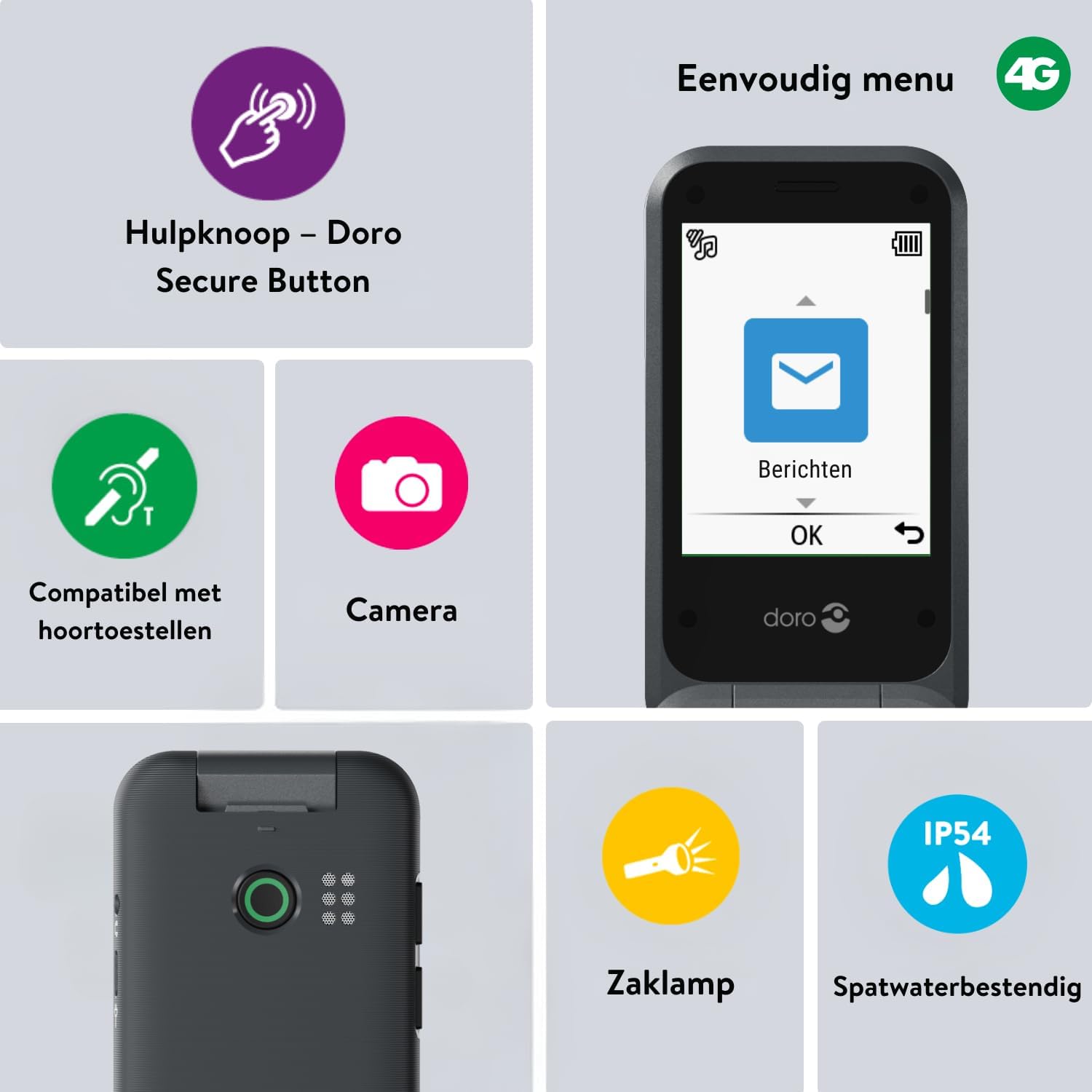
Image 2: The Doro Leva E20's simple menu interface, showing the 'Messages' icon, along with other features like the assistance button, camera, flashlight, and IP54 splash resistance.
3.3. Камер
The Doro Leva E20 includes a basic camera for capturing photos.
- Үндсэн цэсээс сонгоно уу Камер.
- Дэлгэцийг ашиглан өөрийн зургийг хүрээлээрэй viewологч.
- дээр дарна уу OK зураг авах товчийг дарна уу.
3.4. Assistance Button (Doro Secure Button)
The dedicated assistance button is a key safety feature, allowing you to quickly contact pre-set emergency numbers.
- Засч байна: Refer to the phone's settings menu under 'Assistance' to program emergency contacts.
- Идэвхжүүлж байна: Press and hold the assistance button (located on the back of the phone) for a few seconds. The phone will automatically call and send an SMS to your pre-programmed emergency contacts.

Image 3: The Doro Leva E20's Doro Secure Button, designed for quick access to emergency contacts.
3.5. Гар чийдэн
To activate the built-in flashlight:
- Locate the flashlight icon or dedicated button (if available) on the phone or in the quick settings menu.
- Press the corresponding key or navigate to the option to turn the flashlight on/off.
3.6. Quick Access Buttons
The Doro Leva E20 features quick access buttons for frequently used functions.
- Дуртай харилцагчид: Assign frequently called numbers to speed dial keys.
- Камер: A dedicated button or menu option for quick camera access.
- Мессежүүд: A dedicated button or menu option for quick message access.

Image 4: The Doro Leva E20 in hand, showcasing the keypad with quick access buttons for favorite contacts, camera, and messages.
4. Засвар үйлчилгээ
4.1. Төхөөрөмжийг цэвэрлэх
To keep your phone in optimal condition:
- Use a soft, dry, lint-free cloth to clean the screen and body of the phone.
- Химийн хүчтэй бодис, цэвэрлэгээний уусгагч, хүчтэй угаалгын нунтаг хэрэглэхээс зайлсхий.
- Утсаа хэт их чийгэнд бүү оруул.
4.2. Зайны арчилгаа
The Doro Leva E20 is powered by a rechargeable battery. To maximize battery life and performance:
- Charge the phone regularly. Avoid letting the battery drain completely before recharging.
- Батерейг хэт өндөр температурт бүү гарга.
- Хэрэв утсыг удаан хугацаагаар ашиглахгүй бол хадгалахаасаа өмнө 50% хүртэл цэнэглээрэй.
4.3. Усны эсэргүүцэл
The Doro Leva E20 has an IP54 rating, meaning it is protected against dust ingress and splashing water from any direction. It is not designed to be submerged in water.
5. Алдаа засах
Хэрэв та Doro Leva E20-той холбоотой асуудалтай тулгарвал дараах шийдлүүдийг туршаад үзээрэй.
| Асуудал | Боломжит шийдэл |
|---|---|
| Утас асахгүй байна | Ensure the battery is charged. Connect the charger and try again. Check if the battery is correctly inserted. |
| Дуудлага хийх эсвэл хүлээн авах боломжгүй | Check if the SIM card is correctly inserted. Ensure you have network coverage. Contact your service provider if the issue persists. |
| Дууны чанар муу | Adjust the volume. Ensure the speaker/microphone is not blocked. If using a hearing aid, ensure compatibility settings are correct. |
| Батерей хурдан дуусдаг | Reduce screen brightness. Close unused applications. Limit background data usage. Ensure the phone is not in an area with poor network signal, which can increase battery consumption. |
If these steps do not resolve the issue, please contact Doro customer support.
6. Техникийн үзүүлэлтүүд
- Загварын нэр: Лева Е20
- Үйлдлийн систем: Mocor OS
- CPU загвар: Cortex A7
- Дэлгэцийн хэмжээ: 2.8 инч
- Шийдвэр: 320 x 240
- Үүрэн холбооны технологи: 4G
- Холболт: USB төрөл C
- Санах ойн хадгалах багтаамж: 17 ГБ
- Өнгө: Хар
- Усны эсэргүүцэл: IP54 (ус цацахад тэсвэртэй)
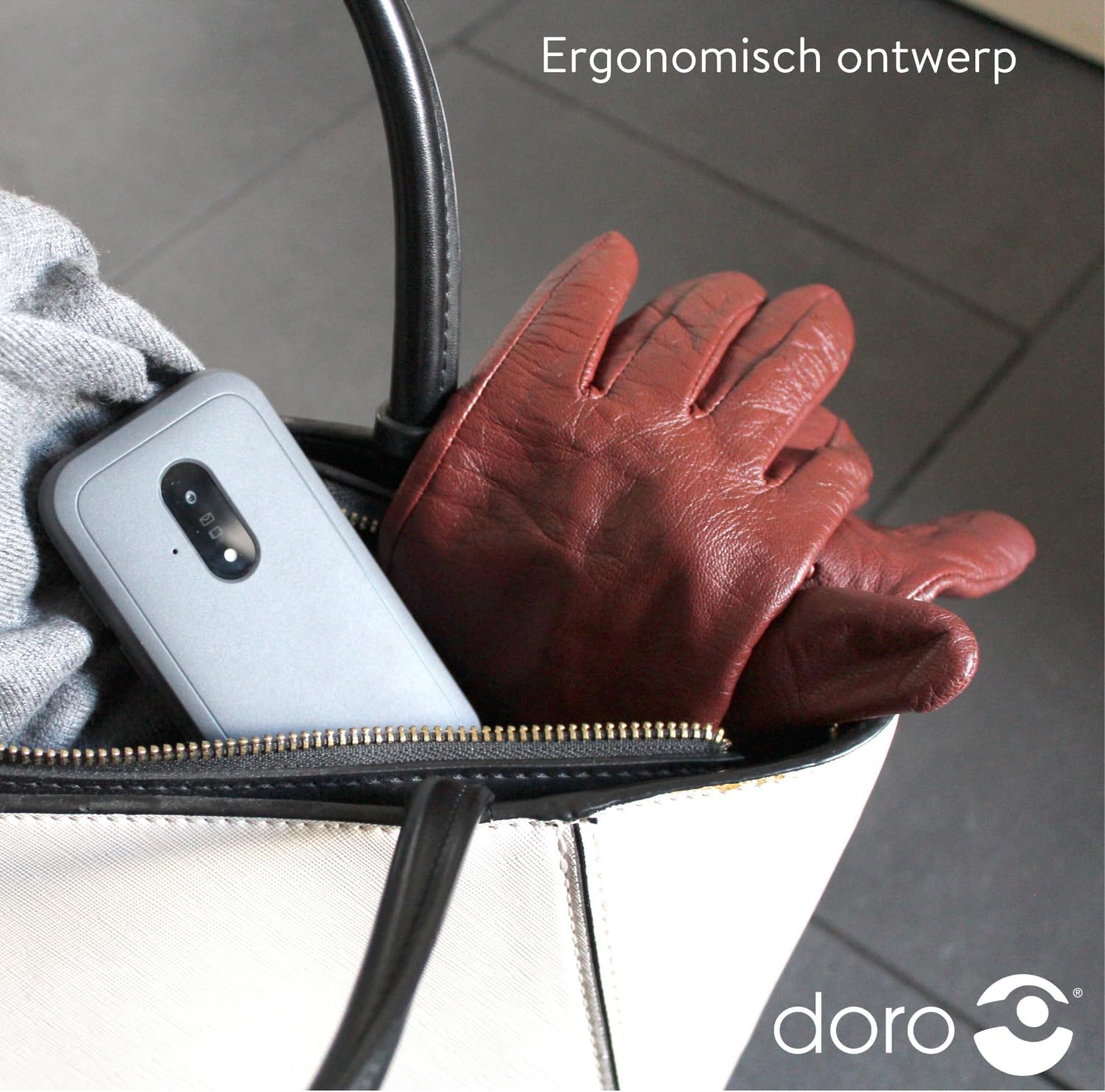
Image 5: The Doro Leva E20's ergonomic design allows for easy portability, fitting comfortably in a bag.
7. Баталгаат хугацаа ба дэмжлэг
Your Doro Leva E20 is manufactured by Doro. For specific warranty information, including terms and conditions, please refer to the warranty card included with your product or visit the official Doro website. For technical support, troubleshooting assistance beyond this manual, or service inquiries, please contact Doro customer support directly.
Үйлдвэрлэгч: Доро
Webсайт: www.doro.com (Please check your regional Doro website for local support contact details.)