1. Танилцуулга
Welcome to the user manual for your new FASTWD Android 15 Tablet 11-inch. This guide provides essential information for setting up, operating, and maintaining your device. Please read this manual thoroughly to ensure optimal performance and longevity of your tablet.
The FASTWD Android 15 Tablet features an 11-inch 2K QHD display, an Octa-Core T615 processor, 36GB RAM, 256GB ROM, and an 8000mAh battery. It supports 5G WiFi, 4G LTE, and includes AI-enhanced cameras, Gemini AI, and Widevine L1 for high-quality streaming.
2. Багцын агуулга
Upon unboxing, please verify that all items listed below are present in your package:
- FASTWD Android 15 Tablet (11-inch)
- Хулгана
- Гар
- Үзэг дээр дарна уу
- Арьсан хайрцаг
- Цэнэглэгч
- Өгөгдлийн кабель (USB Type-C)
- Таблетын хэрэглэгчийн гарын авлага

Зураг 2.1: Included accessories with the FASTWD Android 15 Tablet.
3. Төхөөрөмж дууссанview
The FASTWD Android 15 Tablet features a sleek, lightweight metal body with a slim profile and straight edges. The display bezel measures 7.8mm, contributing to an immersive viewтуршлага.
Физик шинж чанарууд
- Дэлгэц: 11-inch 2K QHD (2560x1440) In-cell Display with 90Hz refresh rate and Wide Viewing өнцөг.
- Их бие: Metal construction, weighing approximately 568g.
- Портууд: USB Type-C for charging and data transfer, SIM/MicroSD card slot.
- Камерууд: Rear 13MP + 3MP with autofocus and Low Light LED Flash; Front 8MP with autofocus.
- Аудио: Дөрөв Amplitude Speakers with Artificial Intelligence Noise Cancellation technology.

Зураг 3.1: Дууслааview of the tablet's design and key features.

Зураг 3.2: Detail of the tablet's connectivity ports and speaker placement.
4. Тохиргоо
4.1 Анхны цэнэглэлт
Before first use, fully charge your tablet using the provided USB Type-C cable and charger. Connect the cable to the tablet's USB-C port and the charger to a power outlet. The battery indicator on the screen will show charging progress.
4.2 Асаах/унтраах
- Асаахын тулд: Press and hold the Power button until the FASTWD logo appears on the screen.
- Унтраахын тулд: Асаах товчийг удаан дарж, дэлгэцэн дээр гарч ирэх сонголтуудаас "Асаах"-г сонгоно уу.
- Дахин эхлүүлэхийн тулд: Асаах товчийг удаан дарж, сонголтуудаас "Дахин эхлүүлэх"-ийг сонгоно уу.
4.3 Анхны тохиргооны шидтэн
Анх асаахад таблет анхны тохиргооны процессоор танд туслах болно. Үүнд хэлээ сонгох, Wi-Fi сүлжээнд холбогдох, Google бүртгэлээ тохируулах, аюулгүй байдлын үндсэн тохиргоог тохируулах зэрэг орно.
4.4 SIM болон MicroSD карт суурилуулах
Locate the SIM/MicroSD card tray on the side of the tablet. Use the provided SIM ejector tool to open the tray. Insert your Nano-SIM card (for 4G LTE connectivity) and/or a MicroSD card (for expanded storage) into the designated slots, ensuring correct orientation. Gently push the tray back into the tablet.
4.5 Bluetooth төхөөрөмжийг хослуулах
To connect Bluetooth accessories like the included keyboard or mouse:
- руу оч Тохиргоо > Холбогдсон төхөөрөмжүүд > Bluetooth.
- Bluetooth-г асаах/унтраах On.
- Таны Bluetooth төхөөрөмж хослох горимд байгаа эсэхийг шалгаарай.
- 'Шинэ төхөөрөмж холбох' гэснийг сонгоод жагсаалтаас төхөөрөмжөө сонгоно уу.
- Хослолтыг дуусгахын тулд дэлгэцэн дээрх дурын зааврыг дагана уу.

Зураг 4.1: Bluetooth device connection interface.
4.6 Face Recognition Unlock
For convenient and secure unlocking, you can set up Face Recognition:
- руу оч Тохиргоо > Аюулгүй байдал ба нууцлал > Төхөөрөмжийн түгжээг тайлах > Царайгаар түгжээ тайлах.
- Follow the on-screen instructions to register your face. Ensure you are in a well-lit environment.
Зураг 4.2: Face Recognition Unlock setup.
5. Ашиглалтын заавар
5.1 Үндсэн навигаци
The tablet uses standard Android touch gestures:
- Товш: Нэг зүйлийг сонгох эсвэл програмыг нээнэ үү.
- Шудрах: Хуудас эсвэл жагсаалтаар гүйлгэх.
- Томруулахын тулд чимхэх: Зургийг томруулж эсвэл жижигрүүлэх ба web хуудаснууд.
- Удаан дарах: Контекст цэс рүү нэвтрэх эсвэл програмын дүрсийг зөөх.
5.2 Wi-Fi and 4G LTE Connectivity
- Wi-Fi: руу оч Тохиргоо > Сүлжээ ба интернет > Интернет. Select your desired Wi-Fi network and enter the password if required. The tablet supports 2.4G/5G dual-band Wi-Fi.
- 4G LTE: If a SIM card is installed, go to Тохиргоо > Сүлжээ ба интернет > SIM to manage mobile data settings. The tablet supports 4G LTE TDD+FDD and VoLTE.

Зураг 5.1: Connectivity features of the tablet.
5.3 Програмын удирдлага
Аппликейшнуудаа удирдахын тулд:
- Програм суулгах: Шинэ аппликейшнуудыг татаж авах, суулгахын тулд Google Play Store ашиглана уу.
- Програмыг устгах: Long-press an app icon on the home screen or app drawer, then drag it to 'Uninstall' or select 'App info' and choose 'Uninstall'.
- Free Up Storage Space: руу оч Тохиргоо > Програмууд > Бүх програмыг харах. Select an app, then choose 'Storage & cache' to clear cache or data, or 'Force stop' to temporarily halt its operation.
Зураг 5.2: App management options.
5.4 Эцэг эхийн хяналт
Manage and monitor tablet usage for children using parental controls:
- руу оч Тохиргоо > Дижитал сайн сайхан байдал ба эцэг эхийн хяналт.
- Set up screen time limits, app restrictions, and content filters.
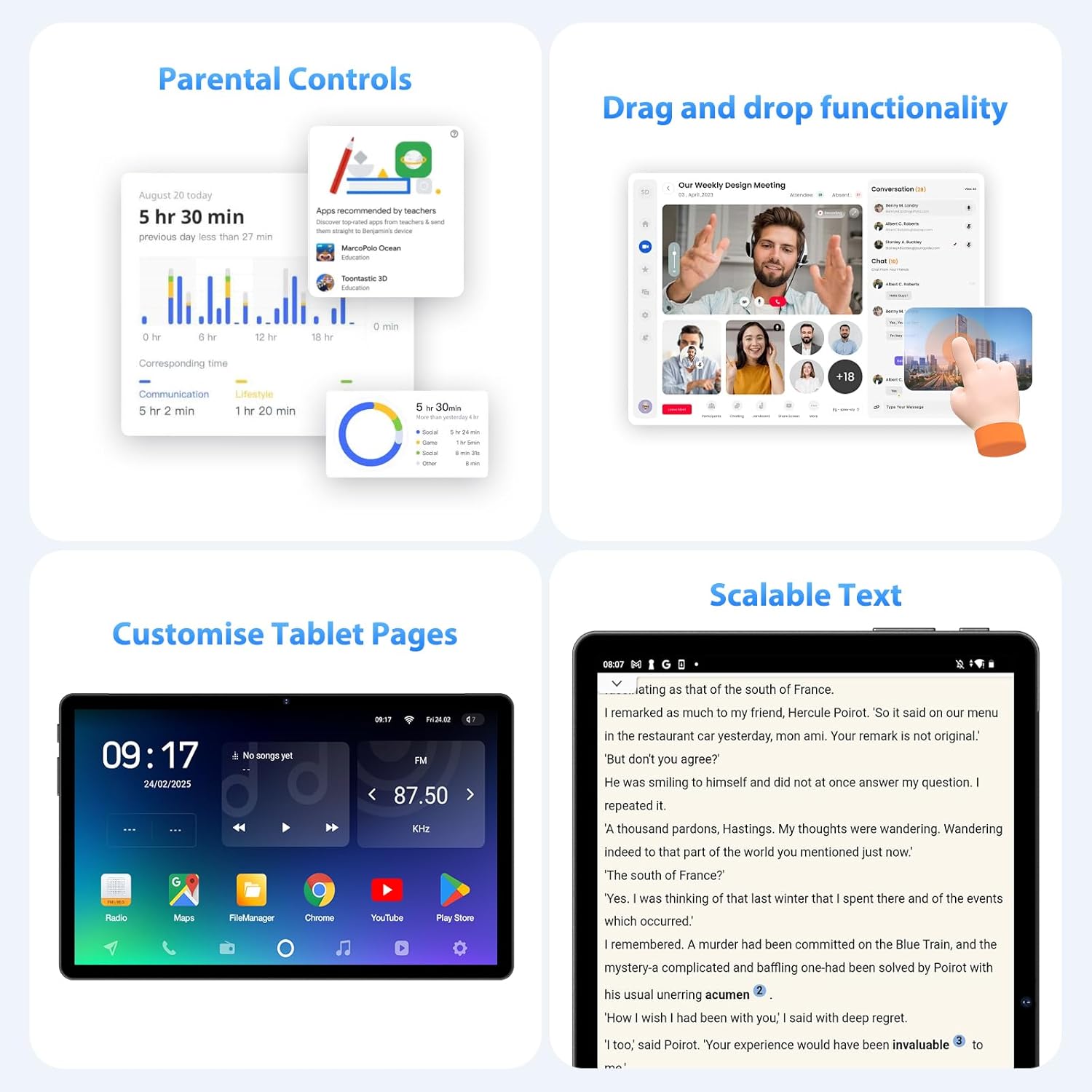
Зураг 5.3: Parental control settings.
5.5 Double-tap to Wake
To quickly wake the screen without pressing the power button, simply double-tap the display. This feature can usually be enabled or disabled in Тохиргоо > Дэлгэц > Lock screen display.
Зураг 5.4: Double-tap to wake functionality.
5.6 Customizing Tablet Pages
Personalize your tablet's home screens by long-pressing on an empty area to access wallpaper, widgets, and home screen settings. You can also rearrange app icons and create folders.
Зураг 5.5: Example of a customized tablet page.
6. Нарийвчилсан шинж чанарууд
6.1 Дэлгэц ба Мультимедиа
- 2K QHD 90Hz Display: Enjoy smooth visuals and vibrant colors on the 11-inch 2560x1440 resolution display. The 90Hz refresh rate enhances scrolling and gaming experiences.
- Widevine L1 DRM: Supports Widevine L1 Digital Rights Management, enabling high-definition (1080P) streaming from services like Netflix.
- DP HD Screen Throwing: Allows for high-definition screen mirroring or extension to compatible external displays.
- Scalable Text: Adjust text size for improved readability via display settings.
Зураг 6.1: Scalable text feature for enhanced readability.
6.2 Performance and AI
- Octa-Core T615 Processor: Equipped with a powerful 12nm Octa-Core T615 processor (4x A73 + 4x A53) and Mali-G72 GPU for efficient multitasking and smooth application performance.
- Gemini AI Integration: Leverages Gemini AI for enhanced smart features and optimized user experience.
- Хиймэл оюун ухааны ухаалаг илрүүлэлт: The tablet incorporates AI for various smart detection functionalities, improving user interaction and device efficiency.
Зураг 6.2: Octa-core processor specifications.
6.3 Камерын онцлог
The tablet is equipped with AI-enhanced cameras:
- Арын камерууд: 13MP + 3MP with HD Video Call support, autofocus, and Low Light LED Flash.
- Урд камер: 8MP with autofocus.
- Capture Unlock Face: Utilize the front camera for face recognition to unlock the device.
6.4 Аудио систем
Experience clear audio with the tablet's advanced sound system:
- Дөрөв Amplitude Speakers: Delivers rich and immersive sound.
- Хиймэл оюун ухааны дуу чимээг дарах: Artificial Intelligence Noise Cancellation technology automatically filters out ambient noise for clearer audio output.
7. Засвар үйлчилгээ, арчилгаа
7.1 Таблетыг цэвэрлэх
Use a soft, lint-free cloth to gently wipe the screen and body of the tablet. For stubborn smudges, slightly dampдаавууг ус эсвэл дэлгэц цэвэрлэх уусмалаар хийнэ. Химийн хатуу бодис, зүлгүүрийн материал ашиглахаас зайлсхий.
7.2 Батерейны арчилгаа
The tablet is equipped with an 8000mAh battery, providing approximately 8 hours of usage. To prolong battery life:
- Хэт их температураас зайлсхий.
- Зайг байнга бүрэн шавхаж болохгүй.
- Хамгийн оновчтой цэнэглэхийн тулд өгөгдсөн цэнэглэгчийг ашиглана уу.
- Reduce screen brightness and disable unnecessary features (Wi-Fi, Bluetooth, GPS) when not in use.
7.3 Програм хангамжийн шинэчлэлтүүд
Таны таблет хамгийн сүүлийн үеийн боломжууд, аюулгүй байдлын засварууд болон гүйцэтгэлийн сайжруулалттай байхын тулд програм хангамжийн шинэчлэлтүүдийг тогтмол шалгаж, суулгана уу. руу оч Тохиргоо > Систем > Системийн шинэчлэл боломжтой шинэчлэлтүүдийг шалгахын тулд.
7.4 Хадгалалтын менежмент
The tablet comes with 256GB of internal storage, expandable up to 1TB via MicroSD card. To manage storage:
- Шаардлагагүй зүйлсийг тогтмол устгах files болон програмууд.
- Том хөдөл files (photos, videos) to the MicroSD card or cloud storage.
- Clear app cache periodically via Тохиргоо > Хадгалах.
8. Алдаа засах
Энэ хэсэгт таны таблеттай холбоотой нийтлэг асуудлуудыг авч үзэх болно.
8.1 Таблет асахгүй байна
- Ensure the battery is charged. Connect the tablet to the charger for at least 30 minutes.
- Албадан дахин эхлүүлэхийн тулд Power товчийг 10-15 секундын турш дарна уу.
8.2 Wi-Fi холболтын асуудал
- Wi-Fi чиглүүлэгч болон таблетаа дахин эхлүүлнэ үү.
- Та Wi-Fi дохионы хүрээнд байгаа эсэхээ шалгаарай.
- Wi-Fi нууц үг зөв эсэхийг шалгана уу.
- Wi-Fi тохиргоонд сүлжээгээ мартаад дахин холбогдоно уу.
8.3 Удаан гүйцэтгэл
- Ар талд ажиллаж байгаа ашиглагдаагүй програмуудыг хаа.
- Clear app caches and free up storage space.
- Таблетаа үе үе дахин эхлүүл.
- Consider performing a factory reset if performance issues persist (Жич: This will erase all data on the tablet. Back up important data first).
8.4 Дэлгэц хариу өгөхгүй байна
- Асаах товчийг удаан дарж албадан дахин эхлүүлнэ үү.
- Дэлгэц нь чийг, хог хаягдалгүй, цэвэрхэн байгаа эсэхийг шалгаарай.
9. Техникийн үзүүлэлтүүд
| Онцлог | Тодорхойлолт |
|---|---|
| Брэнд | FASTWD |
| Загварын нэр | FASTWD Android 15 Tablet 11-inch |
| Үйлдлийн систем | Android 15 |
| Процессор | Octa-Core T615 (4x A73, 4x A53, 12nm) |
| GPU | Мали-G72 |
| RAM | 36GB (12GB + 24GB виртуал) |
| Дотоод санах ой | 256 ГБ |
| Өргөтгөх боломжтой хадгалах сан | Up to 1TB MicroSD |
| Дэлгэцийн хэмжээ | 11 инч |
| Дэлгэцийн нягтрал | 2560x1440 (2K QHD) |
| Сэргээх хурд | 90 Гц |
| Зайны багтаамж | 8000 мАч |
| Зайны ашиглалт | Ойролцоогоор 8 цаг |
| Арын камер | 13MP + 3MP with Autofocus and LED Flash |
| Урд камер | 8MP with Autofocus |
| Wi-Fi | 802.11ac (2.4G/5G Dual-band) |
| Үүрэн холболт | 4G LTE (TDD+FDD), VoLTE |
| Bluetooth | Тиймээ |
| Портууд | USB Type-C |
| Хэмжээ (Бүтээгдэхүүн) | 26L x 16W x 0.8H см |
| Жин | Ойролцоогоор 568 гр |
| DRM дэмжлэг | Widevine L1 |
| Бусад онцлог | Gemini AI, GPS, TÜV Certified (implied from product title) |
10. Баталгаат хугацаа ба дэмжлэг
For detailed warranty information, please refer to the warranty card included in your product packaging or contact your point of purchase. Warranty terms and conditions may vary by region and retailer.
If you encounter issues not covered in this manual or require further assistance, please contact FASTWD customer support through the contact information provided with your product or on the official FASTWD webсайт.


