1. Танилцуулга
The Victron Energy SmartSolar MPPT Tr Solar Charge Controller is designed to efficiently harvest energy from your solar panels and store it in your battery bank. Featuring Maximum Power Point Tracking (MPPT) technology, it ensures optimal power output even under varying light conditions. Integrated Bluetooth allows for convenient monitoring and configuration via the VictronConnect app. This manual provides essential information for the safe and effective use of your SmartSolar MPPT charge controller.

Figure 1: Victron Energy SmartSolar MPPT 150-60 Tr Solar Charge Controller highlighting lightning-fast efficiency, professional build quality, industry-leading monitoring, improved battery longevity, and charging synchronization.
2. Тохиргоо ба суурилуулалт
Proper installation is crucial for the performance and longevity of your SmartSolar MPPT charge controller. Ensure all connections are secure and follow local electrical codes.
2.1 Физик хэмжээсүүд
The controller measures 3.74 x 9.84 x 7.28 inches and weighs 7.72 pounds. Allow adequate space for ventilation, especially around the heat fins.

Figure 2: Product dimensions of the SmartSolar MPPT 150-60 Tr, showing measurements of 95mm (3.7"), 250mm (9.8"), and 185mm (7.3").
2.2 утас холболт
Connect your solar panels to the PV terminals and your battery bank to the BATTERY terminals. Ensure correct polarity. The controller supports 12/24/36/48-Volt battery systems.

Зураг 3: Урд view of the SmartSolar MPPT 150-60 Tr, showing the battery and PV input terminals, along with status LEDs for Bulk, Absorption, and Float charging stages.
2.3 Battery Type Configuration
The SmartSolar controller can be configured for various battery types, including Lithium, Lead-acid, AGM, Gel, and Flooded batteries. Use the VictronConnect app for easy configuration of battery presets.
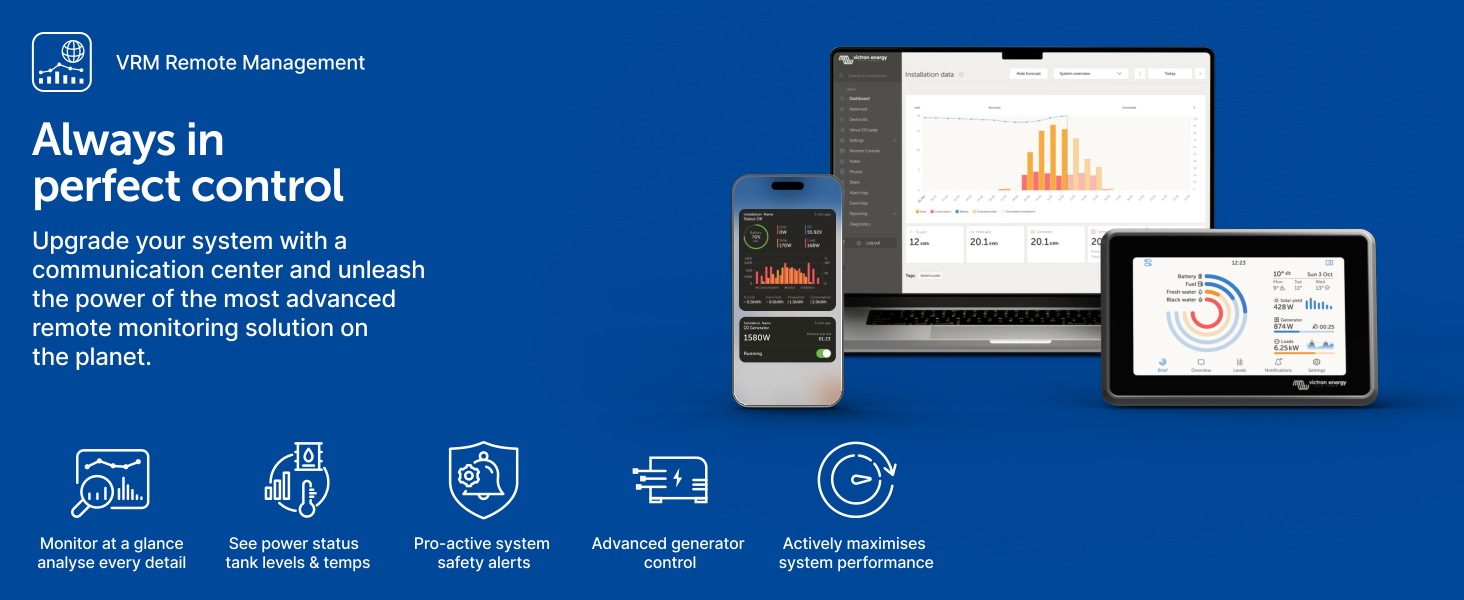
Figure 4: The SmartSolar MPPT controller is compatible with various battery chemistries, including Lithium, Lead-acid, AGM, Gel, and Flooded types, offering automatic voltage selection and fully discharged battery recovery.
2.4 Суулгалт дууссанview
Видео 1: Албан тушаалтан дууссанview of the Victron Energy MPPT SmartSolar Charge Controller, demonstrating its features and typical installation in a solar power system.
3. Ашиглалтын заавар
The SmartSolar MPPT controller is designed for ease of use, with advanced features accessible via the VictronConnect app.
3.1 VictronConnect App
The VictronConnect app allows you to monitor real-time data, view 30-day performance history, configure settings, update firmware, and set alarms. Connect to the device via Bluetooth.

Figure 5: The VictronConnect app provides a comprehensive interface for monitoring solar power input, battery voltage, current, and charge state.
Video 2: Official video demonstrating the VictronConnect App for monitoring performance of Victron Energy products, including real-time data and historical trends.
3.2 Синхрончлогдсон цэнэглэлт
Multiple SmartSolar MPPT charge controllers can synchronize their charging stages to optimize battery longevity and system-wide energy management.

Figure 6: Illustration of multiple SmartSolar MPPT controllers working in synchronization to maximize charging efficiency and battery longevity.
3.3 Remote Management (VRM Portal)
For advanced monitoring and control, the Victron Remote Management (VRM) portal allows you to access your system data from anywhere with an internet connection. This enables remote diagnostics and adjustments.
Видео 3: Албан ёсны видео шоуasing the Victron Remote Management (VRM) portal, demonstrating its capabilities for remote monitoring and management of Victron Energy systems.
4. Засвар үйлчилгээ
The SmartSolar MPPT controller is designed for durability and minimal maintenance. Regular checks can help ensure optimal performance.
4.1 Дулаан ялгаруулалт
The controller features heat fins to dissipate heat. Ensure these fins are not obstructed to prevent overheating. The device also includes overtemperature protection.
4.2 Програм хангамжийн шинэчлэлтүүд
Periodically check for and install firmware updates via the VictronConnect app to ensure your device has the latest features and performance enhancements.
5. Алдаа засах
The SmartSolar MPPT controller includes several protective features to prevent damage and assist in troubleshooting.
5.1 Аюулгүй байдлын онцлогууд
- Temperature Compensated Charging: Adjusts charging parameters based on temperature to protect batteries.
- Хэт халалтаас хамгаалах: Automatically reduces power output if the device gets too hot.
- PV Short-Circuit Protection: Protects against short circuits in the solar panel array.
- PV Reverse Polarity Protection: Prevents damage from incorrect solar panel wiring.
- PV Reverse Current Protection: Stops current from flowing back into the solar panels at night.
- Pro-active Alarm Notifications: Alerts you to potential issues via the VictronConnect app.

Зураг 7: Илүүview of SafetyShield+ protection features, including temperature compensated charging, overtemperature protection, PV short-circuit protection, PV reverse polarity protection, PV reverse current protection, and pro-active alarm notifications.
5.2 Нийтлэг асуудлууд
If you experience issues, first check all wiring connections for tightness and correct polarity. Utilize the VictronConnect app to review system status, history, and trends for diagnostic information. The app can help identify if the issue is related to solar input, battery state, or load output.
6. Техникийн үзүүлэлтүүд
| Онцлог | Үнэ цэнэ |
|---|---|
| Бүтээгдэхүүний хэмжээс | 3.74 x 9.84 x 7.28 инч |
| Зүйлийн жин | 7.72 фунт |
| Загварын дугаар | SCC115060211 |
| Брэнд | Виктрон Эрчим хүч |
| Ботьtage | 150 Volts (Max PV open circuit voltage) |
| Хамгийн их цэнэглэх гүйдэл | 60 amp |
| Батерейны эзлэхүүнtage | 12/24/36/48-Volt (Auto-select) |
| Материал | Хуванцар |
| Оруулсан бүрэлдэхүүн хэсгүүд | Victron Energy SmartSolar MPPT Tr 150V 60 amp 12/24/36/48-Volt Solar Charge Controller (Bluetooth) |
7. Баталгаат хугацаа
The Victron Energy SmartSolar MPPT Tr Solar Charge Controller is covered by a manufacturer's warranty. For specific details regarding warranty terms, duration, and claims, please refer to the official Victron Energy webсайт эсвэл таны бүтээгдэхүүнд багтсан баримт бичиг.
8. Дэмжлэг
For further assistance, technical support, or to find a local dealer, please visit the official Victron Energy website. The VictronConnect app and VRM portal also provide valuable resources for monitoring and managing your system.

Figure 8: The VictronConnect app is used by millions of users worldwide for system configuration, monitoring, and diagnostics.


