1. Танилцуулга
This manual provides detailed instructions for the setup, operation, and maintenance of your PUSOKEI 5G Mobile Hotspot (Model M5 E). This portable device allows you to create a Wi-Fi network using a 4G/5G SIM card, providing internet access for up to 10 devices simultaneously. Please read this manual thoroughly before using the device to ensure proper functionality and safety.
2. Аюулгүй байдлын мэдээлэл
- Төхөөрөмжийг хэт өндөр температур, нарны шууд тусгал, өндөр чийгшилд бүү тавь.
- Төхөөрөмжийг унагах эсвэл хүчтэй нөлөөнд оруулахаас зайлсхий.
- Зөвхөн өгсөн цэнэглэгч кабель эсвэл тохирох цэнэглэгчийг ашиглана уу.
- Төхөөрөмжийг задлах, өөрчлөхийг бүү оролдоорой. Энэ нь баталгааг хүчингүй болгоно.
- Төхөөрөмжийг ус болон бусад шингэнээс хол байлга.
- Ensure adequate ventilation during extended use to prevent overheating.
3. Багцын агуулга
Дараах зүйлсийн багцад байгаа эсэхийг шалгана уу.
- 1 x PUSOKEI Portable Router (Model M5 E)
- 1 x USB цэнэглэгч кабель
- 1 x Зааварчилгааны гарын авлага (Энэхүү баримт бичиг)
4. Бүтээгдэхүүн дууссанview
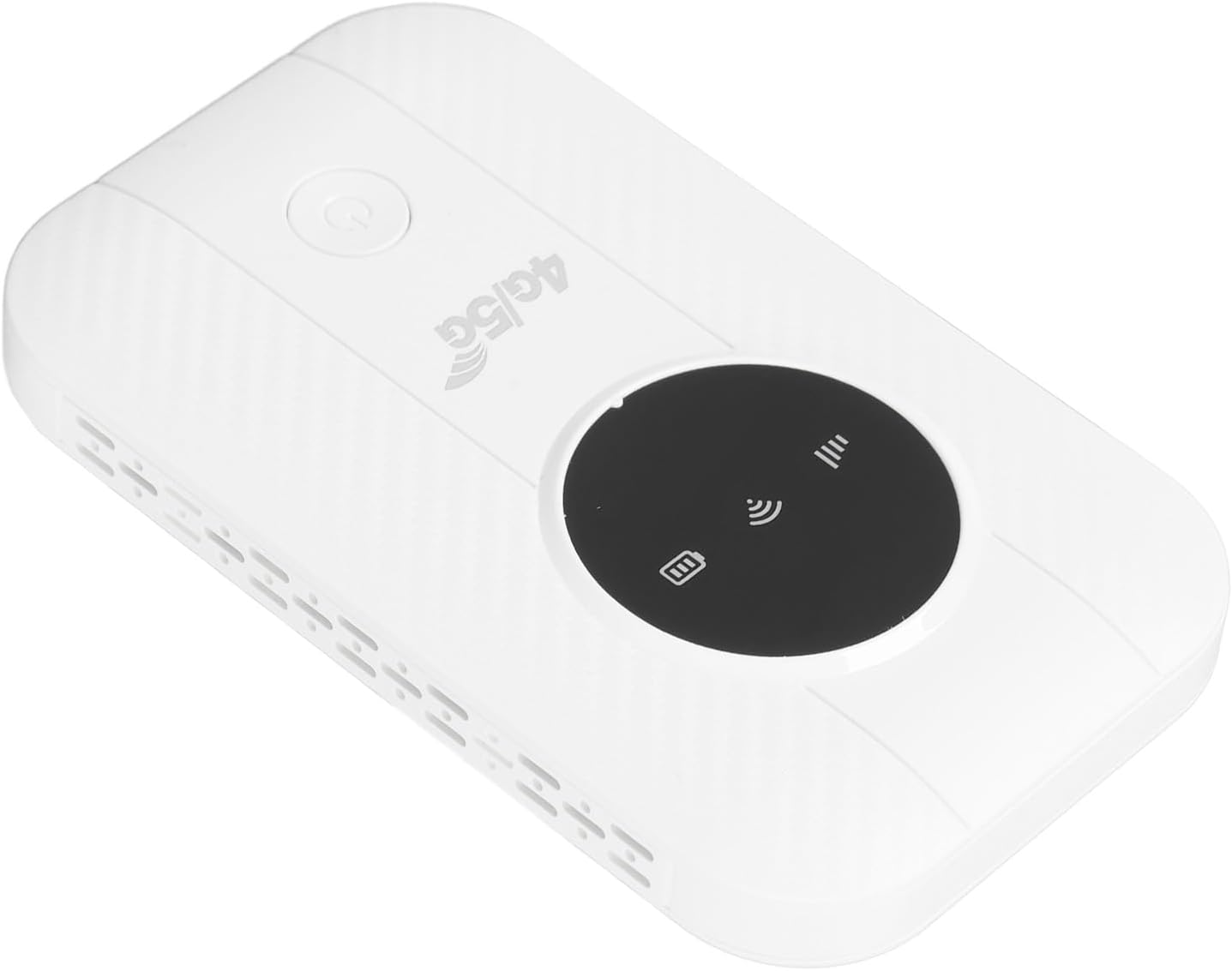
The PUSOKEI 5G Mobile Hotspot is designed for portability and ease of use. It features a compact design with indicator lights for signal strength, Wi-Fi status, and battery.

Image of the PUSOKEI 5G Mobile Hotspot, showing its compact white design with a black display area and power button.

Close-up image of the PUSOKEI 5G Mobile Hotspot, highlighting the '4G/5G' branding and indicator lights.
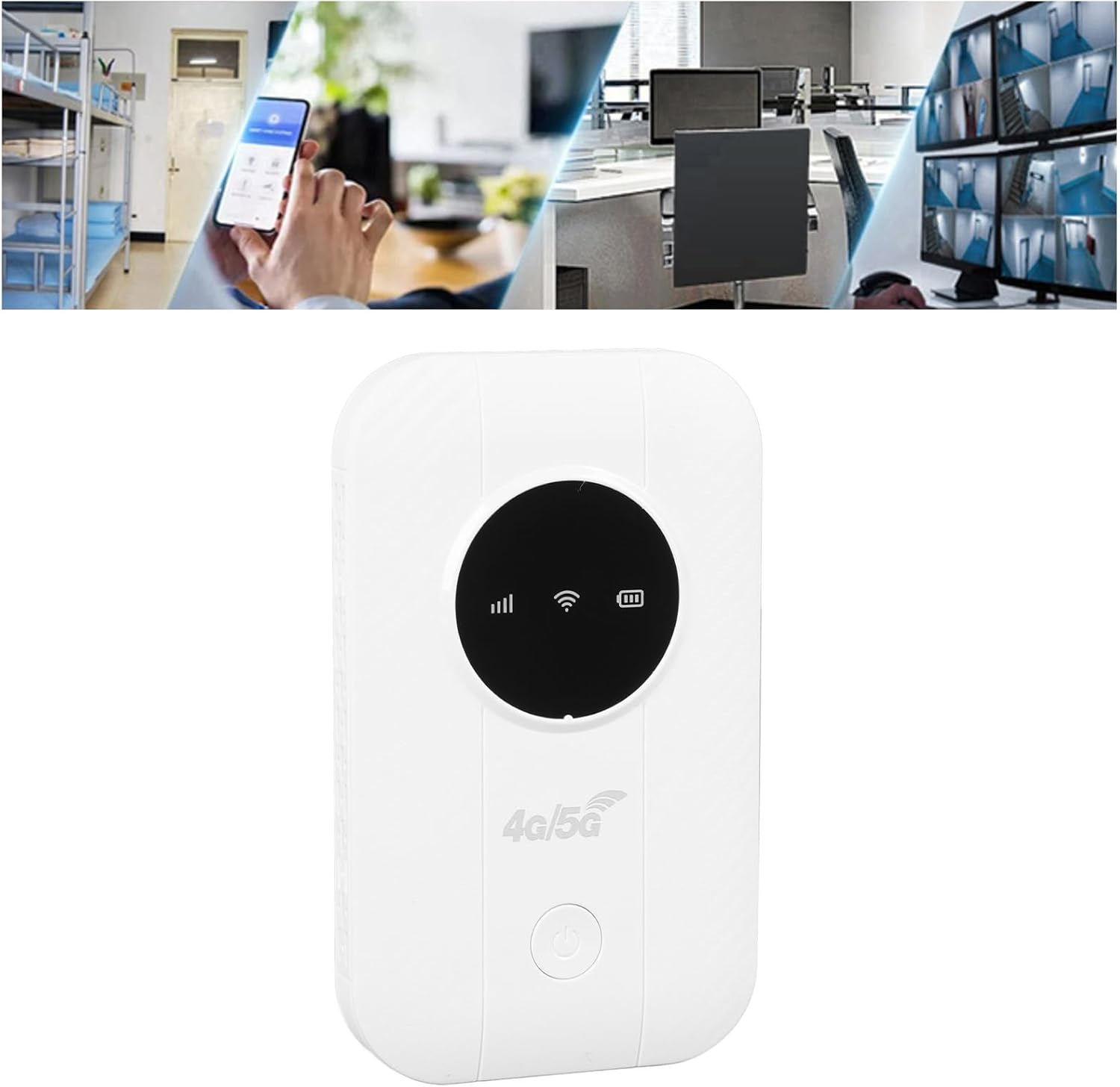
Image showing the PUSOKEI 5G Mobile Hotspot alongside its included USB charging cable.
5. Тохиргоо
5.1. Төхөөрөмжийг цэнэглэж байна
Before initial use, fully charge the hotspot. Connect the provided USB charging cable to the device's charging port and plug the other end into a computer USB port, a mobile power source, or a car USB charger. The battery indicator will show charging status.
Graphic representation of a battery cell, symbolizing the long-lasting performance and 2100mAh battery capacity of the PUSOKEI 5G Mobile Hotspot.
5.2. SIM картыг оруулж байна
- Төхөөрөмж унтарсан эсэхийг шалгана уу.
- Locate the SIM card slot on the device. This device uses a Micro SIM card.
- Carefully insert your Micro SIM card into the slot until it clicks into place. Ensure the SIM card is activated by your service provider and any PIN code is disabled before insertion.
- If necessary, you may need to configure the Access Point Name (APN) settings. Refer to your SIM card provider for the correct APN details. You can typically access the router's settings via its IP address (usually printed on the device or found in the manual).
6. Ашиглалтын заавар
6.1. Асаах/унтраах
- Асаах: Заагч гэрэл асах хүртэл асаах товчийг дараад барина уу.
- Унтраахын тулд: Заагч гэрэл унтрах хүртэл асаах товчийг дараад барина уу.
6.2. Wi-Fi-д төхөөрөмжүүдийг холбох
Once the hotspot is powered on and has established a network connection (indicated by the signal light), you can connect your devices:
- On your smartphone, tablet, laptop, or other Wi-Fi enabled device, go to the Wi-Fi settings.
- хайх боломжтой Wi-Fi сүлжээнүүд.
- Select the network name (SSID) of your PUSOKEI Mobile Hotspot. The SSID and default password are usually printed on a label inside the device or on the packaging.
- Сануулахад Wi-Fi нууц үгээ оруулна уу.
- Your device should now be connected to the internet. The hotspot supports connecting up to 10 devices simultaneously.

Illustration demonstrating the PUSOKEI 5G Mobile Hotspot connecting up to 10 devices simultaneously, including monitors, desktop PCs, laptops, and phones.
6.3. Network Performance
- Хурд: The hotspot supports the LTE CAT4 standard, delivering theoretical speeds up to 300Mbps. Actual speeds may vary based on network conditions and service provider.
- Сүлжээний хамтлагууд: This device is compatible with FDD bands B1, B3, B5, B7, B8, B20 and TDD bands B40, B41. Ensure your SIM card's network provider operates on these bands for optimal performance.
- Зайны хугацаа: Equipped with a 2100mAh Li-Polymer battery, the device offers over 10 hours of continuous use on a full charge.

Diagram illustrating the PUSOKEI 5G Mobile Hotspot providing Wi-Fi signal coverage throughout a multi-room house.

Collage of images showing the PUSOKEI 5G Mobile Hotspot being used in various scenarios: business office, playing games, binge-watching, travel, outdoor internet access, and live streaming.
7. Засвар үйлчилгээ
- Цэвэрлэгээ: Төхөөрөмжийг цэвэрлэхийн тулд зөөлөн, хуурай даавуу ашиглана уу. Шингэн цэвэрлэгч, аэрозоль хэрэглэж болохгүй.
- Хадгалах: Store the device in a cool, dry place when not in use. Avoid storing it in areas with extreme temperatures or high humidity.
- Хөргөх: For prolonged use, ensure the device has adequate airflow to prevent overheating and maintain optimal performance.
8. Алдаа засах
| Асуудал | Боломжит шалтгаан | Шийдэл |
|---|---|---|
| No internet connection after SIM card insertion | SIM card PIN enabled; Incorrect APN settings; SIM card not activated; Poor network signal. | Disable SIM card PIN via another device or your service provider. Configure correct APN settings via the router's web interface. Ensure SIM card is active. Move to an area with better network coverage. |
| Төхөөрөмж асахгүй байна | Батерей бага; Төхөөрөмжийн эвдрэл. | Charge the device fully. If the problem persists, contact customer support. |
| Удаан интернетийн хурд | Weak network signal; Too many connected devices; Network congestion. | Move to an area with stronger signal. Disconnect some devices. Try again during off-peak hours. |
| Төхөөрөмжийн хэт халалт | Prolonged heavy use; Poor ventilation. | Ensure the device is in a well-ventilated area. Reduce usage if necessary. |
9. Техникийн үзүүлэлтүүд
| Онцлог | Дэлгэрэнгүй |
|---|---|
| Загвар | M5 E (PUSOKEIbm5w9s1f0t) |
| Материал | ABS |
| Чип | 8916-ийн хувьд |
| Network Bands (Eurasian Version) | FDD: B1, B3, B5, B7, B8, B20; TDD: B40, B41 |
| Хамгийн их хурд | Up to 300Mbps (LTE CAT4) |
| SIM картны үүр | Micro SIM (Excluded) |
| Зайны төрөл | Li-Polymer, 2100mAh (Built-in) |
| Холболтын технологи | Wireless (4G/5G cellular to Wi-Fi) |
| Утасгүй холбооны стандарт | 802.11ac |
| Хамгийн их холбогдсон төхөөрөмжүүд | 10 |
| Зүйлийн жин | 4.2 унц |
| Багцын хэмжээ | 5.12 x 4.33 x 1.18 инч |
10. Баталгаат хугацааны мэдээлэл
This PUSOKEI product is covered by a standard manufacturer's warranty. Please refer to the warranty card included in your package or contact your retailer for specific warranty terms and conditions. Keep your purchase receipt as proof of purchase for warranty claims.
11. Дэмжлэг
For technical assistance, troubleshooting, or product inquiries, please contact PUSOKEI customer support through the retailer where you purchased the device or visit the official PUSOKEI webхолбоо барих мэдээлэл авах сайт.


