1. Танилцуулга
Thank you for choosing the Cillso H97 Wireless Earbuds. This manual provides detailed instructions on how to set up, operate, and maintain your earbuds to ensure optimal performance and longevity. Please read this manual carefully before using the product.

Image: The Cillso H97 Wireless Earbuds in their charging case, displaying the LED battery indicator.
2. Хайрцагт юу байна
Савлагааг задлахдаа доор жагсаасан бүх зүйлс байгаа эсэхийг шалгана уу:
- Cillso H97 Wireless Earbuds (L/R)
- Цэнэглэх хайрцаг
- USB-C цэнэглэгч кабель
- Хэрэглэгчийн гарын авлага (Энэ баримт бичиг)

Image: A visual representation of the items included in the product packaging: earbuds, user manual, charging case, and USB-C charging cable.
3. Бүтээгдэхүүн дууссанview
The Cillso H97 Wireless Earbuds are designed for comfort and high-quality audio. Key features include:
- Bluetooth 5.4 технологи: Provides a stable connection, longer transmission range, lower power consumption, and reduced latency.
- Immersive Hi-Fi Stereo Sound: Equipped with 13mm dynamic drivers for deep bass, clear mids, and crisp highs.
- ENC Noise Cancelling Microphones: Four built-in microphones enhance call clarity by reducing background noise.
- Өргөтгөсөн зай: Up to 8 hours of playback per charge, with a total of 40 hours using the charging case.
- LED дижитал дэлгэц: The charging case features an independent LED display to show battery levels for both the case and individual earbuds.
- IPX7 Усны хамгаалалттай үнэлгээ: Protects against sweat, rain, and splashes, making them suitable for various activities.
- Sensitive Touch Controls: Manage playback, calls, and voice assistants with simple taps.
- Эргономик ба хөнгөн загвар: Each earbud weighs 3.5 grams, and the case weighs 32 grams, ensuring comfortable wear and portability.
3.1 Бүрэлдэхүүн хэсгүүд ба үзүүлэлтүүд
Familiarize yourself with the main components and indicators:
- Чихний чих: Left (L) and Right (R) earbuds with touch control areas and earbud lights.
- Цэнэглэх хайрцаг: Houses and charges the earbuds, features a USB-C charging port and an LED digital display.
- LED дижитал дэлгэц: Shows the charging case's battery percentage and individual earbud charging status (L/R battery bars).

Зураг: Бүтэнview of the Cillso H97 Wireless Earbuds highlighting key features like Bluetooth 5.4, clear calls, Hi-Fi sound, comfort, IPX7 waterproof, 40H playtime, USB-C charging, and LED display.

Image: The earbuds and charging case with their dimensions and weight, illustrating their compact and lightweight design.
4. Тохиргоо
4.1 Анхны цэнэглэлт
Анх хэрэглэхийн өмнө чихэвч болон цэнэглэгчийг бүрэн цэнэглэ.
- Хоёр чихэвчийг цэнэглэгч хайрцагт байрлуул.
- Connect the USB-C charging cable to the charging port on the case and a standard 5V/1A or 5V/2A USB power adapter.
- The LED display on the case will show the charging progress. A full charge for the case takes approximately 1.5 hours.
- The earbud battery indicators on the LED display will show charging status for each earbud.
Note: Please use a standard 5V/1A or 5V/2A charger. Using non-standard chargers may cause charging issues or damage.
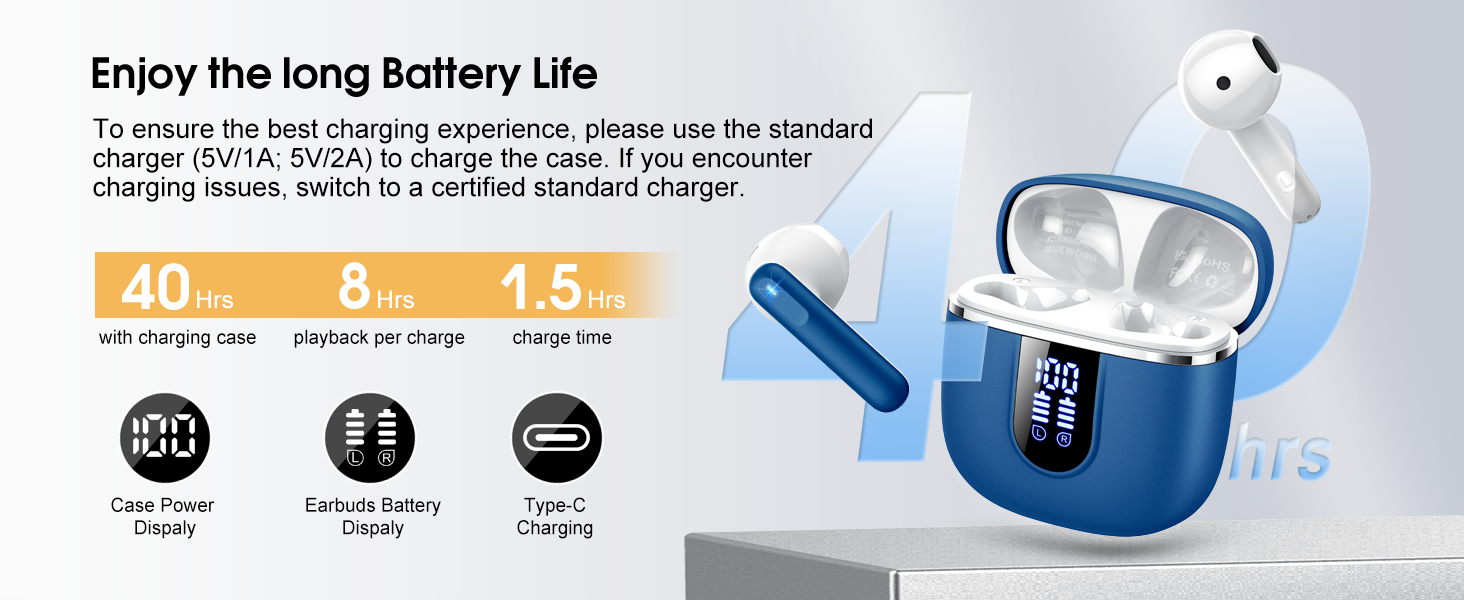
Image: Details on battery life (40 hours with case, 8 hours per charge) and charging time (1.5 hours), along with the LED display for battery status.
4.2 Bluetooth холболт
The earbuds feature a Hall sensor for automatic pairing.
- Анхны хосолсон: Цэнэглэх хайрцгийг нээнэ үү. Чихэвч автоматаар асч, холбох горимд орно.
- Төхөөрөмж дээрээ (ухаалаг утас, таблет, зөөврийн компьютер) Bluetooth-г идэвхжүүлж, боломжтой төхөөрөмжүүдийг хайж олоорой.
- Select "H97" from the list of devices to connect. Once connected, you will hear a confirmation tone.
- Автомат дахин холболт: After the initial pairing, the earbuds will automatically connect to the last paired device when the charging case is opened (within 15 meters).
- Дан чихний горим: You can use either the left or right earbud independently. Simply take one earbud out of the case, and it will connect. If you take out the other earbud, they will automatically switch to binaural mode. To use a single earbud, place the other back into the charging case.

Image: An illustration explaining how to use the earbuds in single earbud mode or binaural (stereo) mode, and how they automatically switch.
5. Ашиглалтын заавар
5.1 Мэдрэгчийн удирдлага
The Cillso H97 earbuds feature sensitive touch controls on each earbud. The functions are as follows:
| Үйлдэл | Чиг үүрэг |
|---|---|
| Давхар товшилт (Л/Б) | Хөгжим тоглуулах/түр зогсоох |
| One Tap (L/R) | Дуудлагад хариулах/дуусах |
| Long Press 2s (L/R) | Дуудлагаас татгалзах |
| Урт Tap 2s (R) | Дараагийн дуу |
| Урт Tap 2s (L) | Өмнөх дуу |
| One Tap (R) | Дууны хэмжээг нэмэгдүүлэх |
| One Tap (L) | Дууг багасгах |
| Гурван удаа товших (R) | Дуут туслахыг идэвхжүүлнэ үү |

Image: A diagram illustrating the various touch control gestures for managing music playback, calls, and voice assistant functions.
5.2 Чихэвч зүүх
Дууны чанар болон тав тухыг хамгийн сайн байлгахын тулд чихэвчээ чихэндээ зөв суулгасан эсэхээ шалгаарай.
- Зүүн (L) ба Баруун (R) чихэвчийг тодорхойл.
- Чихэвч бүрийг чихний суваг руу зөөлөн оруулаарай.
- Adjust the angle until it feels secure and comfortable. The ergonomic design is intended to fit the contours of most ear canals.

Image: Diagrams showing the ergonomic design and recommended angles for wearing the earbuds for a secure and comfortable fit.
5.3 Өргөн нийцтэй байдал
The Cillso H97 Wireless Earbuds are compatible with a broad range of Bluetooth-enabled devices.
- Үйлдлийн системүүд: Android 4.4+ ба iOS 8.0+
- Bluetooth хувилбар: Bluetooth 4.0 эсвэл түүнээс хойшхи хувилбар
- Төхөөрөмжүүд: Smartphones (iPhone, Samsung Galaxy, Huawei, Xiaomi, etc.), tablets, and laptops.

Image: Icons representing compatibility with phones, tablets, laptops, and desktops, showing the earbuds connected to a smartphone.
6. Засвар үйлчилгээ, арчилгаа
6.1 Цэвэрлэгээ
- Чихэвч болон цэнэглэгчийн хайрцгийг зөөлөн, хуурай, хөвөнгүй даавуугаар тогтмол цэвэрлэ.
- Зүлгүүрийн цэвэрлэгч, спирт, химийн шүршигч хэрэглэж болохгүй.
- Зөв цэнэглэхийн тулд чихэвч болон гэрний цэнэглэгч контактууд цэвэр, хуурай байгаа эсэхийг шалгаарай.
6.2 Хадгалалт
- Ашиглаагүй үед чихэвчийг хамгаалж, цэнэгтэй байлгахын тулд цэнэглэгчдээ хадгалаарай.
- Хэт өндөр температур, нарны шууд тусгалаас хол, сэрүүн, хуурай газар хадгална.
6.3 Усны эсэргүүцэл (IPX7)
The earbuds are rated IPX7 waterproof, meaning they can withstand immersion in water up to 1 meter for 30 minutes. This protects them from sweat, rain, and splashes.
- Цэнэглэгчийн хайрцгийг зориудаар живүүлж болохгүй, учир нь энэ нь ус нэвтэрдэггүй.
- Ensure earbuds are completely dry before placing them back into the charging case to prevent damage to the charging contacts.
- Avoid using the earbuds in saunas, steam rooms, or during diving.

Image: An earbud with water splashing on it, illustrating its IPX7 waterproof capability.
6.4 Хэт гүйдлийн хамгаалалт (OCP)
The charging case is equipped with Over Current Protection technology to prevent issues such as overheating, melting, or fire caused by prolonged high current from an external power source. When the current exceeds the power limit, the power source will immediately cut off output to protect the circuitry and device.
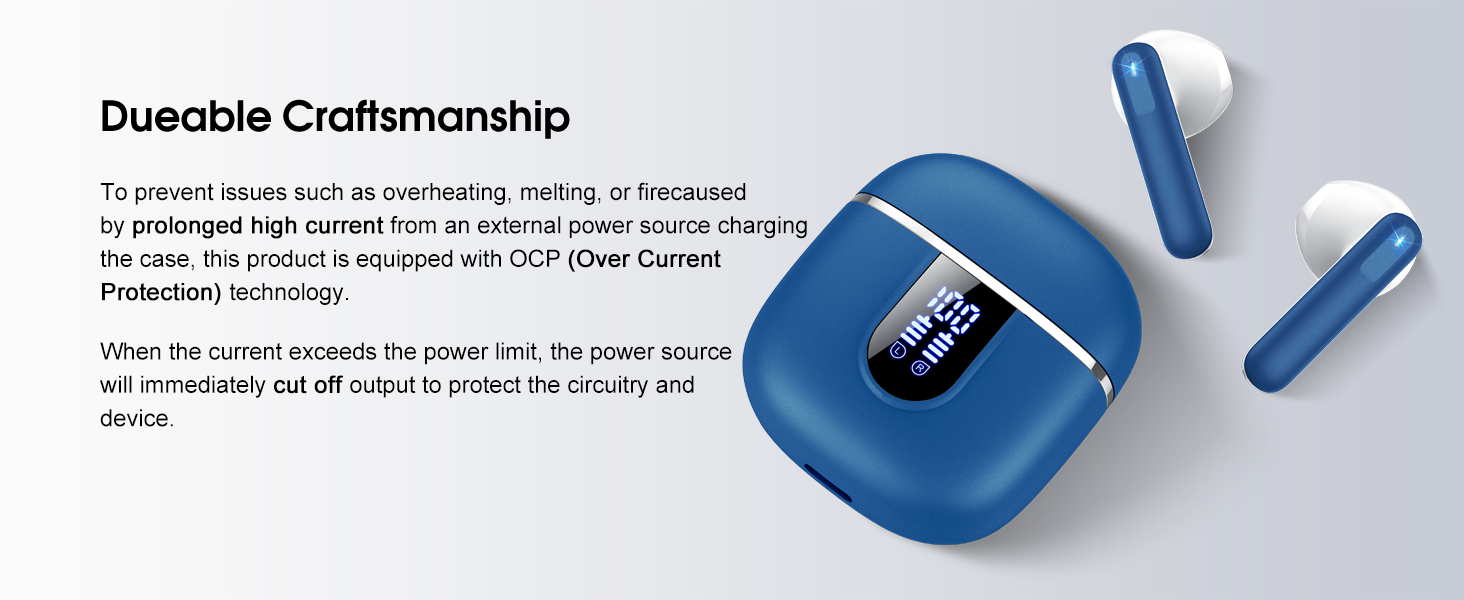
Image: The charging case and earbuds, highlighting the durable craftsmanship and Over Current Protection (OCP) technology.
7. Алдаа засах
If you encounter any issues with your Cillso H97 Wireless Earbuds, please refer to the following common problems and solutions:
- Дуу алга / Тасралт:
- Чихэвч цэнэглэгдсэн эсэхийг шалгаарай.
- Check if Bluetooth is enabled on your device and if "H97" is selected.
- Move closer to your device to ensure you are within the 15-meter Bluetooth range.
- Чихэвчээ төхөөрөмжтэйгээ салгаад дахин хослуулахыг оролдоно уу.
- Чихэвч цэнэглэхгүй байна:
- Цэнэглэх хайрцаг цэнэглэгдсэн эсэхийг шалгаарай.
- Check that the earbuds are correctly seated in the charging case and the charging contacts are clean.
- Verify the USB-C cable and power adapter are working correctly and meet the 5V/1A or 5V/2A standard.
- Зөвхөн нэг чихэвч ажиллаж байна:
- Хоёр чихэвчийг цэнэглэгч хайрцагт буцааж хийж, тагийг нь хаагаад хэдэн секунд хүлээгээд тагийг нь нээгээд хамтад нь гаргаж ирээрэй.
- Чихэвч хоёулаа цэнэглэгдсэн эсэхийг шалгаарай.
- If the issue persists, try resetting the earbuds (refer to the full user manual if a specific reset procedure is available, otherwise, unpair and re-pair).
- Мэдрэгчийн удирдлага хариу өгөхгүй байна:
- Хуруугаа цэвэр, хуурай байлгах хэрэгтэй.
- Чихэвчийг гэрт нь хийгээд буцааж гаргаж дахин асааж үзнэ үү.
Хэрэв эдгээр алхамууд таны асуудлыг шийдэж чадахгүй бол хэрэглэгчийн дэмжлэгтэй холбогдоно уу.
8. Техникийн үзүүлэлтүүд
| Онцлог | Дэлгэрэнгүй |
|---|---|
| Загварын нэр | H97 |
| Брэнд | Cillso |
| Холболтын технологи | Утасгүй (Bluetooth) |
| Bluetooth хувилбар | 5.4 |
| Bluetooth хүрээ | 15 метр |
| Аудио драйверын хэмжээ | 13mm (from description, spec says 14.2mm, using 13mm as it's consistent with marketing) |
| Давтамжийн хариу үйлдэл | 20Hz - 20kHz (from description) |
| Мэдрэмж | 110 дБ |
| Эсэргүүцэл | 32 Ом |
| Чихэвчний батерейны ашиглалтын хугацаа | 8 цаг хүртэл |
| Тоглуулах нийт хугацаа (товчтой) | 40 цаг хүртэл |
| Цэнэглэх хугацаа (цэнэг) | Ойролцоогоор 1.5 цаг |
| Цэнэглэх порт | USB-C |
| Усны эсэргүүцлийн зэрэглэл | IPX7 (чихэвч) |
| Чихний жин | 3.5 грамм (тус бүр) |
| Цэнэглэх хайрцагны жин | 32 грамм |
| Тохиромжтой төхөөрөмжүүд | iOS 9.0+/Android 5.0+ нь Bluetooth 4.0+-тэй |
| Хяналтын арга | Хүрэх |
9. Баталгаат хугацаа ба дэмжлэг
Cillso products are designed for reliability and performance. For warranty information and customer support, please refer to the warranty card included in your product packaging or visit the official Cillso webсайт.
If you have any questions or require assistance, please do not hesitate to contact our customer service team.


