1. Танилцуулга
This user manual provides essential information for the safe and efficient operation of your OnePlus Watch 3 43mm Silver Steel. Please read this manual thoroughly before using the device to ensure proper functionality and to prevent damage. Keep this manual for future reference.
2. Хайрцагт юу байна
Бүх зүйл багцад байгаа эсэхийг шалгана уу:
- OnePlus Watch 3 (43mm Silver Steel)
- Цагны оосор
- Цэнэглэх кабель
- Түргэн эхлүүлэх гарын авлага

Image: OnePlus Watch 3 43mm Silver Steel, front view with strap.
3. Бүтээгдэхүүн дууссанview
3.1 Дизайн ба бүрэлдэхүүн хэсгүүд
The OnePlus Watch 3 features a 43mm round display encased in polished stainless steel. The crown and side button provide tactile control, complementing the touchscreen interface. The device is designed for comfortable wear with a fluoroelastomer band.
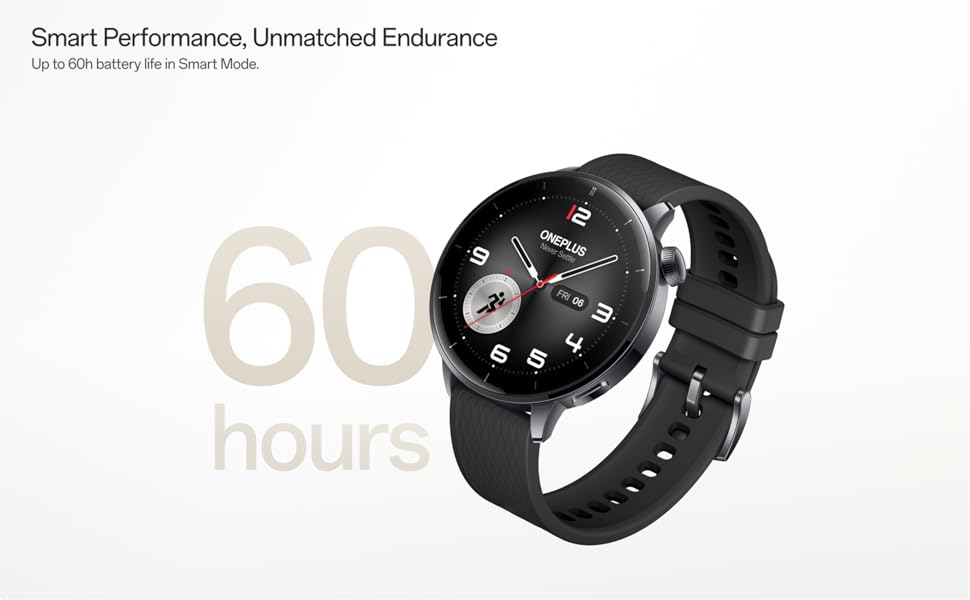
Image: OnePlus Watch 3 43mm Silver Steel, highlighting its refined design and polished stainless steel case.
3.2 Гол онцлогууд
- Дэлгэц: 1.32-inch round AMOLED touchscreen.
- Үйлдлийн систем: WearOS.
- Хадгалах: 32 ГБ дотоод санах ой.
- Холболт: Bluetooth, Multi-GNSS (Beidou, GPS, Galileo, GLONASS, QZSS).
- Усны эсэргүүцэл: IP68 зэрэглэл.
- Зай: 345mAh Lithium-Ion, offering up to 60 hours in Smart Mode.
4. Тохиргоо
4.1 Анхны цэнэглэлт
Before first use, fully charge your OnePlus Watch 3. Connect the charging cable to the watch's charging port and a compatible USB power adapter. The watch display will indicate charging status.
4.2 Асаах/унтраах
- Асаах: Press and hold the side button (crown) until the OnePlus logo appears.
- Унтраах: Press and hold the side button, then select 'Power Off' from the options on the screen.
4.3 Ухаалаг утастайгаа хослуулах
- Ensure your smartphone has Bluetooth enabled and is connected to the internet.
- Download and install the Wear OS by Google app from your phone's app store.
- Open the Wear OS app and follow the on-screen instructions to pair your OnePlus Watch 3.
- Бүрэн ажиллагаатай байхын тулд шаардлагатай бүх зөвшөөрлийг хүлээн авна уу.
5. Цагийг ажиллуулах
5.1 Навигац
- Мэдрэгчтэй дэлгэц: Цэс болон мэдэгдлүүдээр шилжихийн тулд дээш, доош, зүүн эсвэл баруун тийш шударна уу. Зүйлс сонгохын тулд товшино уу.
- Титэм: Rotate the crown to scroll through lists or adjust settings. Press the crown to return to the watch face or access the app drawer.
- Хажуугийн товчлуур: Customizable for quick access to a specific app or function.
5.2 Цагны нүүрийг өөрчлөх
To change your watch face, long-press on the current watch face and swipe left or right to browse available options. Tap to select. Additional watch faces can be downloaded via the Wear OS app or Google Play Store on your watch.
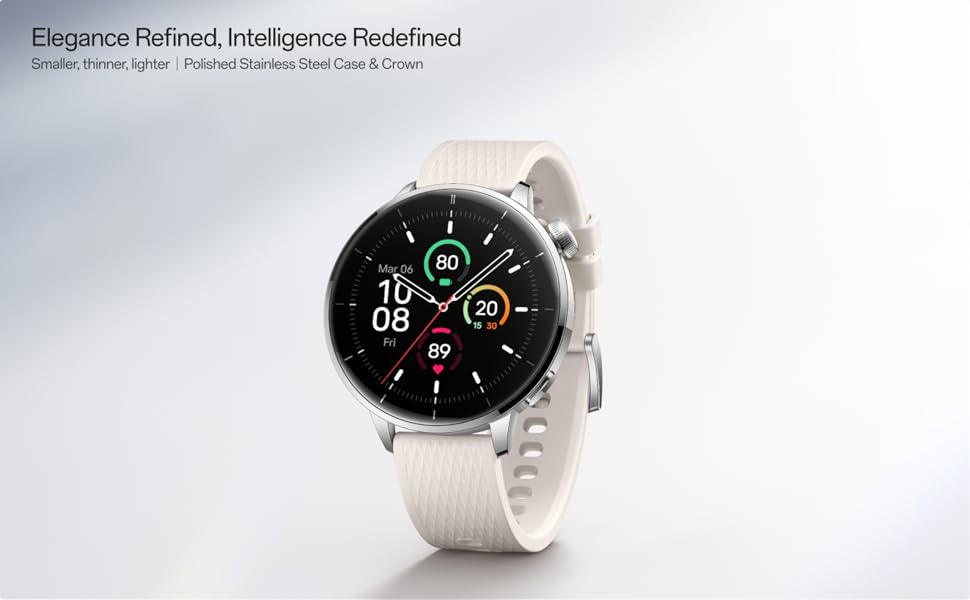
Image: Two OnePlus Watch 3 devices showing different watch faces, illustrating customization options.
6. Эрүүл мэндийн хяналт
The OnePlus Watch 3 offers comprehensive health tracking features:
- Зүрхний цохилтын хяналт: Continuous tracking of your heart rate throughout the day.
- Цусан дахь хүчилтөрөгчийн (SpO2) хэмжилт: On-demand and continuous blood oxygen level monitoring.
- Унтлагын хяналт: Унталтыг хянадагtages, duration, and detects potential sleep breathing risks.
- Циклийн хяналт: For tracking menstrual cycles.
- Стресс хяналт: Analyzes heart rate variability to estimate stress levels.

Image: The OnePlus Watch 3 and a smartphone screen showing various health metrics like daily activity, heart rate, and sleep data.
7. Фитнесс хянах
The watch supports 11 professional fitness modes and provides fat burning evaluation. Utilize the built-in Multi-GNSS for accurate outdoor activity tracking.
- Үйл ажиллагааг хянах: Алхам, зай, шатаасан калори болон идэвхтэй минутуудыг тэмдэглэнэ.
- Дасгалын горимууд: Select from various modes like running, cycling, swimming, and more for tailored tracking.
- GPS хянах: Integrated GPS for precise route mapping during outdoor workouts.

Image: A person wearing the OnePlus Watch 3 during a cycling activity, demonstrating its use for fitness tracking.
8. Ухаалаг онцлог
Running on WearOS, the OnePlus Watch 3 integrates seamlessly with your digital life:
- Мэдэгдэл: Дуудлага, мессеж болон аппликейшны мэдэгдлийг бугуйндаа шууд хүлээн аваарай.
- Google Play Apps: Google Play Store-оос олон төрлийн програмуудад хандах.
- Google Түрийвч: Make contactless payments.
- Хөгжмийн хяналт: Холбогдсон ухаалаг утсан дээрээ хөгжим тоглуулахыг удирдаарай.
- Дуут туслах: Utilize Google Assistant for hands-free commands.

Image: The OnePlus Watch 3 screen showing multiple app icons, representing its WearOS ecosystem and access to Google Play apps.
9. Зайны удирдлага
The OnePlus Watch 3 is equipped with a 345mAh battery, providing up to 60 hours of use in Smart Mode. Battery life can vary based on usage and settings.
- Цэнэглэж байна: Use the provided charging cable. A full charge takes approximately 30 minutes.
- Батарей хэмнэх горим: Enable this mode to extend battery life by limiting certain features.
- Tips for Extending Battery Life: Дэлгэцийн гэрэлтүүлгийг багасгаж, үргэлж асаалттай дэлгэцийг идэвхгүй болгож, арын програмын шинэчлэлтийг хязгаарлаж, шаардлагагүй мэдэгдлүүдийг унтраа.
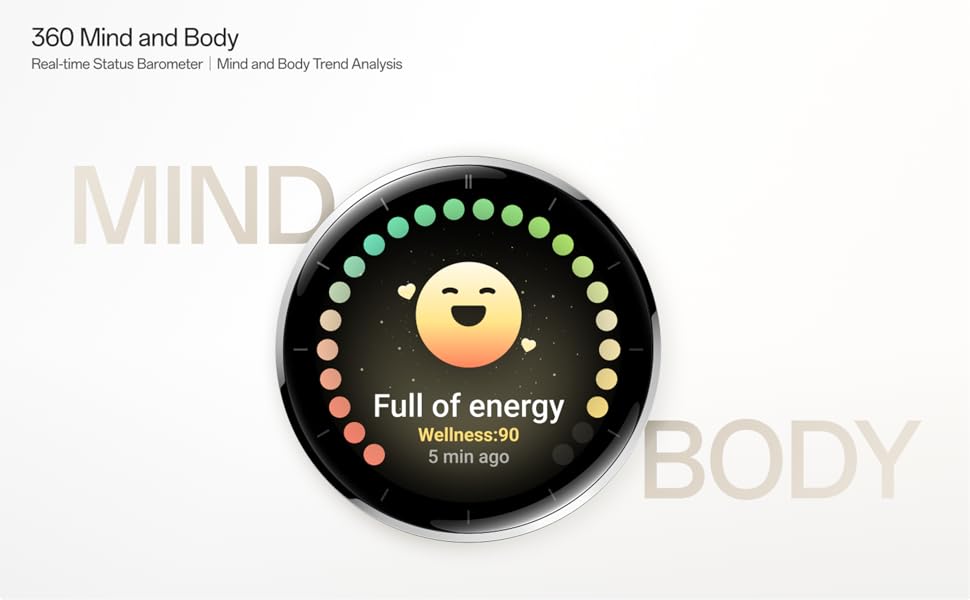
Image: The OnePlus Watch 3 with a large '60 hours' text, emphasizing its extended battery life in Smart Mode.
10. Засвар үйлчилгээ
10.1 Цэвэрлэгээ
Арьсыг цочроохоос сэргийлж, үйл ажиллагааг нь хэвийн байлгахын тулд цаг болон оосороо тогтмол цэвэрлээрэй.
- Цагны дэлгэц болон их биеийг хөвөнгүй зөөлөн даавуугаар арчина.
- For the strap, use mild soap and water, then rinse thoroughly and dry completely before wearing.
- Химийн хатуу бодис, зүлгүүрийн материал ашиглахаас зайлсхий.
10.2 Усны эсэргүүцэл
The OnePlus Watch 3 has an IP68 water resistance rating. This means it is protected against dust and can withstand immersion in water up to 1.5 meters for 30 minutes. It is suitable for everyday use and activities like hand washing or light rain. Avoid using it for diving, high-pressure water activities, or in hot water/steam.
11. Алдаа засах
If you encounter issues with your OnePlus Watch 3, try the following steps:
- Асахгүй байгаа цаг: Цаг бүрэн цэнэглэгдсэн эсэхийг шалгаарай.
- Хослуулах асуудал: Check if Bluetooth is enabled on your phone and watch. Restart both devices and try pairing again.
- Буруу уншилтууд: Цагийг хэт бариу эсвэл хэт сул биш, бугуйндаа сайн зүүж байгаарай. Цагны арын хэсэгт мэдрэгчийг цэвэрлэ.
- App Crashes/Slow Performance: Restart the watch. If the issue persists, consider resetting the watch to factory settings (this will erase all data).
- Батерейг хурдан шавхах: Review battery management tips in Section 9.
For further assistance, refer to the official OnePlus support webсайт эсвэл харилцагчийн үйлчилгээтэй холбоо барина уу.
12. Техникийн үзүүлэлтүүд
| Онцлог | Тодорхойлолт |
|---|---|
| Загварын дугаар | OnePlus Watch 3 |
| Дэлгэцийн хэмжээ | 1.32 инч |
| Дэлгэцийн төрөл | AMOLED |
| Үйлдлийн систем | WearOS |
| Санах ойн хадгалах багтаамж | 32 ГБ |
| Холболт | Bluetooth |
| GPS | Beidou, GPS, Galileo, GLONASS, QZSS |
| Зайны багтаамж | 345 мАч лити ион |
| Усны эсэргүүцэл | IP68 |
| Зүйлийн жин | 9.9 унц (0.28 килограмм) |
| Багцын хэмжээ | 4.72 x 4.69 x 2.56 инч |
13. Баталгаат хугацаа ба дэмжлэг
For warranty information, please refer to the warranty card included with your product or visit the official OnePlus website. For technical support, software updates, and frequently asked questions, please visit the OnePlus support page:


