1. Танилцуулга
This manual provides detailed instructions for the proper use and maintenance of your OnePlus Buds 4 Wireless Earbuds. Please read this manual thoroughly before using the product to ensure optimal performance and longevity.
Багцын агуулга
Бүх зүйл багцад байгаа эсэхийг шалгана уу:
- OnePlus Buds 4 Earbuds (Left and Right)
- Цэнэглэх хайрцаг
- USB-C цэнэглэгч кабель
- Multiple Ear Tip Sizes (S, M, L)
- Хэрэглэгчийн гарын авлага (энэ баримт бичиг)

Image: Contents of the OnePlus Buds 4 retail package, showing the earbuds, charging case, USB-C cable, and various ear tip sizes.
2. Тохиргоо
2.1 Анхны цэнэглэлт
Before first use, fully charge the OnePlus Buds 4 and their charging case. Connect the provided USB-C charging cable to the charging port on the case and a power source. The indicator light on the case will show charging status.
- A full charge provides extended playback time.
- Цэнэглэх хайрцаг нь 530 мАч батерейны багтаамжтай.

Image: OnePlus Buds 4 earbuds in their open charging case, highlighting the extended battery life capability.
2.2 Төхөөрөмжтэй хослуулах
- Чихэвчийг цэнэглэх хайрцагт хийж, тагийг нь онгорхой байгаа эсэхийг шалгаарай.
- Цэнэглэгч хайрцаг дээрх функцийн товчийг дарж, индикаторын гэрэл цагаан өнгөөр анивчих хүртэл барина уу, энэ нь хослуулах горимыг илтгэнэ.
- On your device (smartphone, tablet, etc.), go to Bluetooth settings and select "OnePlus Buds 4" from the list of available devices.
- Once connected, the indicator light will turn solid white or off.
The OnePlus Buds 4 utilize Bluetooth 5.4 for stable connectivity and support Fast Pair for quick setup with compatible Android devices.

Image: OnePlus Buds 4 earbuds and charging case with a Bluetooth signal icon, illustrating stable connectivity via Bluetooth 5.4.
2.3 Чихэвч зүүх
Choose the ear tips that provide the best seal and comfort for your ears. A proper fit is crucial for optimal sound quality and effective Active Noise Cancellation.
- Чихэвчийг чихний суваг руу зөөлөн оруул.
- Тэднийг аюулгүй, тухтай мэдрэх хүртэл бага зэрэг эргүүл.
3. Ашиглалтын заавар
3.1 Мэдрэгчийн удирдлага
The OnePlus Buds 4 feature intuitive touch controls on the stem of each earbud.
| Үйлдэл | Чиг үүрэг |
|---|---|
| Нэг товшилт | Хөгжим тоглуулах/түр зогсоох, Дуудлагад хариулах/ дуусгах |
| Давхар товшилт | Дараагийн дуу, Дуудлагаас татгалзах |
| Гурав дахин товш | Өмнөх зам |
| Дарж барина уу (Зүүн/Баруун) | Switch Noise Control Mode (ANC/Transparency) |
| Swipe Up/Down (Stem) | Дууны хэмжээг тохируулах |

Image: Close-up of OnePlus Buds 4 earbuds showing the area for volume swipe control on the stem.
3.2 Идэвхтэй дуу чимээг арилгах (ANC) ба Ил тод байдлын горим
The earbuds feature advanced Active Noise Cancellation to reduce ambient noise and a Transparency Mode to allow you to hear your surroundings.
- Идэвхтэй дуу чимээг арилгах: Reduces external sounds for an immersive listening experience.
- Ил тод байдлын горим: Amplifies ambient sounds, allowing you to stay aware of your environment without removing the earbuds.
- Дасан зохицох горим: Intelligently switches between ANC and Transparency modes based on your environment.
Switch between these modes by pressing and holding the touch area on either earbud.

Image: A person wearing OnePlus Buds 4 earbuds outdoors, illustrating the effect of Active Noise Cancellation.
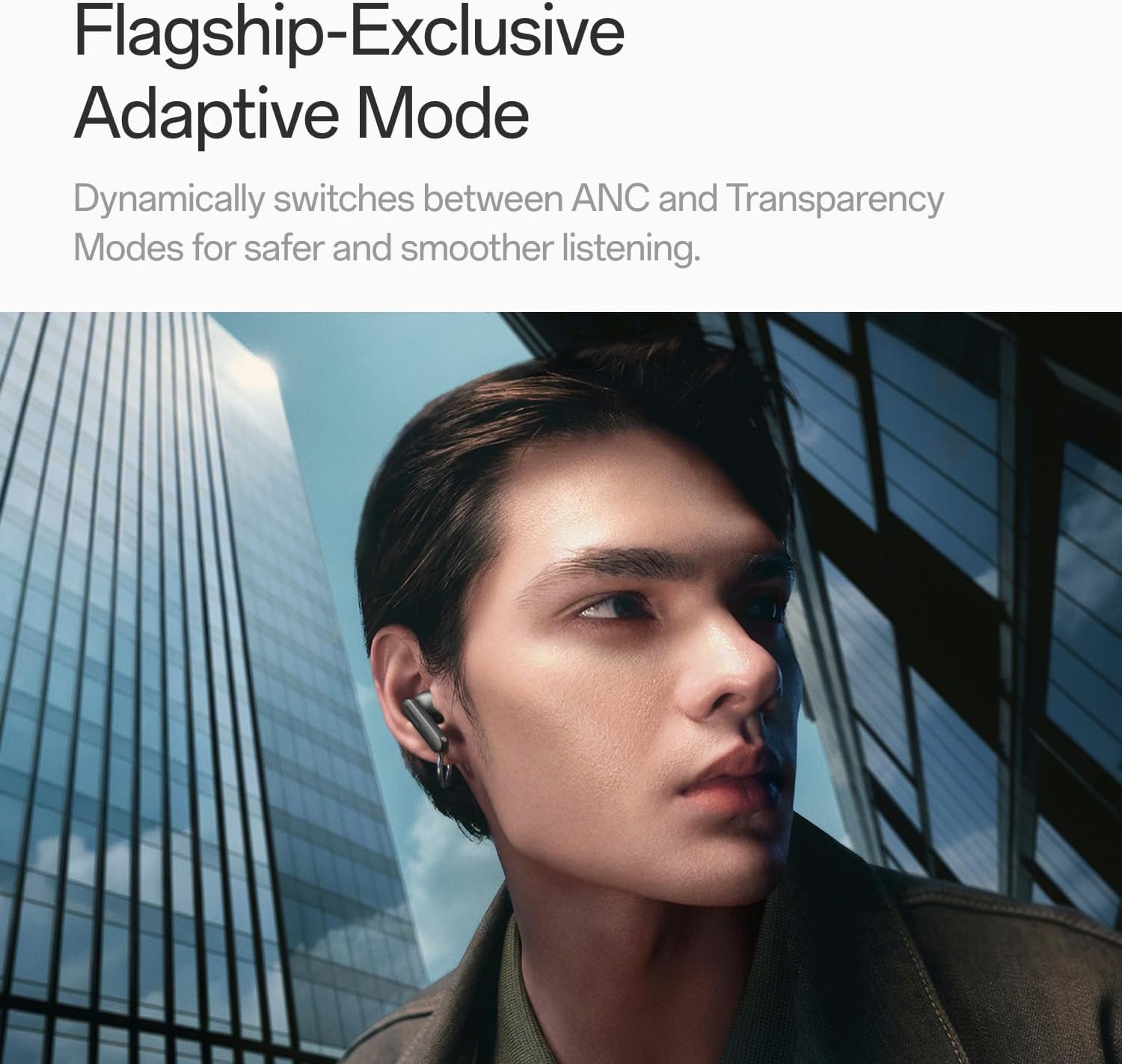
Image: A person wearing OnePlus Buds 4 earbuds in a city setting, highlighting the Adaptive Mode feature.
3.3 Аудио функцууд
The OnePlus Buds 4 deliver high-quality audio with advanced technologies.
- 11 мм-ийн аудио драйверууд: Provide balanced, true-to-life acoustics.
- Hi-Res Audio & LHDC 5.0: For detailed, studio-grade sound reproduction.
- Immersive 3D Spatial Audio: Creates a richer, surrounding sound experience.

Image: OnePlus Buds 4 earbuds with Hi-Res Audio and LHDC 5.0 branding, emphasizing advanced audio capabilities.

Image: OnePlus Buds 4 earbuds depicted with a visual effect suggesting immersive 3D Spatial Audio.

Зураг: дэлбэрсэн view diagram of a OnePlus Buds 4 earbud, highlighting its internal sound components and drivers.
3.4 Дуудлагын онцлог
The earbuds are equipped with features to enhance call clarity.
- 3-mic AI Call Noise Cancellation: Filters out noise and wind for clear calls in various environments.
- 3x Voice Cancellation: Reduces vocal distractions in noisy settings like cafes or trains.

Image: A person lying down with OnePlus Buds 4 earbuds, representing the effect of voice cancellation for undisturbed listening.

Зураг: Ил тод view of a OnePlus Buds 4 earbud, highlighting the 3-mic system for AI Call Noise Cancellation.
3.5 AI Translation
With a compatible OnePlus phone, the earbuds can facilitate real-time conversations in multiple languages.

Image: OnePlus Buds 4 earbuds alongside a smartphone screen demonstrating AI translation functionality.
4. Засвар үйлчилгээ
4.1 Цэвэрлэгээ
- Чихэвч болон цэнэглэгчийн хайрцгийг зөөлөн, хуурай, хөвөнгүй даавуугаар тогтмол цэвэрлэ.
- Чихний үзүүрийг авч, шаардлагатай бол ус, зөөлөн савангаар арчиж, дахин холбохын өмнө бүрэн хатсан эсэхийг шалгаарай.
- Зүлгүүрийн материал, хатуу химийн бодис хэрэглэж болохгүй.
4.2 Усны эсэргүүцэл
The OnePlus Buds 4 are water resistant. This means they can withstand splashes and sweat, making them suitable for workouts. However, they are not waterproof and should not be submerged in water.
4.3 Хадгалалт
Ашиглаагүй үед чихэвчийг хамгаалж, цэнэглэсэн хэвээр байхын тулд цэнэглэгчдээ хадгалаарай.
5. Алдаа засах
If you encounter issues with your OnePlus Buds 4, refer to the following common solutions:
5.1 Хослуулах асуудал
- Ensure the earbuds are charged and in pairing mode (flashing white light).
- Төхөөрөмж дээрээ Bluetooth-ийг унтрааж, асаана уу.
- Төхөөрөмжийг Bluetooth тохиргоондоо мартаад дахин холбохыг оролдоно уу.
- Чихэвчээ дахин тохируулж үзнэ үү (тодорхой дахин тохируулах зааврыг хэрэглэгчийн гарын авлагаас үзнэ үү).
5.2 Дууны асуудал
- Check the earbud fit and try different ear tip sizes.
- Clean the ear tips and speaker meshes to remove any debris.
- Ensure the volume on both your device and earbuds is adjusted correctly.
5.3 Цэнэглэхтэй холбоотой асуудлууд
- Цэнэглэгч кабель нь хайрцаг болон тэжээлийн эх үүсвэрт найдвартай холбогдсон эсэхийг шалгана уу.
- Чихний чихэвч болон гэр доторх цэнэглэх контактууд нь цэвэр, саадгүй байгаа эсэхийг шалгаарай.
- Өөр USB-C кабель эсвэл тэжээлийн адаптер ашиглаж үзнэ үү.
6. Техникийн үзүүлэлтүүд
| Онцлог | Дэлгэрэнгүй |
|---|---|
| Загварын нэр | OnePlus Buds 4 |
| Загварын дугаар | E513A |
| Брэнд | OnePlus |
| Өнгө | Zen Green |
| Чихний байрлал | Чихэнд |
| Form Factor | Чихэнд |
| Дуу чимээний хяналт | Идэвхтэй дуу чимээг арилгах |
| Аудио драйверын хэмжээ | 11 миллиметр |
| Аудио драйверын төрөл | Динамик драйвер |
| Давтамжийн хариу үйлдэл | 40 Гц |
| Мэдрэмж | 100 дБ |
| Эсэргүүцэл | 18 Ом |
| Холболтын технологи | Bluetooth |
| Утасгүй холбооны технологи | Bluetooth |
| Bluetooth хувилбар | 5.4 |
| Bluetooth хүрээ | 33 фут |
| Хяналтын арга | Хүрэх |
| Хянагчийн төрөл | Удирдлагад хүрнэ үү |
| Цэнэглэх хайрцагны багтаамж | 530 мАч |
| Усны эсэргүүцлийн түвшин | Усны хамгаалалттай |
| Зүйлийн жин | 0.15 килограмм (5.3 унц) |
| Оруулсан бүрэлдэхүүн хэсгүүд | Cable, Charging Case, Eartip, User Manual |
7. Баталгаат хугацаа ба дэмжлэг
7.1 Үйлдвэрлэгчийн баталгаа
The OnePlus Buds 4 are backed by a one-year manufacturer warranty. This warranty covers defects in materials and workmanship under normal use. For specific terms and conditions, please refer to the warranty card included in your product packaging or visit the official OnePlus support webсайт.
7.2 Хэрэглэгчийн дэмжлэг
For further assistance, technical support, or warranty claims, please contact OnePlus customer service through their official webсайт эсвэл таны бүтээгдэхүүний баримт бичигт заасан холбоо барих мэдээлэл.
Official OnePlus Store: Amazon дээрх OnePlus дэлгүүр