1. Танилцуулга
This manual provides detailed instructions for the operation and maintenance of your KEPLUG MX9 Sunrise Alarm Clock. This device combines a digital alarm clock, a sunrise simulation wake-up light, a dimmable bedside night light, and a white noise machine with 30 soothing sounds. Please read this manual thoroughly before use to ensure proper functionality and safety.
2. Аюулгүй байдлын мэдээлэл
- Төхөөрөмжийг тогтвортой, тэгш гадаргуу дээр байрлуулсан эсэхийг шалгаарай.
- Төхөөрөмжийг ус эсвэл хэт их чийгэнд бүү тавь.
- Зөвхөн дагалдаж ирсэн цахилгаан адаптер болон кабелийг ашиглана уу.
- Хүүхэд, тэжээвэр амьтдын гар хүрэхгүй газар хадгална уу.
- Төхөөрөмжийг өөрөө задлах, засах гэж бүү оролдоорой. Үйлчилгээ авахын тулд мэргэшсэн ажилтнуудтай холбоо барина уу.
- Аянга шуургатай үед эсвэл удаан хугацаагаар ашиглаагүй үед төхөөрөмжийг цахилгаанаас салга.
3. Багцын агуулга
Бүх зүйл багцад байгаа эсэхийг шалгана уу:
- KEPLUG MX9 Sunrise Alarm Clock
- Эрчим хүчний адаптер
- Цахилгаан кабель
- Хэрэглэгчийн гарын авлага (энэ баримт бичиг)
4. Бүтээгдэхүүн дууссанview
Familiarize yourself with the main components and control buttons of your KEPLUG MX9 Sunrise Alarm Clock.

Зураг 1: Урд view of the KEPLUG MX9 Sunrise Alarm Clock, showing the main light dome, digital time display, and control buttons at the base.
The device features a large light dome, a digital time display, and several touch-sensitive buttons for control:
- Сэрүүлгийн товчлуур: Used to set and activate alarms.
- Цагийн товчлуур: Used to set the current time and 12/24-hour format.
- Түр хойшлуулах/гэрлийн товчлуур: Activates snooze during an alarm, or turns on/off and adjusts the night light.
- Нэмэх (+) товчлуур: Increases values (time, volume, brightness) or navigates options.
- Хасах (-) товчлуур: Decreases values (time, volume, brightness) or navigates options.
- Хөгжмийн ноот товч: Selects soothing sounds or white noise.
5. Тохиргоо
5.1 Эрчим хүчний холболт
- Connect the power cable to the DC input port on the back of the alarm clock.
- Цахилгаан адаптерийг ердийн цахилгаан залгуурт холбоно уу.
- The digital display will illuminate, indicating the device is powered on.
5.2 Одоогийн цагийг тохируулах
- -г удаан дар Цагийн товчлуур for 3 seconds to enter time setting mode. The hour digits will flash.
- -г ашиглана уу Дээрээс нь (+) or Minus (-) Buttons цагийг тохируулах.
- дээр дарна уу Цагийн товчлуур дахин дарж цагийг баталгаажуулж, минутын тохиргоо руу шилжинэ. Минутын тоо анивчих болно.
- -г ашиглана уу Дээрээс нь (+) or Minus (-) Buttons минут тохируулах.
- дээр дарна уу Цагийн товчлуур a third time to confirm the minutes and select 12-hour or 24-hour format.
- -г ашиглана уу Дээрээс нь (+) or Minus (-) Buttons өөрийн хүссэн цагийн форматыг сонгох.
- дээр дарна уу Цагийн товчлуур one last time to exit time setting mode.
6. Ашиглалтын заавар
6.1 Setting an Alarm (Sunrise Simulation & Sound)
The KEPLUG MX9 allows you to set multiple alarms with customizable sunrise simulation and sound options.

Image 2: Illustration of the sunrise simulation feature, where the light gradually brightens over a set period, mimicking a natural sunrise.
- дээр дарна уу Сэрүүлгийн товчлуур to select an alarm slot (e.g., Alarm 1, Alarm 2).
- -г удаан дар Сэрүүлгийн товчлуур for 3 seconds to enter alarm setting mode. The alarm hour digits will flash.
- -г ашиглана уу Дээрээс нь (+) or Minus (-) Buttons хүссэн сэрүүлгийн цагийг тохируулах.
- дээр дарна уу Сэрүүлгийн товчлуур to confirm the hour and set the minutes.
- -г ашиглана уу Дээрээс нь (+) or Minus (-) Buttons хүссэн сэрүүлгийн минутыг тохируулах.
- дээр дарна уу Сэрүүлгийн товчлуур to confirm minutes and set the sunrise duration (15-120 minutes). This is the time before the alarm sound when the light will gradually brighten.
- -г ашиглана уу Дээрээс нь (+) or Minus (-) Buttons to select the sunrise duration.
- дээр дарна уу Сэрүүлгийн товчлуур to confirm duration and select the wake-up sound.
- -г ашиглана уу Дээрээс нь (+) or Minus (-) Buttons to cycle through the available wake-up sounds (e.g., nature sounds, melodies).
- дээр дарна уу Сэрүүлгийн товчлуур to confirm the sound and set the alarm volume.
- -г ашиглана уу Дээрээс нь (+) or Minus (-) Buttons to adjust the alarm volume (7 levels).
- дээр дарна уу Сэрүүлгийн товчлуур one last time to save the alarm settings and activate the alarm. An alarm icon will appear on the display.
6.2 Түр хойшлуулах функц
Сэрүүлэг дуугарах үед товчийг дарна уу Түр хойшлуулах/гэрлийн товчлуур to activate the snooze function. The alarm will pause for 9 minutes and then sound again. You can snooze multiple times.
6.3 Turning Off an Alarm
To turn off a sounding alarm, press any button other than the Түр хойшлуулах/гэрлийн товчлуур. To deactivate an alarm completely, press the Сэрүүлгийн товчлуур until the alarm icon disappears from the display.
6.4 Night Light / Bedside Lamp Чиг үүрэг
The device can function as a dimmable night light with various colors.

Image 3: The alarm clock used as a bedside lamp, displaying various solid colors and mood lighting options.
- дээр дарна уу Түр хойшлуулах/гэрлийн товчлуур once to turn on the light.
- дээр дарна уу Түр хойшлуулах/гэрлийн товчлуур repeatedly to cycle through different solid colors (8 options) and RGB mood lights (4 options).
- To adjust the brightness of the selected light, press and hold the Түр хойшлуулах/гэрлийн товчлуур, дараа нь ашиглана уу Дээрээс нь (+) or Minus (-) Buttons to increase or decrease brightness. Release the Түр хойшлуулах/гэрлийн товчлуур дууссаны дараа.
- -г удаан дар Түр хойшлуулах/гэрлийн товчлуур гэрлийг унтраахын тулд дахин.
6.5 White Noise Machine & Soothing Sounds
The device offers 30 soothing sounds for relaxation or sleep aid.

Image 4: Visual representation of the 30 smooth sounds for sleep, including white noise, nature sounds, and lullabies.
- дээр дарна уу Music Note Button to turn on the sound machine. It will start playing the last selected sound.
- дээр дарна уу Music Note Button repeatedly to cycle through the 30 available sounds.
- -г ашиглана уу Дээрээс нь (+) or Minus (-) Buttons дууны хэмжээг тохируулах.
- To set a timer for the sound playback, press and hold the Music Note Button. The timer options (e.g., 15 min, 30 min, 60 min, continuous) will appear. Use the Дээрээс нь (+) or Minus (-) Buttons to select a duration. The sound will automatically turn off after the selected time.
- -г удаан дар Music Note Button дууны машиныг унтраахын тулд дахин.
6.6 Sunset Simulation (Sleep Aid)
The sunset simulation feature gradually dims the light and can play soothing sounds to help you fall asleep.
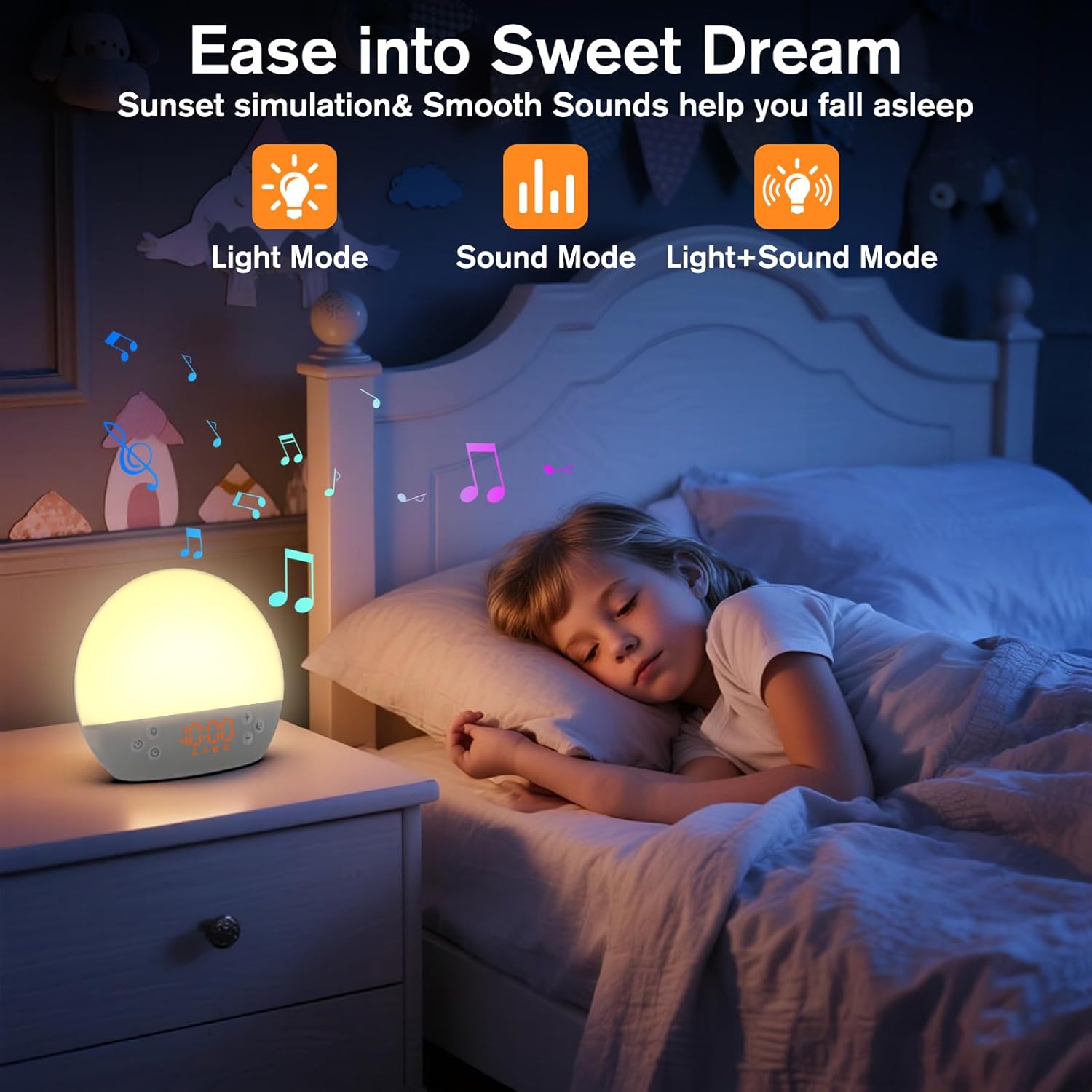
Image 5: The alarm clock in sunset simulation mode, providing a calming light and sound environment to aid sleep.
- To activate sunset simulation, press and hold the Цагийн товчлуур until the sunset icon appears.
- -г ашиглана уу Дээрээс нь (+) or Minus (-) Buttons to set the duration of the sunset simulation (e.g., 15, 30, 60 minutes).
- дээр дарна уу Цагийн товчлуур to confirm the duration. You can then choose to have light only, sound only, or both light and sound.
- -г ашиглана уу Дээрээс нь (+) or Minus (-) Buttons to select the desired mode (Light Mode, Sound Mode, Light+Sound Mode).
- If Light+Sound Mode is selected, you can choose a specific soothing sound and adjust its volume.
- дээр дарна уу Цагийн товчлуур again to start the sunset simulation. The light will gradually dim, and sounds will fade out over the set duration.
6.7 Дэлгэцийн гэрэлтүүлгийн тохируулга
The brightness of the digital time display can be adjusted to your preference.
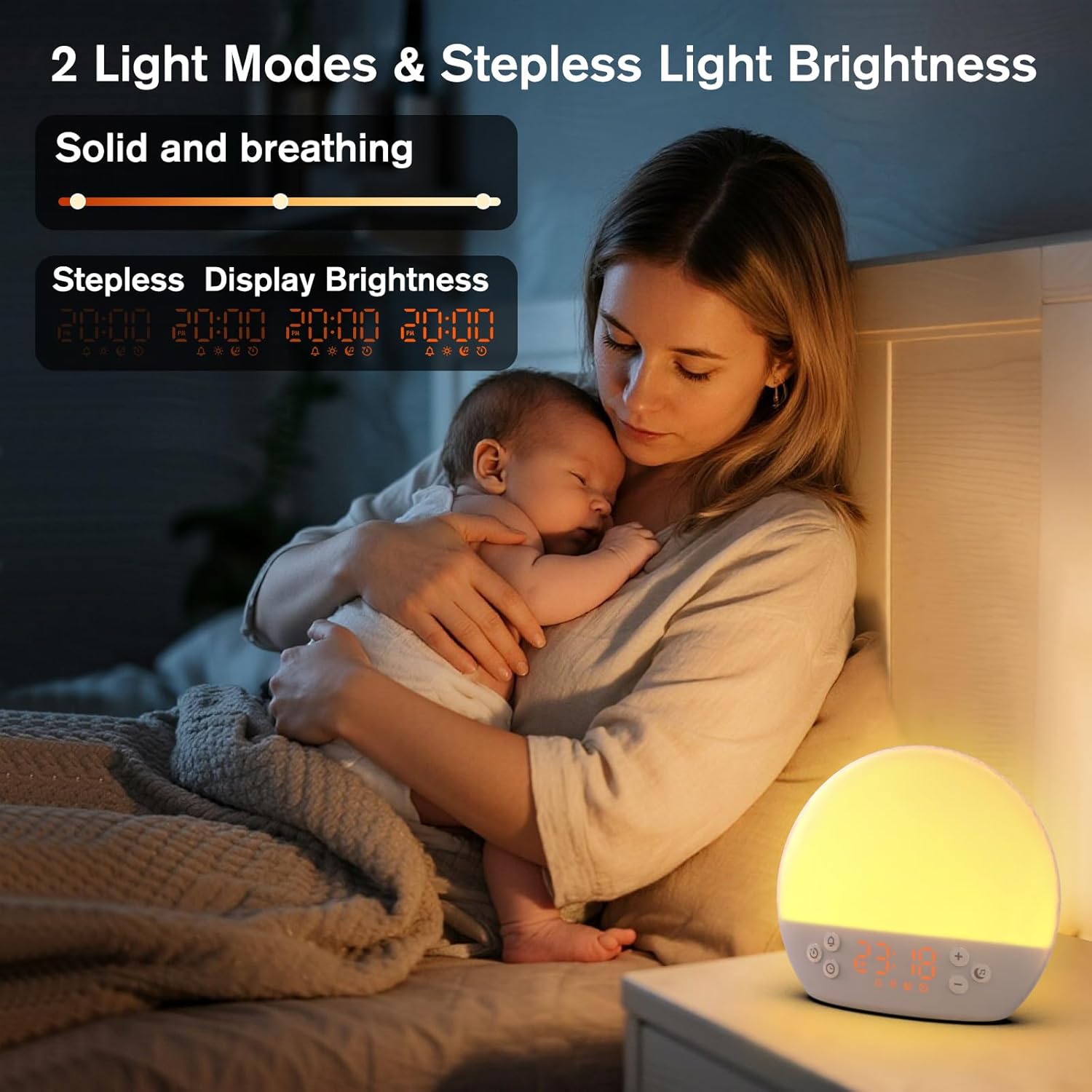
Image 6: The alarm clock demonstrating stepless display brightness adjustment, from very dim to bright.
Дэлгэцийн гэрэлтүүлгийг тохируулахын тулд товчийг дарна уу Цагийн товчлуур (do not hold). Each press will cycle through different brightness levels (e.g., bright, medium, dim, off). Select the level that suits your environment.
7. Засвар үйлчилгээ
- Цэвэрлэгээ: Цэвэрлэхийн өмнө төхөөрөмжийг залгуураас нь салга. Гадаргууг зөөлөн, хуурай даавуугаар арчина. Зүлгүүрийн цэвэрлэгч эсвэл уусгагч хэрэглэж болохгүй.
- Хадгалах: If not in use for an extended period, unplug the device and store it in a cool, dry place.
8. Алдаа засах
| Асуудал | Боломжит шалтгаан | Шийдэл |
|---|---|---|
| Төхөөрөмж асахгүй байна. | Power cable not connected properly or power outlet is faulty. | Цахилгааны кабелийн холболтыг шалгана уу. Өөр цахилгаан залгуураар оролдоно уу. |
| Сэрүүлэг дуугарахгүй байна. | Alarm not activated or volume is too low. | Ensure the alarm icon is visible on the display. Increase alarm volume during setup. |
| Гэрэл асдаггүй. | Light function is off or brightness is set to minimum. | дээр дарна уу Түр хойшлуулах/гэрлийн товчлуур to turn on. Adjust brightness using Дээрээс нь (+) or Minus (-) Buttons while holding the Түр хойшлуулах/гэрлийн товчлуур. |
| Sounds are not playing. | Sound machine is off or volume is too low. | дээр дарна уу Music Note Button to turn on. Increase volume using Дээрээс нь (+) Товчлуур. |
| Time display is too bright/dim. | Display brightness setting needs adjustment. | товчийг дарна уу Цагийн товчлуур to cycle through display brightness levels. |
9. Техникийн үзүүлэлтүүд
| Онцлог | Дэлгэрэнгүй |
|---|---|
| Загварын нэр | MX9 |
| Брэнд | KEPLUG |
| Материал | Хуванцар |
| Өнгө | Цагаан |
| Эрчим хүчний эх үүсвэр | Утастай цахилгаан |
| Зүйлийн жин | 258 грамм (9.1 унц) |
| Бүтээгдэхүүний хэмжээс | 2.36 x 5.59 x 6.3 инч (6 x 14.2 x 16 см) |
| Гэрлийн эх үүсвэрийн тоо | 2 |
| Онцлог шинж чанар | Тохируулах хэмжээ |
| Нар мандах симуляцийн үргэлжлэх хугацаа | 15-120 минут |
| Тайвшруулах дуу чимээ | 30 сонголт |
| Дохиоллын дууны түвшин | 7 түвшин |
10. Баталгаат хугацаа ба дэмжлэг
Your KEPLUG MX9 Sunrise Alarm Clock is covered by a standard manufacturer's warranty. For specific warranty details, please refer to the product packaging or contact KEPLUG customer support. If you encounter any issues not covered in the troubleshooting section, or require further assistance, please reach out to our customer service team through the retailer where you purchased the product or visit the official KEPLUG webтусламжийн холбоо барих мэдээллийн сайт.


