Танилцуулга
This manual provides essential information for setting up, operating, and maintaining your HP 17.3" FHD Laptop. Designed for productivity and connectivity, this laptop features an Intel Core i3-N305 processor, a Full HD IPS anti-glare display, and runs on Windows 11 Pro. Please read this manual thoroughly to ensure proper use and to maximize your laptop's performance.
Хайрцагт юу байна
Бүх зүйл багцад байгаа эсэхийг шалгана уу:
- 1 x HP 17.3" FHD Laptop
- 1 x тэжээлийн адаптер
- 1 x Зааварчилгааны гарын авлага (энэ баримт бичиг)
- 1 x Accessory Kit (includes 32GB USB Flash Drive, Bluetooth Earbuds, Electronic Cleaning Kit, USB-C Hub, 3-in-1 Charging Cable, USB-C Cable)
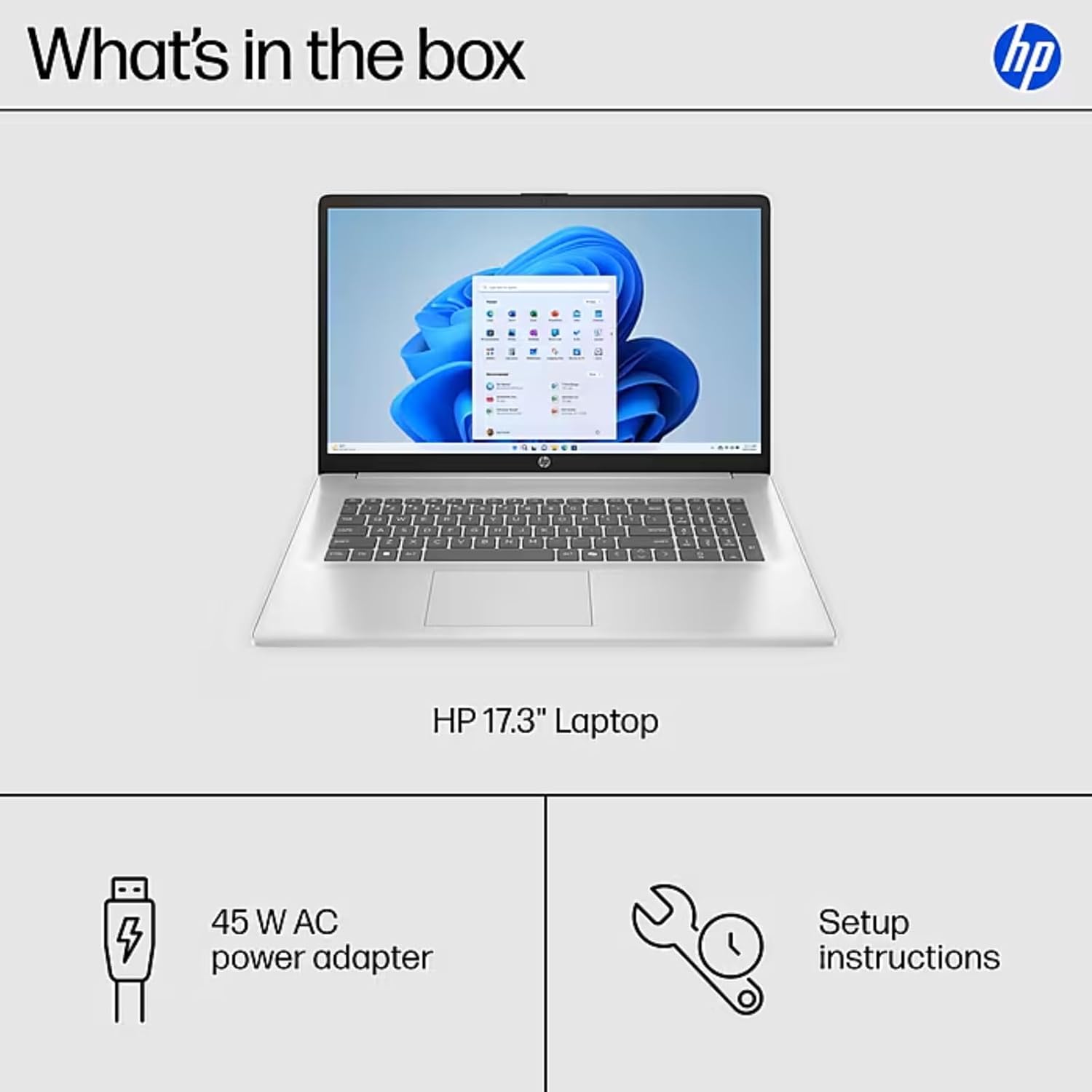
Image: The contents of the HP 17.3" Laptop box, including the laptop, power adapter, and a separate accessory kit.
Тохиргоо
- Зөөврийн компьютерийг задлах: Зөөврийн компьютер болон бүх дагалдах хэрэгслийг сав баглаа боодолоос болгоомжтой авч хая.
- Эрчим хүчийг холбох: Plug the power adapter into the laptop's AC Smart Pin port and then into a power outlet. Allow the battery to charge for at least 30 minutes before initial use.
- Анхны ачаалах: Open the laptop lid and press the power button. The laptop will guide you through the Windows 11 Pro setup process. Follow the on-screen instructions to configure your language, region, network, and user account.
- Wi-Fi-д холбогдох: During the initial setup, you will be prompted to connect to a wireless network. Select your network and enter the password.
- Шинэчлэлтүүдийг суулгах: Тохируулгын дараа оновчтой гүйцэтгэл болон аюулгүй байдлыг хангахын тулд боломжтой Windows шинэчлэлтүүдийг шалгаж, суулгахыг зөвлөж байна.
Зөөврийн компьютерээ ажиллуулах
Дэлгэцийн онцлог
The HP 17.3" laptop features a Full HD (1920 x 1080) IPS anti-glare display. This screen provides vibrant colors and wide 178° viewing angles, reducing reflections for comfortable viewing in various lighting conditions. The large screen size is ideal for multitasking, document review, and media consumption.
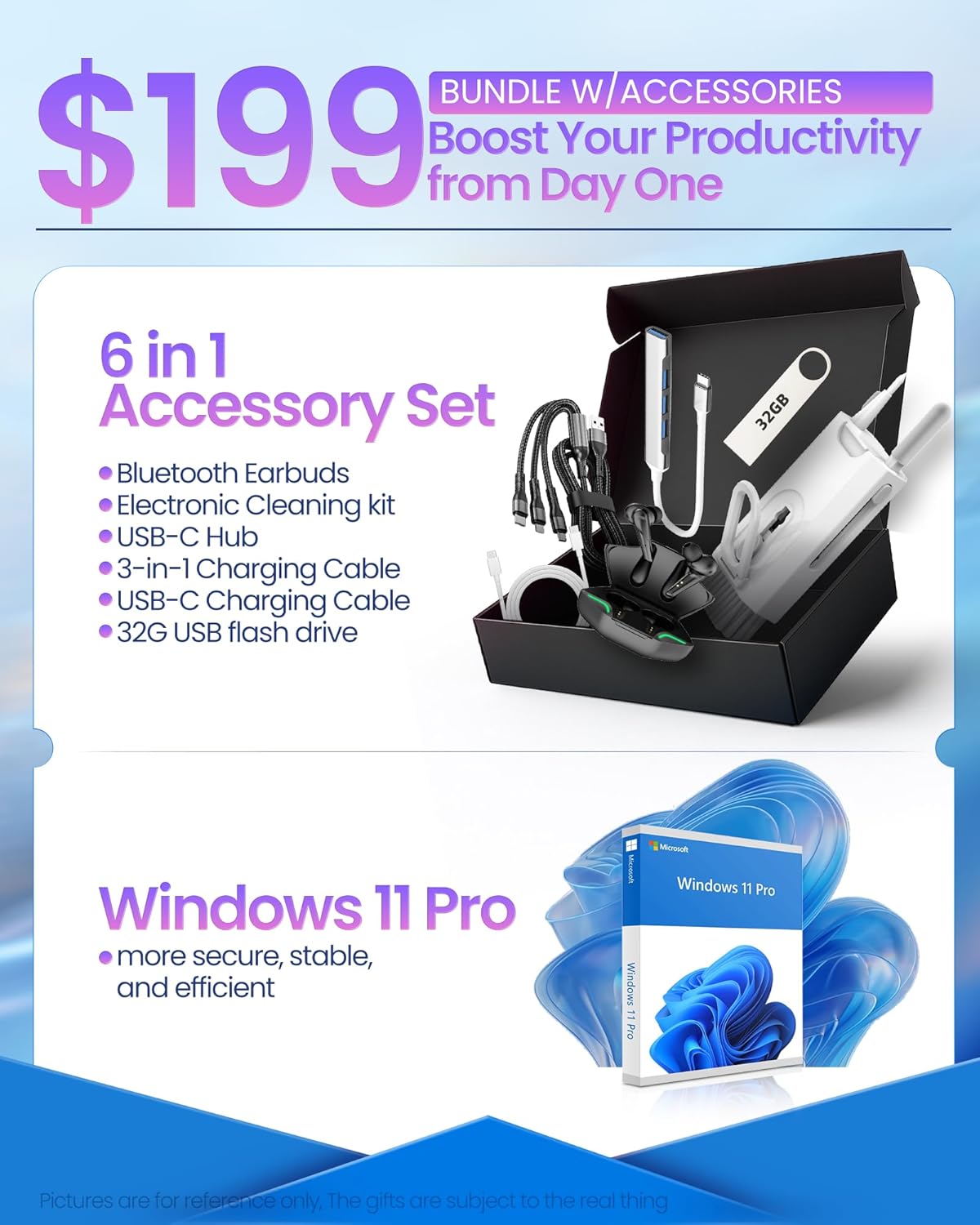
Image: The HP 17.3" laptop showcasing түүний Full HD дэлгэц.
Процессор ба гүйцэтгэл
Equipped with an Intel Core i3-N305 processor (8 cores, up to 3.9 GHz turbo) and Intel UHD Graphics, this laptop delivers efficient performance for daily tasks, schoolwork, and business applications. The 32GB DDR4 RAM ensures smooth multitasking, while the 2TB NVMe SSD provides fast storage access and quick boot times.

Image: The HP laptop running multiple applications, illustrating its multitasking performance.
Copilot AI Key
The dedicated Copilot AI Key provides instant access to AI-powered productivity tools within Windows 11 Pro. Press this key to quickly get assistance with writing, brainstorming, or finding information, streamlining your workflow.

Зураг: Ойрын зураг view of the Copilot key on the HP laptop keyboard.
Портууд ба холболт
The laptop offers a variety of ports for connecting peripherals and external displays:
- 1 x USB 2.0 Type-A
- 1 x USB 3.2 Gen 1 Type-A
- 1 x USB 3.2 Gen 1 Type-C (5 Gbps)
- 1 x HDMI 1.4b
- 1 x Headphone/Mic Combo Jack
- 1 x AC ухаалаг зүү
For wireless connectivity, the laptop supports Wi-Fi 6 and Bluetooth 5.4.

Зураг: Нарийвчилсан view of the laptop's side ports.
Бүтээгдэхүүн дууссанview Видео
Видео: Албан тушаалтан ирсэнview of the HP 17.3" HD Laptop for Student & Business with Windows 11 Pro, highlighting its features and benefits.
Засвар үйлчилгээ
- Цэвэрлэгээ: Дэлгэц болон гадна талыг цэвэрлэхдээ зөөлөн, хөвөнгүй даавуу ашиглаарай. Зөрүүд толбыг бага зэрэг арчинаampдаавуугаар усаар эсвэл дэлгэцэнд аюулгүй цэвэрлэгчээр угаана. Химийн хүчтэй бодисоос зайлсхий.
- Батерейны арчилгаа: Батерейны ашиглалтын хугацааг уртасгахын тулд хэт өндөр температураас зайлсхий. Батерейг 20%-иас доош цэнэгээр үе үе цэнэггүйжүүлж, дараа нь бүрэн цэнэглэхийг зөвлөж байна.
- Програм хангамжийн шинэчлэлтүүд: Regularly install operating system and driver updates to ensure security and optimal performance.
- Хадгалах менежмент: Үе үе тодорхой шаардлагагүй files and applications to maintain sufficient free storage space on your SSD.
- Бие махбодийн хамгаалалт: Transport your laptop in a protective sleeve or bag to prevent scratches and damage.
Алдааг олж засварлах
If you encounter issues with your HP laptop, consider the following common solutions:
- Зөөврийн компьютер асахгүй байна:
- Цахилгаан адаптер нь зөөврийн компьютер болон ажиллаж байгаа цахилгаан залгуурт найдвартай холбогдсон эсэхийг шалгаарай.
- Цахилгаан залгуур ажиллаж байгаа эсэхийг өөр төхөөрөмжид залгаж шалгана уу.
- Хатуу дахин тохируулахын тулд асаах товчийг 15-20 секунд дарж үзээрэй.
- Screen Issues (No Display, Flickering):
- Connect an external monitor to the HDMI port to check if the issue is with the laptop's display or graphics output.
- Зөөврийн компьютераа дахин эхлүүлнэ үү.
- Ensure display drivers are up to date via Windows Update or HP Support Assistant.
- Wi-Fi холболтын асуудал:
- Toggle Wi-Fi off and on in Windows settings.
- Чиглүүлэгч болон модемоо дахин эхлүүлнэ үү.
- Ensure Wi-Fi drivers are updated.
- Сүлжээгээ мартаад дахин холбогдоно уу.
- Удаан гүйцэтгэл:
- Ар талд ажиллаж байгаа шаардлагагүй програмуудыг хаа.
- Өндөр CPU эсвэл RAM ашигладаг процессуудыг Task Manager дээр шалгана уу.
- Windows болон драйверууд шинэчлэгдсэн эсэхийг шалгаарай.
- Хадгалах зайг чөлөөлөхийн тулд диск цэвэрлэх програмыг ажиллуулна уу.
For more advanced troubleshooting or persistent issues, please refer to the HP support webсайт эсвэл харилцагчийн үйлчилгээтэй холбоо барина уу.
Үзүүлэлтүүд
| Брэнд | HP |
| Загварын нэр | HP 17 inch Laptop (B5RH2UA#ABA) |
| Үйлдлийн систем | Windows 11 Pro |
| Дэлгэцийн хэмжээ | 17.3 инч |
| Дэлгэцийн нягтрал | 1920 x 1080 пиксел (Full HD) |
| Дэлгэцийн төрөл | IPS, Anti-glare, LED, 178° wide viewөнцөг |
| Процессор | Intel Core i3-N305 (8 cores, up to 3.9 GHz) |
| График | Нэгдсэн Intel UHD график |
| RAM | 32 ГБ DDR4 (3200 МГц) |
| Хадгалах | 2TB NVMe SSD |
| Утасгүй холболт | Wi-Fi 6, Bluetooth 5.4 |
| Портууд | 1x USB 2.0 Type-A, 1x USB 3.2 Gen 1 Type-A, 1x USB 3.2 Gen 1 Type-C, 1x HDMI 1.4b, 1x Headphone/Mic Combo, 1x AC Smart Pin |
| Зайны ашиглалт | Up to 9.5 hours (Average: 9 hours) |
| Хэмжээ (L x W x H) | 15.78" x 10.15" x 0.78" |
| Жин | 4.6 фунт |
| Өнгө | Мөнгө |
Баталгаат болон дэмжлэг
Your HP 17 FHD Laptop comes with a standard manufacturer's warranty. For detailed information regarding warranty terms, coverage, and duration, please refer to the warranty card included with your product or visit the official HP support webсайт.
For technical assistance, driver downloads, and frequently asked questions, please visit the HP Support webсайт: support.hp.com. You can also contact HP customer service directly for personalized support.