1. Танилцуулга
This manual provides comprehensive instructions for the Inateck Nomad N0158 Foldable Keyboard and Mouse Set. It covers product features, setup procedures, operational guidelines, maintenance tips, and troubleshooting information to ensure optimal performance and user experience. This set is designed for multi-device connectivity, supporting up to three devices simultaneously across various operating systems including Windows, macOS, Android, and iOS.
2. Багцын агуулга
Доор жагсаасан бүх зүйл таны багцад байгаа эсэхийг шалгаарай.
- Inateck Nomad N0158 Foldable Keyboard
- Утасгүй хулгана
- Accessory Bag (600D two-tone splash-proof RPET recycled material)
- Folding Stand (suitable for 4-13 inch iPads, smartphones, and tablets)
- USB-C цэнэглэгч кабель
- Хэрэглэгчийн гарын авлага
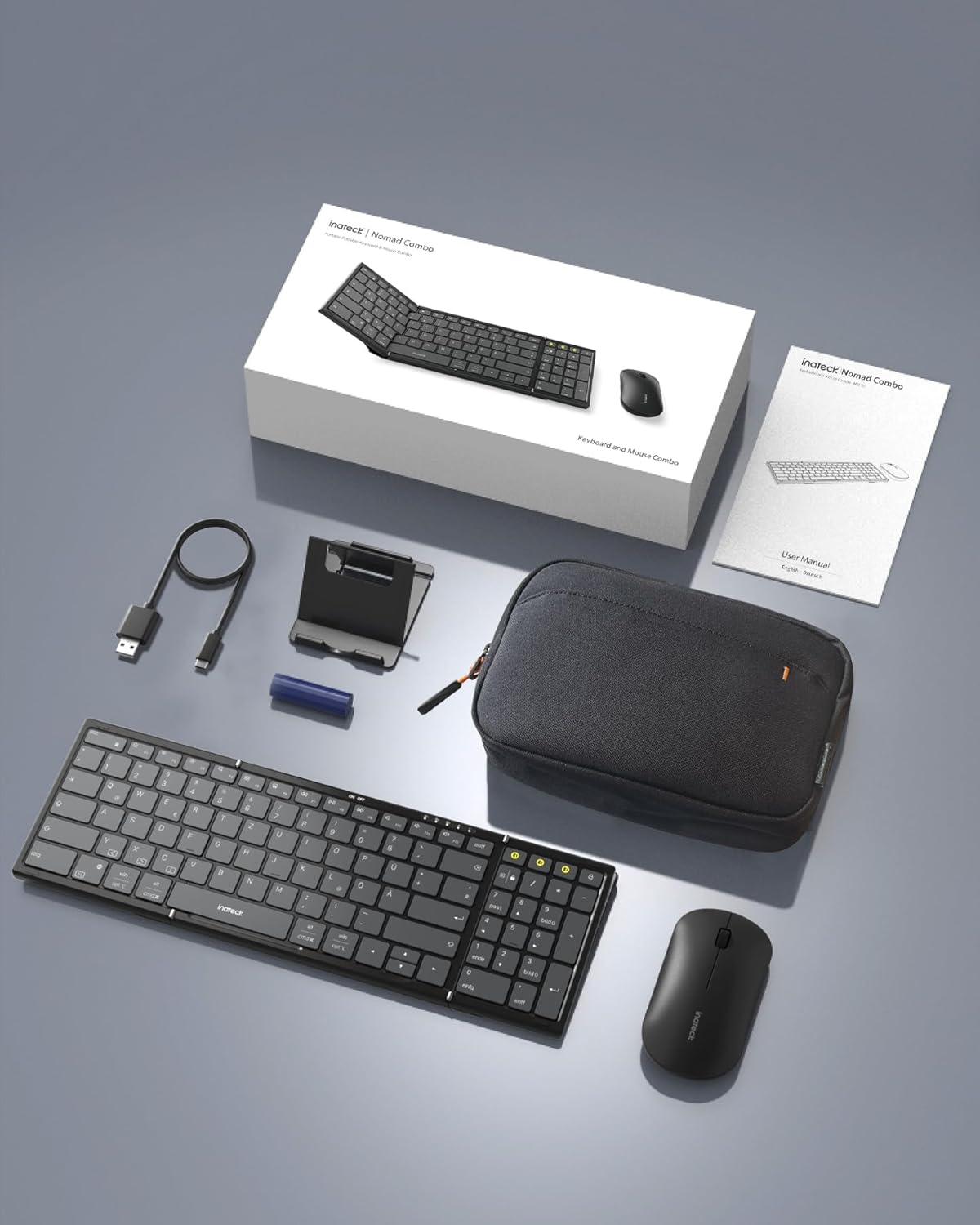
Image: All components included in the Inateck Nomad N0158 package: the foldable keyboard, wireless mouse, accessory bag, folding stand, and USB-C charging cable.
3. Бүтээгдэхүүн дууссанview
3.1 Гарны онцлог
- Эвхэгддэг загвар: Compact for portability.
- Бүрэн хэмжээний зохион байгуулалт: 99 keys with a separate numeric keypad for efficient data entry and document editing.
- Олон төхөөрөмжийн холболт: Connects to up to 3 devices via 2.4G, Bluetooth 1 (BT1), and Bluetooth 2 (BT2).
- Батерейны урт наслалт: Over 90 hours of continuous use, up to 180 days standby. Rechargeable via Type-C port.
- Stable Hinge: Features a seamless metal hinge with magnetic locking for stability when unfolded.

Image: The Inateck Nomad N0158 keyboard unfolded, showcasing its full-size layout with six rows of main keys and a dedicated numeric keypad.

Зураг: Нарийвчилсан view of the keyboard's seamless metal hinge and magnetic locking system, designed for stability when the keyboard is open.
3.2 Хулганы онцлог
- Утасгүй холболт: Connects via 2.4G USB dongle and two Bluetooth channels (BT1, BT2).
- Батерейны урт наслалт: Over 50 hours of continuous operation, with extended standby time.
4. Тохируулах гарын авлага
4.1 Гарыг цэнэглэх
- Гар дээрх USB-C цэнэглэгч портыг олоорой.
- Connect the provided USB-C cable to the keyboard and a power source (e.g., computer USB port, USB wall adapter).
- Цэнэглэж байгаа заагч гэрэл асна. Бүрэн цэнэглэгдсэний дараа гэрэл солигдох эсвэл унтарна.
The mouse typically uses a replaceable battery (often pre-installed with a pull tab) or may be rechargeable. Refer to the mouse's specific instructions for charging or battery installation.
4.2 Pairing the Keyboard and Mouse
The keyboard and mouse support multiple connection methods: 2.4G wireless (for mouse only, via USB dongle) and Bluetooth (BT1, BT2 for both keyboard and mouse).
4.2.1 2.4G Wireless Connection (Mouse Only)
- Locate the 2.4G USB dongle, usually stored within the mouse or accessory bag.
- USB донглыг компьютер дээрх боломжтой USB порт руу оруулна уу.
- Turn on the mouse. It should automatically connect to the dongle.
4.2.2 Bluetooth Connection (Keyboard and Mouse)
The keyboard and mouse each have two Bluetooth channels (BT1 and BT2) for connecting to different devices.
- Төхөөрөмжийг асаана уу: Гар болон хулгана асаалттай байгаа эсэхийг шалгаарай.
- Select a Bluetooth Channel:
- For the keyboard, press the dedicated BT1 or BT2 button.
- For the mouse, switch to the desired Bluetooth mode (BT1 or BT2) using its mode switch.
- Хослуулах горимыг идэвхжүүлэх:
- For the keyboard, удаан дар the selected BT1 or BT2 button until the indicator light flashes, indicating pairing mode.
- For the mouse, long press its Bluetooth pairing button (refer to mouse-specific instructions if not obvious) until its indicator light flashes.
- Enable Bluetooth on your device: On your computer, tablet, or smartphone, go to Bluetooth settings.
- хайх төхөөрөмжүүд: Your device will scan for available Bluetooth devices.
- Сонгох ба холбох: Choose "Inateck Keyboard" and/or "Inateck Mouse" from the list of found devices. Follow any on-screen prompts to complete the pairing.

Image: Illustration of the keyboard and mouse connected to multiple devices (laptop, tablet, smartphone) via 2.4G, BT1, and BT2 channels. Short press to switch channels, long press to activate pairing mode.
5. Ашиглалтын заавар
5.1 Холбогдсон төхөөрөмжүүдийн хооронд шилжих
Олон төхөөрөмжтэй хосолсны дараа та тэдгээрийн хооронд хялбархан шилжиж болно:
- Гар: Short press the BT1 or BT2 button to switch to the corresponding paired device.
- Хулгана: Use the mode switch on the mouse to select between 2.4G, BT1, or BT2.
5.2 Using the Folding Stand
The included folding stand is designed to hold 4-13 inch iPads, smartphones, and tablets, providing an ergonomic viewing angle while using the keyboard. Ensure the stand is placed on a stable, flat surface.
5.3 Keyboard Usage Notes
- Тогтвортой гадаргуу: Always place the keyboard on a flat, stable surface. The folding hinge is not designed to lock, and typing on uneven surfaces may cause instability.
- Гарны байршил: The keyboard features a QWERTZ layout. Ensure your device's operating system is configured to match this layout for correct character input.
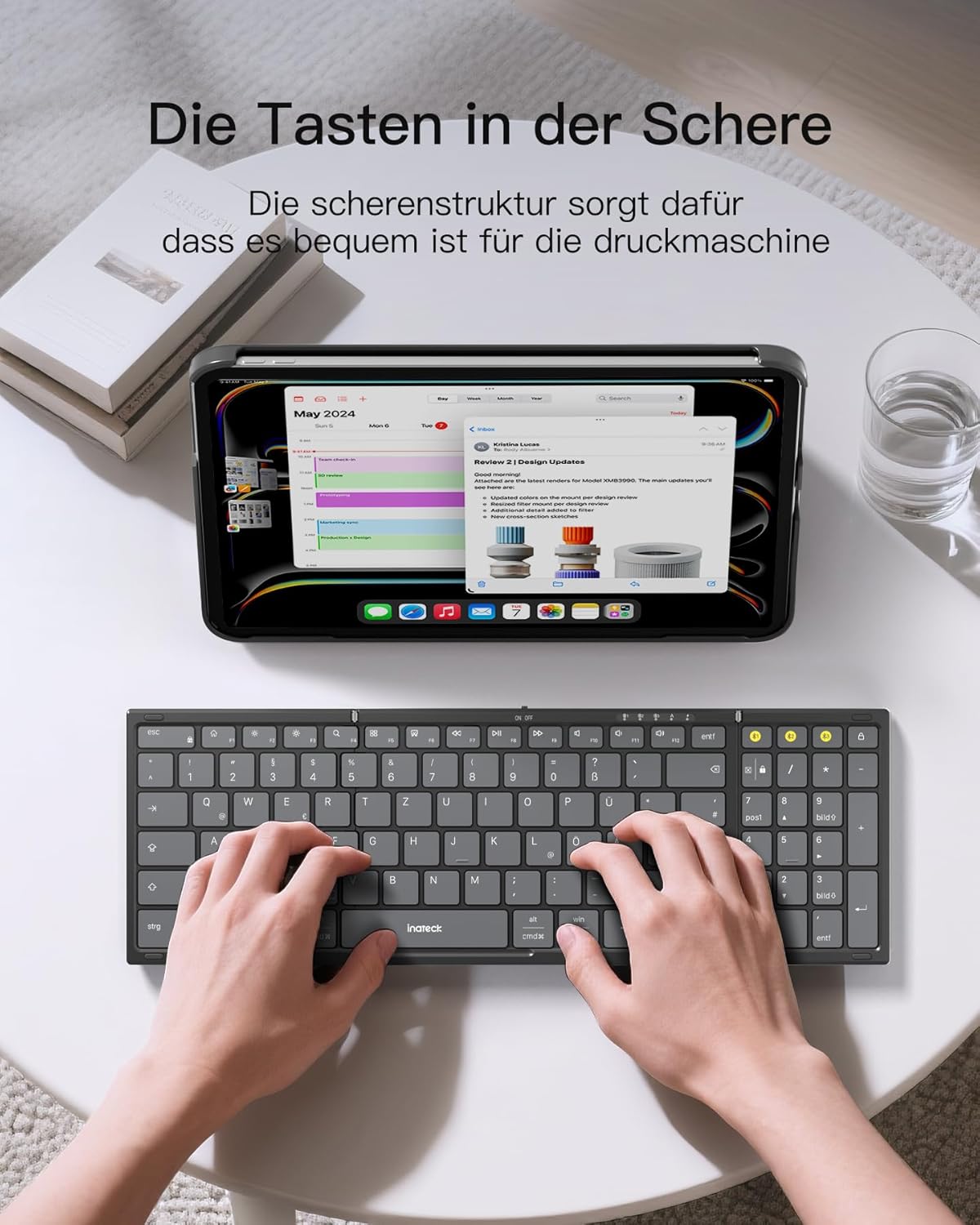
Image: A user demonstrating typing on the Inateck Nomad N0158 foldable keyboard, with a tablet positioned on the included stand for an optimal workspace setup.
6. Засвар үйлчилгээ
6.1 Цэвэрлэгээ
- Use a soft, dry, lint-free cloth to clean the keyboard and mouse surfaces.
- Зөрүүд шороонд бага зэрэг dampдаавууг усаар эсвэл зөөлөн, зүлгүүргүй цэвэрлэгчээр угаана. Хэт их чийгээс зайлсхий.
- Do not use harsh chemicals, solvents, or abrasive materials, as these can damage the product finish.
6.2 Хадгалалт
- When not in use, fold the keyboard and store it along with the mouse and stand in the provided accessory bag.
- Бүтээгдэхүүнийг нарны шууд тусгал, хэт температураас хол, сэрүүн, хуурай газар хадгална.
- The accessory bag is made from splash-proof material, offering protection during travel.
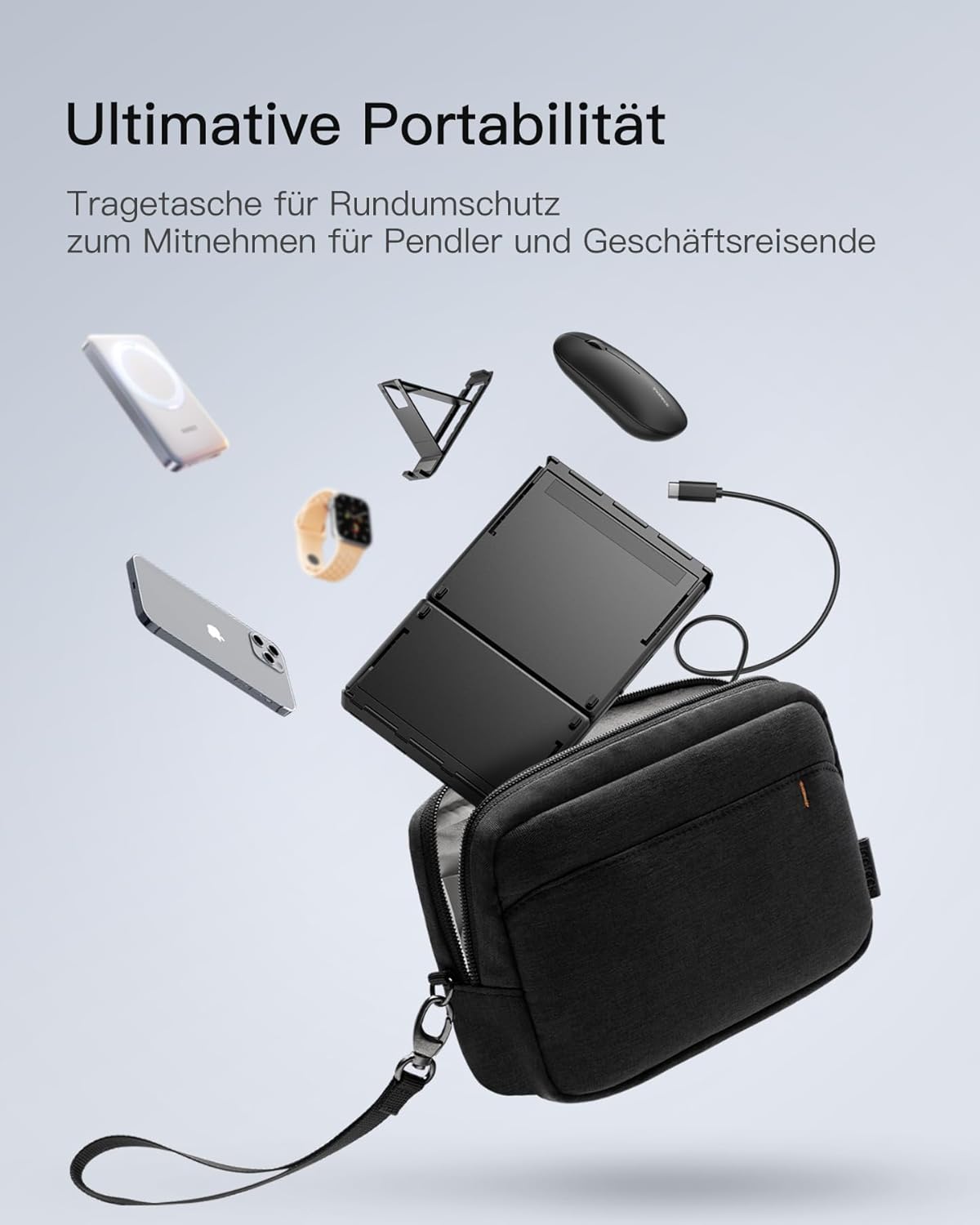
Image: The Inateck Nomad N0158 accessory bag, designed for ultimate portability and protection of the keyboard, mouse, and folding stand during transport.
6.3 Батерейны арчилгаа
- Recharge the keyboard regularly to maintain battery health, even if not used frequently.
- Удаан хугацааны турш батерейг бүрэн цэнэглэхээс зайлсхий.
- If the mouse uses replaceable batteries, ensure they are inserted correctly and replace them when power is low.
7. Алдаа засах
7.1 Холболтын асуудал
- Төхөөрөмж холбогдоогүй байна:
- Гар/хулгана цэнэглэгдэж, асаалттай байгаа эсэхийг шалгаарай.
- Verify that the correct Bluetooth channel (BT1/BT2) is selected and in pairing mode (flashing indicator).
- On your device, turn Bluetooth off and then on again.
- Remove any previous pairings for the keyboard/mouse from your device's Bluetooth settings and attempt to pair again.
- For 2.4G mouse connection, ensure the USB dongle is securely inserted and the mouse is in 2.4G mode.
- Завсарлагатай холболт:
- Ensure there are no obstructions between the keyboard/mouse and your device.
- Дугуйн хүрээний асуудлыг арилгахын тулд төхөөрөмж рүүгээ ойртоорой.
- Бусад утасгүй төхөөрөмжүүдийн хөндлөнгийн оролцоог шалгана уу.
7.2 Incorrect Keyboard Output (e.g., 'Y' appears instead of 'Z')
This issue typically occurs when the device's operating system keyboard layout does not match the physical QWERTZ layout of the Inateck keyboard. To resolve this, adjust your device's keyboard language settings:
For Windows/Android/macOS/iOS:
- Go to your device's Тохиргоо.
- руу шилжих Хэл ба оролт or similar (e.g., "Other settings > Language and input methods" on Android).
- Хай Физик гар or Тоног төхөөрөмжийн гар тохиргоо.
- Select the "Nomad" or "Inateck Keyboard" entry.
- Set the keyboard layout to Герман (QWERTZ).
7.3 Keyboard Instability
The keyboard's folding hinge does not lock. For stable typing, always ensure the keyboard is placed on a completely flat and firm surface. Avoid using it on uneven surfaces like a lap, bed, or soft cushions, as this can cause the keyboard to fold unexpectedly.
8. Техникийн үзүүлэлтүүд
| Брэнд | Инатек |
| Загвар | N0158 |
| Холболтын технологи | Bluetooth, 2.4G Wireless (Mouse) |
| Онцлог шинж чанарууд | 3 Bluetooth Channels, Ergonomic (design) |
| Тохиромжтой төхөөрөмжүүд | Laptop, Personal Computer, Smartphone (iPad, iPhone, Mac, Android, Windows) |
| Гарын тайлбар | Foldable keyboard mouse set wireless |
| Зөвлөмж болгож буй бүтээгдэхүүний хэрэглээ | Оффис, Аялал |
| Гарны зохион байгуулалт | QWERTZ |
| Эрчим хүчний эх үүсвэр | Battery Powered (Rechargeable via USB-C for keyboard) |
| Гарны батерейны ашиглалтын хугацаа | 90+ hours continuous use, 180 days standby |
| Хулганы батерейны ашиглалт | 50+ hours continuous use, extended standby |
| Бүтээгдэхүүний хэмжээс (нээлттэй) | 40.54 x 11.49 x 3 см |
| Бүтээгдэхүүний жин | 756 гр |

Image: Visual representation of the Inateck Nomad N0158 keyboard's dimensions when folded (18.4 cm) and unfolded (34.2 cm x 11.5 cm), alongside a tablet (27.9 cm) and smartphone (14.6 cm) for scale.
9. Баталгаат хугацаа ба дэмжлэг
Inateck products are designed for reliability and performance. For warranty information, technical support, or customer service inquiries, please refer to the official Inateck webсайт эсвэл хэрэглэгчийн дэмжлэгтэй шууд холбогдоно уу. Баталгаат зарга авахын тулд худалдан авалтын баримтаа хадгална уу.
Албан ёсны Webсайт: www.inateck.com


