1. Танилцуулга
This manual provides detailed instructions for the setup, operation, maintenance, and troubleshooting of your Tabwee T90 Android 16 Tablet. Please read this manual thoroughly before using your device to ensure proper functionality and to maximize your user experience.

Image: The Tabwee T90 tablet shown with its full suite of accessories, including a detachable keyboard, wireless mouse, stylus, protective case, charging adapter, and USB cable. This illustrates the complete package contents.
2. Багцын агуулга
Бүх зүйл багцад байгаа эсэхийг шалгана уу:
- Tabwee T90 Tablet
- Bluetooth гар
- Утасгүй хулгана
- Stylus Pen
- Хамгаалалтын хайрцаг
- Дэлгэц хамгаалалтын кино
- Power Adapter (Type-C)
- USB Data Cable (Type-C)
- Хэрэглэгчийн гарын авлага

Image: A visual representation of the Tabwee T90 tablet's dimensions and all components included in the retail package, such as the tablet, keyboard, mouse, stylus, and various cables and covers.
3. Анхны тохиргоо
3.1 Таблетыг цэнэглэх
Before first use, fully charge the tablet using the provided Type-C power adapter and USB cable. The charging port is located on the side of the tablet.

Image: The Tabwee T90 tablet being charged via its Type-C port, highlighting its 8000mAh battery and estimated usage times for various activities like web хөтөч үзэх, видео тоглуулах, тоглоом тоглох болон хөгжим тоглох.
3.2 Асаах/унтраах
- Асаахын тулд: Дэлгэц асах хүртэл асаах товчийг удаан дарна уу.
- Унтраахын тулд: Press and hold the Power button, then select "Power Off" from the options.
3.3 Анхны тохиргоо
Анхны тохиргоог дуусгахын тулд дэлгэцэн дээрх зааврыг дагана уу, үүнд:
- Хэлний сонголт
- Wi-Fi сүлжээний холболт
- Google бүртгэлд нэвтрэх
- Огноо, цагийн тохиргоо
- Security settings (PIN, pattern, password, or face recognition)

Image: A collage of screenshots demonstrating key Android 16 features such as real-time notifications, robust security measures, access to the Google Play Store for app downloads, and options for regional language optimization.
3.4 Дагалдах хэрэгслийг холбох
The Tabwee T90 comes with a Bluetooth keyboard and mouse. To connect them:
- Enable Bluetooth on your tablet via Settings > Connected devices > Bluetooth.
- Put the keyboard/mouse into pairing mode (refer to their individual manuals if needed).
- Select the accessory from the list of available devices on your tablet to pair.
The stylus pen does not require pairing.
4. Таблетаа ажиллуулах
4.1 Андройд 16 интерфэйс
The Tabwee T90 runs on Android 16, offering an intuitive and enhanced user experience with improved security and performance. Features include real-time notifications, efficient multitasking, and smart operational capabilities.
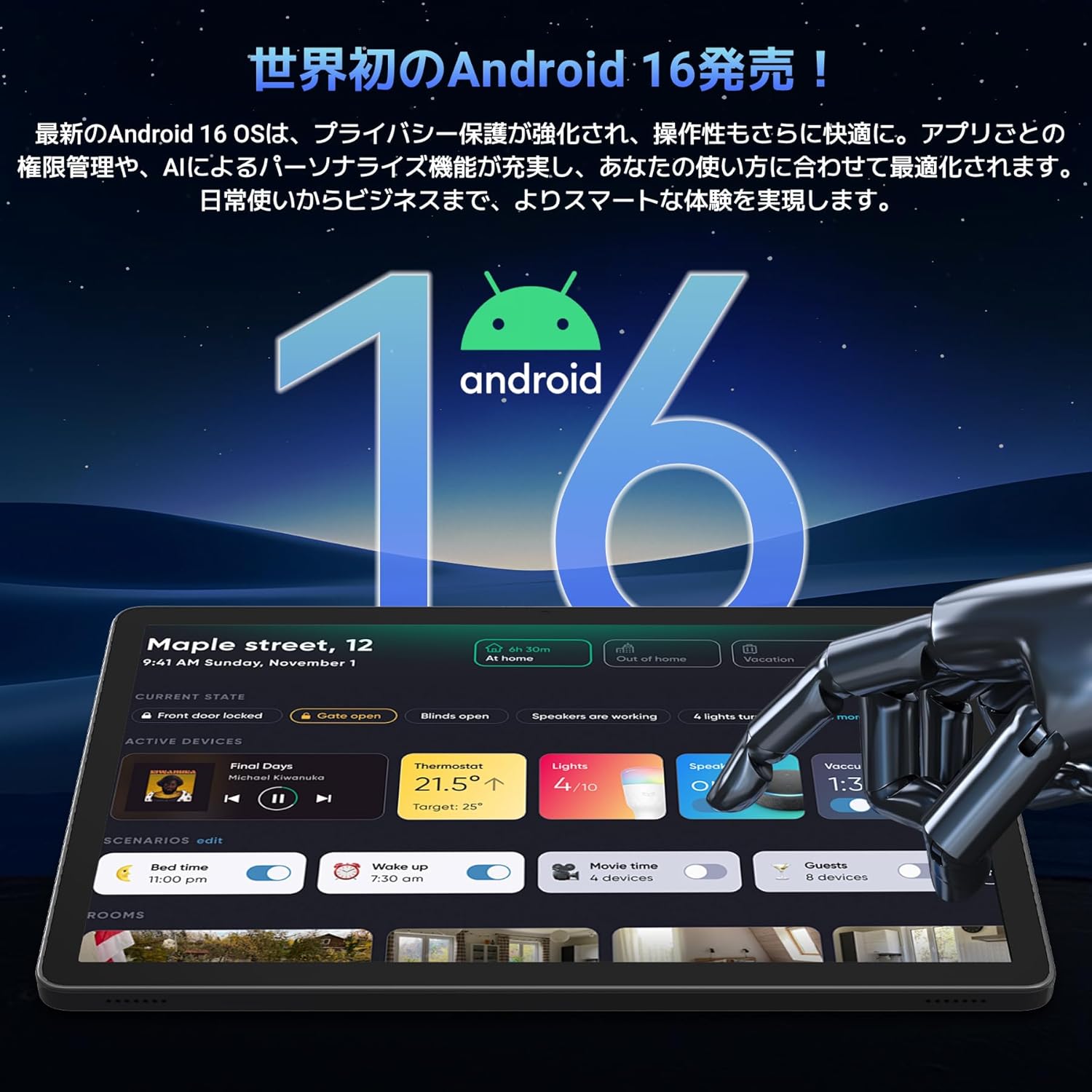
Image: A visual representation of the Android 16 operating system logo and its modern interface displayed on the Tabwee T90 tablet, emphasizing its new features and design.
4.2 Display and Media Playback
The 11-inch FHD IPS display (1920x1200 resolution) provides clear and vibrant visuals. With Widevine L1 support, you can stream high-definition content (1080p and above) from services like Netflix and Amazon Prime Video.

Image: The Tabwee T90 tablet showcasing a high-definition video of a baseball game, demonstrating its 11-inch FHD display and compatibility with streaming platforms like Netflix, YouTube, HBO, and Prime Video via Widevine L1.
4.3 Camera and Imaging
The tablet features a 5MP front camera for video calls and selfies, and a 13MP rear camera for capturing photos. Android 16's AI image processing enhances photo quality, and HEVC video encoding ensures stable editing and improved video quality. Google Lens integration allows for smart recognition, scanning, translation, and search functions.
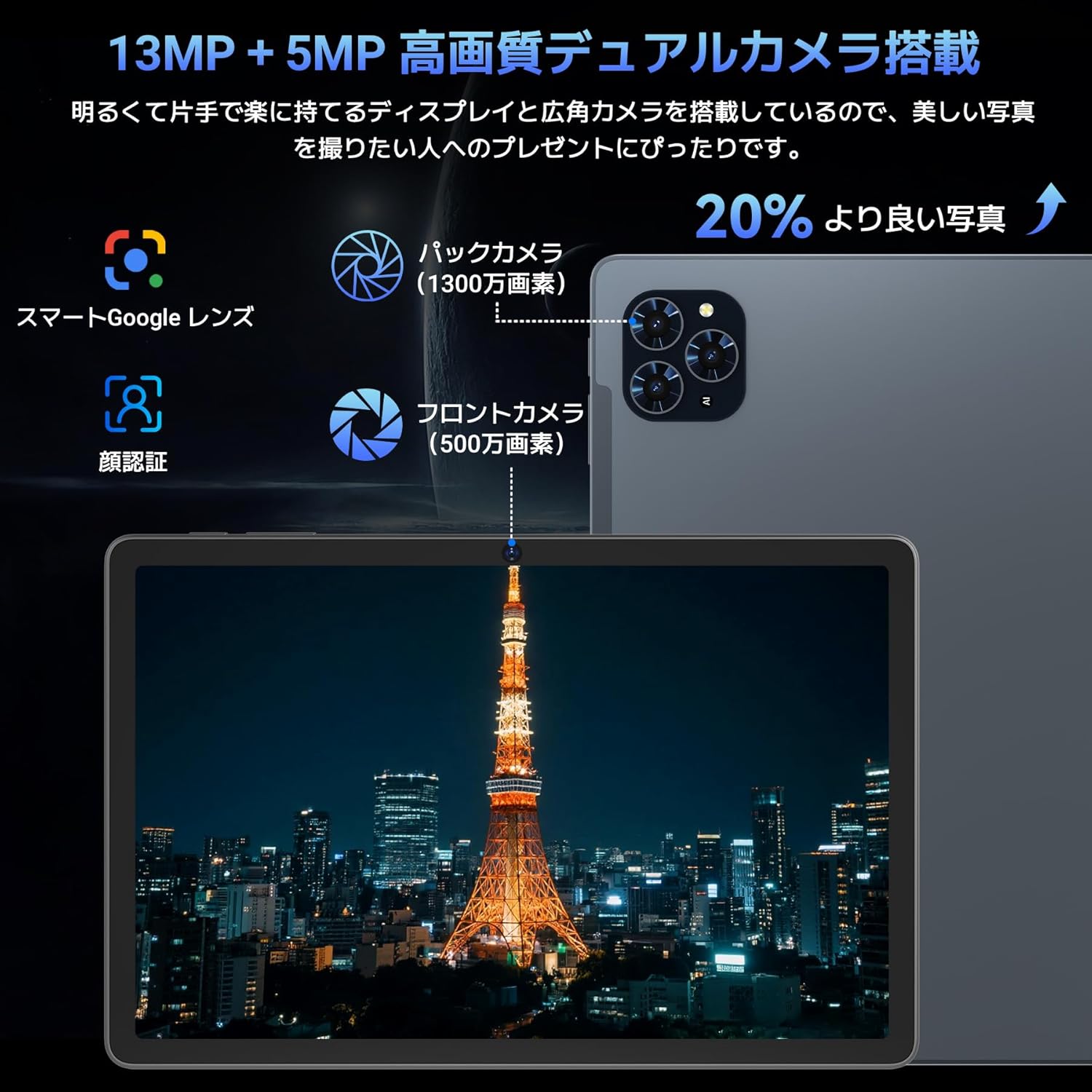
Зураг: Нарийвчилсан view of the Tabwee T90 tablet's camera system, indicating a 13MP rear camera and a 5MP front camera. An example photo of Tokyo Tower is displayed on the screen, illustrating image capture capabilities.
4.4 Нүүр таних
Utilize the face recognition feature for quick and secure unlocking of your tablet. Set it up in Settings > Security & privacy > Face unlock.
4.5 Gemini AI Integration
The tablet integrates with Gemini AI, optimizing performance across various scenarios. This AI assists with content recommendations, image processing, and semantic understanding, enhancing daily operations.

Image: A conceptual image depicting Gemini AI as a robotic figure interacting with multiple tablet screens, symbolizing its ability to support various tasks like email composition, schedule management, and information retrieval, enhancing user productivity.
4.6 Custom Keyboard Shortcuts
After connecting a Bluetooth keyboard, you can set custom shortcut keys to launch frequently used applications with a single press. Navigate to Settings > System > Keyboard > Keyboard shortcuts to configure.
5. Засвар үйлчилгээ
5.1 Цэвэрлэгээ
- Таблетын дэлгэц болон их биеийг цэвэрлэхийн тулд зөөлөн, хөвөнгүй даавуу ашиглана уу.
- Химийн хатуу бодис, зүлгүүрийн материал ашиглахаас зайлсхий.
- Зөрүүд толбоны хувьд бага зэрэг dampустай даавуу эсвэл электроникийн зориулалттай дэлгэц цэвэрлэгч.
5.2 Батерейны арчилгаа
- Таблетыг хэт өндөр температурт байлгахаас зайлсхий.
- Зайг байнга бүрэн цэнэггүй болгохыг бүү зөвшөөр.
- Зөвхөн дагалдаж ирсэн цэнэглэгч эсвэл баталгаажсан нийцтэй цэнэглэгчийг ашиглана уу.
5.3 Програм хангамжийн шинэчлэлтүүд
Тохиромжтой гүйцэтгэл, аюулгүй байдлыг хангахын тулд системийн шинэчлэлтүүдийг тогтмол шалгаж, суулгаарай. Тохиргоо > Систем > Системийн шинэчлэлт рүү очно уу.
6. Алдаа засах
6.1 Таблет асахгүй байна
- Таблет хангалттай цэнэглэгдсэн эсэхийг шалгаарай. Үүнийг цэнэглэгчтэй дор хаяж 30 минут холбоно уу.
- Албадан дахин эхлүүлэхийн тулд Power товчийг 10-15 секундын турш дарна уу.
6.2 Wi-Fi холболтын асуудал
- Wi-Fi чиглүүлэгч болон таблетаа дахин эхлүүлнэ үү.
- Таблетын тохиргоонд сүлжээгээ мартаад дахин холбогдоно уу.
- Та Wi-Fi дохионы хүрээнд байгаа эсэхээ шалгаарай.
6.3 Accessories Not Connecting
- Ensure Bluetooth is enabled on the tablet.
- Check that the accessory is in pairing mode and has sufficient battery.
- Try restarting both the tablet and the accessory.
6.4 Удаан гүйцэтгэл
- Шаардлагагүй дэвсгэр програмуудыг хаа.
- Байнга ашиглагддаг аппликейшнуудын кэшийг цэвэрлэх (Тохиргоо > Аппликейшн > [Аппликейшны нэр] > Хадгалах сан ба кэш > Кэшийг цэвэрлэх).
- Хадгалах хангалттай зай байгаа эсэхийг шалгаарай.
- Таблетаа үе үе дахин эхлүүл.
7. Техникийн үзүүлэлтүүд
| Онцлог | Дэлгэрэнгүй |
|---|---|
| Брэнд | ТАБВИ |
| Загварын нэр | T90 |
| Үйлдлийн систем | Android 16 |
| CPU | Unisoc T615 Octa-core (2x Cortex-A75 @ 2.0GHz, 6x Cortex-A55 @ 1.8GHz) |
| GPU | Мали-G57 |
| RAM | 8GB (виртуал RAM ашиглан 24GB хүртэл өргөжүүлэх боломжтой) |
| Дотоод санах ой | 128 ГБ |
| Өргөтгөх боломжтой хадгалах сан | Up to 2TB via microSD card (not included) |
| Дэлгэцийн хэмжээ | 11 инч |
| Дэлгэцийн төрөл | IPS FHD |
| Шийдвэр | 1920 x 1200 пиксел |
| Урд камер | 5 МП |
| Арын камер | 13 МП |
| Зайны багтаамж | 8000 мАч |
| Цэнэглэх порт | Төрөл-C |
| Холболт | Wi-Fi (2.4G/5G, 802.11ac), Bluetooth 5.0 |
| Жин | 1.37 кг (ойролцоогоор 3.02 фунт) |
| Хэмжээ | 29.1 x 20 x 5.7 см (сав баглаа боодол) |
| Гэрчилгээ | PSE, GITEKI, GMS |

Image: A detailed diagram illustrating the Unisoc T615 Octa-core CPU, highlighting its architecture with Cortex-A75 and Cortex-A55 cores, Mali-G52 MP1 GPU, and 12nm low power consumption, indicating its high performance.

Image: The Tabwee T90 tablet's screen showing multiple applications, emphasizing its 128GB internal storage and support for up to 2TB external storage, with examples of how many photos, songs, and videos can be stored.
8. Баталгаат хугацаа ба дэмжлэг
The Tabwee T90 Tablet comes with a 2 жилийн баталгаат хугацаа. This warranty covers manufacturing defects and ensures product quality.
8.1 Тусламж үйлчилгээтэй холбоо барих
If you encounter any issues or have questions, please contact customer support through your Amazon account:
- Go to your Amazon account > Order History > Select the relevant order.
- Click on the seller's name (TABWEE Official Store).
- Use the "Ask a question" option to send an email.
Support is available from 9:00 AM to 6:00 PM (excluding holidays). Inquiries will be responded to as quickly as possible.

Image: An illustration representing customer support, featuring a person wearing a headset and working on a laptop, symbolizing assistance for product inquiries and warranty claims.


