1. Танилцуулга
This manual provides detailed instructions for the installation, operation, and maintenance of your VIOFO A329S 3CH Dashcam. Please read this manual thoroughly before using the product to ensure proper functionality and safety.
2. Багцын агуулга
Verify that all items listed below are included in your package. If any items are missing or damaged, please contact VIOFO customer support.
- 1 урд камер
- 1 арын камер
- 1 Дотор камер
- 1 Car Charger (3.5 m)
- 1 Rear Camera Cable (6 m)
- 1 Type-C Data Cable (0.5 m)
- 1 CPL for Front Camera
- 1 Spare Adhesive Pad (kit)
- 2 Transparent Films
- 1 Trim Removal Tool
- 1 Хэрэглэгчийн гарын авлага

Image: Contents of the VIOFO A329S 3CH Dashcam package, showing the main unit, three cameras, various cables, CPL filter, adhesive pads, and tools.
3. Бүтээгдэхүүний онцлог
- Гурван сувгийн бичлэг: Simultaneous recording from front (4K), interior (2K 210° ultra-wide), and rear (2K) cameras.
- STARVIS 2 Sensor Technology: Equipped with Sony IMX678 (front) and IMX675 (interior/rear) sensors for superior image quality, reduced noise, and improved low-light performance.
- Wi-Fi 6 холболт: Enables ultra-fast video transfer and seamless connection to the VIOFO app for live view, тоглуулах, тохиргооны удирдлага.
- Ухаалаг зогсоолын горим: Offers Energy-Saving and Hybrid Parking modes for 24/7 vehicle surveillance (requires optional HK4 or HK6 hardwire kit).
- Гадаад санах ойн дэмжлэг: Compatible with microSD cards up to 512GB and external SSDs up to 4TB for extended recording times.
- Ухаалаг дуут удирдлага: Control key functions using English voice commands.
- Accurate GPS Tracking: Built-in GPS module provides detailed location, speed, and time data for video playback.
- Circular Polarizing Lens (CPL): Front CPL filter included to reduce reflections and glare, enhancing video clarity.
- Ultra-Slim Coaxial Cables: Designed for discreet and interference-free installation.

Image: Illustration of the VIOFO A329S 3-channel recording capability, showing simultaneous views from the front (4K), interior (2K), and rear (2K) cameras.

Image: Visual comparison demonstrating reduced noise and motion blur with STARVIS 2 sensors in low light conditions compared to other sensors.
4. Тохиргоо
4.1 MicroSD карт оруулах
The A329S supports microSD cards up to 512GB. For optimal performance and durability, VIOFO industrial high-endurance microSD cards are recommended.
- Хяналтын камер унтарсан эсэхийг шалгаарай.
- Үндсэн төхөөрөмжийн хажуу талд microSD картны үүрийг олоорой.
- Insert the microSD card with the contacts facing the front of the dashcam until it clicks into place.
- Картыг авахын тулд өнхрөх хүртэл зөөлөн түлхэнэ.

Image: Diagram showing the insertion of a microSD card into the VIOFO A329S dashcam, highlighting the recommended VIOFO high-endurance cards.
4.2 Initial Power-On and Basic Configuration
- Connect the dashcam to your vehicle's 12V power outlet using the provided car charger.
- The dashcam will power on automatically.
- Follow the on-screen prompts to select your preferred language, set the date and time, and format the microSD card.
5. Суурилуулалт
5.1 Үндсэн нэгжийн суурилуулалт
Choose a mounting location that does not obstruct your view of the road. The recommended position is behind the rearview толь.
- Clean the windshield surface where the dashcam will be mounted.
- Apply the transparent film to the cleaned area to prevent adhesive residue on the windshield.
- Remove the adhesive backing from the dashcam mount.
- Firmly press the dashcam mount onto the transparent film on the windshield.
- Attach the main dashcam unit to the mount.

Image: Diagram illustrating the recommended installation location of the VIOFO A329S dashcam on the windshield, typically behind the rearview толь.
5.2 Кабелийн чиглүүлэлт
Route the power cable and camera cables discreetly along the edges of the windshield and vehicle interior using the provided trim removal tool and cable clips.
- Connect the USB-C power cable to the main unit's mount.
- Guide the cable along the top edge of the windshield, down the A-pillar, and towards the vehicle's 12V power outlet.
- Use the trim removal tool to tuck the cable under the headliner and pillar trim.
- Secure any loose cables with the provided cable clips.

Image: Diagram showing the cable connections for the front, rear, and cabin cameras, and the car charger, illustrating how to route cables discreetly.
5.3 Rear and Interior Camera Installation
Connect the rear and interior cameras to the main unit using the provided coaxial cables. Ensure the cables are routed neatly and securely.
- Connect the rear camera cable to the main unit and route it along the headliner, down the side pillars, and to the rear windshield.
- Mount the rear camera on the rear windshield using its adhesive mount, ensuring a clear view.
- Connect the interior camera cable to the main unit and mount the interior camera on the windshield, typically next to the main unit, ensuring it covers the vehicle's interior.
- Verify that all cameras display correctly on the main unit's screen or via the VIOFO app.

Image: Illustration comparing regular cables with the VIOFO A329S ultra-slim coaxial cables, highlighting their smaller diameter for easier and more discreet installation.
6. Үйл ажиллагаа
6.1 Үндсэн бичлэг
The dashcam automatically starts recording when powered on. Videos are saved in segments to the microSD card. Loop recording ensures continuous recording by overwriting the oldest fileкарт дүүрсэн үед.
- Давталтын бичлэг: Automatically records in continuous loops, overwriting the oldest files.
- G-мэдрэгч: Видеог автоматаар түгждэг files in case of sudden impact or collision to prevent them from being overwritten.

Image: Illustration of loop recording and auto emergency lock features, showing how the dashcam continuously records and protects important footagослын үед.
6.2 Wi-Fi холболт болон аппликейшн хяналт
The VIOFO A329S features Wi-Fi 6 for fast and stable connection to your smartphone via the VIOFO app.
- Download the VIOFO app from your smartphone's app store.
- Enable Wi-Fi on the dashcam (usually via a button or menu option).
- Connect your smartphone to the dashcam's Wi-Fi network.
- Аппликешныг шууд ашиглах view, video playback, downloading files, and adjusting settings.

Image: Illustration demonstrating the fast download speeds of the VIOFO A329S using Wi-Fi 6, showing a 4K video downloading to a smartphone.
6.3 Ухаалаг дуут удирдлага
Control your dashcam hands-free using simple English voice commands for functions like taking photos, turning Wi-Fi on/off, or locking videos.
6.4 Зогсоолын горим
The A329S offers advanced parking modes to protect your vehicle 24/7. A VIOFO HK4 or HK6 hardwire kit (sold separately) is required for parking mode functionality.
- Energy-Saving Parking Mode: The camera consumes low power in standby and records immediately upon impact detection.
- Hybrid Parking Mode: Combines motion detection, time-lapse recording, or low bitrate recording based on your settings or when a minimum voltage хүрсэн байна.
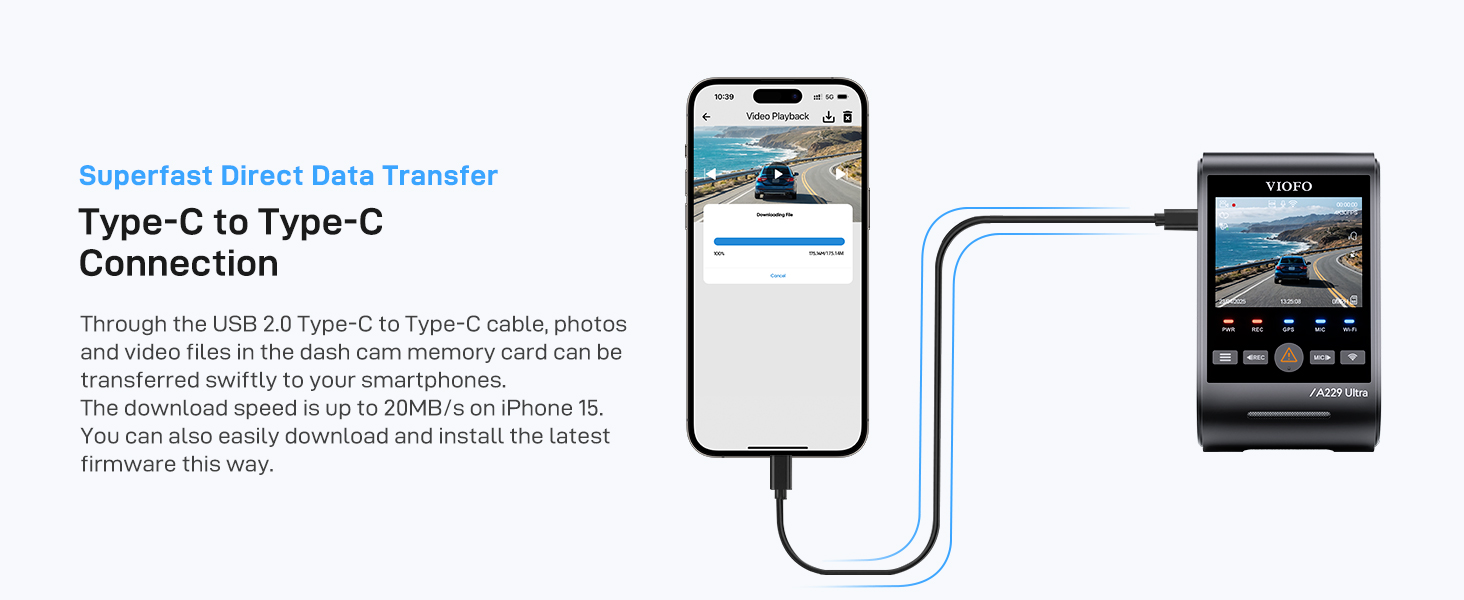
Image: Illustration of the Hybrid Parking Recording feature, showing different parking modes like normal recording, time-lapse, and impact detection recording.
7. Хадгалалтын менежмент
The A329S supports high-capacity storage options to ensure you capture all important footage.
- MicroSD карт: Supports up to 512GB. Regularly format the card to maintain optimal performance.
- External SSD: Supports up to 4TB SSD for extended recording. A VIOFO Type-C SSD cable is required (sold separately).

Image: Diagram illustrating the support for external SSD storage up to 4TB, showing recommended SSD models and estimated recording days for different capacities.
8. Засвар үйлчилгээ
- Ердийн форматлах: Format the microSD card every 2-3 weeks to prevent data corruption and ensure smooth operation.
- Програм хангамжийн шинэчлэлтүүд: Check the VIOFO website regularly for firmware updates to improve performance and add new features.
- Линз цэвэрлэх: Gently clean the camera lenses with a soft, lint-free cloth to ensure clear recordings.
9. Техникийн үзүүлэлтүүд
| Онцлог | Дэлгэрэнгүй |
|---|---|
| Брэнд | VIOFO |
| Загварын дугаар | A329S 3CH |
| Видео бичлэгийн нягтрал | 2160p (Front) + 1440p (Interior) + 1440p (Rear) |
| Холболтын технологи | Wi-Fi 6 |
| Онцлог шинж чанарууд | 4K Front, 2K 210° Interior, 2K Rear Recording, Up to 4TB SSD/512GB MicroSD, Privacy Mode, STARVIS 2 Sensor Technology, Enhanced Wi-Fi 6, Energy-Saving Hybrid Parking Mode |
| Дэлгэцийн хэмжээ | 2.4 инч |
| -ийн талбар View | 210 Degrees (Interior Camera) |
10. Баталгаат хугацаа ба дэмжлэг
For warranty information, technical support, or any product-related inquiries, please refer to the official VIOFO webсайт эсвэл харилцагчийн үйлчилгээтэй шууд холбогдоно уу. Худалдан авалтын баримтаа баталгаат нэхэмжлэлд зориулж худалдан авалтын баталгаа болгон хадгална уу.


