1. Танилцуулга
This user manual provides comprehensive instructions for the NEC VersaPro VH-1 laptop. It covers setup, operation, maintenance, and troubleshooting to ensure optimal performance and user experience. Please read this manual thoroughly before using your device.
The NEC VersaPro VH-1 is a lightweight and high-performance 12.5-inch Full HD laptop, featuring a 7th Generation Intel Core i5-7Y54 processor. It is designed for efficient web browsing, business applications, and remote work. With pre-installed Windows 11 Pro and MS Office 2019, it is ready for immediate use upon arrival.
2. Бүтээгдэхүүн дууссанview
2.1 Гол онцлогууд
- Lightweight & Thin Design: Weighing approximately 921g, this 12.5-inch FHD laptop is highly portable, fitting easily into a backpack for commuting, business trips, or mobile work.
- 7th Gen Intel Core i5-7Y54 Processor: Equipped with an efficient and power-saving Intel Core i5-7Y54 (up to 3.2GHz) processor, offering sufficient performance for browsing, online meetings, and Office applications. It also features quiet operation and low heat generation.
- High-Speed SSD Storage: Features an SSD for fast boot-up and smooth operation, handling large files and multiple applications without lag.
- Rich Connectivity & Type-C Expansion: Үүнд: a Web camera, Wi-Fi, Bluetooth, HDMI, and a Type-C port for versatile connections to peripherals and external monitors. The Type-C port supports future expansion.
- Pre-installed Software: Comes with Windows 11 Pro and MS Office 2019 pre-installed, allowing immediate document creation, report preparation, and web хурал.
2.2 Бүрэлдэхүүн хэсгүүдийн тодорхойлолт
Familiarize yourself with the various parts of your NEC VersaPro VH-1 laptop.

Зураг: Янз бүрийн views of the NEC VersaPro VH-1 laptop, showing the front, back, top, and keyboard layout.

Зураг: хажуу тал view of the laptop highlighting available ports including USB 3.0, LAN, Headphone Jack, HDMI, SD Card Slot, and Power Connector.
3. Тохиргоо
3.1 Анхдагч асаалттай
- Эрчим хүчийг холбох: АС адаптерийг зөөврийн компьютерын тэжээлийн порт руу, дараа нь ханын залгуурт залгаарай.
- Асаах: Open the laptop lid and press the power button. The laptop will begin the initial boot process.
- Windows тохиргоо: Хэл, бүс нутаг, сүлжээний холболт, хэрэглэгчийн бүртгэл үүсгэх зэрэг Windows 11 Pro тохиргоог дуусгахын тулд дэлгэц дээрх зааврыг дагана уу.
3.2 Програм хангамжийг идэвхжүүлэх
Your laptop comes with MS Office 2019 pre-installed. Follow the prompts to activate your Office suite using your Microsoft account or product key.

Image: The laptop displaying the Windows 11 interface, with logos indicating Windows 11 Pro and MS Office 2019 are installed and ready for use.
4. Ашиглалтын заавар
4.1 Үндсэн хэрэглээ
- Гар: The laptop features a Japanese layout keyboard designed for comfortable and accurate typing.
- Мэдрэгч самбар: Use the integrated touchpad for navigation and gestures.
- Web Камер: Баригдсан web camera and dual microphones are ideal for remote work, online meetings, and video calls.

Image: A user engaged in a video conference call on the NEC VersaPro VH-1 laptop, demonstrating its web camera and dual microphone capabilities for remote work and online learning.
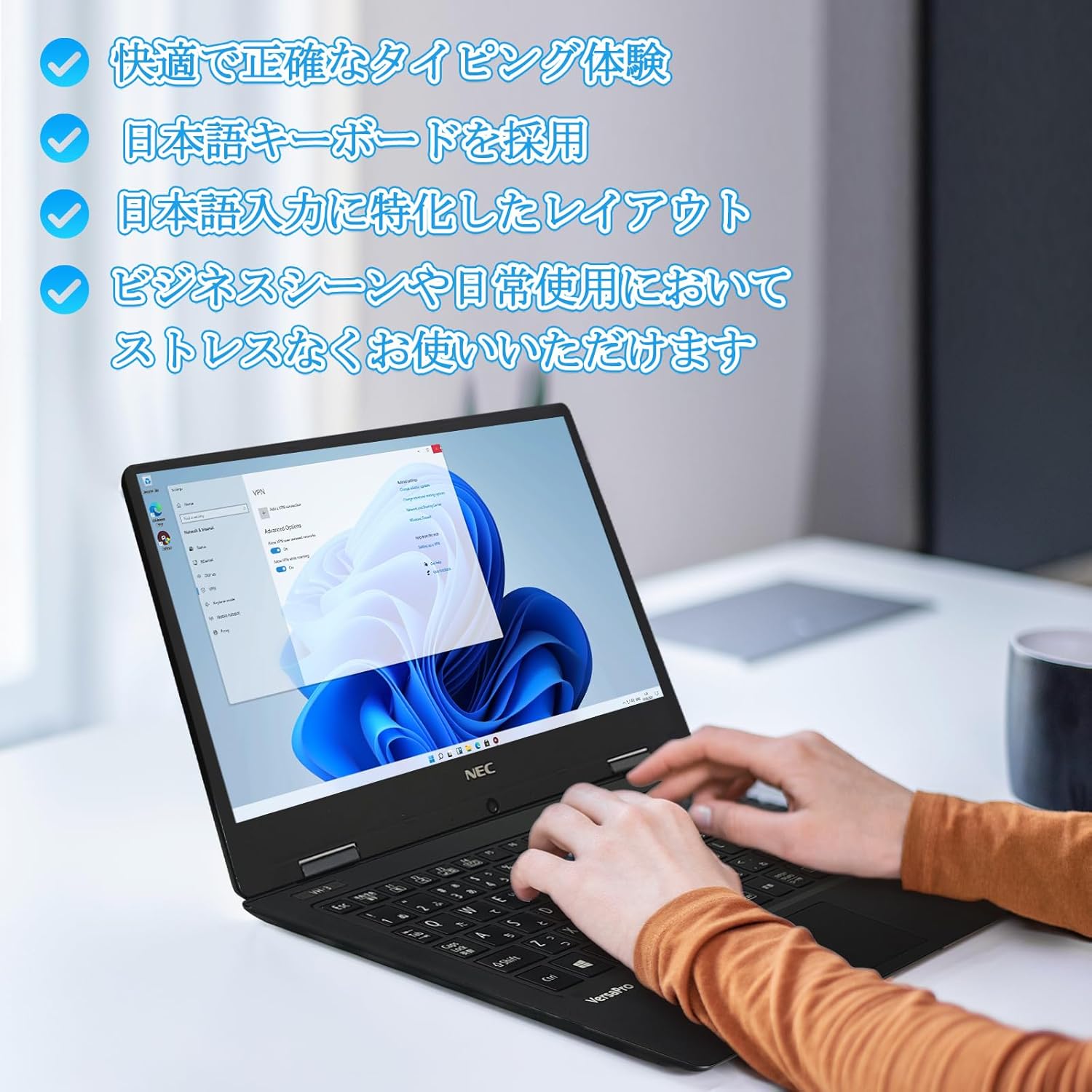
Image: Close-up of hands typing on the laptop's keyboard, illustrating the comfortable and precise typing experience provided by the Japanese layout keyboard.
4.2 Холболт
- Wi-Fi: Интернетэд холбогдохын тулд утасгүй сүлжээнд холбогдоно уу.
- Bluetooth: Pair with Bluetooth-enabled devices such as headphones or mice.
- HDMI: Гадаад дэлгэц эсвэл проектортой холбогдоно уу.
- C төрөл: Use the Type-C port for data transfer, charging compatible devices, or connecting to a USB-C hub for additional ports.
5. Засвар үйлчилгээ
5.1 Цэвэрлэгээ
- Дэлгэц: Зөөлөн, хөвөнгүй даавууг бага зэрэг хэрэглээрэй dampус эсвэл дэлгэц цэвэрлэгчээр дүүргэнэ. Дэлгэц рүү шууд шингэн цацаж болохгүй.
- Гар болон Явах эд анги: Зөөлөн даавуугаар гадаргууг арчина. Зөөлөн бохирдсон тохиолдолд бага зэрэг арчинаamp даавуу хэрэглэж болно. Химийн хүчтэй бодисоос зайлсхий.
5.2 Батерейны арчилгаа
- Зайны ашиглалтын хугацааг уртасгахын тулд хэт өндөр температураас зайлсхий.
- Хэрэв та зөөврийн компьютерээ удаан хугацаагаар хадгалах гэж байгаа бол батерейг 50-70% орчим цэнэглэсэн эсэхийг шалгаарай.
6. Алдаа засах
6.1 Нийтлэг асуудал ба шийдвэрлэх арга замууд
| Асуудал | Боломжит шийдэл |
|---|---|
| Зөөврийн компьютер асахгүй байна. | Ensure the AC adapter is securely connected to both the laptop and a working power outlet. Check if the power button is functioning correctly. |
| Wi-Fi холболтын асуудал. | Verify Wi-Fi is enabled in Windows settings. Restart your router and the laptop. Check for updated network drivers. |
| Гадаад дэлгэц илэрсэнгүй. | Ensure the HDMI cable is securely connected. Press Windows key + P to cycle through display modes. Check external display input settings. |
| Удаан гүйцэтгэл. | Шаардлагагүй програмуудыг хаа. Нөөц зарцуулдаг суурь процессуудыг шалгана уу. SSD дээр хангалттай сул зай байгаа эсэхийг шалгаарай. Хортой программыг илрүүлэх системийн хайлтыг ажиллуул. |
If you encounter issues not listed here or require further assistance, please refer to the support section.
7. Техникийн үзүүлэлтүүд
| Онцлог | Дэлгэрэнгүй |
|---|---|
| Брэнд | NEC |
| Загварын нэр | VasaPro VH-1 |
| Бүтээгдэхүүний загварын дугаар | VKT12 |
| Дэлгэцийн хэмжээ | 12.5 инч |
| Шийдвэр | 1920x1080 Pixels (FHD) |
| CPU-ийн брэнд | Intel |
| CPU-ийн төрөл | Core i5 7Y54 |
| CPU-ийн хурд | 1.2 GHz (Max 3.2 GHz) |
| Процессорын тоо | 2 |
| RAM санах ойн хэмжээ | 4 ГБ |
| Хамгийн их санах ойг дэмждэг | 8 ГБ |
| Санах ойн төрөл | DDR3 SDRAM |
| Хатуу дискний хэмжээ | 1 TB |
| Хатуу дискний төрөл | SSD |
| График процессор | Intel HD график 615 |
| График картын тодорхойлолт | Нэгдсэн |
| Үйлдлийн систем | Windows 11 Pro |
| Утасгүй төрөл | Bluetooth, Wi-Fi (802.11n) |
| USB 3.0 портууд | 2 |
| HDMI портууд | 1 |
| Оптик хөтчийн төрөл | Байхгүй |
| Зүйлийн жин | 1.5 Kilograms (Shipping Weight) |
| Батерей | 1 12V battery (included), 24 Watt-hours, 4 Lithium Ion cells |
8. Баталгаат хугацаа ба дэмжлэг
For warranty information and technical support, please refer to the documentation provided with your purchase or contact the retailer. Specific warranty terms may vary.


