Танилцуулга
This manual provides detailed instructions for the installation, operation, and maintenance of your Philips Hue Devote Smart LED Panel Light. Please read this manual thoroughly before installation and use, and retain it for future reference.
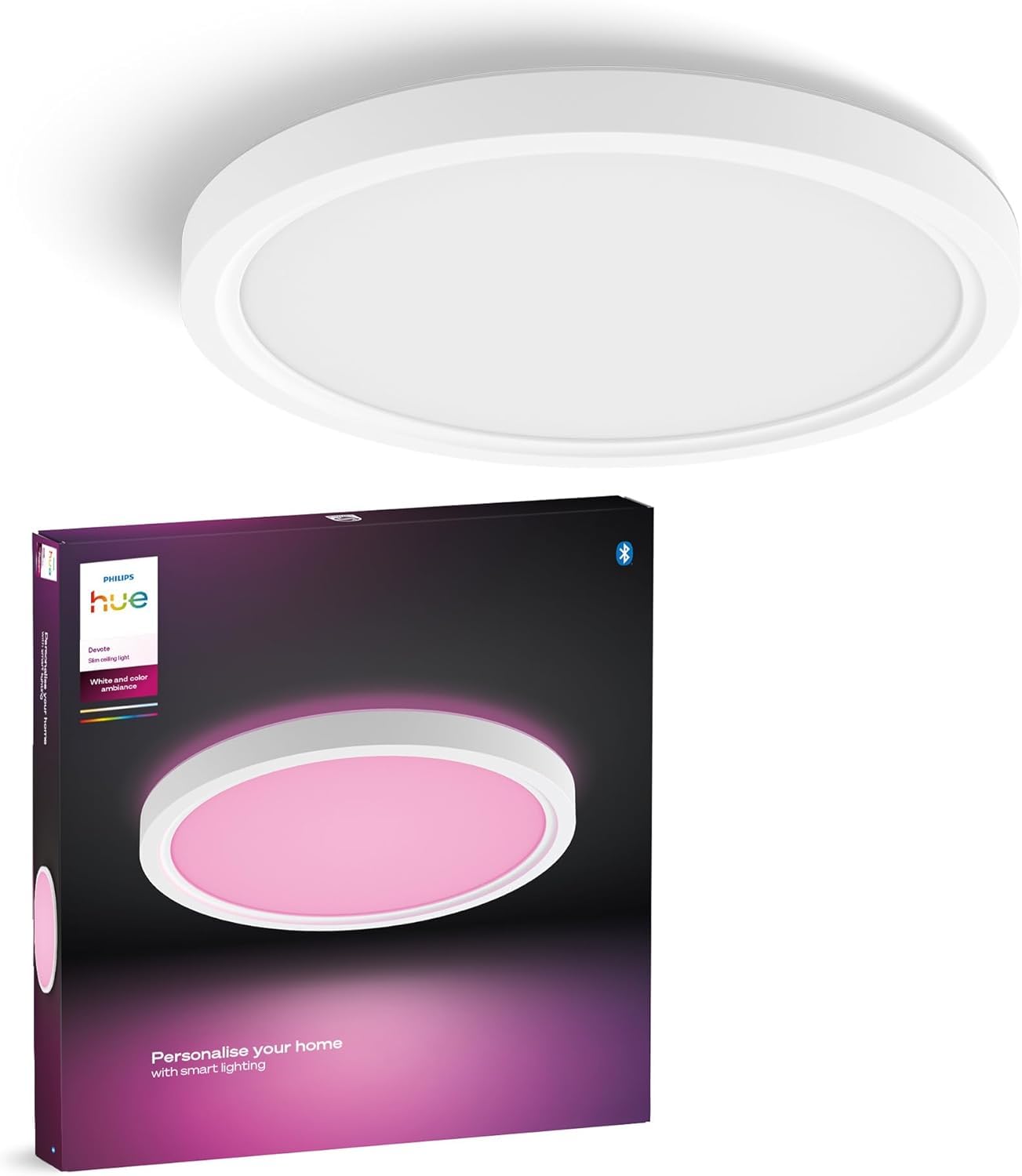
Image: Philips Hue Devote Smart LED Panel Light, showcasing its sleek, round design and white frame.
Аюулгүй байдлын мэдээлэл
- Суулгах, засвар үйлчилгээ хийхээс өмнө цахилгааныг үргэлж салга.
- Цахилгаан цочролоос сэргийлэхийн тулд зөв газардуулга хийх.
- Бүтээгдэхүүнийг өөрчлөхийг бүү оролд. Аливаа өөрчлөлт нь баталгааг хүчингүй болгож, аюулгүй байдлын эрсдэл учруулж болзошгүй.
- Энэ бүтээгдэхүүн нь зөвхөн дотор ашиглах зориулалттай.
- Хүүхдийн гар хүрэхгүй газар хадгална.
Тохиргоо ба суурилуулалт
The Philips Hue Devote Smart LED Panel Light is designed for semi-flush ceiling mounting. No additional equipment is needed for basic functionality; the product works out of the box.
Суулгах алхамууд:
- Эрчим хүчийг салгах: Эхлэхийн өмнө угсралтын талбайн цахилгаан хангамжийг гол хэлхээний таслуур дээр унтраасан эсэхийг шалгаарай.
- Суурилуулалт: Securely attach the mounting bracket to the ceiling using appropriate screws and anchors for your ceiling type.
- Утас: Connect the electrical wires from your ceiling to the light fixture. Ensure all connections are secure and follow local electrical codes. This product features easy-to-use screwless connectors for quick wiring.
- Бэхэлгээний хавсралт: Attach the light fixture to the mounting bracket. Some models include a safety chain to temporarily hold the fixture while wiring.
- Эрчим хүчийг сэргээх: Төхөөрөмжийг найдвартай суурилуулж, утсаар холбосны дараа хэлхээний таслуурын тэжээлийг сэргээнэ үү.

Image: The Philips Hue Devote light seamlessly integrated into a home environment, providing ambient lighting.
Initial Connection to Philips Hue App:
- Төхөөрөмжийнхөө апп дэлгүүрээс Philips Hue програмыг татаж аваарай.
- Open the app and follow the on-screen instructions to search for new lights.
- Your Hue Devote light should be detected automatically. Follow prompts to add it to your Hue system.

Image: The Philips Hue app on a smartphone, demonstrating how to configure and personalize lighting settings.
Ашиглалтын заавар
The Philips Hue Devote Smart LED Panel Light offers versatile control options and lighting features.
Color and White Ambiance Control:
- 16 сая өнгө: Use the Philips Hue app to select from 16 million colors to create any desired atmosphere.
- Тохируулах боломжтой цагаан гэрэл: Adjust between 50,000 shades of white light, from warm (2000K) to cool (6500K), to suit different activities or times of day.

Зураг: Жишээ ньample of different lighting scenes, showcasing the ability to choose from various predefined scenes or create custom ones within the Hue app.
Хяналтын аргууд:
- Philips Hue програм: Control your light directly via Bluetooth using the Philips Hue app. This allows for basic control of up to 10 lights in one room.
- Дуут удирдлага: When paired with a Philips Hue Bridge (sold separately) and a compatible Amazon Echo or Google Nest device, you can control your lights using voice commands.
- Smart Accessories: Integrate with Philips Hue smart accessories like dimmer switches or motion sensors for additional control options (requires Hue Bridge for full functionality).

Image: Control options including the Hue app, smart accessories, and voice commands.
Enhancing Functionality with Philips Hue Bridge (Optional):
Adding a Philips Hue Bridge (sold separately) unlocks the full potential of your smart lighting system, enabling advanced features and whole-home control.
- Control up to 50 lights and accessories throughout your entire home.
- Create custom routines, timers, and automations.
- Synchronize your lights with movies, games, and music.
- Control your lights remotely, even when you are away from home.

Image: Feature comparison between Bluetooth control and Hue Bridge control, showing the expanded capabilities with the Bridge.

Image: The Philips Hue Bridge, demonstrating its role as the central hub for smart lighting control.
Засвар үйлчилгээ
- Цэвэрлэгээ: Ensure the light is off and cool before cleaning. Wipe the surface with a soft, dry cloth. Do not use abrasive cleaners or solvents.
- Гэрлийн эх үүсвэр: This luminaire contains a non-replaceable LED light source. Do not attempt to replace the LEDs yourself.
- Салгах: This product is a 'continent product', meaning it can be disassembled for independent verification of its light sources by qualified personnel. User disassembly is not recommended.
Алдааг олж засварлах
| Асуудал | Боломжит шалтгаан | Шийдэл |
|---|---|---|
| Гэрэл асдаггүй. | No power, loose wiring, or faulty fixture. | Check circuit breaker. Ensure all wiring connections are secure. If problem persists, consult a qualified electrician. |
| Light is not detected by Hue app. | Bluetooth range issue, light not powered, or app issue. | Ensure light is powered on and within Bluetooth range. Restart the Hue app. Try resetting the light (refer to Philips Hue support for specific reset procedures). |
| Дуут удирдлага ажиллахгүй байна. | Hue Bridge not connected, voice assistant device not linked, or internet connectivity issue. | Verify Hue Bridge is powered and connected to your network. Ensure your voice assistant (Alexa/Google Assistant) is linked to your Philips Hue account. Check internet connection. |
| Гэрэл анивчдаг эсвэл тогтворгүй байдаг. | Incompatible dimmer switch, unstable power supply, or internal fault. | Ensure you are not using an incompatible dimmer switch. Check power supply stability. If issues persist, contact Philips Hue support. |
Үзүүлэлтүүд

Image: Dimensional drawing of the Philips Hue Devote light.
| Онцлог | Дэлгэрэнгүй |
|---|---|
| Брэнд | Philips Hue |
| Бүтээгдэхүүний загварын дугаар | 929004297401 |
| ASIN | B0FH257NRL |
| Бүтээгдэхүүний хэмжээс | 30 x 30 x 3.07 см; 800 гр |
| Өнгө | Цагаан |
| Материал | Хуванцар |
| Загвар | S |
| Luminaire Shape | Тааз |
| Бүтээгдэхүүний тусгай хэрэглээ | Гэрэлтүүлэг |
| Дотор/гадаа ашиглах | Дотор |
| Эрчим хүчний эх үүсвэр | DC |
| Суурилуулалтын төрөл | Semi-flush Mount |
| Хяналтын арга | App, Remote Control, Voice |
| Гэрлийн гаралт | 2000 люмен |
| Ватtage | 16.6 Вт |
| Гарал үүслийн улс | Польш |
| Эхний боломжтой огноо | 14 оны долдугаар сарын 2025 |
Баталгаат хугацааны мэдээлэл
Philips Hue products typically come with a limited warranty. For specific warranty terms and conditions applicable to your region and product, please refer to the official Philips Hue webсайт эсвэл таны худалдан авалтад орсон баталгаат карт. Баталгаат нэхэмжлэл гаргахын тулд худалдан авалтаа нотлох баримтаа хадгалаарай.
Хэрэглэгчийн дэмжлэг
For technical assistance, troubleshooting beyond this manual, or product inquiries, please visit the official Philips Hue support webсайт эсвэл харилцагчийн үйлчилгээтэй холбогдоно уу.
- Онлайн дэмжлэг: www.philips-hue.com/support (Please replace with actual support link if available)
- Philips Hue програм: The app often includes a help section and FAQs.


