1. Танилцуулга
This manual provides detailed instructions for the installation, configuration, and operation of the GEPRC TAKER F722 BT 32Bit 50A STACK. This product integrates a high-performance flight controller (FC) and an electronic speed controller (ESC) into a compact unit, designed for advanced remote-controlled vehicles. Please read this manual thoroughly before use to ensure proper functionality and safety.
2. Бүтээгдэхүүн дууссанview
The GEPRC TAKER F722 BT 32Bit 50A STACK is a robust and feature-rich component for high-performance FPV drones and similar applications. It combines a powerful F722 flight controller with a 50A 4-in-1 ESC, offering precise control and efficient power delivery.

Figure 1: Assembled view of the GEPRC TAKER F722 BT 32Bit 50A STACK, showing the flight controller mounted above the ESC.
Гол онцлогууд:
- Advanced STM32F722 microcontroller with ICM42688-P Gyro for precise flight control.
- Direct plug-and-play compatibility with Air Unit for streamlined setup.
- Integrated GEP-BL32 50A 32Bit ESC for robust motor control.
- Dual independent BEC (5V@3A, 9V@2.5A) for stable power supply.
- Integrated LC filter and shock-absorbing mounts to minimize vibrations and electrical noise.
- 512M onboard black box for flight data logging.
- Bluetooth support for parameter tuning via mobile application.
- Modern USB-C interface for easy firmware updates and configuration.
3. Техникийн үзүүлэлтүүд
GEP-F722-BT-HD V3 Flight Controller

Зураг 2: Дээд тал view of the GEP-F722-BT-HD V3 Flight Controller, showing the MCU, USB-C port, and various connectors.
- MCU: STM32F722
- ОУХ: ICM42688-P (SPI)
- Air Unit Connection: Шууд залгаас
- Хар хайрцаг: Онгоцонд 512 сая
- Bluetooth: Дэмжигдсэн
- Барометр: Дэмжигдсэн
- USB интерфэйс: Төрөл-C
- OSD: AT7456E чиптэй BetaFlight OSD
- BEC: 5V@3A, 9V@2.5A хос BEC
- Firmware Target: GEPRCF722_BT_HD_V3
- Хэмжээ: 36.9×36.9mm, mounting holes: 30.5×30.5mm (φ4mm, reduces to φ3mm with silicone rings)
- Оролтын хэмжээtage: 3-6S LiPo
- UART: 5 бүлэг (Bluetooth-д зориулагдсан UART4)
- Эрчим хүчний шүүлтүүр: Нэгдсэн LC шүүлтүүр
- Жин: 8.2 гр
GEP-BL32 50A 96K 4IN1 ESC
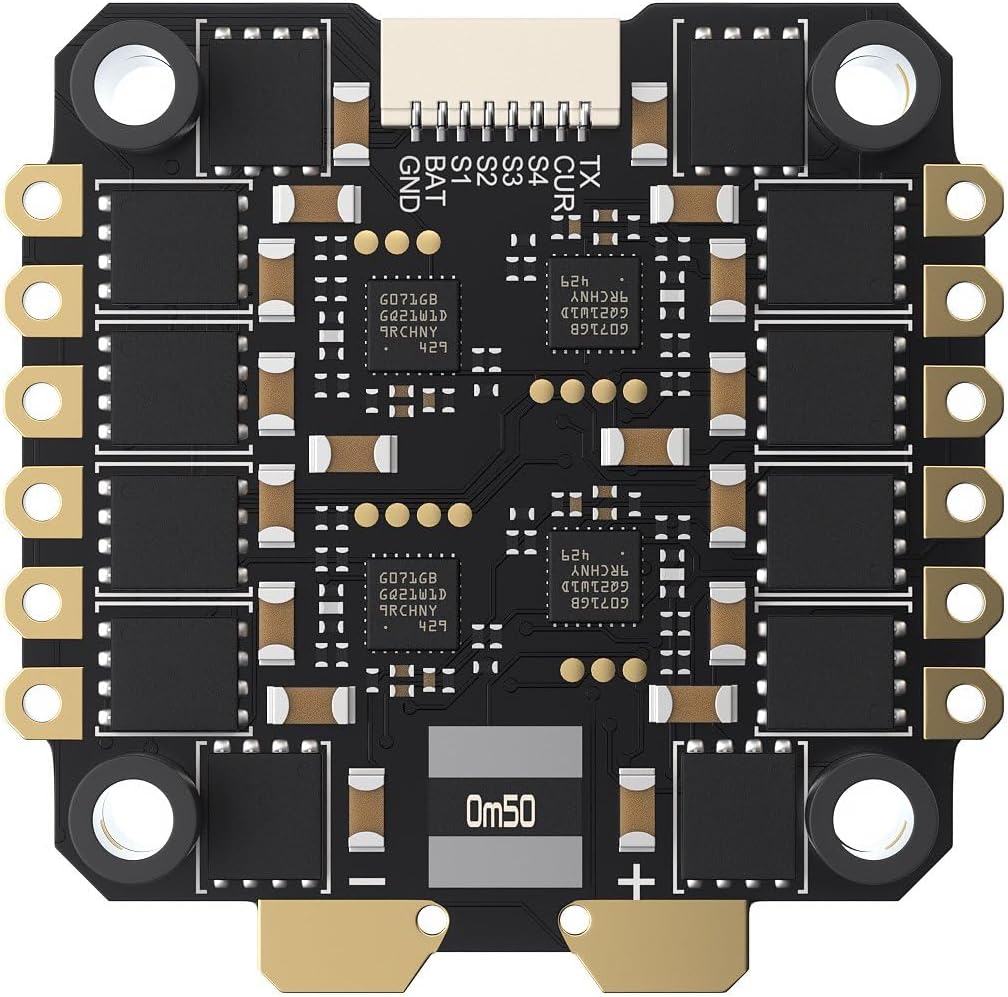
Зураг 3: Доод талд view of the GEP-BL32 50A 96K 4IN1 ESC, showing motor pads and power input.
- Загвар: GEP-BL32 50A 96K 4IN1 ESC
- Оролтын хэмжээtage: 3-6S липо
- Тасралтгүй гүйдэл: 50 А
- Тэсрэх гүйдэл: 55А (5 секунд)
- Гальванометр: Дэмжигдсэн
- Цахилгаан холбоо Дэмжигдсэн
- Дэмжигдсэн протокол: Дшот 150/300/600
- Хэмжээ: 42.5×42.1mm, mounting holes: 30.5×30.5mm
- Жин: 14 гр
- Зорилтот: ST_G0_05 – 31.92 (Pre-installed with BL32 test firmware; AM32 also supported, requires customer flashing)
4. Багцын агуулга
Доор жагсаасан бүх зүйл таны багцад байгаа эсэхийг шалгаарай.
- 1 x FC board (GEP-F722-BT-HD V3)
- 1 x ESC board (GEP-BL32 50A 96K 4IN1)
- 1 x конденсатор
- 1 x O3 3-in-1 холболтын кабель
- 1 x FC адаптер кабель
- 1 x sh1.0 4 зүүтэй силикон кабель
- 1 x Камерын холболтын кабель
- 1 x VTX холболтын кабель
- 1 x XT60 цахилгааны кабель
- 4 x M3*30 эрэг
- 4 x M3*25 эрэг
- 8 х Nylon самар
- 12 ширхэг силикон чичиргээний эсрэг дэвсгэр
5. Тохиргоо ба суурилуулалт
Proper installation is crucial for the performance and longevity of your flight stack. Follow these steps carefully.
5.1 Самбарыг суурилуулах
- Attach the silicone anti-shake pads to the mounting holes of the ESC board.
- Mount the ESC board onto your frame using the provided M3 screws and nylon nuts. Ensure the orientation is correct according to your frame and desired motor layout.
- Place the FC board on top of the ESC board, aligning the mounting holes. Use additional silicone pads and nuts if necessary to secure the FC.
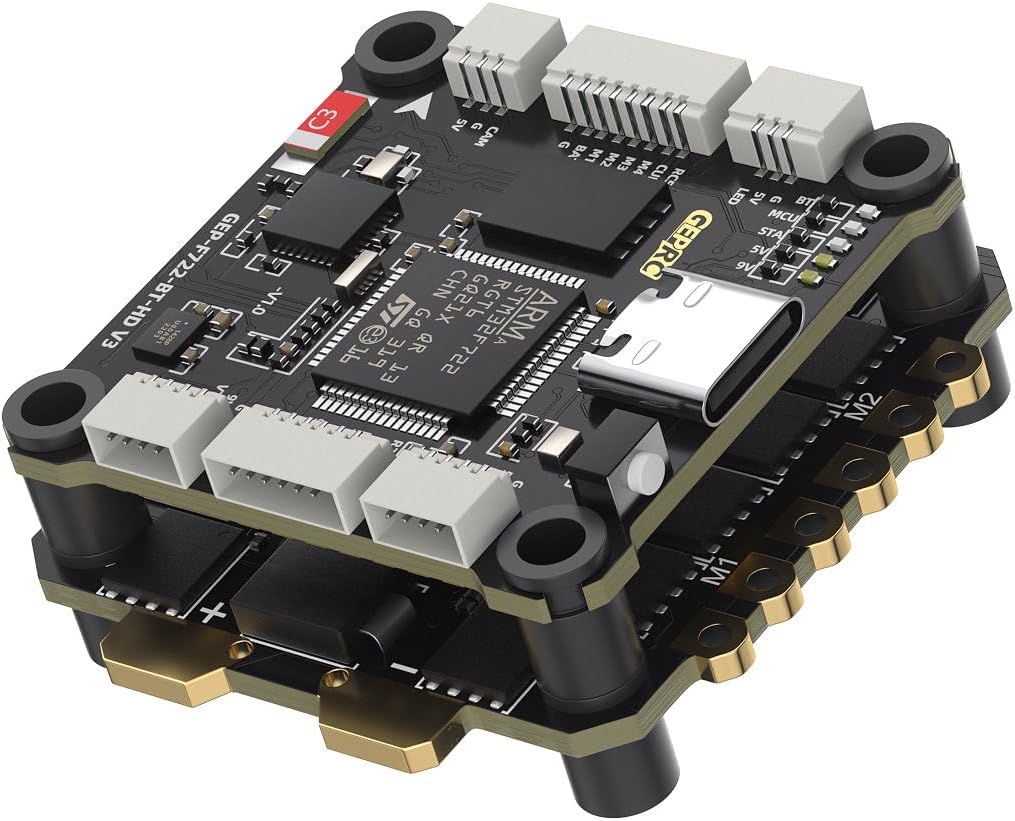
Зураг 4: Өнцөг view of the assembled stack, highlighting the mounting points and layered design.
5.2 Утасны диаграмм (Ерөнхий заавар)
Refer to the specific wiring diagram provided by GEPRC for your flight controller model for precise connections. The following is general guidance:
- Эрчим хүчний оролт: Connect the XT60 power cable to the main battery pads on the ESC. Ensure correct polarity.
- Моторууд: Solder motor wires to the corresponding motor pads (M1-M4) on the ESC.
- Flight Controller to ESC: The FC and ESC are designed to stack and connect directly. Ensure the pin headers are correctly aligned and seated.
- Хүлээн авагч: Connect your receiver (e.g., SBUS, CRSF, ELRS) to the appropriate UART on the FC. Refer to the FC's pinout for specific UART assignments.
- Видео дамжуулагч (VTX): Connect the VTX to the designated VTX pads (Video In, 5V/9V, GND) on the FC. Use the provided VTX connection cable.
- Камер: Connect your FPV camera to the designated camera pads (Video Out, 5V, GND) on the FC. Use the provided camera connection cable.
- Агаарын нэгж: Utilize the O3 3-in-1 connection cable for direct connection to compatible Air Units.
- GPS/Бусад захын төхөөрөмжүүд: Connect any additional peripherals (e.g., GPS, LED strips) to available UARTs or dedicated pads as per the FC's pinout.
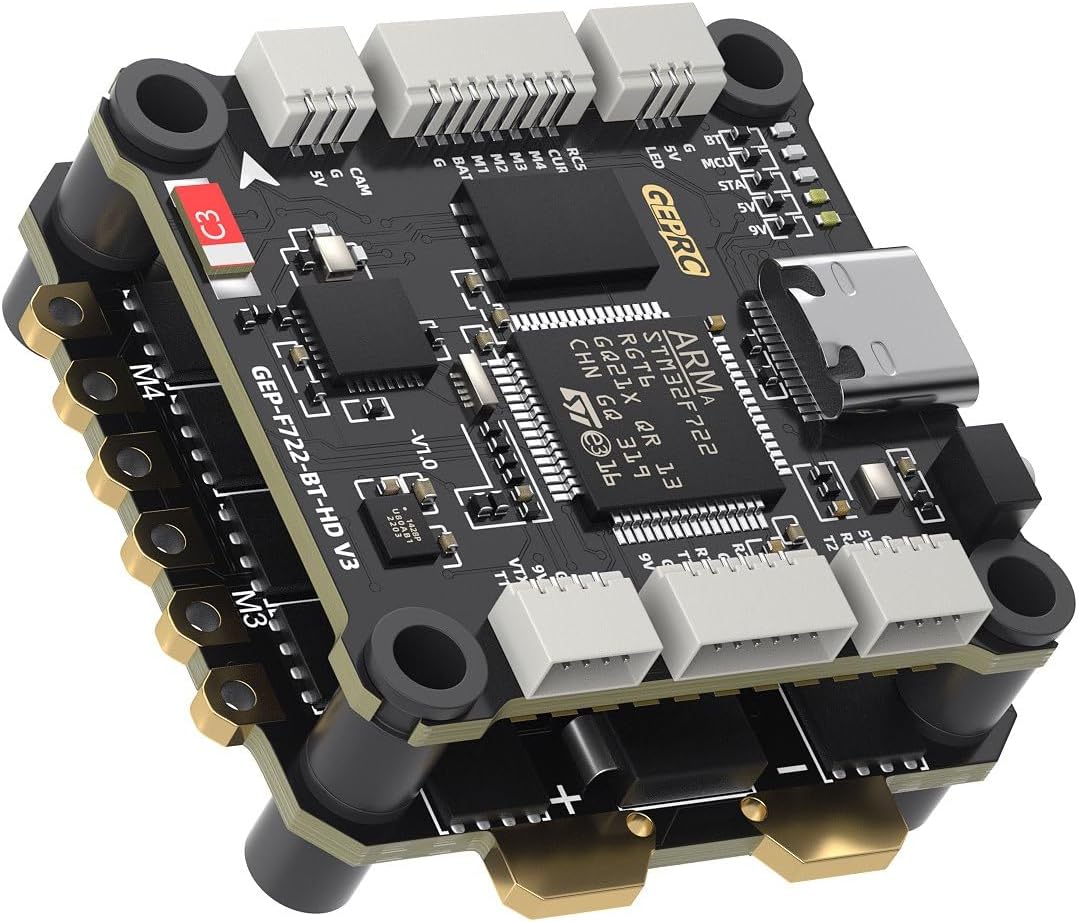
Зураг 5: Өөр нэг өнцөгт view of the stack, showing various connection points for peripherals.
5.3 Software Configuration (BetaFlight)
- Install BetaFlight Configurator: Download and install the latest BetaFlight Configurator software on your computer.
- Connect FC: Connect the FC to your computer using a USB-C cable.
- Flash програм хангамж: If necessary, flash the recommended firmware target (GEPRCF722_BT_HD_V3) using the BetaFlight Configurator.
- Анхны тохиргоо: Follow the initial setup wizard in BetaFlight Configurator.
- Тохиргоо:
- Configure UARTs for your receiver, VTX, GPS, etc.
- Set up your motor protocol (Dshot600 recommended).
- Calibrate accelerometer and gyroscope.
- Configure OSD settings.
- Adjust PID tuning and rates as desired.
- ESC тохиргоо: The ESC comes pre-installed with BL32 test firmware. For advanced configuration or flashing AM32 firmware, use a compatible ESC configurator tool.
- Bluetooth Tuning: Download the GEPRC Connect app (or similar compatible app) on your mobile device to connect via Bluetooth for parameter tuning.
6. Ашиглалтын заавар
Once the GEPRC TAKER F722 BT 32Bit 50A STACK is correctly installed and configured, follow these general operating guidelines:
- Нислэгийн өмнөх шалгалт: Нислэг бүрийн өмнө бүх холболтууд найдвартай, сэнс зөв суурилуулсан, батерей бүрэн цэнэглэгдсэн эсэхийг шалгаарай.
- Асаах: Connect the LiPo battery to the XT60 connector. The FC and ESC will power on, and indicator LEDs will illuminate.
- Зэвсэглэх: Arm your drone using the designated switch on your remote controller. Ensure you are in a safe environment with sufficient space.
- Нислэг: Operate your drone according to your skill level and local regulations.
- Зэвсэггүй болгож байна: Disarm your drone after landing using the designated switch.
- Унтраах: Disconnect the LiPo battery immediately after disarming.
Safety Note: Always remove propellers before connecting to a computer or performing any maintenance to prevent accidental motor activation.
7. Засвар үйлчилгээ
Regular maintenance helps ensure the longevity and reliable performance of your flight stack.
- Харааны үзлэг: Periodically inspect the FC and ESC for any signs of damage, loose connections, or burnt components.
- Цэвэрлэгээ: Gently clean any dust or debris from the boards using compressed air or a soft brush. Avoid using liquids.
- Програм хангамжийн шинэчлэлтүүд: Check the official GEPRC website for the latest firmware updates for both the FC and ESC. Keeping firmware updated can improve performance and add new features.
- Холболтын бүрэн бүтэн байдал: Ensure all soldered joints are solid and all connectors are securely seated.
8. Алдаа засах
Хэрэв танд асуудал тулгарвал дараах нийтлэг алдааг олж засварлах алхмуудыг үзнэ үү.
- Эрчим хүчгүй:
- Зайны холболт болон боть шалгахtage.
- Verify XT60 polarity and solder joints.
- Inspect for any short circuits on the board.
- Мотор эргэхгүй байна:
- Ensure motors are correctly soldered to the ESC.
- Check motor direction in BetaFlight Configurator.
- Verify ESC protocol settings (Dshot).
- Confirm the drone is armed and throttle is above minimum.
- No Receiver Input:
- Check receiver wiring to the FC (signal, 5V, GND).
- Verify UART configuration in BetaFlight for the receiver.
- Ensure receiver is bound to your radio transmitter.
- FC Not Connecting to BetaFlight:
- Ensure correct USB-C cable is used (data capable).
- Install necessary VCP drivers (ImpulseRC Driver Fixer can help).
- Өөр USB порт эсвэл компьютер ашиглаж үзнэ үү.
For further assistance, consult the GEPRC official support channels or community forums.
9. Баталгаат хугацаа ба дэмжлэг
Warranty information for the GEPRC TAKER F722 BT 32Bit 50A STACK is typically provided by the manufacturer or the point of purchase. Please retain your proof of purchase for warranty claims.
For technical support, firmware downloads, and additional resources, please visit the official GEPRC website or contact their customer service directly. Community forums and online resources dedicated to FPV electronics can also be valuable sources of information and peer support.


