1. Танилцуулга
Thank you for choosing the Transformers GM04 Lightweight Wireless Gaming Mouse. This manual provides essential information for setting up, operating, and maintaining your new gaming mouse. Designed for precision and comfort, the GM04 features a high-precision PAW3311 sensor, triple connection modes (2.4G wireless, Bluetooth 5.3, and USB-C wired), 5 programmable buttons, and up to 100 hours of battery life. Its ergonomic design and lightweight construction ensure a comfortable and responsive experience for gaming, work, and study.
2. Хайрцагт юу байна
- TF-GM04 Wireless Gaming Mouse x 1
- USB Wireless Dongle x 1
- USB-C кабель x 1
- Хэрэглэгчийн гарын авлага x 1
3. Бүтээгдэхүүн дууссанview
Familiarize yourself with the key features and components of your Transformers GM04 gaming mouse.
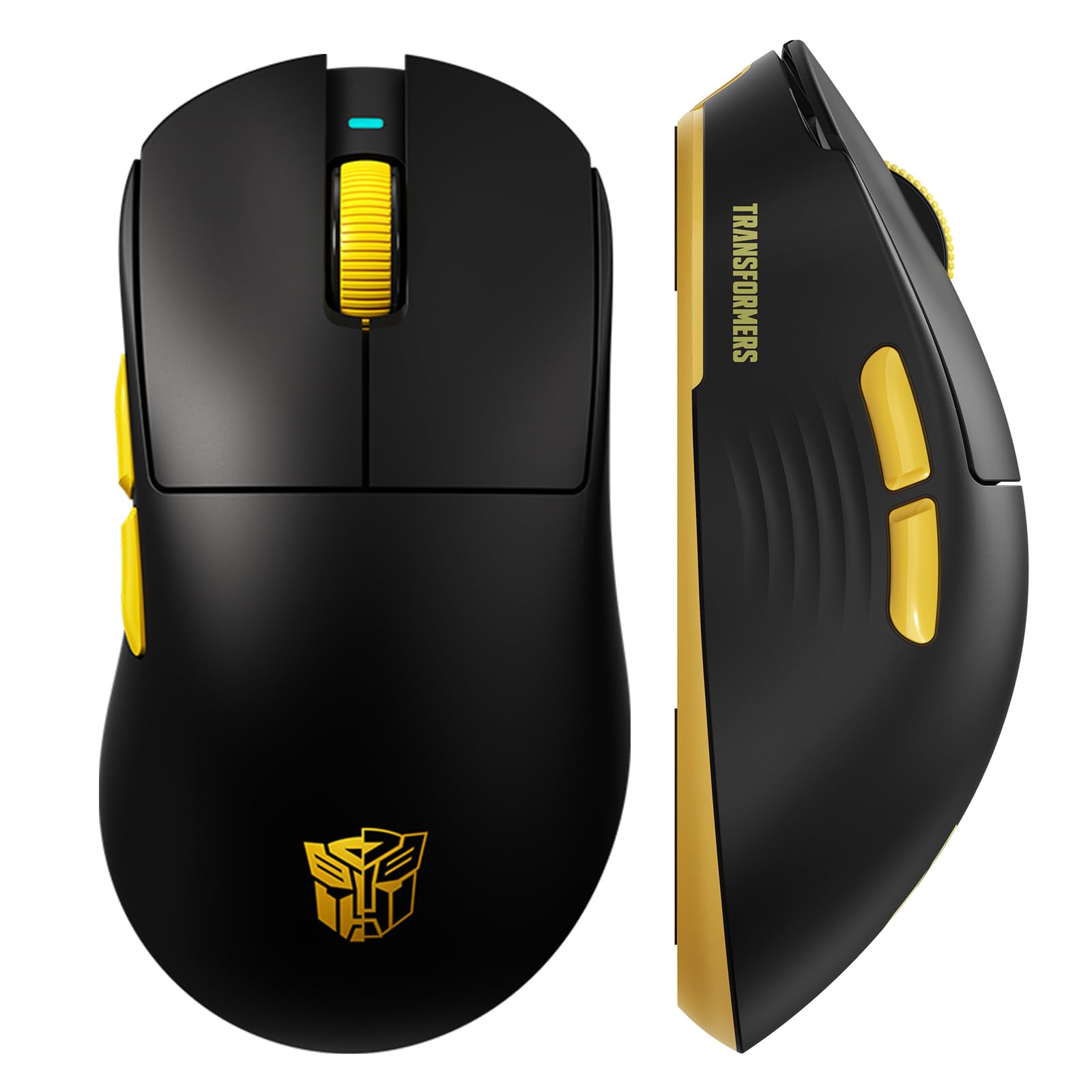
Зураг 1: The Transformers GM04 Wireless Gaming Mouse, showcasing its sleek black and yellow design, along with icons highlighting its core features such as PixArt PAW3311 sensor, up to 12000 DPI, 1000Hz polling rate, 20 million clicks, Tri-Mode connectivity, custom macros, 63g lightweight design, and up to 100 hours of battery life. A USB wireless dongle is also visible next to the mouse.

Зураг 2: A hand demonstrating the ergonomic design of the Transformers GM04 mouse. The image highlights how the mouse fits comfortably in the palm, promoting more comfort and less fatigue during extended use, thanks to its non-slip texture.

Зураг 3: The underside of the Transformers GM04 mouse, detailing the 2.4G/OFF/BT switch for connection modes, the DPI button, and the storage compartment for the 2.4G wireless receiver. This view is crucial for understanding how to switch modes and adjust settings.

Зураг 4: An illustration of the 6-level adjustable DPI settings for the Transformers GM04 mouse. It shows the DPI values (1200, 2400, 3200, 4800, 6400, 12000) and their corresponding LED indicator colors (Red, Green, Blue, Purple, Yellow, Cyan), which helps users identify the current DPI level.
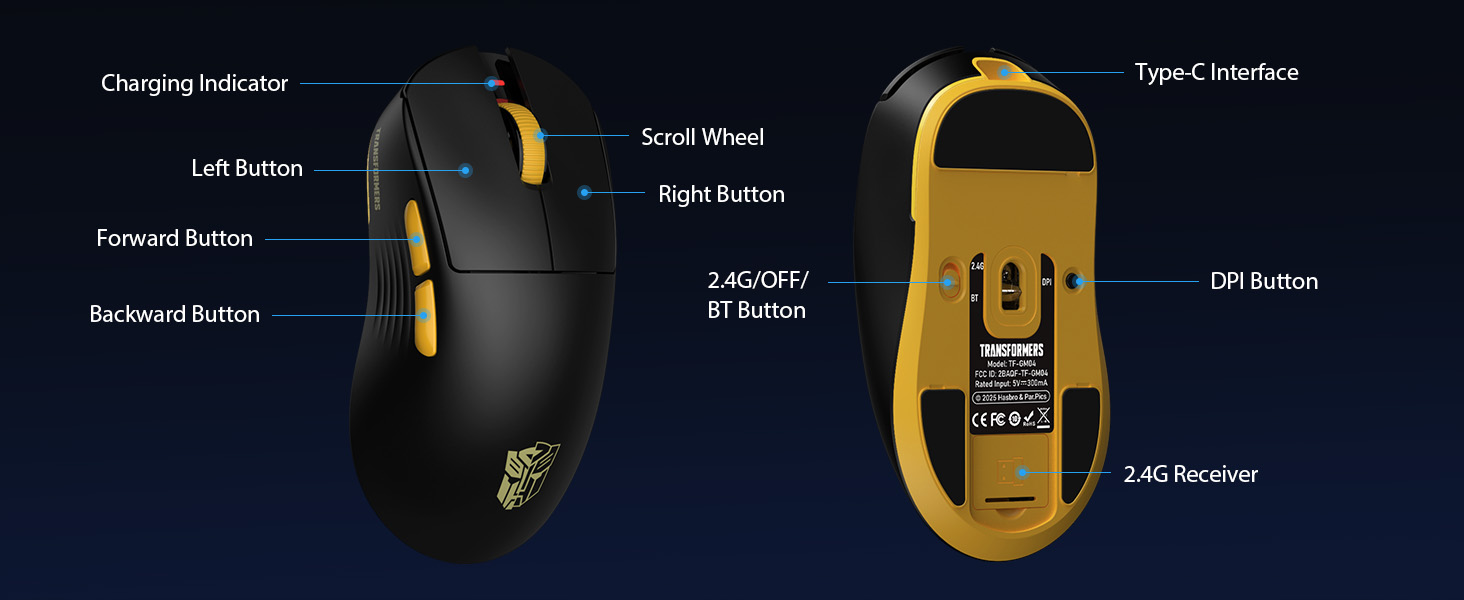
Зураг 5: Дэлбэрэв view diagram of the Transformers GM04 mouse, highlighting the HUANO micro switches. This image emphasizes the precision-engineered mechanical switches designed for crisp feedback and a lifespan of over 20 million clicks, ideal for rapid gaming actions.
Видео 1: An official product video from Transformers Keyboard showcasing the GM04 Lightweight Wireless Gaming Mouse. This short video provides a dynamic overview of the mouse's design and features.
4. Тохиргоо
4.1. Хулгана цэнэглэж байна
Before first use, it is recommended to fully charge your GM04 mouse. Connect the provided USB-C cable to the mouse's front port and the other end to a USB power source (e.g., computer USB port, USB wall adapter). The LED indicator will show charging status.
4.2. Хулгана холбох
The GM04 mouse supports three connection modes: 2.4G Wireless, Bluetooth 5.3, and USB-C Wired. Use the switch on the bottom of the mouse to select your desired mode.
4.2.1. 2.4G утасгүй горим
- Remove the USB wireless dongle from its storage slot on the bottom of the mouse.
- Plug the USB wireless dongle into an available USB-A port on your computer.
- Хулганы доод хэсэгт байрлах горимын шилжүүлэгчийг "2.4G" байрлал руу гулсуулна уу.
- Хулгана таны компьютерт автоматаар холбогдох ёстой.
4.2.2. Bluetooth горим
- Хулганы доод хэсэгт байрлах горимын шилжүүлэгчийг "BT" байрлалд гулсуулна уу.
- Компьютер эсвэл төхөөрөмж дээрээ Bluetooth тохиргоог нээгээд шинэ төхөөрөмжүүдийг хайгаарай.
- Select "TF-GM04 BT" from the list of available devices to pair.
- The mouse should connect and be ready for use.
4.2.3. USB-C утастай горим
- Connect the provided USB-C cable to the mouse's front port and the other end to a USB-A port on your computer.
- Хулгана автоматаар утастай горимд шилжиж, цэнэглэж эхэлнэ.
5. Ажиллаж байгаа
5.1. DPI тохируулга
The GM04 mouse offers 6 default DPI settings. To cycle through these settings, press the DPI товчлуур located on the bottom of the mouse. The LED indicator will change color to reflect the current DPI level:
- Улаан: 1200 DPI
- Ногоон: 2400 DPI
- Цэнхэр: 3200 DPI
- Нил ягаан: 4800 DPI
- Шар: 6400 DPI
- Цэнхэр: 12000 DPI
5.2. Програмчлах боломжтой товчлуурууд
The mouse features 5 programmable buttons. To customize these buttons with macro commands, shortcut keys, or other functions, you will need to use the dedicated driver software. This software is typically available for Windows systems under 2.4G wireless and wired modes. Bluetooth mode may not support full software customization.
5.3. Connection Mode Switching
Easily switch between 2.4G Wireless, Bluetooth, and Wired modes using the dedicated switch on the bottom of the mouse. This allows for seamless transitions between multiple devices.
5.4. LED үзүүлэлтүүд
- DPI үзүүлэлт: Changes color according to the current DPI setting (see 5.1).
- Цэнэглэх үзүүлэлт: A green LED near the scroll wheel indicates charging. It turns off when fully charged.
6. Засвар үйлчилгээ
6.1. Цэвэрлэгээ
Хамгийн сайн гүйцэтгэл болон гадаад төрхийг хадгалахын тулд хулганаа тогтмол цэвэрлээрэй. Гадаргууг зөөлөн, хуурай даавуугаар арчина. Зөрүүд бохирдлыг бага зэрэг арчина.amp даавууг ашиглаж болно, ингэснээр дотоод эд ангиудад чийг орохгүй. Хүчтэй химийн бодис, зүлгүүрийн материалаас зайлсхий.
6.2. Зайны арчилгаа
The GM04 mouse is equipped with a 500mAh high-capacity battery. To prolong battery life:
- Байнга зайгаа бүрэн цэнэглэхээс зайлсхий.
- Удаан хугацаагаар ашиглахгүй бол хулганыг сэрүүн, хуурай газар хадгална.
- If using wired mode, the mouse will charge automatically.
7. Алдаа засах
7.1. Хулгана хариу өгөхгүй байна
- Батерейг шалгах: Ensure the mouse is charged. Connect it via USB-C cable.
- Холболтын горимыг шалгах: Verify the switch on the bottom is set to the correct mode (2.4G, BT, or Wired).
- Re-pair (2.4G/Bluetooth): For 2.4G, try plugging the dongle into a different USB port. For Bluetooth, unpair and re-pair the device in your computer's settings.
- Try Wired Mode: Connect the mouse directly via USB-C cable to see if it functions.
7.2. DPI өөрчлөгдөхгүй
- Ensure you are pressing the correct DPI button on the bottom of the mouse.
- Observe the LED indicator for color changes to confirm DPI cycles.
- If using custom software, ensure settings are applied correctly.
7.3. Lag or Disconnection in Wireless Mode
- Интерференцийг багасгах: Move the mouse closer to the receiver/device. Avoid obstacles or other wireless devices that may cause interference.
- Батерейг шалгах: Low battery can affect wireless performance.
- Драйверуудыг шинэчлэх: Ensure your computer's Bluetooth or USB drivers are up to date.
8. Техникийн үзүүлэлтүүд
| Онцлог | Дэлгэрэнгүй |
|---|---|
| Бүтээгдэхүүний хэмжээс | 4.68 x 2.52 x 0.1 инч |
| Зүйлийн жин | 2.22 унц (ойролцоогоор 63 гр) |
| Загварын дугаар | TF-GM04 |
| Холболтын технологи | 2.4G утасгүй, Bluetooth 5.3, USB-C утастай |
| Хөдөлгөөнийг илрүүлэх технологи | Оптик (PAW3311 мэдрэгч) |
| DPI тохиргоо | 1200/2400/3200/4800/6400/12000 (Adjustable) |
| Санал хураалтын хувь | 1000Hz (1ms latency) |
| Хяналтын хурд | 300IPS |
| Хурдатгал | 35G |
| Товчлуур | 5 програмчлах товчлуур |
| Шилжүүлэгчийн төрөл | HUANO Micro Switches (20 Million Clicks) |
| Зайны багтаамж | 500 мАч |
| Зайны ашиглалт | Up to 100 hours (Bluetooth mode) |
| Тохиромжтой байдал | Windows, Mac OS, and other systems |
9. Баталгаат хугацаа ба дэмжлэг
9.1. Баталгаат хугацааны мэдээлэл
The Transformers GM04 Lightweight Wireless Gaming Mouse comes with a standard manufacturer's warranty. Please refer to the packaging or the official Transformers webнарийвчилсан баталгаат нөхцөлийг сайтаас авна уу. Худалдан авалтын баримтаа аливаа баталгаат нэхэмжлэлийг худалдан авсан баримт болгон хадгална уу.
9.2. Хэрэглэгчийн дэмжлэг
For technical assistance, troubleshooting, or any questions regarding your Transformers GM04 mouse, please contact Transformers customer support. Contact details can typically be found on the product packaging or the official brand webсайт.


