1. Танилцуулга
Thank you for choosing the MONODEAL CD401 Portable HiFi Stereo CD Player. This versatile device combines classic CD playback with modern connectivity options, including Bluetooth, FM radio, USB, and AUX input. Enjoy high-fidelity audio with built-in speakers, dynamic RGB lighting, and convenient remote control. This manual provides essential information for setup, operation, and maintenance to ensure optimal performance.
2. Хайрцагт юу байна
- 1x MONODEAL CD401 CD Player
- 1x хэрэглэгчийн гарын авлага
- 1x Алсын удирдлага
- 1х 3.5мм аудио кабель
- 1x Charging Cable and Plug
3. Бүтээгдэхүүн дууссанview
The MONODEAL CD401 is designed for both portability and desktop use, offering a blend of classic and contemporary audio features. Its compact design includes integrated speakers and a clear display for easy navigation.
Зураг 1: Урд view of the MONODEAL CD401 Portable CD Player, showcasinавсаархан дизайн болон төвийн дэлгэцтэй.
Гол онцлогууд:
- Multi-Color RGB Lighting: Dynamic lighting effects that change color to the beat of the music, enhancing visual and auditory experience.
- Bluetooth 5.3: Functions as both a Bluetooth transmitter (to headphones/speakers) and receiver (from phones/tablets).
- Integrated 4*HIFI Speakers: Provides surround sound for an immersive listening experience.
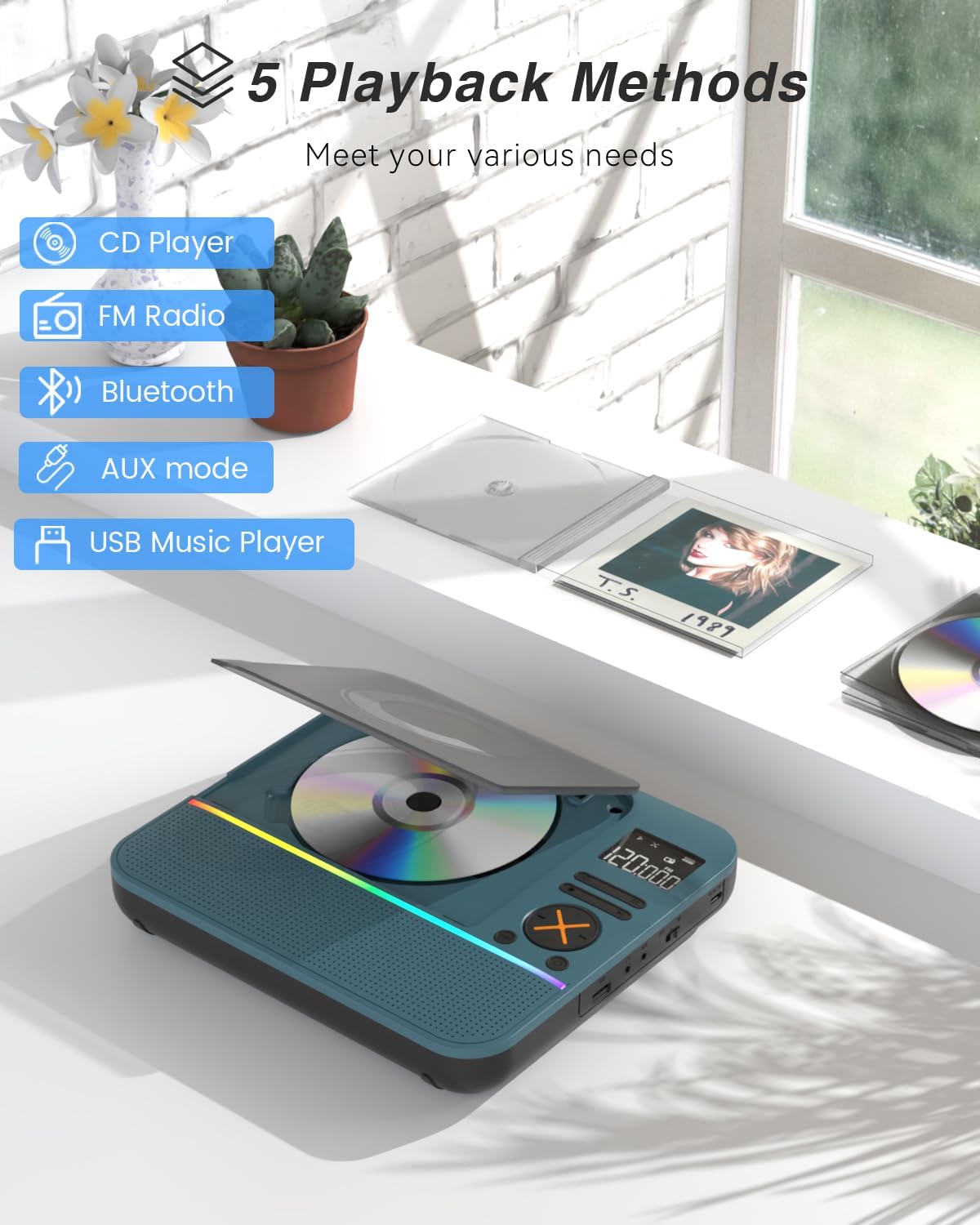
- Олон тоглуулах горим: Easily switch between CD, Bluetooth, FM Radio, AUX, and USB modes via a large LCD screen.
- Өргөн хүрээний CD-тэй нийцтэй байдал: Supports CD, CD-R, CD-RW, MP3, and WMA formats.
- Дууны эффектүүд: Choose from five equalizer presets: Flat, Rock, Pop, Jazz, and Classic.
- FM радио: Access FM frequencies from 76MHz to 108MHz.
- USB & AUX Connectivity: Play music from a USB flash drive or connect external devices via the 3.5mm AUX cable.
- Цэнэглэдэг батерей: Built-in 3000mAh battery offers up to 8 hours of continuous playback.
- Унтах цаг: Customizable sleep timer from 10 to 90 minutes.

Figure 2: The MONODEAL CD401 displaying its multi-color RGB lighting effects, which synchronize with the music.
Хяналт ба портууд:
The device features intuitive controls on its top panel and essential ports on the side for easy access.

Figure 3: Top panel of the CD player showing playback controls, mode selection, and display.

Figure 4: The side panel of the CD player, illustrating the AUX input, USB port, and charging port.
Албан ёсны бүтээгдэхүүний видео:
Video 1: Official product video from MonoDeals showcasing the Desktop CD Player with Bluetooth and RGB Light features.
Video 2: Official product video from MonoDeals demonstrating the Desktop Player's Bluetooth functionality and colorful lighting effects.
4. Тохиргоо
4.1 Төхөөрөмжийг цэнэглэх
- Connect the provided USB charging cable to the charging port on the side of the CD player.
- Plug the other end of the USB cable into a compatible USB power adapter (included) or a computer's USB port.
- The battery indicator on the LCD screen will show charging status. A full charge provides up to 8 hours of playback.
4.2 CD оруулах
- Gently open the CD compartment cover.
- Place the CD with the label side facing up onto the spindle. Ensure it clicks into place.
- Close the CD compartment cover firmly until it latches.
4.3 Асаах/унтраах
- To power on, slide the ON/OFF switch to the 'ON' position. The LCD screen will light up.
- Унтраахын тулд ON/OFF товчлуурыг 'OFF' байрлалд гулсуулна уу.
5. Ашиглалтын заавар
5.1 горимын сонголт
дээр дарна уу MODE button on the device or remote control to cycle through the available modes: CD, Bluetooth, FM, AUX, and USB.

Figure 5: The CD player's display indicating the five available playback methods: CD, FM Radio, Bluetooth, AUX mode, and USB Music Player.
5.2 CD тоглуулах
- Insert a compatible CD (CD, CD-R, CD-RW, MP3, WMA).
- Select 'CD' mode. The player will automatically start reading the disc.
- -г ашиглана уу Тоглуулах/түр зогсоох, Дараагийн дуу, ба Өмнөх зам Тоглуулахыг удирдах товчлуурууд.
- дээр дарна уу ДАВТАХ button to cycle through repeat options (e.g., repeat one, repeat all).
- дээр дарна уу EQ button to select desired sound effects (Flat, Rock, Pop, Jazz, Classic).
5.3 Bluetooth горим
The CD401 supports both Bluetooth transmission (BT TX) and reception (BT RX).
- Bluetooth Receiver (BT RX): Select 'Bluetooth' mode. The device will enter pairing mode. On your phone/tablet, search for 'CD401' and connect. Audio from your device will play through the CD player's speakers.
- Bluetooth Transmitter (BT TX): Select 'Bluetooth' mode. Press and hold the BT TX button. The CD player will search for nearby Bluetooth headphones or speakers. Once connected, CD audio will transmit to the external Bluetooth device.

Figure 6: Illustration of the CD player's dual Bluetooth functionality, allowing it to receive audio from a phone (RX) or transmit to headphones (TX).
5.4 FM радио
- "FM" горимыг сонгоно уу.
- -г ашиглана уу Дараагийн дуу болон Өмнөх зам buttons to scan for radio stations.
- The FM frequency range is 76MHz to 108MHz.
5.5 AUX оролт
- Select 'AUX' mode.
- Connect an external audio device (e.g., smartphone, computer) to the AUX IN port using the provided 3.5mm audio cable.
- The CD player will now act as a wired speaker for the connected device.
- Note: Bluetooth connectivity is not supported in cars; use the 3.5mm AUX cable for car audio.
5.6 USB тоглуулах
- Select 'USB' mode.
- MP3 эсвэл WMA аудио агуулсан USB флаш дискийг оруулна уу fileUSB порт руу оруулна.
- The player will automatically detect and begin playing the audio files.
5.7 Дууны хяналт
Adjust the volume using the dedicated volume buttons on the device or the remote control.
5.8 Унтах цаг хэмжигч
- дээр дарна уу УНТАХ алсын удирдлага дээрх товчлуур.
- Cycle through the available sleep timer durations (10, 20, 30, 40, 50, 60, 70, 80, 90 minutes).
- The device will automatically power off after the selected time.

Figure 7: The CD player featuring its sleep timer function, allowing users to set automatic shutdown after a specified duration.
6. Засвар үйлчилгээ
6.1 Цэвэрлэгээ
- Төхөөрөмжийг зөөлөн, хуурай даавуугаар арчина. Шингэн цэвэрлэгч болон зүлгүүрийн материалыг бүү ашигла.
- Keep the CD compartment clean and free of dust.
6.2 Хадгалалт
- CD тоглуулагчийг сэрүүн, хуурай газар, нарны шууд тусгал болон хэт өндөр температураас хол хадгална уу.
- Remove any CDs or USB drives before storing for extended periods.
7. Алдаа засах
| Асуудал | Боломжит шалтгаан | Шийдэл |
|---|---|---|
| Төхөөрөмж асахгүй байна | Батерей бага эсвэл тэжээлийн унтраалга унтарсан байна. | Charge the device fully. Ensure the ON/OFF switch is in the 'ON' position. |
| Чанга яригчаас дуу гарахгүй | Volume is too low or incorrect mode selected. | Increase volume. Verify correct playback mode (CD, Bluetooth, FM, AUX, USB). |
| CD тоглуулахгүй байна | CD бохир, зураастай эсвэл буруу оруулсан байна. | Clean the CD. Check for scratches. Reinsert the CD correctly with the label side up. |
| Bluetooth холболт амжилтгүй боллоо | Төхөөрөмж хослуулах горимд байхгүй эсвэл эх үүсвэрээс хэт хол байна. | Ensure the CD player is in Bluetooth pairing mode. Move devices closer. Disconnect from other Bluetooth devices. |
8. Техникийн үзүүлэлтүүд
| Онцлог | Дэлгэрэнгүй |
|---|---|
| Загварын дугаар | CD401 |
| Брэнд | MONODEAL |
| Холболтын технологи | Bluetooth 5.3 |
| Чанга яригчийн төрөл | 4*HIFI Stereo |
| Зайны багтаамж | 3000mAh (Суурилуулсан) |
| Тоглуулах хугацаа | 8 цаг хүртэл ажиллах (бүрэн цэнэглэлтээр) |
| Дэмжигдсэн дискний форматууд | CD, CD-R, CD-RW |
| Дэмжигдсэн аудио форматууд | MP3, WMA |
| FM давтамжийн хүрээ | 76 МГц-ээс 108 МГц хүртэл |
| Багцын хэмжээ | 10.83 x 9.13 x 1.93 инч |
| Зүйлийн жин | 2.48 фунт |
9. Баталгаат хугацаа ба дэмжлэг
For warranty information, technical support, or customer service inquiries, please refer to the contact details provided in your product packaging or visit the official MONODEAL webсайт. Баталгаат зардлаа авахын тулд худалдан авалтын баримтаа хадгална уу.


