Танилцуулга
This manual provides detailed instructions for the installation, operation, and maintenance of your PGST Wireless WiFi 4G Tuya Smart Living Alarm System. This system is designed to enhance your home security through wireless connectivity, real-time alerts, and smart home integration. Please read this manual thoroughly before using the product to ensure proper functionality and safety.
Аюулгүй байдлын мэдээлэл
- Ensure the main alarm panel is installed in a secure, central location, away from direct sunlight, moisture, and extreme temperatures.
- Төхөөрөмжийг өөрөө засах эсвэл өөрчлөх гэж бүү оролдоорой. Бүх үйлчилгээг мэргэшсэн ажилтнуудад даатга.
- Keep all components out of reach of children and pets.
- Use only the power adapter supplied with the system.
- Regularly test the system to ensure all sensors and alarms are functioning correctly.
Багцын агуулга
Таны багцад бүх зүйл байгаа эсэхийг шалгана уу:
- 1x PGST Alarm Host (Main Panel)
- 5x Door/Window Contact Sensors
- 3x Motion Sensors
- 2x Remote Control Fobs
- 1x Dedicated SOS Button
- 1x Siren Unit
- 1x тэжээлийн адаптер
- Mounting Accessories (e.g., double-sided tape, screws)
- Хэрэглэгчийн гарын авлага (энэ баримт бичиг)
Тохиргоо
1. Main Alarm Host Installation
- Асаах: Connect the power adapter to the alarm host and plug it into a wall outlet. The host will power on automatically.
- Сүлжээний холболт: The system supports both WiFi and 4G connectivity.
- For WiFi: Ensure your router is within range. The host will guide you through the WiFi setup process via the Tuya Smart Living App.
- For 4G: Insert a compatible 4G SIM card (not included) into the designated slot on the alarm host. Ensure the SIM card has an active data plan.
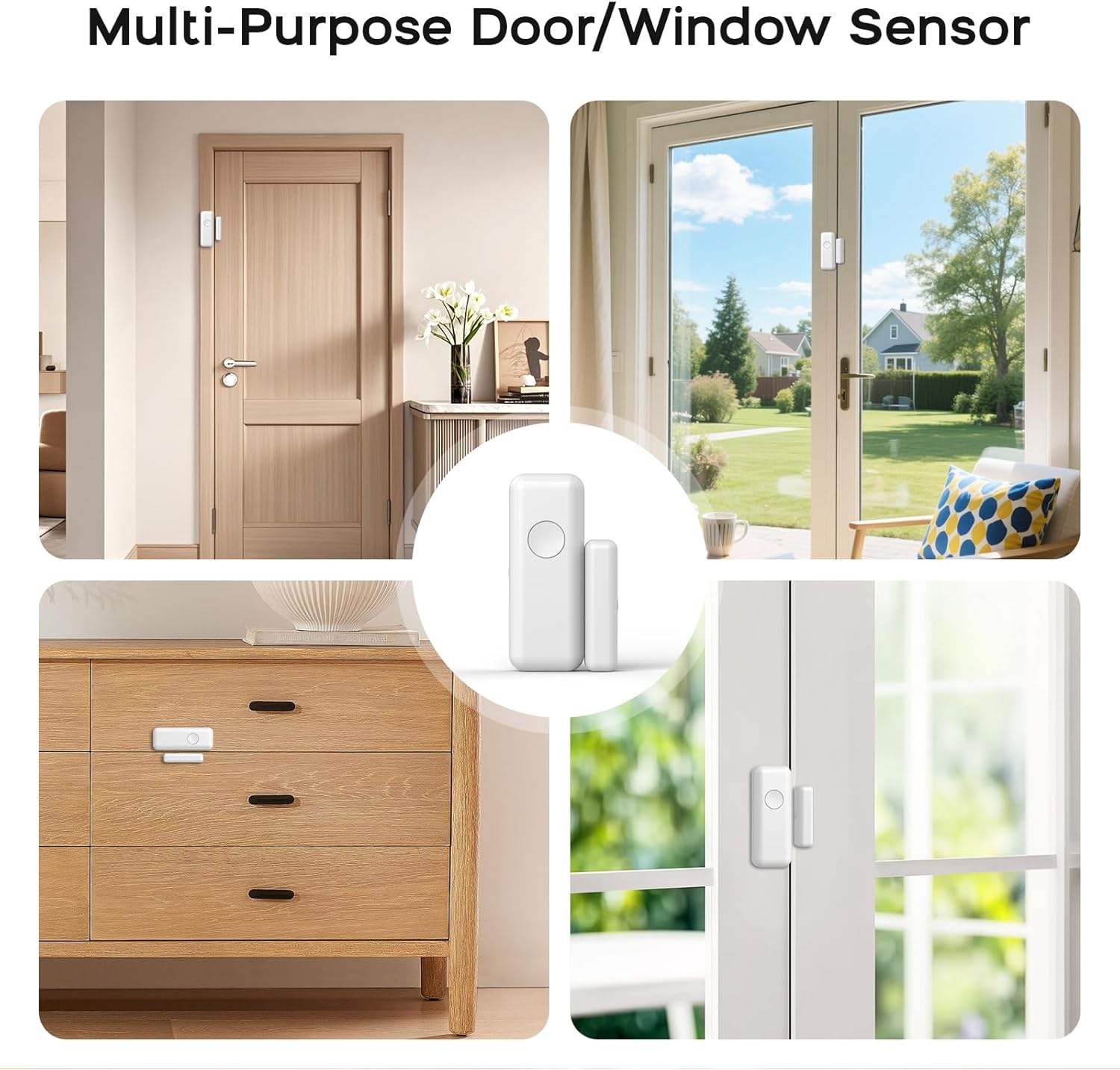
Figure 1: PGST Siren Unit. This image shows the compact siren unit, highlighting its wireless capabilities and key features like backup battery and app control.
2. Tuya Smart Living App Setup
- Апп татаж авах: хайх "Tuya Smart Living" in your smartphone's app store (iOS or Android) and download it.
- Бүртгүүлэх/Нэвтрэх: Аппликешныг нээгээд шинэ бүртгэл үүсгэ эсвэл хэрэв танд бүртгэл байгаа бол нэвтэрнэ үү.
- Төхөөрөмж нэмэх: Follow the in-app instructions to add your PGST Alarm Host. This typically involves selecting "Security & Video Surveillance" then "Alarm (Wi-Fi+4G)" or similar, and following the pairing prompts.

Figure 2: Tuya Smart Living App Interface. This image illustrates the app's dashboard for managing the security system and its connected sensors.
3. Мэдрэгч болон дагалдах хэрэгслийн суурилуулалт
All sensors and accessories are designed for easy installation, often using double-sided adhesive tape (included).
- Door/Window Contact Sensors: Install the two parts of the sensor on the door/window frame and the moving part (door/window) itself. Ensure they are aligned and within 1 cm of each other when closed.
- Хөдөлгөөн мэдрэгч: Mount motion sensors in corners or areas with clear lines of sight to detect movement. Avoid placing them near heat sources or in direct sunlight.
- Remote Control Fobs & SOS Button: These are pre-paired. Keep remote fobs accessible and the SOS button in a convenient location for emergencies.
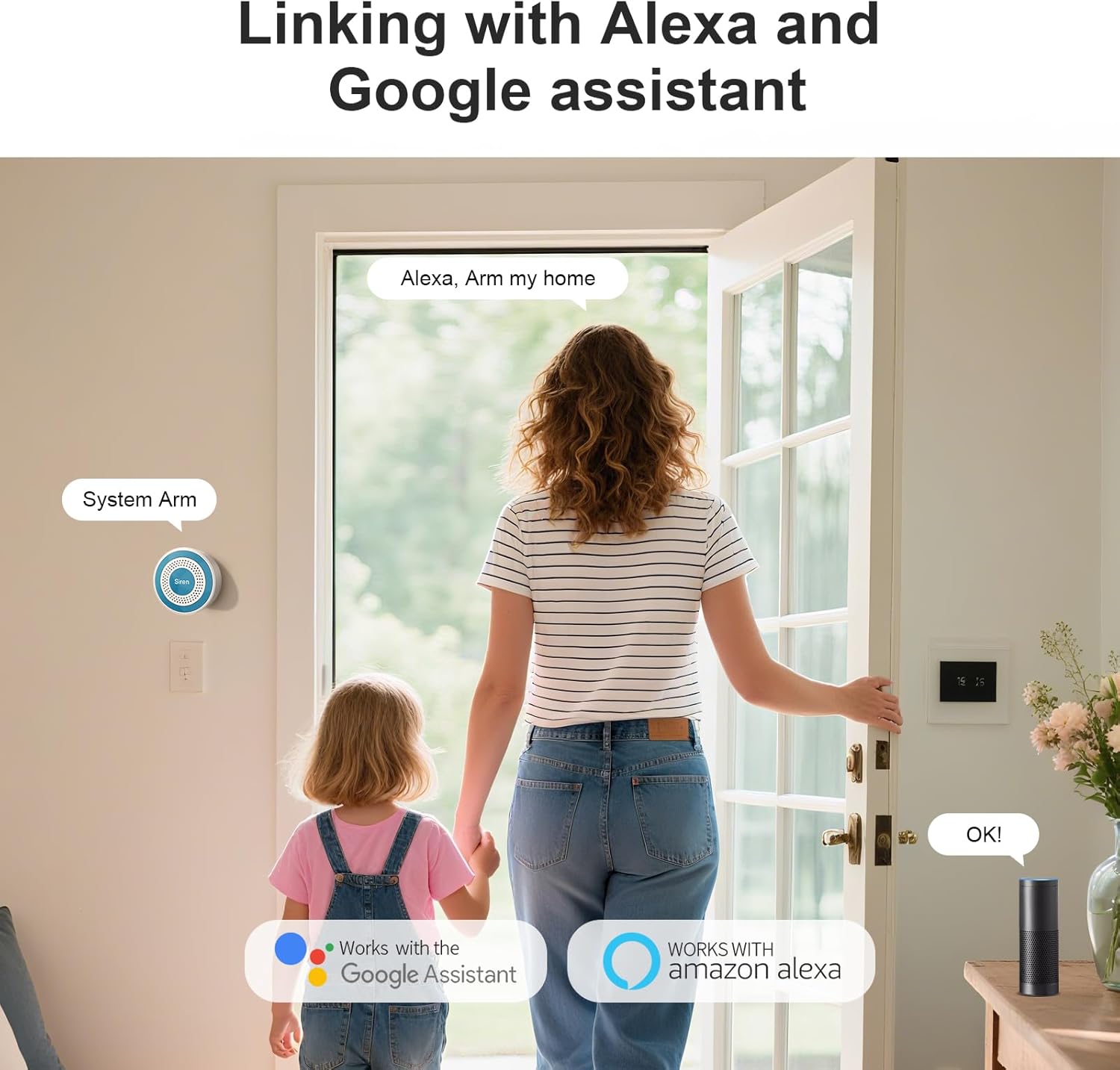
Figure 3: Multi-Purpose Door/Window Sensor. This collage demonstrates the flexible placement options for the contact sensors on different types of doors and windows.

Figure 4: Real-time Door/Window Sensor Alarm. This image shows a door/window sensor in action, triggering an immediate notification on a smartphone.
Ашиглалтын заавар
1. Системийг зэвсэглэх, зэвсэггүй болгох
- Via Tuya Smart Living App: Open the app and select the desired arming mode (e.g., "Away," "Home," "Disarm").
- Via Remote Control Fob:
- дээр дарна уу Түгжих button to arm the system (Away mode).
- дээр дарна уу Түгжээг тайлах button to disarm the system.
- дээр дарна уу Гэр button to arm the system in Home mode (typically bypasses motion sensors).
2. Emergency SOS Function
In case of an emergency, you can activate the SOS function:
- Remote Fob: дээр дарна уу SOS button on your remote control fob.
- Dedicated SOS Button: Press the standalone SOS button.
Activating SOS will trigger the alarm siren and send immediate notifications to pre-configured emergency contacts via the app.
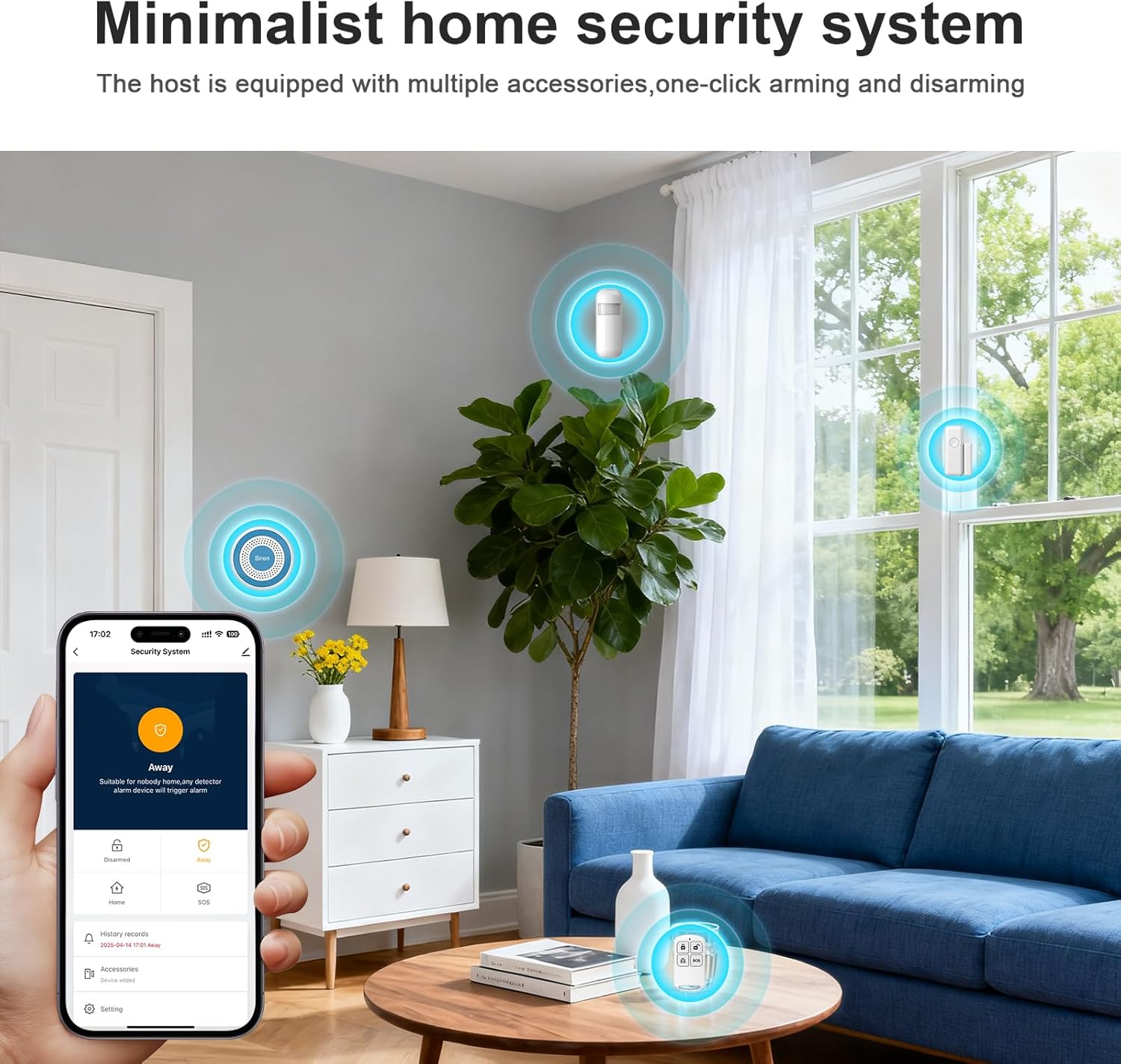
Figure 5: One-Button Emergency SOS. This image demonstrates the ease of activating the SOS function using the remote fob.
3. Real-time Notifications
The Tuya Smart Living App provides real-time push notifications for all system events, including:
- Alarm triggers (door/window open, motion detected)
- System arm/disarm status changes
- Low battery warnings for sensors
- Network connectivity issues (WiFi/4G)
4. Ухаалаг гэрийн интеграци
Your PGST alarm system can be integrated with popular smart home platforms:
- Amazon Alexa: Enable the "Tuya Smart" skill in the Alexa app and link your account. You can then use voice commands to arm/disarm the system (e.g., "Alexa, arm my home").
- Google Туслах: Link your "Tuya Smart" account in the Google Home app. Use voice commands for system control (e.g., "Hey Google, arm the alarm").
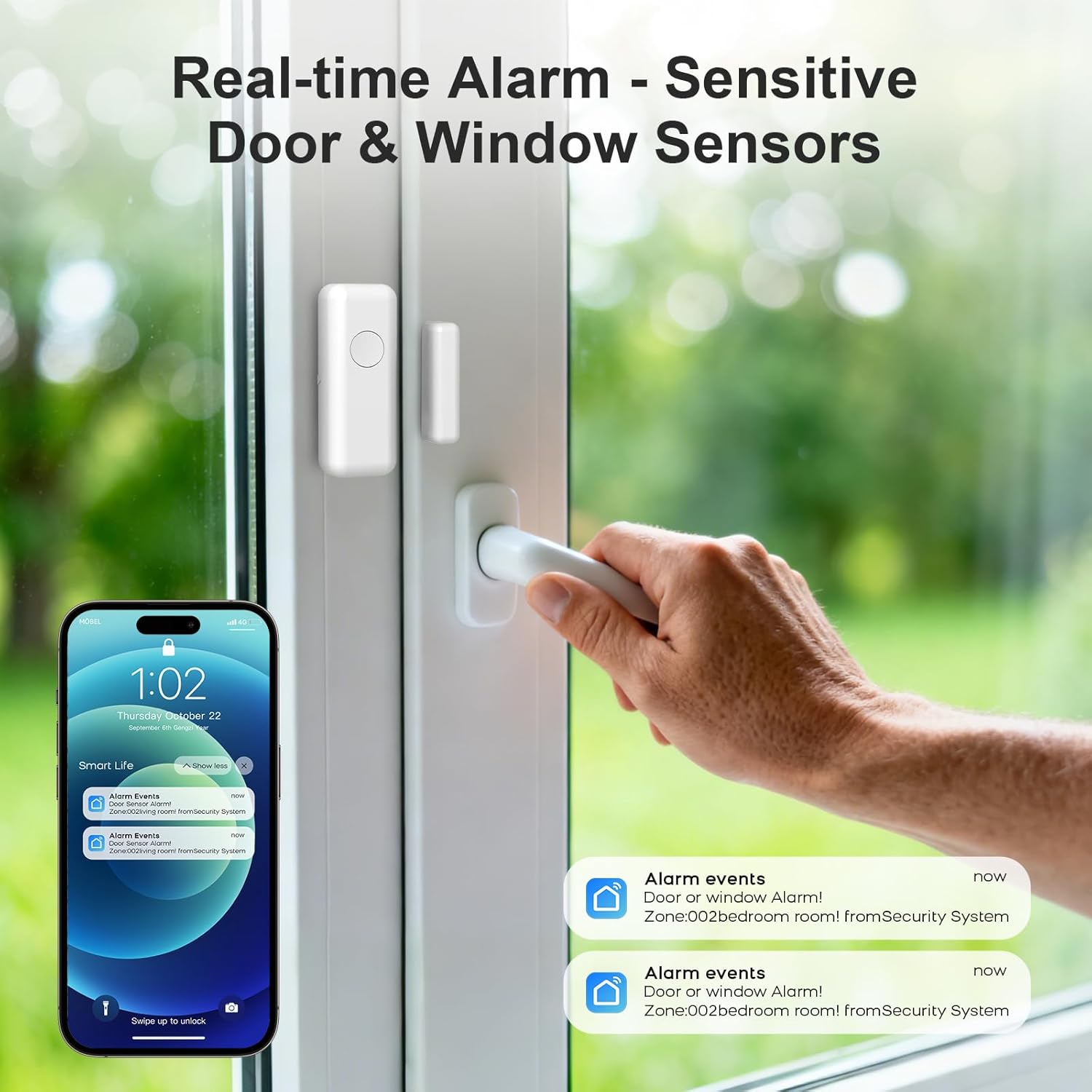
Figure 6: Smart Home Integration. This image illustrates how the alarm system can be controlled using voice commands via Amazon Alexa or Google Assistant.
Засвар үйлчилгээ
- Зай солих: Sensors and remote fobs are powered by replaceable batteries. The app will notify you when batteries are low. Refer to the specific sensor's compartment for battery type and replacement instructions. The main alarm host has a built-in Lithium-ion backup battery.
- Цэвэрлэгээ: Use a soft, dry cloth to clean the surfaces of the alarm host and sensors. Do not use liquid cleaners or abrasive materials.
- Системийн туршилт: It is recommended to test your alarm system monthly. Arm the system and trigger each sensor to ensure the alarm sounds and notifications are received.
Алдааг олж засварлах
| Асуудал | Боломжит шалтгаан | Шийдэл |
|---|---|---|
| Alarm host not connecting to WiFi. | Incorrect WiFi password, weak signal, router issues. | Verify WiFi password. Move host closer to router. Restart router. Ensure 2.4GHz network is used. |
| Мэдрэгч нь дохиолол дуугаргахгүй байна. | Low battery, improper installation, sensor not paired. | Check sensor battery. Re-align door/window sensors. Re-pair sensor via app. Test sensor functionality. |
| No push notifications received. | App notification settings disabled, phone network issues, app not running in background. | Check app notification permissions on your phone. Ensure phone has internet access. Keep app running in background. |
| Siren is not loud enough. | Placement issue, environmental factors. | Ensure siren is not obstructed. Consider adding additional sirens for larger areas. |
For further assistance, refer to the "Help" section within the Tuya Smart Living App or contact customer support.
Үзүүлэлтүүд
- Загварын дугаар: PGST-519W-UK-D
- Үйлдвэрлэгч: PGST
- Хэмжээ (L x W x H): 15 x 9.8 x 18 см
- Жин: 640 грамм
- Холболт: WiFi (2.4GHz), 4G
- Sound Level (Siren): 100 децибел
- Үндсэн нэгжийн батерей: 1 Lithium-ion (included, for backup)
- Оруулсан бүрэлдэхүүн хэсгүүд: Wireless alarm system host, door/window sensors, motion sensors, remote fobs, SOS button, siren.
Баталгаат болон дэмжлэг
For warranty information, please refer to the documentation provided at the time of purchase or contact your retailer. For technical support, please utilize the support features within the Tuya Smart Living App or visit the official PGST webхолбоо барих мэдээллийг авах сайт.


