1. Танилцуулга
The Ulefone Armor 34 is a robust 5G rugged smartphone designed for demanding environments. It features a large battery, advanced camera system, powerful processor, and a durable construction to withstand harsh conditions. This manual provides essential information to help you get the most out of your device.
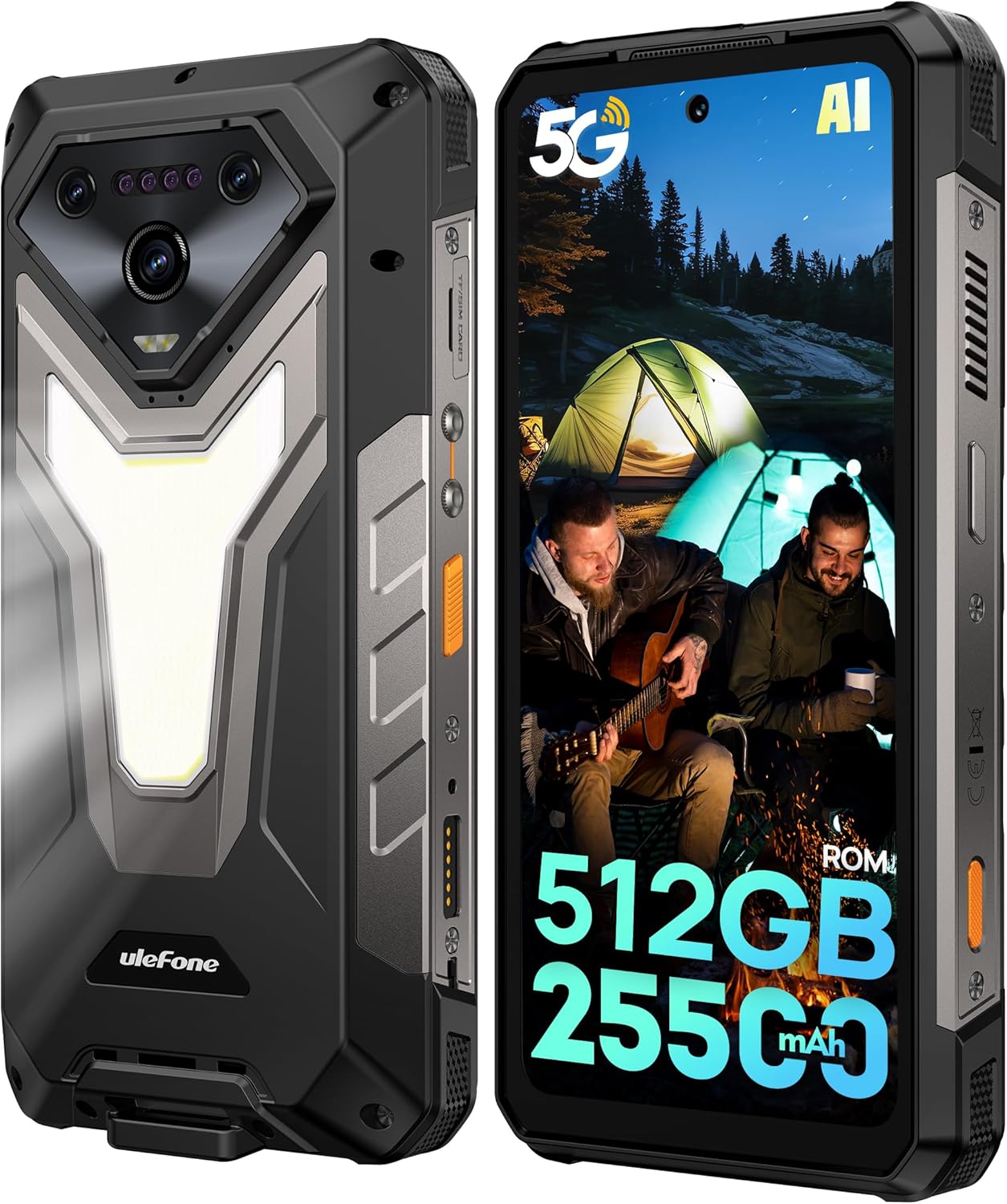
Зураг: Урд ба хойд view of the Ulefone Armor 34 5G Rugged Phone, highlighting its robust design and rear LED light panel.
2. Хайрцагт юу байна
Upon unboxing your Ulefone Armor 34, please verify that all the following items are included:
- Ulefone Armor 34 5G Rugged Phone
- 66W Power Charger
- USB-C мэдээллийн кабель
- Олон хэлний хэрэглэгчийн гарын авлага
- Charging Instruction Card
- Safety Prompt Card
- Баталгаат карт
- Шилэн дэлгэц хамгаалагч
- оосор
- SIM Needle
Video: Ulefone Armor 34 Pro Unboxing. This video demonstrates the contents of the retail package and the initial unboxing experience.
3. Тохиргоо
3.1 SIM/SD карт оруулах
- Утасны хажуу талд байгаа SIM картны тавиурыг олоорой.
- Insert the provided SIM needle into the small hole next to the tray to eject it.
- Place your Nano-SIM card(s) and/or microSD card into the tray according to the diagram.
- Тавиурыг утсандаа болгоомжтой буцааж оруулж, төхөөрөмжийн биетэй тэгш байгаа эсэхийг шалгаарай.
3.2 Асаах/унтраах
- To power on: Press and hold the Power button until the Ulefone logo appears.
- Унтраахын тулд: Асаах товчийг удаан дарж, сонголтуудаас "Асаах"-г сонгоно уу.
3.3 Анхны тохиргоо
Хэлний сонголт, Wi-Fi холболт, Google бүртгэлд нэвтрэх болон аюулгүй байдлын тохиргоо зэрэг анхны тохиргоог дуусгахын тулд дэлгэцэн дээрх зааврыг дагана уу.
4. Ашиглалтын заавар
4.1 Дэлгэц
The Armor 34 features a 6.95-inch FHD+ display with a 120Hz refresh rate, protected by Corning Gorilla Glass 5. Adjust brightness and display settings via the Settings menu.

Image: The Ulefone Armor 34 displaying vibrant content on its 6.95-inch FHD+ 120Hz screen.
4.2 Камерын систем
The phone is equipped with a versatile camera setup:
- Арын камерууд: 50MP Primary Sensor, 50MP Ultra-wide Sensor (117.3° FOV), 64MP Night Vision Camera with 4 IR LEDs.
- Урд камер: Selfie болон видео дуудлага хийхэд зориулсан 32MP.
Access various camera modes like Night Vision, Photo, Video, and more through the camera application.

Зураг: Нарийвчилсан view of the Ulefone Armor 34's triple rear camera module, including the 64MP Night Vision camera with IR LEDs, and examples of photos taken with the device.
4.3 Батерей ба цэнэглэх
The Armor 34 features a massive 25500mAh battery, supporting up to 10 days of standby time. It supports 66W fast charging for quick power-ups and 10W reverse charging, allowing the phone to act as a power bank for other devices.

Image: Visual representation of the Ulefone Armor 34's 25500mAh battery capacity, 66W fast charging, and 10W reverse charging capabilities, showing it charging a drone.
4.4 Ruggedness Features
The Armor 34 is built to endure. It is certified with IP68/IP69K ratings for water and dust resistance, and MIL-STD-810H for drop resistance, ensuring durability in challenging environments.
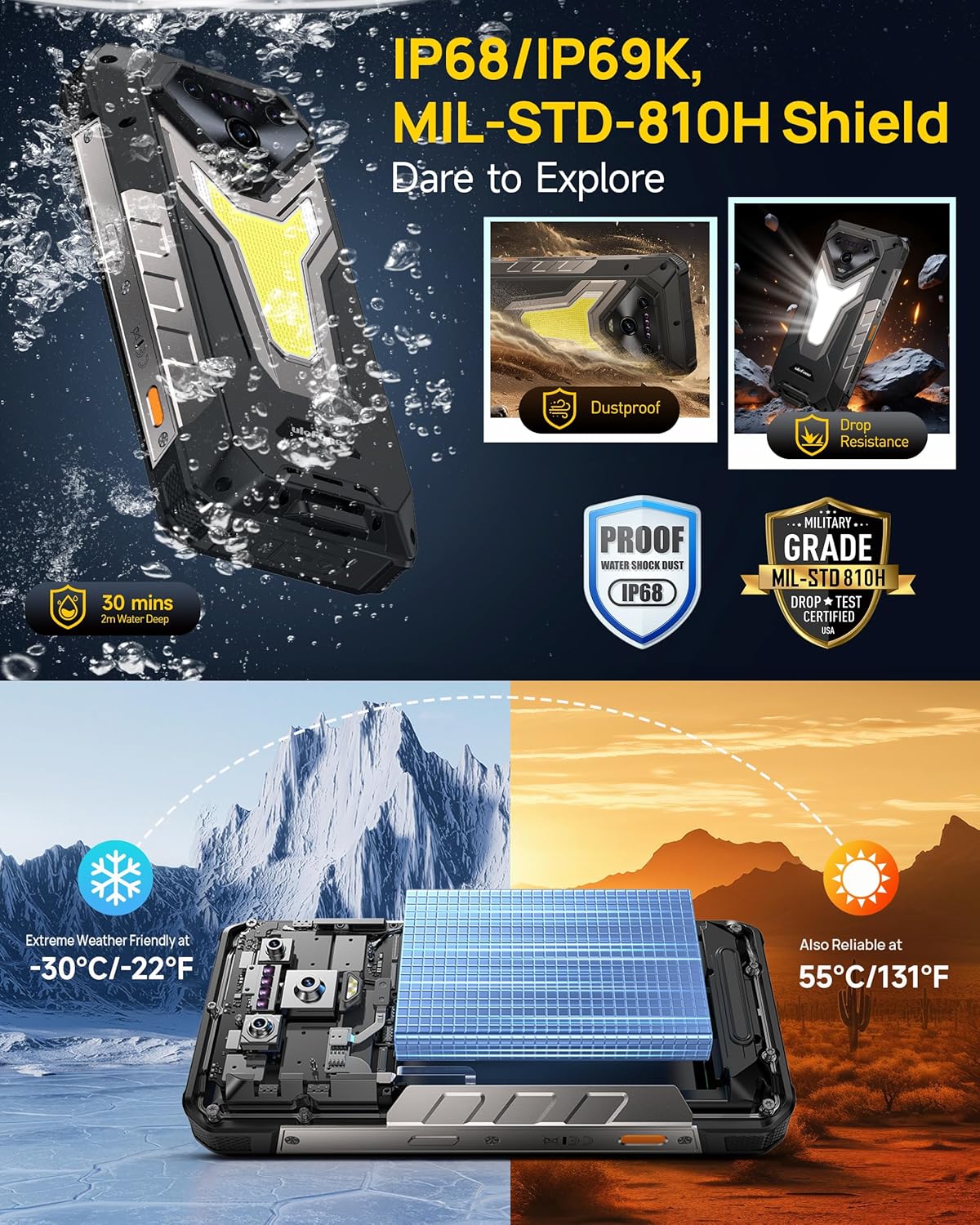
Image: The Ulefone Armor 34 submerged in water and being dropped, illustrating its IP68/IP69K and MIL-STD-810H certifications for water, dust, and drop resistance.
4.5 Versatile LED and Warning Lights
The device includes an 1100 Lumens camping light for illumination and red and blue warning lights for emergencies. These can be activated and controlled via the phone's interface.
Video: Ulefone Armor 34 Pro Versatile LED Light & Warning Light. This video demonstrates the functionality of the phone's integrated camping light and emergency warning lights.
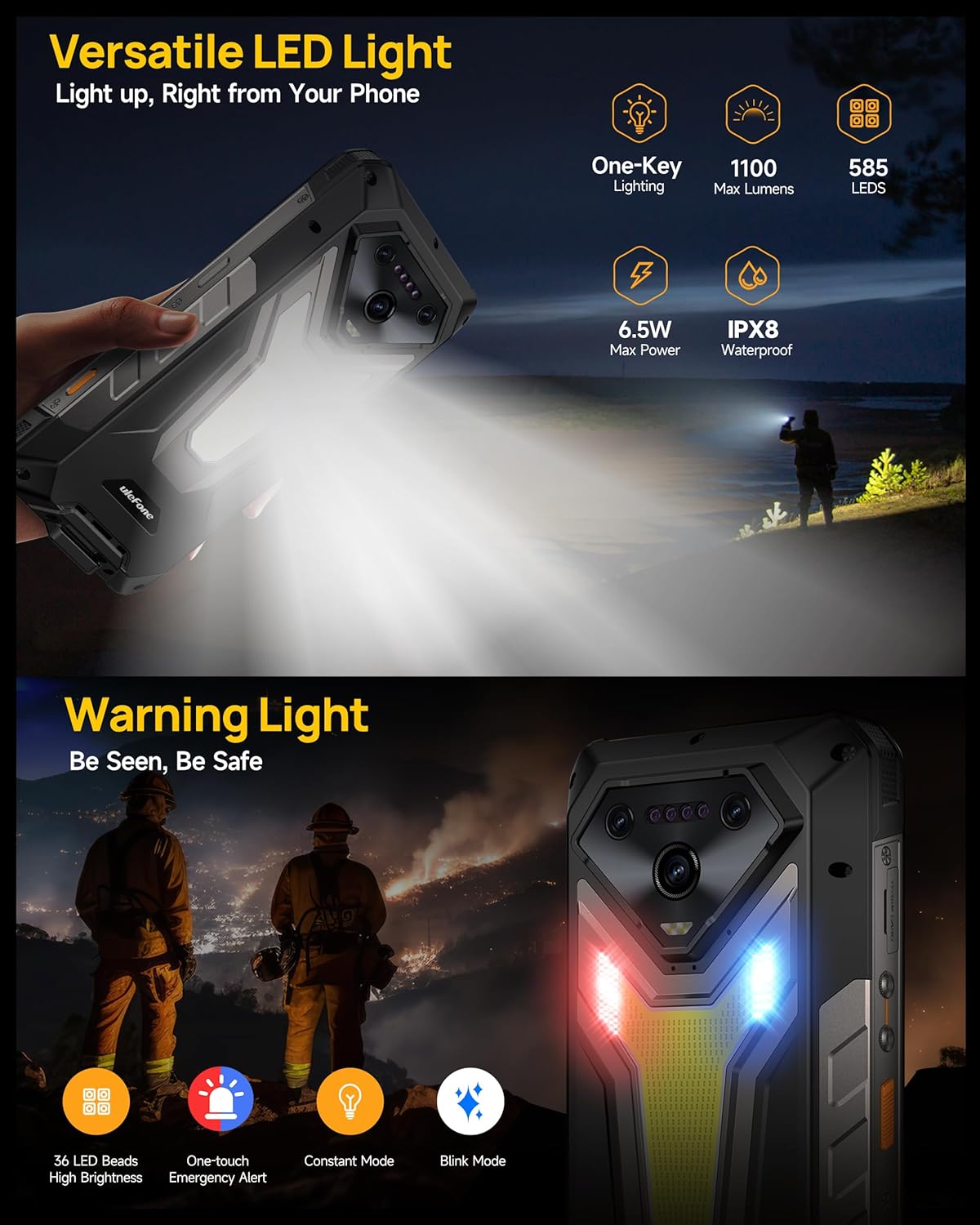
Image: The Ulefone Armor 34 showcasing its powerful 1100 Lumens camping light and the red and blue warning lights in action.
4.6 uSmart Expansion Connector
The uSmart Expansion Connector allows for integration with various external accessories, such as endoscopes and microscopes, enhancing the phone's utility for specialized tasks. These accessories are sold separately.
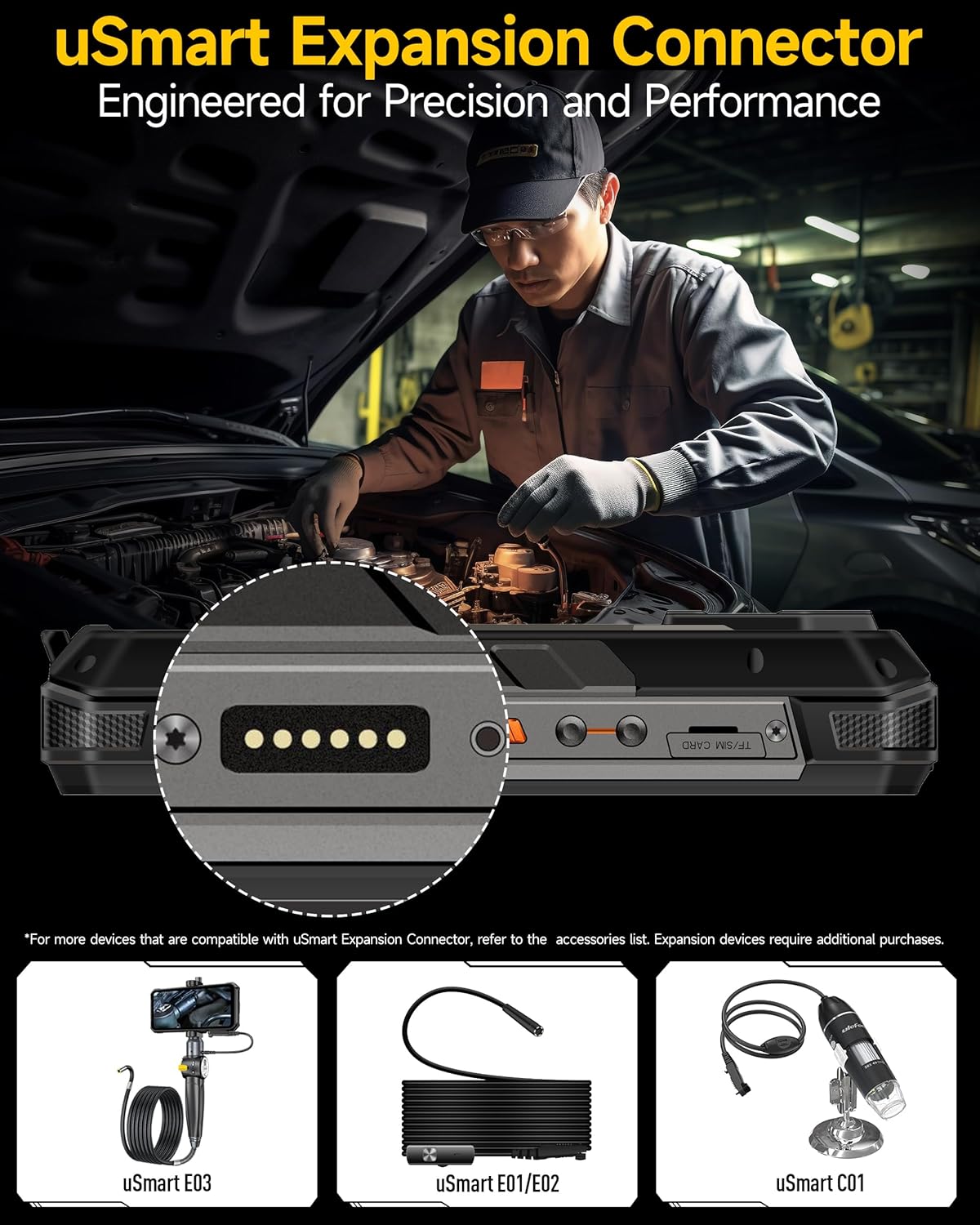
Image: A close-up of the Ulefone Armor 34's uSmart Expansion Connector, demonstrating its use with an external endoscope accessory.
Video: Ulefone Armor 34 Pro Accessory Ecosystem Showcase. This video highlights various accessories compatible with the uSmart Expansion Connector, such as the Molle Holster, Endoscope, and Microscope.
4.7 AI-ийн онцлогууд
Powered by the MediaTek Dimensity 7300 and MediaTek NPU 655, the Armor 34 offers enhanced AI performance, including AI Chat with Google Gemini and an AI Pet feature for interactive experiences.
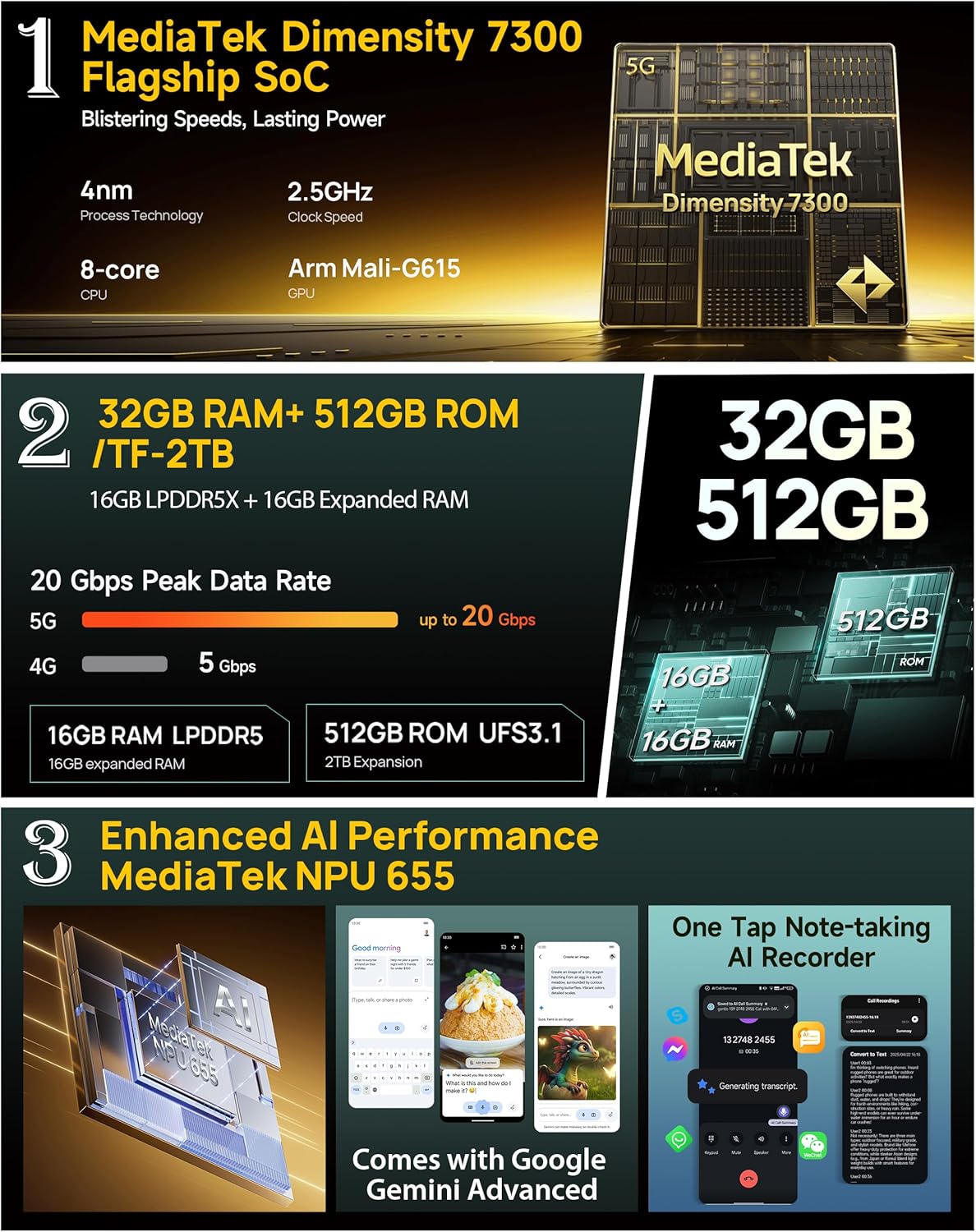
Image: Infographic detailing the MediaTek Dimensity 7300 processor, 32GB RAM, 512GB ROM, and enhanced AI performance with MediaTek NPU 655, including Google Gemini Advanced integration.
5. Техникийн үзүүлэлтүүд
| Онцлог | Тодорхойлолт |
|---|---|
| Брэнд | Ulefone |
| Загварын нэр | Хуяг 34 |
| Үйлдлийн систем | Android 15 |
| Суулгасан RAM санах ойн хэмжээ | 32 GB (16GB + 16GB adjustable) |
| Санах ойн хадгалах багтаамж | 512 ГБ (2 ТБ хүртэл өргөтгөх боломжтой) |
| CPU-ийн хурд | 2.5 GHz (MediaTek Dimensity 7300) |
| Дэлгэцийн хэмжээ | 6.95 инч |
| Шийдвэр | 4K |
| Сэргээх хурд | 120 Гц |
| Утасгүй зөөгч | Түгжээг тайлсан |
| Зайны багтаамж | 25500 мАч |
| Цэнэглэж байна | 66W Fast Charging, 10W Reverse Charging |
| Арын камер | 64MP Night Vision + 50MP Primary + 50MP Ultra-wide |
| Урд камер | 32 МП |
| Бат бөх байдал | IP68/IP69K, MIL-STD-810H Certified |
| Холболт | Global 5G Network, Dual SIM Dual Standby, Wi-Fi 6E |
| Бусад онцлог | 1100LM LED & Warning Light, uSmart Expansion Connector, Widevine L1, IR Blaster, Fingerprint Unlock, NFC, Headset-Free FM Radio, Custom Key, Outdoor Toolbox, 3-Card Slot, GPS + GLONASS + Beidou + Galileo, Gloves Mode |
6. Засвар үйлчилгээ
- Цэвэрлэгээ: Зөөлөн ашиглах, damp cloth to clean the phone. Avoid harsh chemicals or abrasive materials.
- Усны эсэргүүцэл: Ensure all port covers are securely closed before exposing the phone to water. After exposure to water, dry the phone thoroughly before charging or opening any ports.
- Температур: Avoid exposing the phone to extreme temperatures (very hot or very cold) for extended periods.
- Програм хангамжийн шинэчлэлтүүд: Тохиромжтой гүйцэтгэл, аюулгүй байдлыг хангахын тулд програм хангамжийн шинэчлэлтийг тогтмол шалгаж, суулгаарай.
7. Алдаа засах
7.1 Утас асахгүй байна
- Батерейг цэнэглэсэн эсэхийг шалгаарай. Утсаа цэнэглэгчдээ дор хаяж 10 минут холбоно уу.
- Асаах товчийг 10-15 секундын турш дарж дахин асаана уу.
7.2 Poor Network Signal
- SIM карт зөв оруулсан эсэхээ шалгана уу.
- Та сүлжээний хамрах хүрээтэй бүсэд байгаа эсэхээ шалгаарай.
- Утсаа дахин эхлүүлнэ үү.
7.3 Apps Crashing/Freezing
- Clear the cache and data of the problematic app in Settings > Apps.
- Програмыг устгаад дахин суулгана уу.
- Таны утасны программ хангамж шинэчлэгдсэн эсэхийг шалгаарай.
7.4 Water Damage (Despite Ratings)
While the phone is highly water-resistant, extreme conditions or improper sealing can lead to issues. If water enters the device, power it off immediately, dry it thoroughly, and seek professional assistance.
8. Баталгаат хугацаа ба дэмжлэг
The Ulefone Armor 34 comes with a 12-month manufacturer warranty service in the US. For any product-related inquiries, technical support, or warranty claims, please contact Ulefone customer service through their official webтөхөөрөмжийг худалдаж авсан сайт эсвэл жижиглэн худалдаачин.
Дэлгэрэнгүй нөхцөл, болзлыг дагалдах баталгаат картаас үзнэ үү.


