1. Танилцуулга
This manual provides essential instructions for the safe and efficient operation, maintenance, and troubleshooting of your Cecotec Conga Y80 X-Treme Robot Vacuum and Mop. Please read this manual thoroughly before using the product and retain it for future reference.
1.1 Аюулгүй ажиллагааны заавар
- Эхний ашиглахаасаа өмнө робот бүрэн цэнэглэгдсэн эсэхийг шалгаарай.
- Роботыг нойтон орчинд эсвэл шингэний ойролцоо ажиллуулж болохгүй.
- Keep loose cables, curtains, and small objects out of the robot's path to prevent entanglement.
- Робот ажиллаж байх үед хүүхэд, тэжээвэр амьтдыг хянах.
- Use only original accessories and replacement parts.
- Do not attempt to repair the robot yourself. Contact authorized service personnel.
2. Багцын агуулга
Бүх зүйл багцад байгаа эсэхийг шалгана уу:
- 1 x Cecotec Conga Y80 X-Treme Robot Vacuum and Mop
- 1 x Өөрөө хоослох суурь
- 1 x тэжээлийн адаптер
- 1 x Side Brush Set
- 1 x Main Brush (Silicone)
- 1 x Mop Cloth
- 1 x Усны сав
- 1 х цэвэрлэх хэрэгсэл
- 1 x Зааварчилгааны гарын авлага
3. Бүтээгдэхүүн дууссанview
3.1 Robot Components
The Conga Y80 X-Treme robot vacuum features advanced components for efficient cleaning and navigation.
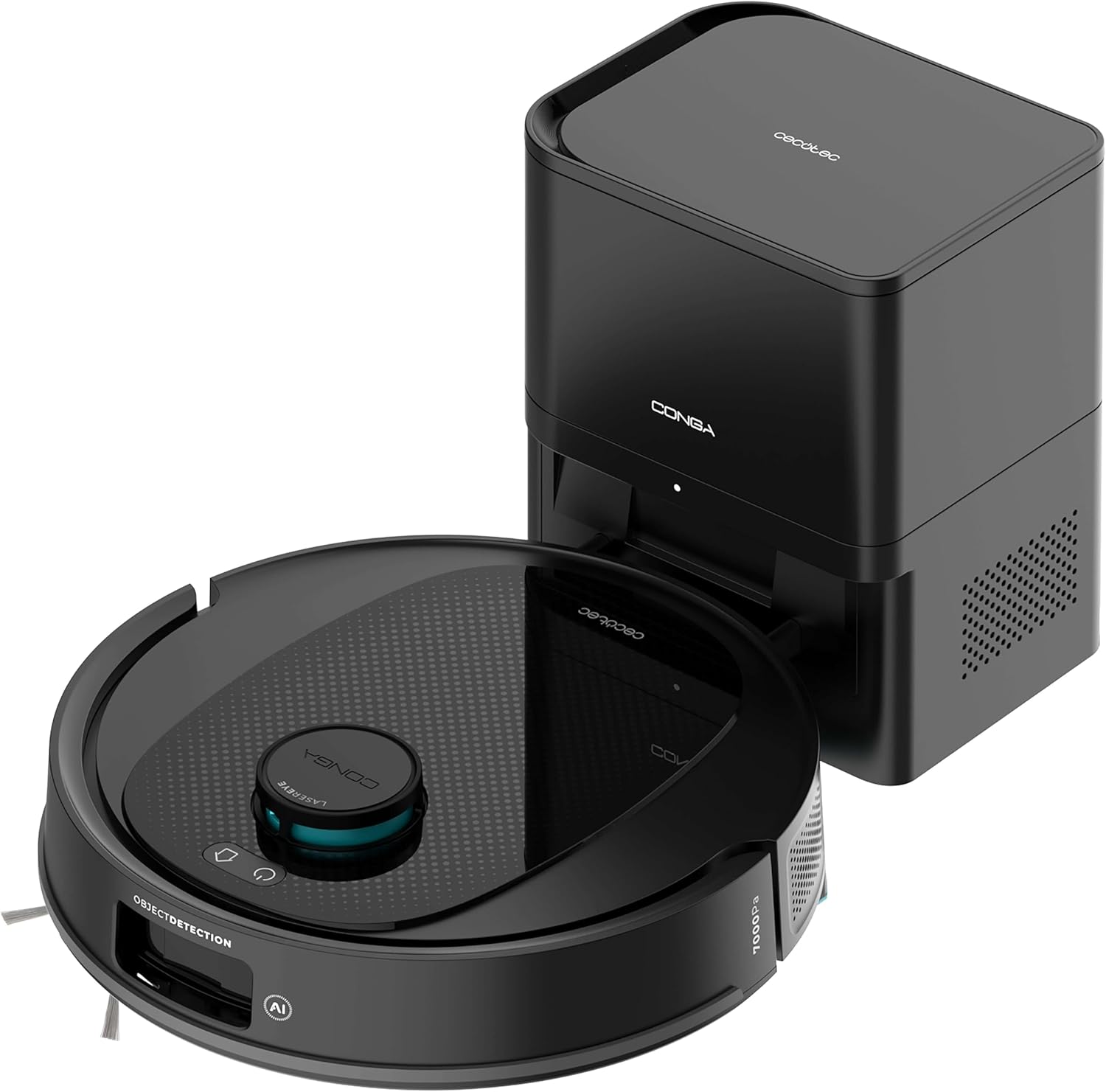
Зураг 3.1: The Cecotec Conga Y80 X-Treme robot vacuum cleaner alongside its self-emptying base.
- AI Laser Eye Navigation: Located on top, this system enables precise mapping and object detection.
- Хяналтын товчлуурууд: Power and Home buttons for basic operation.
- Хажуугийн сойз: Two rotating brushes to sweep debris from edges and corners.
- Main Brush (PetStyle): A silicone anti-tangle brush designed for effective pet hair collection.
- Дугуй: Төрөл бүрийн шалны төрлүүдээр хөдөлгөөн хийхэд зориулагдсан.
- Мэдрэгч: Cliff sensors, anti-collision sensors for safe operation.
- Тоосны сав: Integrated within the robot, automatically emptied by the base.
- Усны сав: For mopping functionality.

Зураг 3.2: Доод тал view of the robot, highlighting the main silicone brush and side brushes.
3.2 Self-Emptying Base
The self-emptying base automatically transfers collected dust and debris from the robot's internal bin into a larger 2.5L disposable bag, providing weeks of hands-free maintenance.

Зураг 3.3: The self-emptying base, illustrating the dust transfer process.
4. Тохиргоо
4.1 Цэнэглэх суурийн байршил
- Place the self-emptying base against a wall in an open area, ensuring at least 0.5 meters of clear space on both sides and 1.5 meters in front.
- Ensure the area is free from obstacles, direct sunlight, and heat sources.
- Цахилгаан адаптерийг сууринд холбож, цахилгаан залгуурт залгаарай.
4.2 Анхны цэнэглэлт
- Place the robot onto the charging contacts of the self-emptying base.
- Ensure the robot is properly aligned and the charging indicator light on the base illuminates.
- Allow the robot to charge completely before its first use (approximately 4-6 hours).
4.3 Програм суулгах ба холболт
- Download the "Cecotec Conga" App 3.0 from your smartphone's app store (iOS or Android).
- Register an account and follow the in-app instructions to add your Conga Y80 X-Treme robot.
- Амжилттай холболт хийхийн тулд Wi-Fi сүлжээгээ 2.4GHz байгаа эсэхийг шалгаарай.
5. Ашиглалтын заавар
5.1 Цэвэрлэгээг эхлүүлэх, зогсоох
- Эхлэх: Press the Power button on the robot or use the App to initiate a cleaning cycle.
- Түр зогсоох: Press the Power button during cleaning to pause.
- Үргэлжлэл: Press the Power button again to resume cleaning.
- Stop/Return to Base: Press the Home button on the robot or use the App to send the robot back to its charging base.
5.2 цэвэрлэх горим
The robot supports various cleaning modes:
- Автомат цэвэрлэгээ: The robot intelligently navigates and cleans the entire mapped area.
- Толбо цэвэрлэх: Тодорхой жижиг талбайг эрчимтэй цэвэрлэхэд роботыг чиглүүлдэг.
- Ирмэг цэвэрлэх: Хана болон тавилгын ирмэгийн дагуух цэвэрлэгээнд анхаарлаа хандуулдаг.
- Бүсийн цэвэрлэгээ: Define specific areas on the map via the App for targeted cleaning.
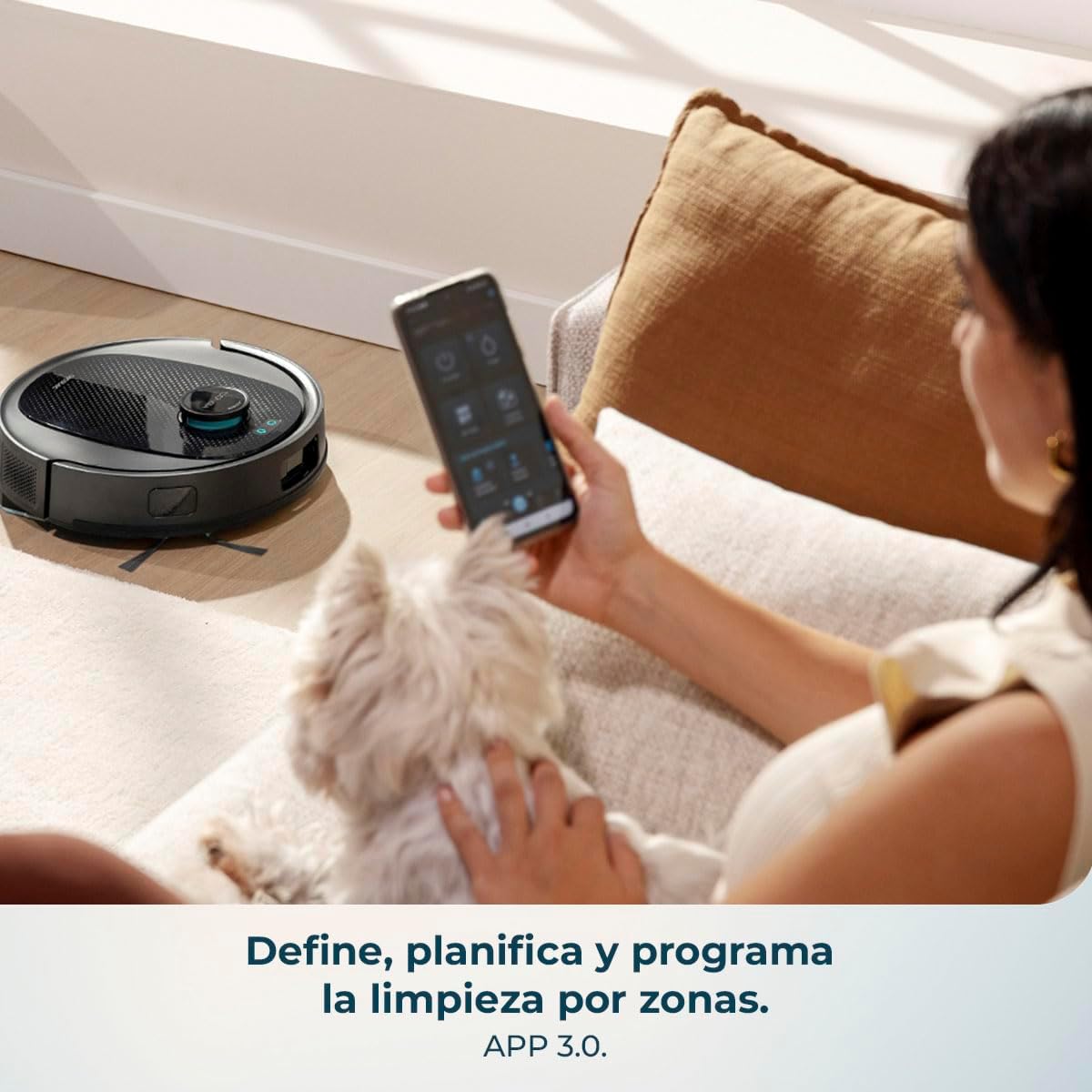
Зураг 5.1: Using the mobile application to define and program cleaning by zones.
5.3 Угаах функц
- Усны савыг цэвэр усаар дүүргэ. Угаалгын нунтаг болон хүчтэй химийн бодис бүү хэрэглэ.
- Шүүрний даавууг усны саванд найдвартай бэхлээрэй.
- Insert the water tank into the robot.
- Select the desired mopping mode and water flow level (low, medium, high) via the App.

Зураг 5.2: The robot performing a combined vacuum and mop cleaning on various floor surfaces.
5.4 Ухаалаг навигаци ба зураглал
The robot utilizes AI Laser Eye technology to create an interactive map of your home, allowing for efficient cleaning paths and object avoidance. You can view and manage this map through the App.

Зураг 5.3: The robot's AI Laser Eye navigation system detecting and avoiding obstacles.

Зураг 5.4: The mobile application displaying an interactive map for personalized cleaning.
6. Засвар үйлчилгээ
Тогтмол засвар үйлчилгээ нь таны роботын тоос сорогчийн ашиглалтын хугацааг уртасгаж, оновчтой гүйцэтгэлийг баталгаажуулдаг.
6.1 Өөрөө хоосолдог суурийн тоосны уутыг солих
- The 2.5L dust bag in the self-emptying base should be replaced when full, typically every few weeks depending on usage.
- Open the top cover of the base, remove the full bag, and insert a new one.
6.2 Cleaning the Main Brush (PetStyle)
- Turn the robot over and remove the main brush cover.
- Lift out the silicone brush.
- Оролцсон үс эсвэл хог хаягдлыг арилгахын тулд дагалдах цэвэрлэгээний хэрэгслийг ашиглаарай.
- Сойзоо буцааж оруулаад тагийг нь бэхлээрэй.

Зураг 6.1: The silicone anti-tangle brush, ideal for homes with pets.
6.3 Хажуугийн сойз цэвэрлэх
- Хажуугийн сойзнуудыг арилгахын тулд зөөлөн татна.
- Аливаа үс, хог хаягдлыг арилгана.
- Reattach the brushes, ensuring they click into place.
6.4 Шүүлтүүрийг цэвэрлэх
- Open the robot's dust bin and remove the filter assembly.
- Шүүлтүүрийг зөөлөн дарж тоосыг арилгана. HEPA шүүлтүүрийг усаар угааж болохгүй.
- Replace filters regularly (every 3-6 months) for optimal performance.
6.5 Мэдрэгч болон цэнэглэх контактуудыг цэвэрлэх
- Wipe all sensors (cliff sensors, anti-collision sensors) and charging contacts on both the robot and the base with a clean, dry cloth.
- This prevents navigation errors and ensures proper charging.
6.6 Усны сав болон шүүрний алчуурыг цэвэрлэх
- After each mopping session, empty any remaining water from the tank.
- Remove the mop cloth and wash it by hand or machine. Allow it to air dry completely before reattaching.
7. Алдаа засах
| Асуудал | Боломжит шалтгаан | Шийдэл |
|---|---|---|
| Робот асахгүй байна. | Батерей бага эсвэл цэнэглэгдээгүй. | Роботыг цэнэглэгч суурь дээр байрлуулж, бүрэн цэнэглэгдсэн эсэхийг шалгаарай. |
| Робот цэнэглэх суурийг олж чадахгүй байна. | Суурь нь бөглөрсөн эсвэл хэт хол байна. | Ensure the base is in an open area and free from obstacles. Manually place the robot on the base if necessary. |
| Сорох чадвар муу. | Full dust bin, clogged filters, or tangled brushes. | Empty the dust bin, clean or replace filters, and clean the main and side brushes. |
| Робот байнга гацдаг. | Сул кабель, жижиг объектууд эсвэл тэгш бус гадаргуу. | Clear the cleaning area of obstacles. Use virtual walls or no-go zones via the App if available. |
| Цэвэрлэх функц үр дүнгүй байна. | Empty water tank or dirty mop cloth. | Refill the water tank and clean or replace the mop cloth. Ensure correct water flow setting in the App. |
| Апп холболтын асуудал. | Incorrect Wi-Fi, router issues, or app glitch. | Ensure 2.4GHz Wi-Fi. Restart router, robot, and app. Re-pair the device if necessary. |
8. Техникийн үзүүлэлтүүд
| Онцлог | Дэлгэрэнгүй |
|---|---|
| Брэнд | Cecotec |
| Загварын нэр | Conga Y80 X-Treme |
| Загварын дугаар | A01_EU01_119668 |
| Өнгө | Хар |
| Бүтээгдэхүүний хэмжээс (Робот) | Ойролцоогоор 37.2 x 42 x 42 см |
| Бүтээгдэхүүний жин | 5.3 кг |
| Dust Bag Capacity (Base) | 2.5 литр |
| Ботьtage | 240 вольт |
| Эрчим хүчний эх үүсвэр | Батерей |
| Батерей багтсан | Тиймээ |
| Онцлог шинж чанарууд | Self-emptying, AI Laser Eye Navigation, Mopping Function |
| Тохиромжтой төхөөрөмжүүд | Smartphones (via Cecotec Conga App 3.0) |
| Сорох хүч | 13000 Па |
| Хамгийн их цэвэрлэгээний талбай | 220 м² хүртэл |
9. Баталгаат хугацаа ба дэмжлэг
For warranty information, technical support, or service requests, please refer to the official Cecotec webсайт эсвэл харилцагчийн үйлчилгээтэй шууд холбогдоно уу. Худалдан авалтын баримтаа худалдан авалтын баталгаа болгон хадгалаарай.


