Tecno Spark GO 5G Smartphone User Manual
Загвар: KM8
1. Эхлэл
1.1. Хайрцагт юу байна
Upon unboxing your Tecno Spark GO 5G, ensure all components are present:
- Tecno Spark GO 5G Smartphone
- Хамгаалалтын утасны хайрцаг
- Эрчим хүчний адаптер
- USB кабель
- SIM тавиурыг гаргагч

The retail package includes the Tecno Spark GO 5G smartphone, a protective phone case, a power adapter for charging, a USB cable, and a SIM tray ejector tool.
1.2. Төхөөрөмж дууссанview
Familiarize yourself with the physical layout of your Tecno Spark GO 5G.

This image shows the Tecno Spark GO 5G smartphone in Ink Black, highlighting its sleek design and dual camera setup on the rear.
1.3. SIM картыг хийж, асааж байна
- Төхөөрөмжийн хажуу талд байгаа SIM картны тавиурыг олоорой.
- SIM тавиурыг гадагшлуулах хэрэгслийг тавиурын хажуугийн жижиг нүхэнд хийж, тавиур гарч иртэл зөөлөн дарна уу.
- Nano-SIM карт(ууд) ба/эсвэл microSD картыг тавиур дээр алтан контактуудыг доош харуулан байрлуул.
- Тавиурыг утсандаа болгоомжтой оруулаарай.
- Press and hold the Power button (usually on the right side) until the Tecno logo appears.
- Follow the on-screen instructions to complete the initial setup, including language selection and Wi-Fi connection.
1.4. Батерейг цэнэглэж байна
Before first use, it is recommended to fully charge the device. Connect the USB cable to the power adapter and then to your phone's charging port. Plug the adapter into a power outlet. The battery indicator on the screen will show charging progress.
The image prominently displays the 6000mAh battery capacity of the Tecno Spark GO 5G, indicating long-lasting power.
2. Төхөөрөмжөө ажиллуулах
2.1. Үндсэн навигаци
Your Tecno Spark GO 5G features a responsive touchscreen for interaction. Use gestures such as tapping, swiping, pinching, and spreading to navigate the interface.

A close-up of the Tecno Spark GO 5G's display, illustrating the vibrant user interface and screen layout.
2.2. Холболт
- Wi-Fi: Боломжтой сүлжээнд холбогдохын тулд Тохиргоо > Сүлжээ ба интернет > Wi-Fi руу очно уу.
- Bluetooth: Бусад Bluetooth төхөөрөмжтэй хослуулахын тулд Тохиргоо > Холбогдсон төхөөрөмжүүд > Bluetooth руу очно уу.
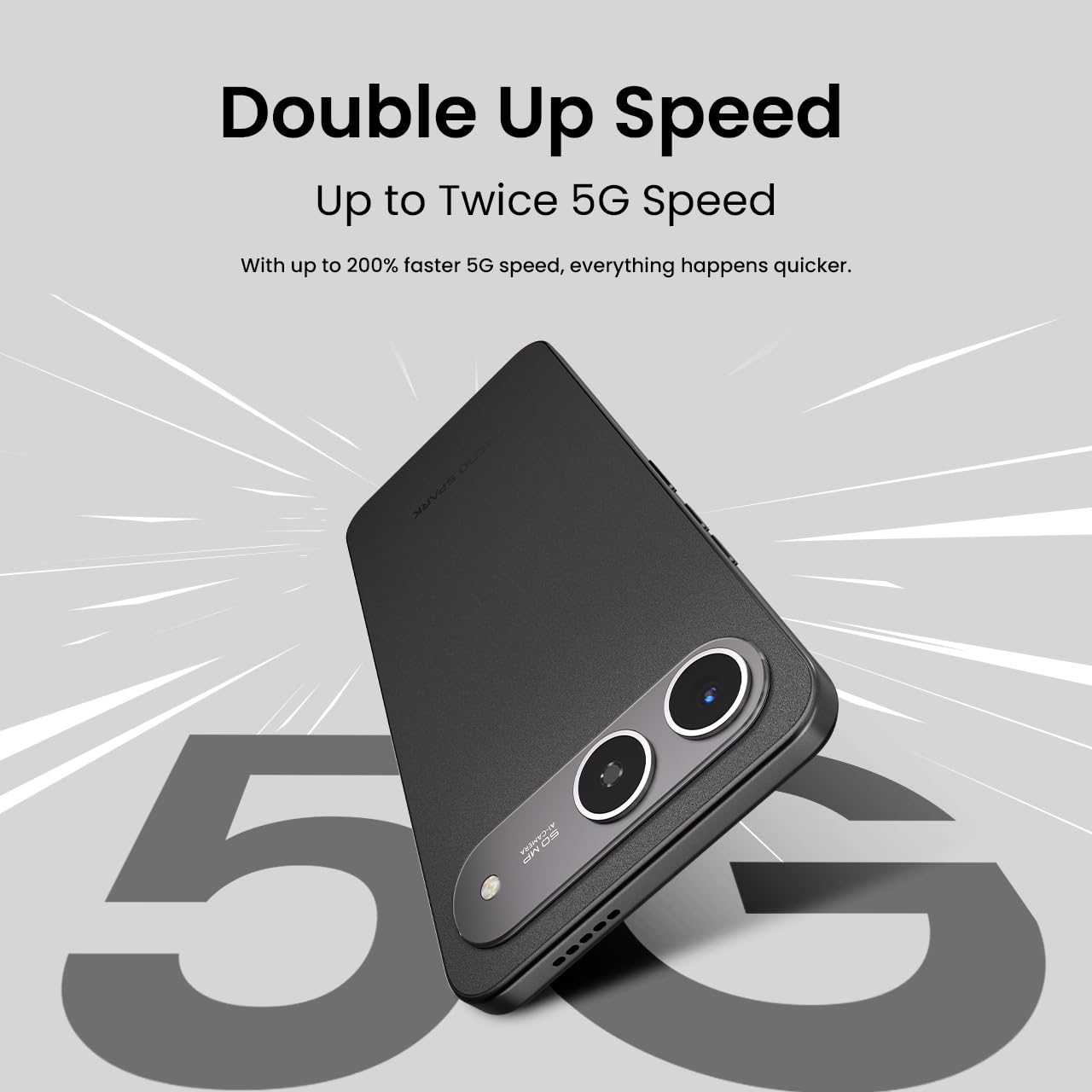
- 5G сүлжээ: The device supports 5G Carrier Aggregation for enhanced speed and signal strength.

This image emphasizes the smartphone's capability for up to double 5G speed, indicating enhanced network performance.

The image illustrates the 4x4 MIMO technology integrated into the Tecno Spark GO 5G, which uses four antennas for faster and stronger network connectivity.
2.3. Камерын функцууд
The Tecno Spark GO 5G is equipped with a 50MP AI Camera. Open the Camera app from your home screen or app drawer. Select different modes like Photo, Video, Portrait, or Night mode. Tap the shutter button to capture images or start/stop video recording.

Нарийвчилсан view of the Tecno Spark GO 5G's 50MP AI Camera, designed for capturing high-resolution images.
2.4. Ella AI Features
Your device includes Ella AI with support for Indian languages, enhancing daily tasks and interactions.
- Дуут дэмжлэг: Use voice commands in supported Indian languages for various tasks.
- Хайх тойрог: Draw a circle around any object or text on your screen to initiate a search.
- AI Writing Assistant: Utilize AI to help draft messages, emails, or other text content.
A visual representation of the Ella AI interface on the Tecno Spark GO 5G, showcasing its support for various Indian languages.

This image demonstrates Ella AI's productivity tools, such as 'Circle to Search' for quick information retrieval and an 'AI Writing Assistant' for drafting content.
3. Засвар үйлчилгээ, арчилгаа
3.1. Төхөөрөмжөө цэвэрлэж байна
Утасныхаа дэлгэц болон их биеийг цэвэрлэхдээ зөөлөн, хөвөнгүй даавуу ашиглаарай. Өнгөцийг гэмтээж болзошгүй хүчтэй химийн бодис эсвэл зүлгүүрийн материал хэрэглэхээс зайлсхий.
3.2. Зайны арчилгаа
To prolong battery life, avoid exposing your phone to extreme temperatures. It is generally recommended to keep the battery charge between 20% and 80% for optimal longevity. The 6000mAh battery is designed for extended use.
3.3. Програм хангамжийн шинэчлэлтүүд
Төхөөрөмждөө хамгийн сүүлийн үеийн функцууд, аюулгүй байдлын нөхөөсүүд болон гүйцэтгэлийн сайжруулалт байгаа эсэхийг шалгахын тулд програм хангамжийн шинэчлэлтүүдийг тогтмол шалгаж, суулгаарай. Тохиргоо > Систем > Системийн шинэчлэлт рүү очно уу.
3.4. Тоос, усны эсэргүүцэл
The Tecno Spark GO 5G has an IP64 rating, meaning it is resistant to dust ingress and splashes of water. While it can withstand splashes, it is not designed for submersion in water. Avoid intentional exposure to water or dust.

This image visually represents the IP64 rating of the Tecno Spark GO 5G, signifying its resistance to dust and water splashes.
4. Алдаа засах
Хэрэв танд төхөөрөмжид асуудал тулгарвал дараах нийтлэг алдааг олж засварлах алхмуудыг хийж үзээрэй.
- Төхөөрөмж асахгүй байна: Ensure the battery is charged. Connect the phone to its charger and wait a few minutes before attempting to power it on again.
- Аппликейшнүүд гацаж эсвэл хөлдөж байна: Close the problematic app and reopen it. If the issue persists, restart your phone. You can also clear the app's cache or data via Settings > Apps > [App Name] > Storage.
- Сүлжээний холболтын асуудлууд: Check if Airplane Mode is off. Restart your phone. Verify your SIM card is properly inserted. If using Wi-Fi, restart your router.
- Удаан гүйцэтгэл: Ашиглагдаагүй аппликейшнуудыг хаах. Кэш болон түр зуурын зүйлсийг цэвэрлэх files. Consider uninstalling apps you no longer use.
- Үйлдвэрийн анхны байдал: As a last resort, if software issues persist, you may perform a factory reset. This will erase all data on your phone, so back up important information first. Go to Settings > System > Reset options > Erase all data (factory reset).
5. Техникийн үзүүлэлтүүд
Key technical specifications for the Tecno Spark GO 5G (Model: KM8):
| Онцлог | Тодорхойлолт |
|---|---|
| Үйлдлийн систем | Android 15 |
| Загварын дугаар | KM8 |
| Бүтээгдэхүүний хэмжээс | 16.8 x 7.8 x 0.8 см |
| Зүйлийн жин | 194 гр |
| Зайны чадлын үнэлгээ | 6000 мАч |
| Суулгасан RAM санах ойн хэмжээ | 4 GB (up to 8GB with Memory Fusion) |
| Дотоод санах ой | 128 GB ROM |
| CPU загвар | MediaTek D6400 5G Processor |
| CPU-ийн хурд | 3.4 GHz |
| Холболтын технологиуд | Bluetooth, Infrared, USB, Wi-Fi |
| Бусад дэлгэцийн онцлогууд | Утасгүй |
| Төхөөрөмжийн интерфейс - Анхдагч | Мэдрэгчтэй дэлгэц |
| Аудио залгуур | Чихэвчний залгуур байхгүй |
| Form Factor | Хүрэх |
| Өнгө | Хар бэх |
| Үйлдвэрлэгч | G Mobiles India |
| Гарал үүслийн улс | Энэтхэг |

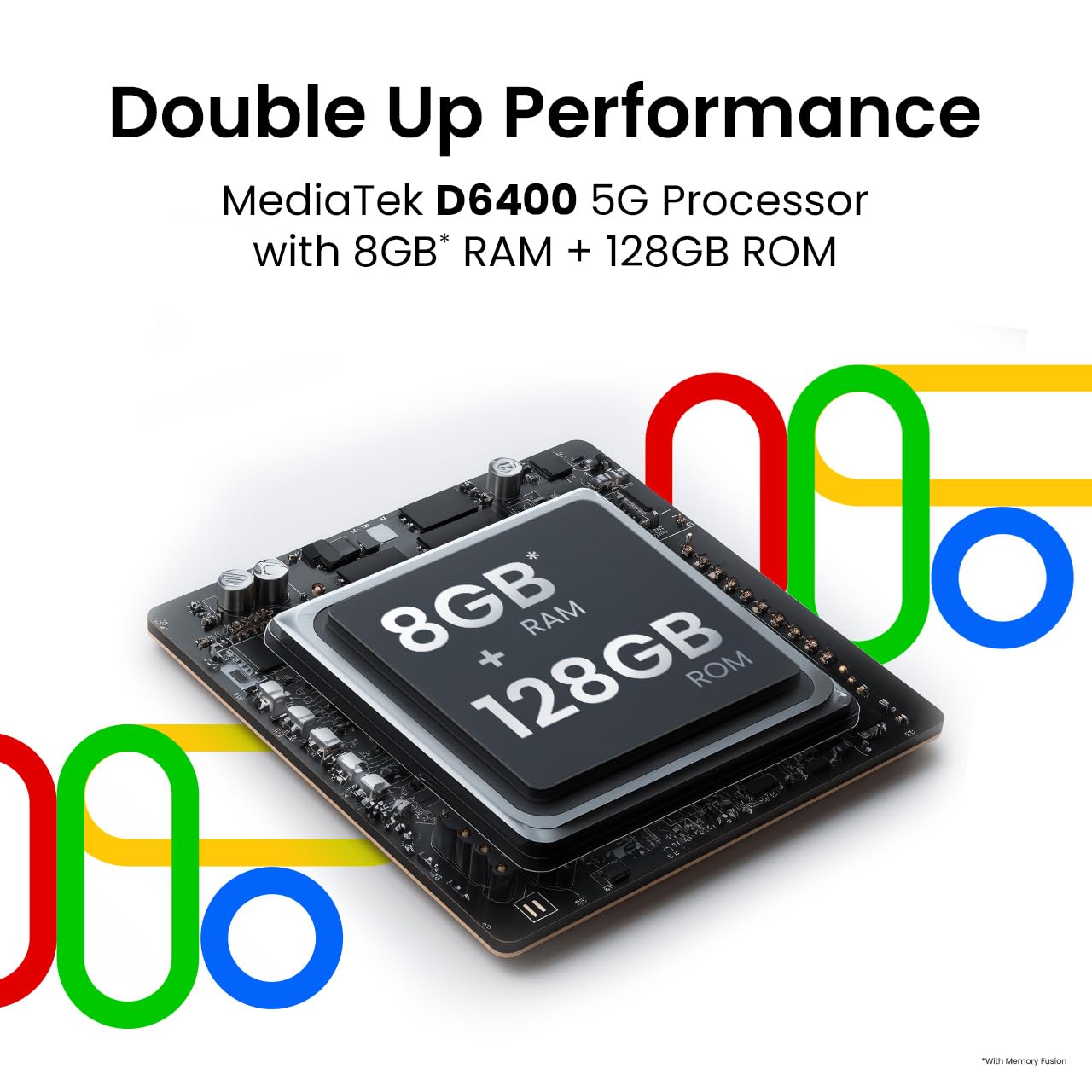
This image highlights the MediaTek D6400 5G Processor, 8GB RAM (with Memory Fusion), and 128GB ROM of the Tecno Spark GO 5G.

This image highlights the Tecno Spark GO 5G's slim 7.99mm body and light 194g weight, emphasizing its ergonomic design.
6. Баталгаат хугацаа ба дэмжлэг
6.1. Баталгаат хугацааны мэдээлэл
Your Tecno Spark GO 5G smartphone comes with a manufacturer's warranty. Please refer to the warranty card included in your product packaging or visit the official Tecno webбаталгаат хугацаа, үргэлжлэх хугацаа, үйлчилгээний журамтай холбоотой нарийвчилсан нөхцөл, болзлыг сайтаас авна уу. Баталгаат нэхэмжлэл гаргахын тулд худалдан авалтаа нотлох баримтаа хадгалаарай.
6.2. Хэрэглэгчийн дэмжлэг
For further assistance, technical support, or service inquiries, please contact Tecno customer support. You can find contact details, FAQs, and service center locations on the official Tecno webсайт: Tecno Mobile India.


