1. Танилцуулга
This manual provides comprehensive instructions for setting up, installing, operating, and troubleshooting your Arlo Essential Pan Tilt Security Camera 2K. This wired outdoor camera offers 2K video resolution, 360° pan, and 180° tilt capabilities for extensive coverage. It includes features like automatic motion tracking, person recognition, package detection, and advanced audio detection to enhance your home security.
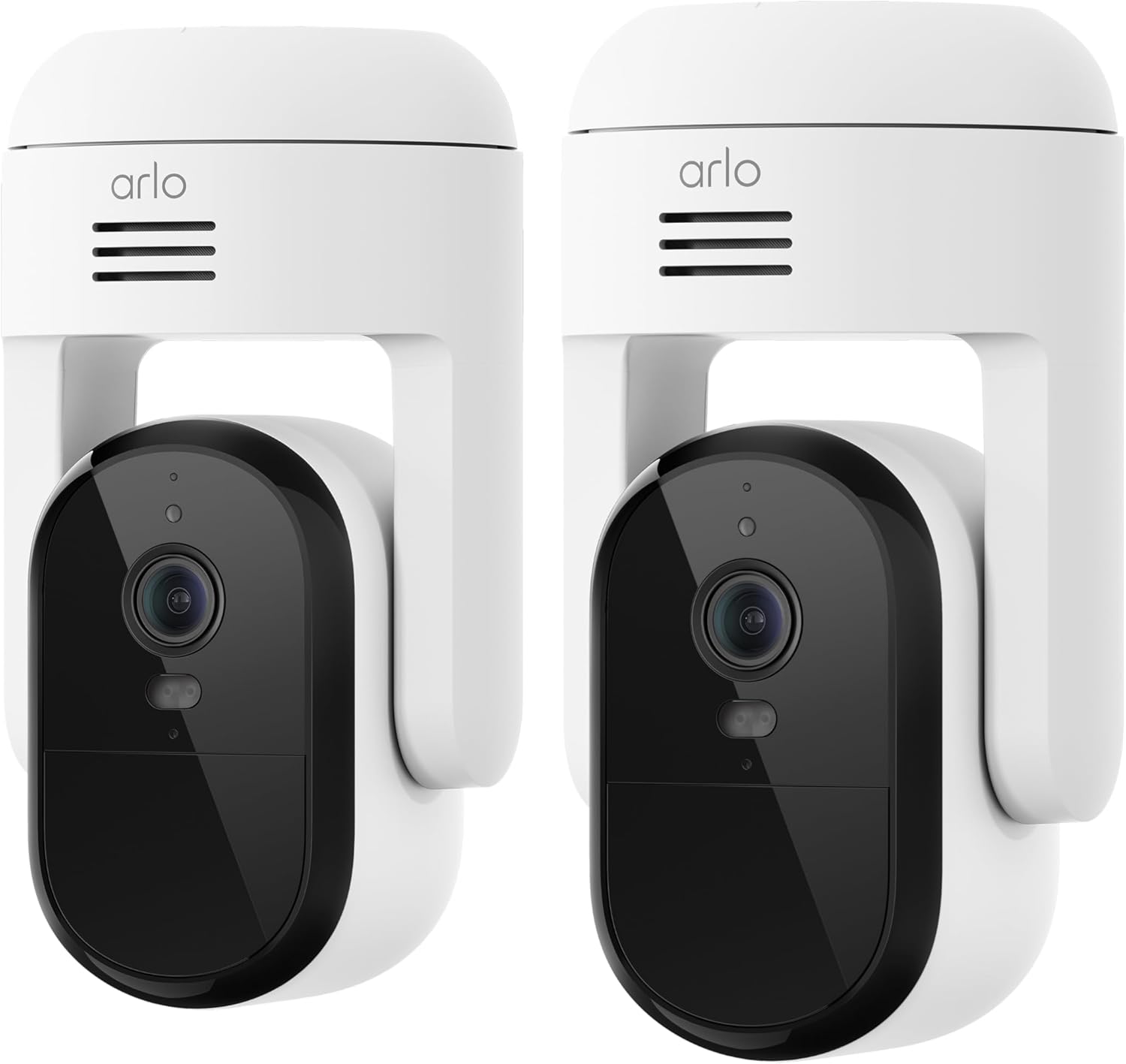
Image: Two Arlo Essential Pan Tilt Security Cameras, illustrating the product design.
2. Хайрцагт юу байна
Your Arlo Essential Pan Tilt Security Camera 2K package includes the following components:
- Arlo Essential Pan Tilt Security Camera 2K
- Wall Mount (L-bracket)
- Суурилуулах эрэг ба ханын зангуу
- Power Adapter with 16 ft (4.8 m) Power Cable
- Түргэн эхлүүлэх гарын авлага
Видео: Танилцуулгаview of the Arlo Essential Pan Tilt Camera, highlighting its key features and components.
3. Тохируулах гарын авлага
Follow these steps to set up your Arlo Essential Pan Tilt Security Camera 2K:
- Arlo Secure програмыг татаж авах: Download the Arlo Secure app from your device's app store. Create an account or log in if you already have one.
- Power On and Sync: Bring your camera to the desired mounting spot. Plug in the camera. Press and hold the sync button on top of the camera for up to 3 seconds until the LED flashes blue. The app should detect and connect to your camera.
- Wi-Fi-д холбогдох: The app will guide you to connect your camera to your home Wi-Fi network. Ensure you have your Wi-Fi password ready.
- Камераа нэрлэ: Assign a descriptive name to your camera (e.g., "Front Porch Camera").
- Програм хангамжийн шинэчлэлтүүд: Allow the app to check for and install any available firmware updates. This process may take a few minutes.
Video: A detailed how-to guide for setting up and installing the Arlo Essential Pan Tilt Camera.
4. Суурилуулалт
Before permanent installation, test your chosen spot for optimal Wi-Fi signal strength and a clear line of sight using the Arlo Secure app.
4.1 Хананд суурилуулах
- Identify the nearest power outlet. If the outlet is below the camera's mounting position, feed the power cable through the channel in the back of the L-bracket. Ensure enough slack to easily plug in the camera later.
- Install the L-bracket using the included screws and wall anchors. Make sure the arrow on the bracket points in the direction the camera lens will face.
- Connect the camera to the L-bracket. Start with the camera toward the back of the mount, then slide it forward until it clicks securely into place.
4.2 Таазны бэхэлгээ
- Anchor the circular mounting plate to the ceiling using the included hardware. Ensure the arrow on the plate points in the direction the camera lens will ultimately face.
- Align your camera's base so that the arrow on the bottom points the same way as the one on the mounting plate.
- Камераа байрандаа найдвартай товших хүртэл урагш гулсуулна уу.
Once the camera is securely mounted, plug it in and allow it to power up. The camera will automatically rotate to calibrate its range of motion.
5. Ашиглалтын заавар
Your Arlo Essential Pan Tilt Security Camera 2K offers a range of features for comprehensive surveillance:
- Пан & хазайлт: Control the camera's 360° pan and 180° tilt remotely via the Arlo Secure app to monitor every corner of your property.
- 2K Video & Night Vision: Enjoy crystal-clear 2K video resolution. Color Night Vision and an integrated spotlight provide clear visibility even in low-light conditions.
- Автомат хөдөлгөөн хянах: The camera automatically tracks and follows subjects within its field of view, ensuring no movement goes unnoticed.
- Ухаалаг илрүүлэлт: With an Arlo Secure plan, receive intelligent alerts for person, vehicle, package, and animal recognition, reducing false alarms.
- Дэвшилтэт аудио илрүүлэлт: Detect critical sounds like glass breaking, dog barking, or gunshots, and receive immediate alerts.
- 2-Way Audio & Siren: Communicate with visitors or deter intruders using the noise-canceling 2-way audio. Activate the integrated siren remotely to scare off unwanted guests.
- Ухаалаг гэрийн интеграци: The camera works seamlessly with Amazon Alexa, Google Home, Samsung SmartThings, and IFTTT for integrated smart home control.
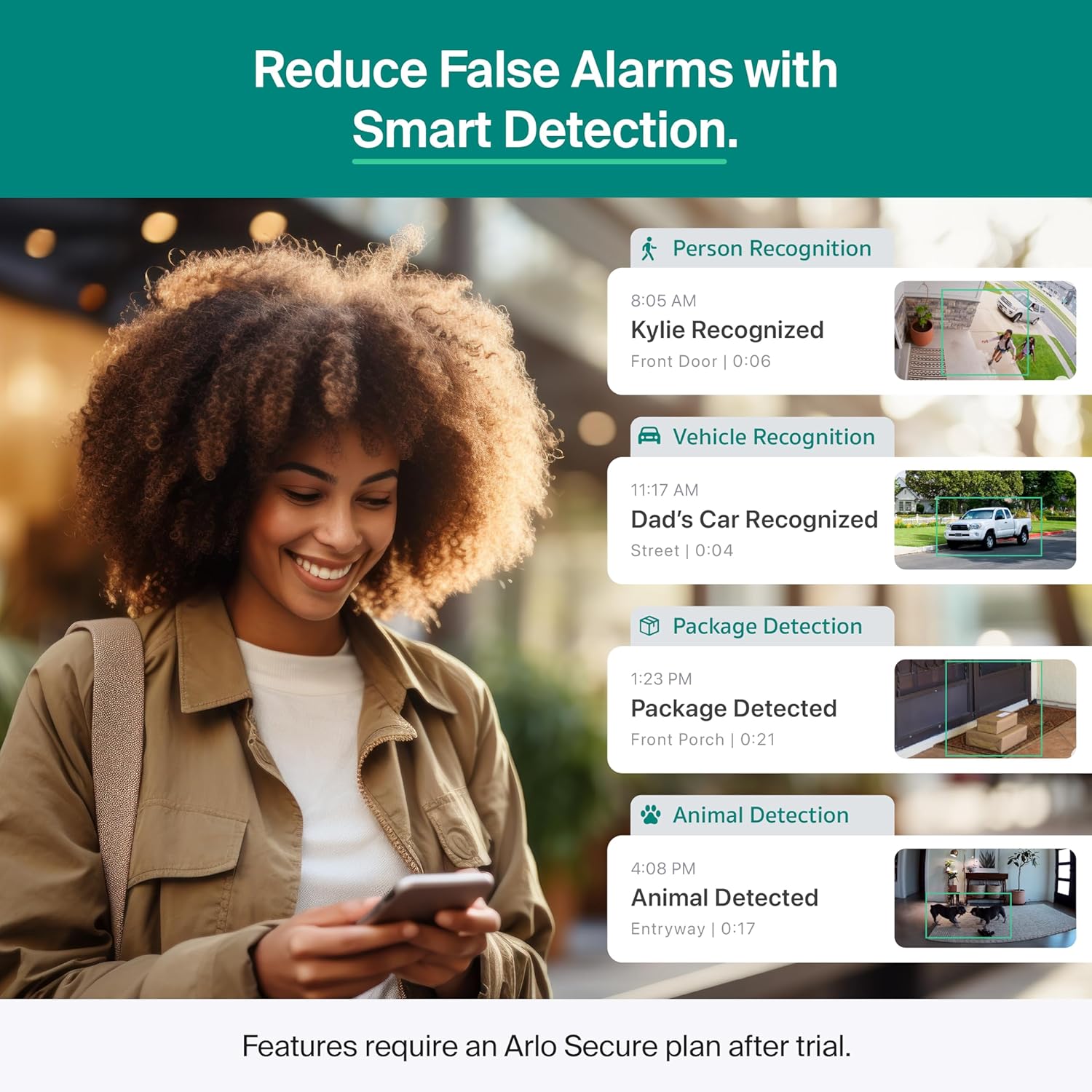
Image: The Arlo Secure App displaying various smart detection alerts, including person, vehicle, package, and animal recognition.

Image: The Arlo Secure App illustrating advanced audio detection capabilities, with alerts for various critical sounds.
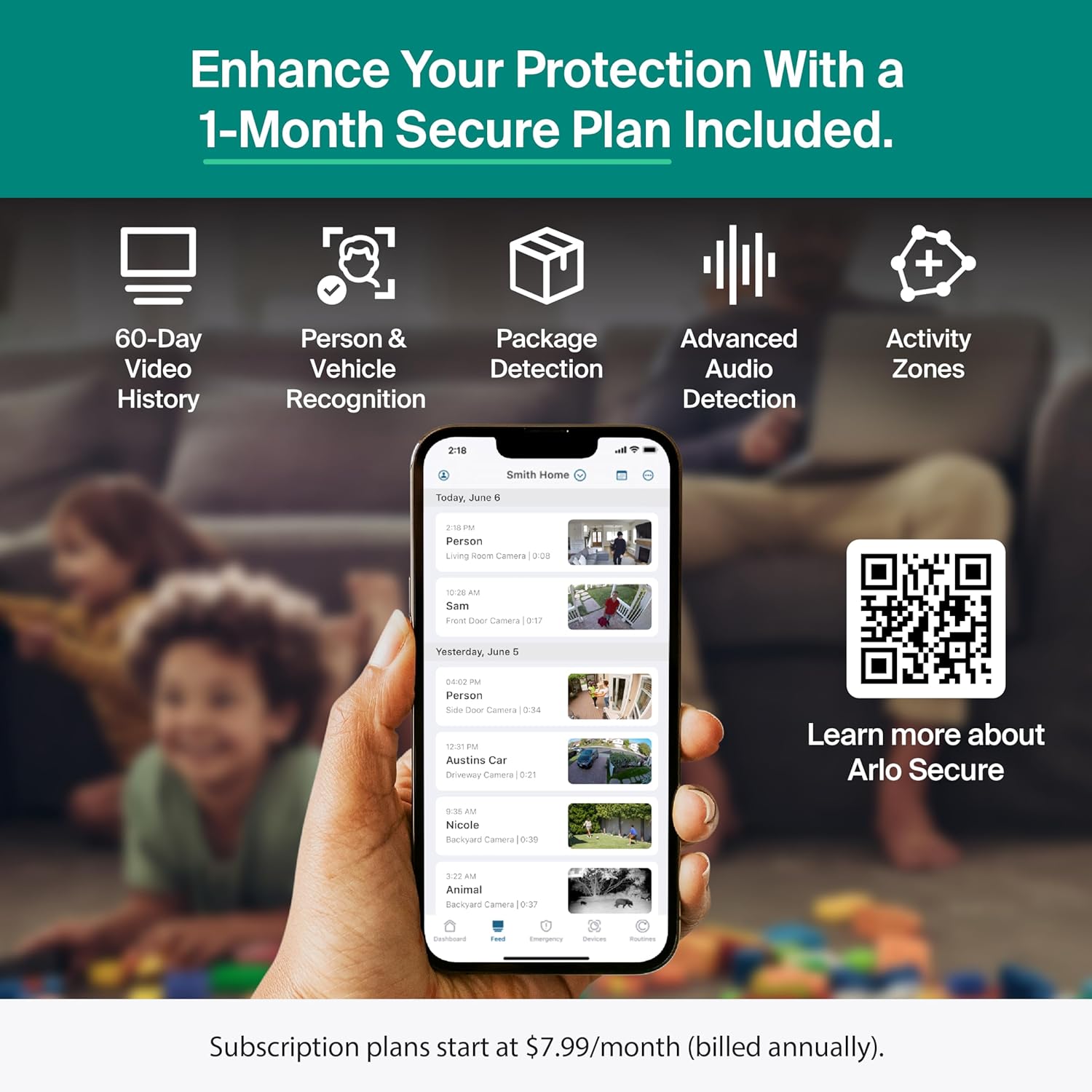
Зураг: Дууслааview of features included with the Arlo Secure Plan, such as 60-day video history and various detection capabilities. For more information, visit arlo.com/arlo-secure-retail.
6. Засвар үйлчилгээ
To ensure optimal performance and longevity of your Arlo Essential Pan Tilt Security Camera 2K, consider the following maintenance tips:
- Линзийг цэвэрлэх: Regularly wipe the camera lens with a soft, lint-free cloth to ensure clear image quality. Avoid abrasive cleaners.
- Цахилгааны холболтыг шалгах: Periodically verify that the power cable is securely connected to the camera and the power outlet.
- Програм хангамжийн шинэчлэлтүүд: Keep your camera's firmware updated through the Arlo Secure app to benefit from the latest features and security enhancements.
- Биеийн үзлэг: Inspect the camera and its mount for any signs of wear or damage, especially after severe weather conditions.
7. Алдаа засах
If you encounter issues with your Arlo Essential Pan Tilt Security Camera 2K, refer to these troubleshooting tips:
7.1 App Setup Issues
- Incorrect Model Selection: Ensure you select "Pan Tilt Security Camera" under "Plug-In Cameras" in the Essential Series during setup, not the indoor version.
- Bluetooth Permissions: Verify that Bluetooth is enabled on your phone and that the Arlo Secure app has Bluetooth permissions in your phone's settings.
7.2 Wi-Fi холболтын асуудал
- Password Accuracy: Double-check your Wi-Fi network name and password. Special characters or incorrect capitalization can cause connection failures. Use the "Locate My Password" feature in the app if needed.
- Дохионы хүч: Ensure your camera is within a strong Wi-Fi signal range. Walls or distance from your router can weaken the signal. Check the Wi-Fi strength indicator in the Arlo app.
7.3 Motion Detection & Notifications
- Камер байрлуулах: Motion sensors are most effective in the lower two-thirds of the frame. Position your camera to capture movement in the relevant areas.
- Шилэнээс зайлсхий: Do not aim your camera through glass, as it can interfere with motion detection sensors.
- Too Many Notifications: If you have an Arlo Secure plan, use the "Zones" feature in your camera settings to customize activity zones, ensuring you only receive alerts for desired areas.
- Мэдэгдлийг хаах: Temporarily mute notifications by holding down on an incoming alert on your phone's lock screen and selecting "Mute Notifications."
8. Техникийн үзүүлэлтүүд
| Онцлог | Дэлгэрэнгүй |
|---|---|
| Загварын нэр | Чухал Pan Tilt аюулгүй байдлын камер |
| Загварын дугаар | VMC3083 дугаартай |
| Дотор/гадаа ашиглах | Дотор, гадаа |
| Эрчим хүчний эх үүсвэр | Утастай цахилгаан |
| Холболтын технологи | 2.4GHz and 5GHz Dual-Band Wi-Fi |
| Видео бичлэгийн нягтрал | 1440p (2К) |
| Viewing өнцөг | 130 градус |
| Пан & хазайлт | 360° эргүүлэх & 180° хазайлт |
| Шөнийн хараа | Өнгөт шөнийн хараа, 25 футын зай |
| Онцлог шинж чанарууд | 2 талын аудио, суурилуулсан гэрэл, хөдөлгөөн мэдрэгч, PTZ технологи |
| Тохиромжтой төхөөрөмжүүд | Зөөврийн компьютер, ухаалаг утас, таблет, iPhone |
| Хянагчийн төрөл | Amazon Alexa, Google Home, IFTTT, SmartThings |
| Усны эсэргүүцлийн түвшин | Усны хамгаалалттай (IP65) |
| Бүтээгдэхүүний хэмжээс | 3.15 x 3.15 x 5.84 инч |
| Зүйлийн жин | 2.88 фунт |
9. Support and Privacy
Arlo is committed to safeguarding your home and your data. Your privacy is a priority, and Arlo's privacy pledge ensures you have full control over your experience, personal data, information, and video history.
9.1 Хэрэглэгчийн дэмжлэг
If you require further assistance or have questions not covered in this manual, you can access expert support through the Arlo app. 24/7 chat support is available via the app or the Arlo webсайт. Бүтээгдэхүүний хэрэглээ болон дэмжлэг нь зөвхөн АНУ-д зориулагдсан болно.
9.2 Баталгаат хугацааны мэдээлэл
For detailed warranty information, please refer to the documentation included with your product or visit the official Arlo support webсайт.


