1. Танилцуулга
This manual provides detailed instructions for the setup, operation, and maintenance of your NexiGo Nova Mini Portable Laser Projector. Please read this manual thoroughly before using the device to ensure proper functionality and safety.

Image 1.1: The NexiGo Nova Mini Portable Laser Projector.
2. Үндсэн шинж чанарууд
- Google ТВ-ийн интеграци: Access a wide range of streaming services and apps directly.
- 1080p Full HD нягтрал: Тодорхой, эрч хүчтэй дүрсийг өгдөг.
- 1200 люмен гэрэлтүүлэг: Provides a bright picture for various viewорчин.
- 15,000:1 Contrast Ratio with Scene Adapt Engine (SAE): Enhances image depth and detail.
- Active 3D Support: Сэтгэлд хоногшсон хүний хувьд viewтуршлага.
- Intelligent Auto Setup: Features Auto Adaptive Brightness, Auto Keystone Correction, Autofocus, Intelligent Obstacle Avoidance, Intelligent Screen Alignment, and Intelligent Eye Protection.
- Зөөврийн дизайн: Авсаархан, хөнгөн жинтэй тул тээвэрлэхэд хялбар.
- 8W Dolby Audio Speaker: Integrated sound system for a complete audio experience.
- USB-C PD Power Compatibility: Can be powered by a 100W power bank for on-the-go use.
3. Тохиргоо
3.1 Анхдагч асаалттай
- Connect the projector to a power source using the provided power adapter. For portable use, connect a 100W USB-C PD power bank.
- Проектор эсвэл алсын удирдлага дээрх цахилгаан товчийг дарж төхөөрөмжийг асаана уу.
3.2 Байршил, төсөөлөл
Position the projector on a stable surface. The built-in kickstand allows for tilting the projection angle between 7° and 15°.
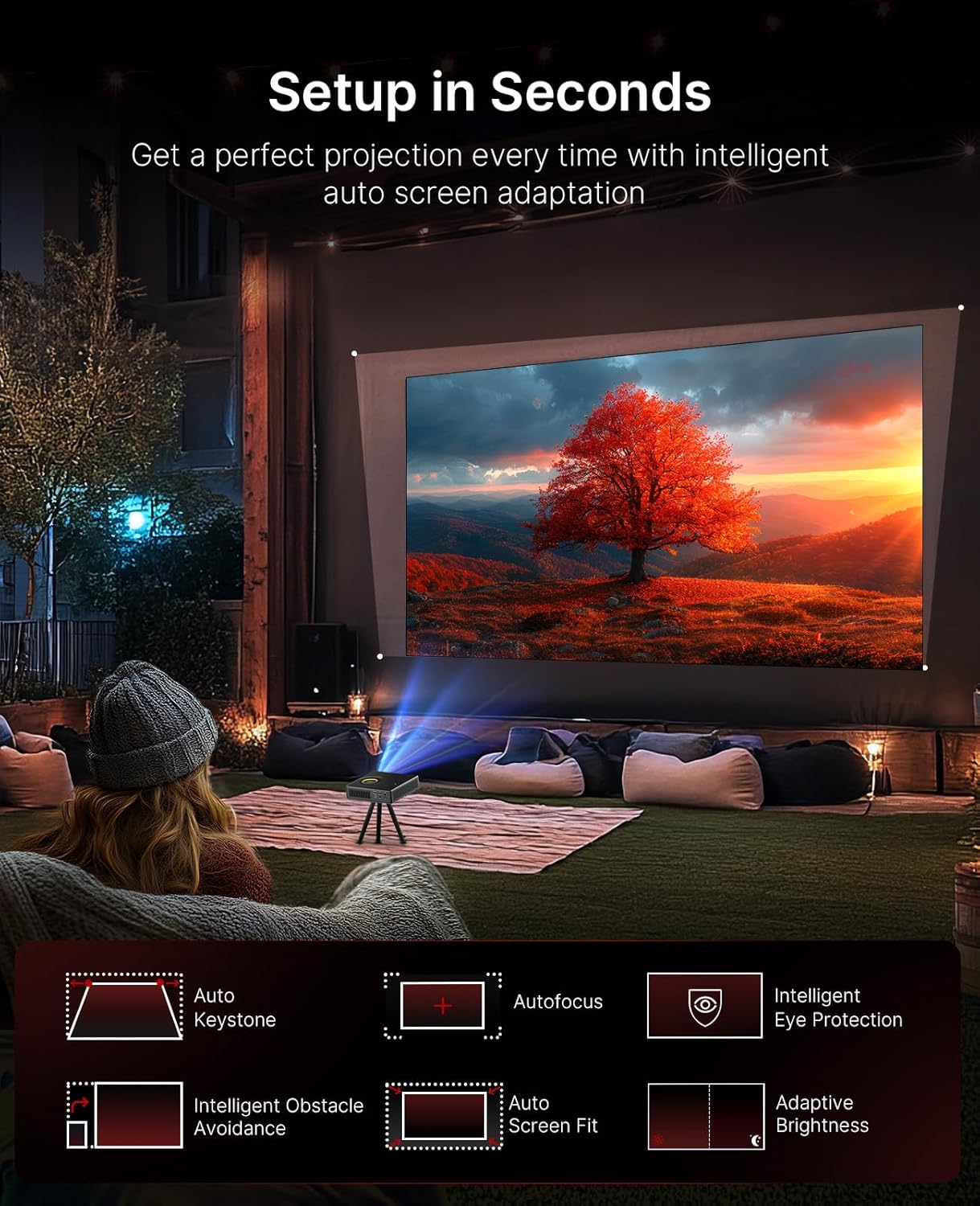
Image 3.1: The projector demonstrating its intelligent auto setup features, including auto keystone, autofocus, and obstacle avoidance.
3.3 Intelligent Screen Adaptation (ISA)
The Nova Mini features Intelligent Screen Adaptation for an effortless setup:
- Автоматаар тохируулдаг тод байдал: Adjusts image brightness based on ambient light conditions.
- Автомат түлхүүрийн засвар: Automatically corrects image distortion for a rectangular picture.
- Автомат фокус: Sharpens the image for clear viewing.
- Ухаалаг саад бэрхшээлээс зайлсхийх: Adjusts the projection to avoid objects on the wall.
- Ухаалаг дэлгэцийн зэрэглэл: Automatically fits the image to your screen.
- Ухаалаг нүдний хамгаалалт: Dims the image brightness when someone stands in front of the laser to protect eyes.

Image 3.2: Visual representation of the projector's effortless setup features.
4. Ашиглалтын заавар
4.1 Google TV интерфэйс
The projector integrates Google TV, providing access to over 10,000 apps and 800+ free channels via Google Play. Popular streaming services like Netflix, YouTube, Prime Video, and Disney+ are available.

Image 4.1: The Google TV home screen on the projector.
4.2 Дуут удирдлага
Utilize the intuitive remote with built-in voice control (Hey Google) to navigate content, search for shows, and control playback.

Image 4.2: Using the remote control for voice commands.
4.3 Content Casting
With Google Cast, you can wirelessly stream content from Android, iOS, Mac, or Windows devices to the projector.

Image 4.3: Wireless content casting from a mobile device.
5. Image and Audio Quality
5.1 Laser Projection
The Nova Mini utilizes laser projection technology, offering 1080p resolution and 1200 Lumens brightness. It covers 100% Rec.709 color gamut, enhanced by HDR10 and HLG for accurate colors and contrast.

Зураг 5.1: Жишээ ньample of lifelike image quality.
5.2 Scene Adapt Engine (SAE)
The Scene Adapt Engine (SAE) improves contrast and detail by adjusting laser brightness in real-time based on content. This results in ultra-deep blacks and brilliant highlights with a contrast ratio over 15,000:1.
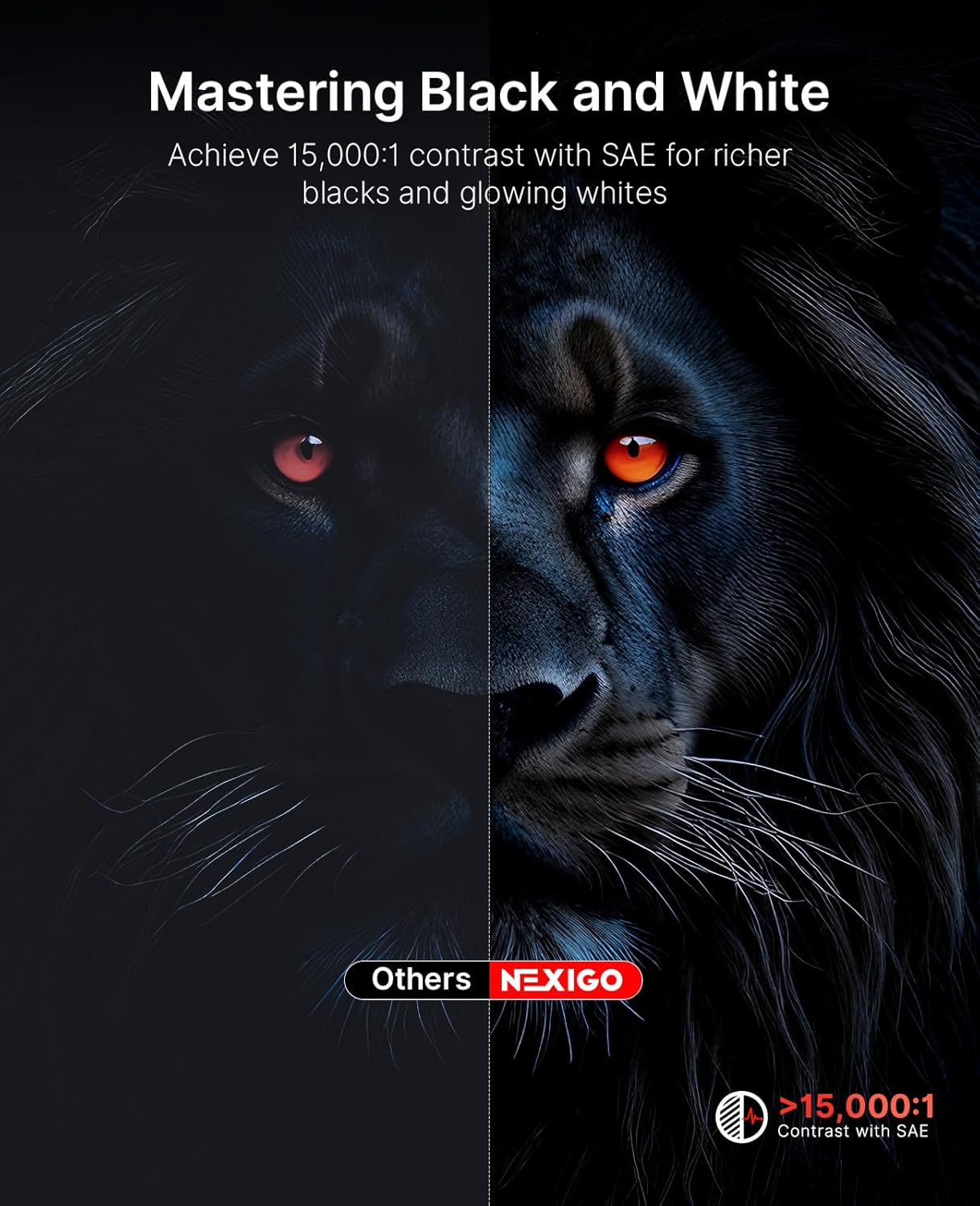
Image 5.2: Contrast enhancement with Scene Adapt Engine.
5.3 3D Support
The Nova Mini supports Active 3D content, providing an immersive home entertainment experience.

Image 5.3: Immersive 3D viewтуршлага.
5.4 Аудио систем
Equipped with an 8W speaker and Dolby Audio, the projector delivers clear and rich sound for an enhanced viewтуршлага.

Image 5.4: The projector's audio capabilities in an outdoor setting.
6. Зөөврийн чадвар
The Nova Mini is designed for portability, measuring under 2 inches thick and weighing only 3 lbs. Its compact size allows for easy transport and setup in various locations, both indoors and outdoors.
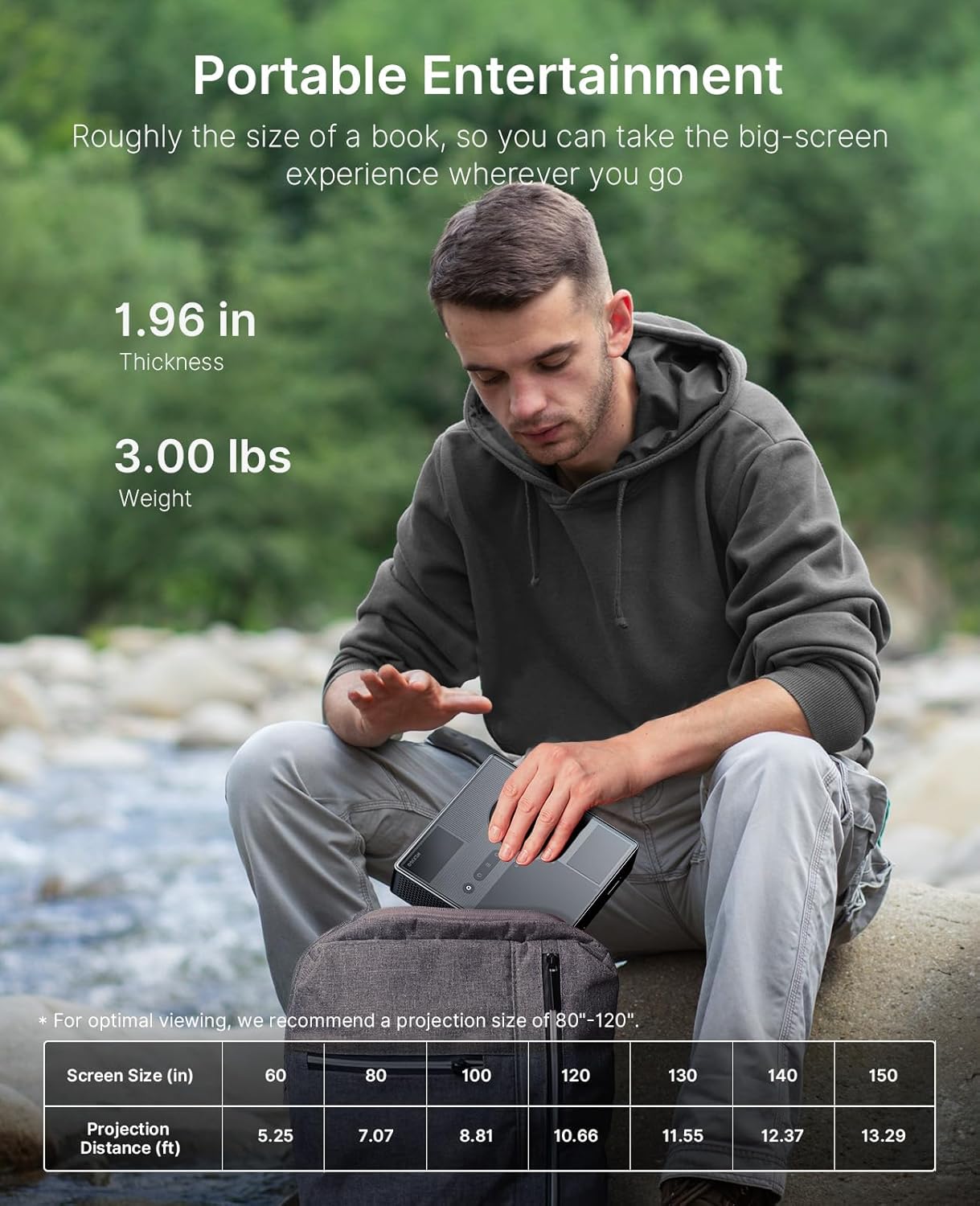
Image 6.1: The projector's compact size for portable entertainment.
| Screen Size (in) | Төсөөллийн зай (фут) |
|---|---|
| 60 | 5.25 |
| 80 | 7.07 |
| 100 | 8.81 |
| 120 | 10.66 |
| 130 | 11.55 |
| 140 | 12.37 |
| 150 | 13.29 |
Table 6.1: Optimal viewing is recommended for projection sizes between 80"-120".

Image 6.2: The projector used for outdoor entertainment.
7. Холболт
The projector offers various connectivity options for different devices:
- HDMI: Two HDMI ports (HDMI 1 supports ARC) for connecting laptops, game consoles, and other media players.
- USB 2.0: USB хөтчүүдийг холбох зориулалттай.
- 3.5 мм аудио залгуур: Чихэвч эсвэл гадаад чанга яригчийг холбоход зориулагдсан.
- LAN: Утастай сүлжээний холболтод зориулсан Ethernet порт.
- USB-C: For power delivery (PD) and data transfer.

Зураг 7.1: Дууслааview of the projector's connectivity ports.
8. Техникийн үзүүлэлтүүд
- Загварын дугаар: PJ08
- Бүтээгдэхүүний хэмжээ: 7.8 x 7.8 x 2.3 инч
- Барааны жин: 6.23 фунт
- Шийдвэр: 1080p FHD
- Гэрэлтүүлэг: 1200 люмен
- Ялгаатай харьцаа: 15,000:1 with SAE
- Өнгөний хүрээ: 100% Rec.709
- HDR дэмжлэг: HDR10, HLG
- 3D дэмжлэг: Идэвхтэй 3D
- Үйлдлийн систем: Google TV
- Аудио: 8W Dolby Audio Speaker
- Эрчим хүчний оролт: USB-C PD (requires 100W power source)
- Үйлдвэрлэгч: Next INC
- Эхний боломжтой огноо: 15 оны наймдугаар сарын 2025
9. Засвар үйлчилгээ
To ensure the longevity and optimal performance of your NexiGo Nova Mini projector, follow these maintenance guidelines:
- Линз цэвэрлэх: Оптик линзэнд тусгайлан зориулсан зөөлөн, хөвөнгүй даавууг ашигла. Зүлгүүрийн материал эсвэл хатуу химийн бодисоос зайлсхий.
- Гадна цэвэрлэгээ: Проекторын гадна талыг зөөлөн, хуурай даавуугаар арчина. Төхөөрөмж дээр шингэн цэвэрлэгчийг шууд хэрэглэж болохгүй.
- Агааржуулалт: Ensure that the projector's ventilation openings are not blocked to prevent overheating. Maintain adequate space around the device for airflow.
- Хадгалах: Удаан хугацаагаар ашиглаагүй тохиолдолд проекторыг нарны шууд тусгал, хэт температураас хол, сэрүүн, хуурай газар хадгална.
- Эрчим хүчний менежмент: Проекторыг салгахаасаа өмнө үргэлж зөв унтраагаарай.
10. Алдаа засах
If you encounter issues with your NexiGo Nova Mini, refer to the following common troubleshooting steps:
- Эрчим хүчгүй: Ensure the power adapter is securely connected to both the projector and a working power outlet. If using a power bank, confirm it is a 100W USB-C PD compatible model and fully charged.
- Зураг байхгүй: Check that the lens cap is removed. Verify the input source is correctly selected in the projector's settings. Ensure all cables (HDMI, etc.) are securely connected.
- Бүдэг зураг: The projector features autofocus. If the image remains blurry, try moving the projector slightly or manually adjusting focus if an option is available in the settings. Ensure the projection surface is flat.
- Дуугүй: Check the volume levels on both the projector and the connected source device. If using external speakers, ensure they are properly connected and powered on.
- Алсын удирдлага хариу өгөхгүй байна: Алсын удирдлагын батерейг солино уу. Алсын удирдлага болон проекторын хооронд ямар нэгэн саад байхгүй эсэхийг шалгаарай.
- Хэт халалтын анхааруулга: Ensure the projector's vents are clear and not obstructed. Allow the projector to cool down in a well-ventilated area.
Байнгын асуудал бол хэрэглэгчийн дэмжлэгтэй холбогдоно уу.
11. Баталгаат хугацаа ба дэмжлэг
NexiGo products are designed for quality and reliability. For specific warranty details, please refer to the warranty card included with your product or visit the official NexiGo website. For technical assistance, troubleshooting, or customer service inquiries, please contact NexiGo USA support.
NexiGo USA Support:
- 24 цагийн хэрэглэгчийн дэмжлэг
- 30 Days Return or Exchange Policy
- Насан туршийн техникийн дэмжлэг


