1. Танилцуулга
Welcome to the DOOGEE Note56 user manual. This guide provides essential information on setting up, operating, and maintaining your new smartphone. The DOOGEE Note56 is a SIM-free smartphone running on Android 16, featuring a 6.56-inch 90Hz HD+ display, a large 6150mAh battery, and an 8MP AI camera. Please read this manual carefully to ensure optimal performance and longevity of your device.
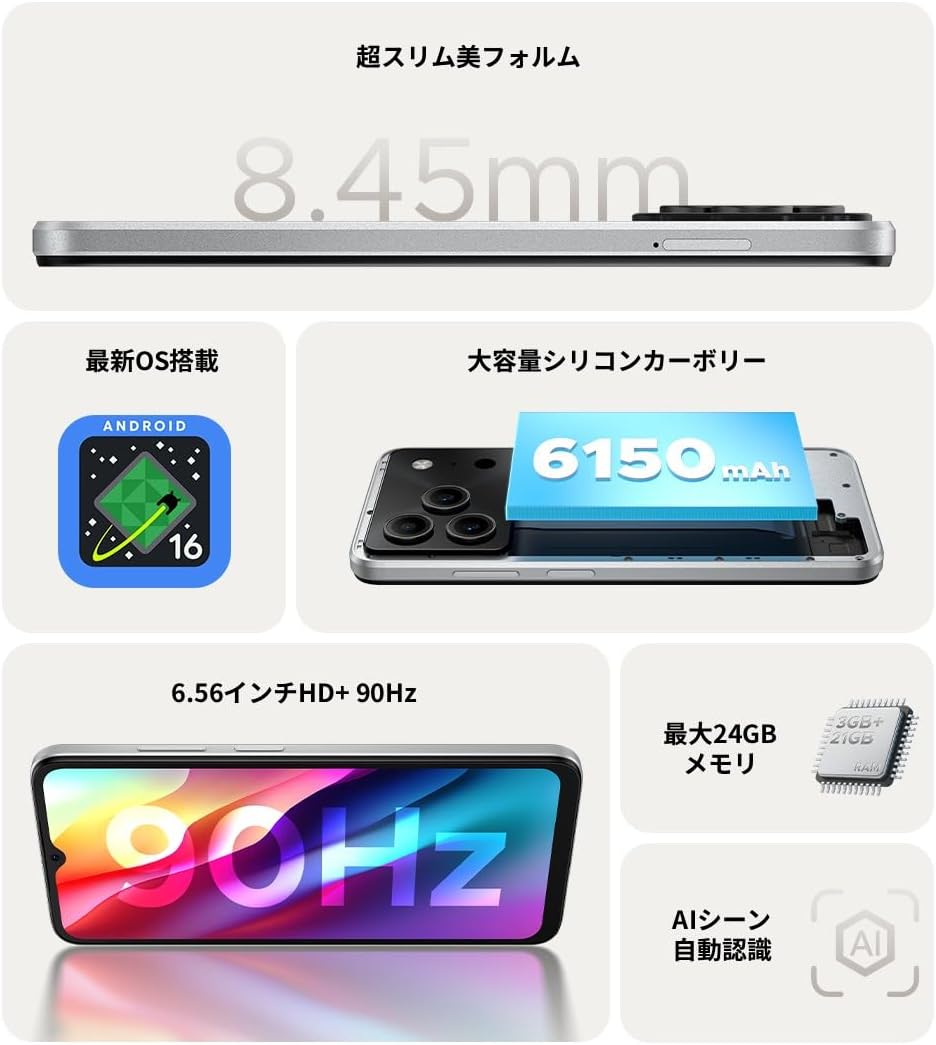
Зураг 1.1: Илүүview of DOOGEE Note56 key features.
2. Төхөөрөмж дууссанview
The DOOGEE Note56 is designed with a sleek and lightweight profile, measuring 8.45mm thin and weighing 195g. It features a geometric lens module for its camera system and a durable build.

Figure 2.1: The ultra-slim and lightweight design of the DOOGEE Note56.
3. Эхлэл
3.1 Багцын агуулга
Таны бүтээгдэхүүний багцад бүх зүйл байгаа эсэхийг шалгаарай:
- 1 x DOOGEE Note56 Smartphone
- 1 x Type-C USB кабель
- 1 x тэжээлийн адаптер
- 1 x Pre-applied Protective Film
- 1 х SIM тавиурын гаргагч зүү
- 1 х Утасны хэрэг
- 1 х багц хайрцаг
- 1 x Зааварчилгааны гарын авлага
- 1 х Баталгаат карт

Figure 3.1: Included accessories with your DOOGEE Note56.
3.2 SIM карт суурилуулах
Your DOOGEE Note56 supports Dual SIM functionality. To install your SIM card(s):
- Төхөөрөмжийн хажуу талд байгаа SIM тавиурыг олоорой.
- SIM картын гаргагчийн зүүг тавиурын хажууд байгаа жижиг нүхэнд хийж, тавиур гарч иртэл зөөлөн дарна уу.
- Нано-SIM карт(ууд) ба/эсвэл microSD картаа тавиур дээрх зориулалтын үүрэнд байрлуулна уу. Алтан контактуудыг доош харсан эсэхийг шалгаарай.
- Тавиурыг хажуу талтай нь тэгшлэх хүртэл болгоомжтой түлхэж төхөөрөмж рүү оруулна.
3.3 Анхдагч асаалт ба тохиргоо
Төхөөрөмжөө анх удаа асаахын тулд:
- DOOGEE лого гарч иртэл Power товчийг дараад барина уу.
- Дэлгэц дээрх зааврыг дагаж хэлээ сонгож, Wi-Fi-д холбогдож, Google бүртгэлээ тохируулна уу.
- You can also set up security features like face recognition during this process.
3.4 Төхөөрөмжийг цэнэглэх
Connect the Type-C USB cable to the charging port at the bottom of the phone and the other end to the power adapter. Plug the adapter into a wall outlet. The battery indicator on the screen will show charging status. For optimal battery life, fully charge the device before first use.
4. Төхөөрөмжөө ажиллуулах
4.1 Андройд 16 үйлдлийн систем
The DOOGEE Note56 runs on the latest Android 16 operating system, offering a faster, more secure, and intuitive user experience. Key features include:
- Сайжруулсан гүйцэтгэл: Improved app launch speeds and overall system responsiveness.
- Simplified UI: An easy-to-navigate interface suitable for all users.
- Stronger Security: Advanced privacy protection features to keep your data safe.
- Ухаалаг шинж чанарууд: Customize screen colors, Super Clipboard, Dual System Mode, Smart Body Sensing, Memory Expansion, and Screen Optimization.

Figure 4.1: Key features of the Android 16 operating system.
4.2 Дэлгэцийн онцлог
Experience smooth visuals on the 6.56-inch HD+ IPS display with a 90Hz refresh rate. This ensures fluid scrolling and video playback, reducing eye strain. The display also includes dedicated Reading Mode and Night Mode for comfortable viewянз бүрийн гэрэлтүүлгийн нөхцөлд .

Figure 4.2: The 6.56-inch HD+ 90Hz display for a smooth visual experience.
4.3 Камерын функцууд
Capture vibrant and natural photos with the 8MP AI main camera and 5MP front camera. The AI correction automatically optimizes settings for various scenes, including people, landscapes, and food. Enjoy diverse shooting modes:
- HDR: For balanced exposure in challenging lighting.
- Pro горим: Камерын тохиргоог гараар хянах.
- Инээмсэглэл авах: Automatically takes a photo when a smile is detected.
- Panorama: Capture wide scenic views.
- Шөнийн горим: Improved low-light photography.
- Шүүлтүүр: Зурган дээрээ янз бүрийн эффектүүдийг хэрэглээрэй.
- Beauty Mode (Front Camera): Enhance selfies.
- Portrait Effects (Front Camera): Add depth to your selfies.

Figure 4.3: AI scene recognition automatically adjusts camera settings for optimal results.

Figure 4.4: Capturing clear moments with the 8MP main camera.

Figure 4.5: Easy selfies with the 5MP front camera.
4.4 Батерейны удирдлага
The DOOGEE Note56 is equipped with a large 6150mAh Silicon-Carbon battery, providing extended usage throughout the day. The convenient Type-C charging port ensures easy and smooth charging.
- Supports approximately 1000 charge/discharge cycles.
- 20% smaller in size for a lighter design.
- Estimated usage times: 7 hours web browsing, 49.5 hours music playing, 14 hours video watching, 28 hours calling.
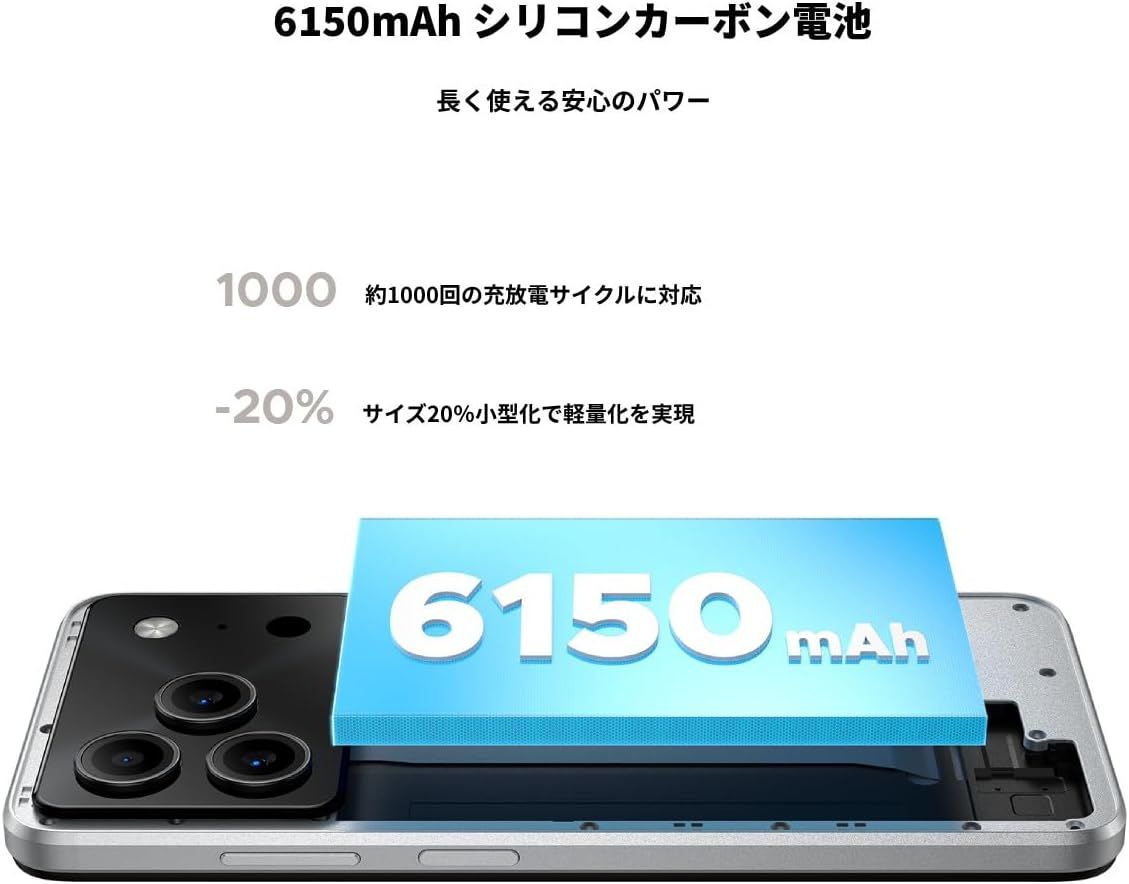
Figure 4.6: The 6150mAh Silicon-Carbon battery provides long-lasting power.

Figure 4.7: Slim design with powerful battery performance.
4.5 Гүйцэтгэл ба хадгалалт
The DOOGEE Note56 is powered by a Unisoc SC9863A Octa-core processor for smooth and efficient operation. It comes with 24GB of RAM (including virtual expansion) and 64GB of internal storage, expandable up to 2TB with a microSD card, ensuring ampтаны апп, зураг болон бусад зүйлсэд зориулсан зай files.

Figure 4.8: Internal memory configuration for smooth multitasking.
4.6 Connectivity and Other Features
The device supports 4G Dual SIM, allowing you to manage work and personal life separately. It includes standard connectivity options like Bluetooth and Wi-Fi. Additional features:
- USB OTG: Гадаад USB төхөөрөмжүүдийг холбоно уу.
- GPS: For accurate navigation.
- 3.5 мм чихэвчний залгуур: Enjoy music and calls with wired headphones.
- FM радио: Listen to your favorite radio stations anytime.

Figure 4.9: Face recognition, GPS navigation, and FM radio features.

Figure 4.10: Connect wired headphones via the 3.5mm jack.
4.7 Аюулгүй байдлын онцлог
The DOOGEE Note56 offers convenient and secure unlocking methods:
- Нүүр таних: Unlock your device quickly and securely using your face.
- Хурууны хээ таних: (If applicable, check device for sensor) Another secure method for unlocking and authenticating.
5. Засвар үйлчилгээ, арчилгаа
To ensure the longevity and optimal performance of your DOOGEE Note56, follow these maintenance guidelines:
- Цэвэрлэгээ: Дэлгэц болон их биеийг цэвэрлэхийн тулд зөөлөн, хөвөнгүй даавуу ашиглана уу. Хүчтэй химийн бодис, зүлгүүрийн материалаас зайлсхий.
- Байгаль орчны нөхцөл: Төхөөрөмжийг хэт өндөр температур, нарны шууд тусгал, хэт их чийгэнд оруулахаас зайлсхий.
- Програм хангамжийн шинэчлэлтүүд: Хамгийн сүүлийн үеийн функцууд, аюулгүй байдлын засварууд болон гүйцэтгэлийн сайжруулалтаас ашиг тус хүртэхийн тулд системийн шинэчлэлтүүдийг тогтмол шалгаж, суулгаарай.
- Батерейны арчилгаа: Avoid fully discharging the battery frequently. For long-term storage, keep the battery charged to around 50%.
- Хамгаалалт: Зураас болон бага зэргийн цохилтоос хамгаалахын тулд өгөгдсөн утасны гэр болон дэлгэцийн хамгаалалтыг ашиглаарай.
6. Алдаа засах
If you encounter issues with your DOOGEE Note56, try the following basic troubleshooting steps:
- Төхөөрөмж асахгүй байна: Батерейг цэнэглэсэн эсэхийг шалгаарай. Цэнэглэгчээ холбож, дахин асаахаасаа өмнө хэдэн минут хүлээнэ үү.
- Цэнэглэх асуудал: Check the charging cable and adapter for damage. Try a different outlet or charging accessory.
- Сүлжээний холболтын асуудлууд: Ensure your SIM card is correctly inserted. Check if airplane mode is off. Restart the device.
- Аппликешн хөлдөх/гацах: Асуудалтай аппликейшнийг хаагаад дахин нээнэ үү. Хэрэв асуудал арилахгүй бол утсаа дахин асаана уу.
- Удаан гүйцэтгэл: Close unnecessary background apps. Clear cache for frequently used apps. Consider freeing up storage space.
For more detailed troubleshooting or persistent issues, please refer to the FAQ section on the product page or contact customer support.
7. Техникийн үзүүлэлтүүд
Key technical specifications for the DOOGEE Note56:
| Онцлог | Тодорхойлолт |
|---|---|
| Дэлгэцийн хэмжээ | 6.56 инч |
| Зайны багтаамж | 6150 мАч |
| Өнгө | Цагаан |
| Брэнд нэр | DOOGEE |
| Үйлдвэрлэгч | DOOGEE |
| Гарсан жил | 2025 |
| Оруулсан бүрэлдэхүүн хэсгүүд | SIM Tray Ejector, USB Cable, Power Adapter, Phone Case |
| Тохиромжтой үйлдлийн систем | Android 16 |
| Бусад функцууд | USB OTG, Dual SIM, Expandable Memory |
| Холболт | Bluetooth, WiFi |
| Дэлгэцийн төрөл | LCD |
| Бүтээгдэхүүний хэмжээс | 16.38 x 7.58 x 0.84 см; 195 гр |
| Үйлдлийн систем | Android 16 |
| Суулгасан RAM хэмжээ | 24 ГБ |
| CPU-ийн хурд | 1.6 GHz |
| Санах ойн хадгалах багтаамж | 64 ГБ |
8. Баталгаат хугацаа ба дэмжлэг
Your DOOGEE Note56 comes with a 12-month quality warranty (excluding human-caused damage) and a 30-day refund guarantee. The product is fully compatible with major Japanese carrier networks.
If you require support or have any questions, please contact our customer service. You can typically find contact information by clicking on the seller's name below the "Add to Cart" button on the product page and selecting "Ask a Question."


