1. Танилцуулга
Thank you for choosing the Diydeg 4G LTE Mobile Hotspot. This portable device provides high-speed 3G/4G internet access, allowing you to connect up to 10 devices simultaneously. Its compact design makes it ideal for travel, business, and home use. This manual will guide you through the setup, operation, and maintenance of your mobile hotspot.

Image: The Diydeg 4G LTE Mobile Hotspot providing internet connectivity to a user's laptop.
2. Бүтээгдэхүүн дууссанview
2.1 Гол онцлогууд
- High-Speed 4G LTE Connectivity: Provides fast internet access for various online activities.
- Олон хэрэглэгчийн дэмжлэг: WiFi идэвхжүүлсэн 10 хүртэлх төхөөрөмжийг нэгэн зэрэг холбоно.
- Удаан эдэлгээтэй батерей: Equipped with a 2100mAh battery for extended standby time (up to 10 hours).
- Зөөврийн дизайн: Lightweight, thin, and compact for easy carrying.
- Өргөн нийцтэй байдал: Works with mobile phones, laptops, desktops, and tablets.
- LED Smart Display: Easy-to-read display for operational status.
2.2 Багцын агуулга
Дараах зүйлсийн багцад байгаа эсэхийг шалгана уу.
- Diydeg 4G LTE Mobile Hotspot Device
- Цэнэглэдэг батерей
- USB цэнэглэгч кабель
- Хэрэглэгчийн гарын авлага (энэ баримт бичиг)

Image: The Diydeg Mobile Hotspot device shown alongside its USB charging cable.
3. Тохируулах заавар
3.1 SIM карт болон батерейг суурилуулах
- Carefully remove the back cover of the mobile hotspot device.
- Insert your micro SIM card into the designated SIM card slot. Ensure the card is oriented correctly according to the diagram inside the device.
- Take out the battery and locate the yellow insulation tape. Gently tear off this insulation tape from the battery terminals.
- Insert the battery into the battery compartment, ensuring the contacts align properly.
- Арын тагийг байрандаа найдвартай тогших хүртэл нь буцааж тавь.

Image: A three-step visual guide showing how to remove the battery, peel off the insulation tape, and insert the battery into the device.
3.2 Төхөөрөмжийг асаах
Press and hold the power button (usually located on the side) for a few seconds until the LED display illuminates. The device will begin searching for a network signal.

Зураг: хажуу тал view of the Diydeg Mobile Hotspot, highlighting the power button location.
4. Ашиглалтын заавар
4.1 Connecting to the WiFi Network
- Ensure your mobile hotspot is powered on and has established a network connection (indicated by the signal strength icon on the display).
- On your WiFi-enabled device (phone, laptop, tablet), open the WiFi settings.
- Look for the network name (SSID) displayed on your hotspot's screen or on a sticker inside the battery compartment.
- Select the hotspot's SSID from the list of available networks.
- Enter the WiFi password (Key) displayed on the hotspot's screen or sticker.
- Таны төхөөрөмж одоо интернетэд холбогдсон байх ёстой.
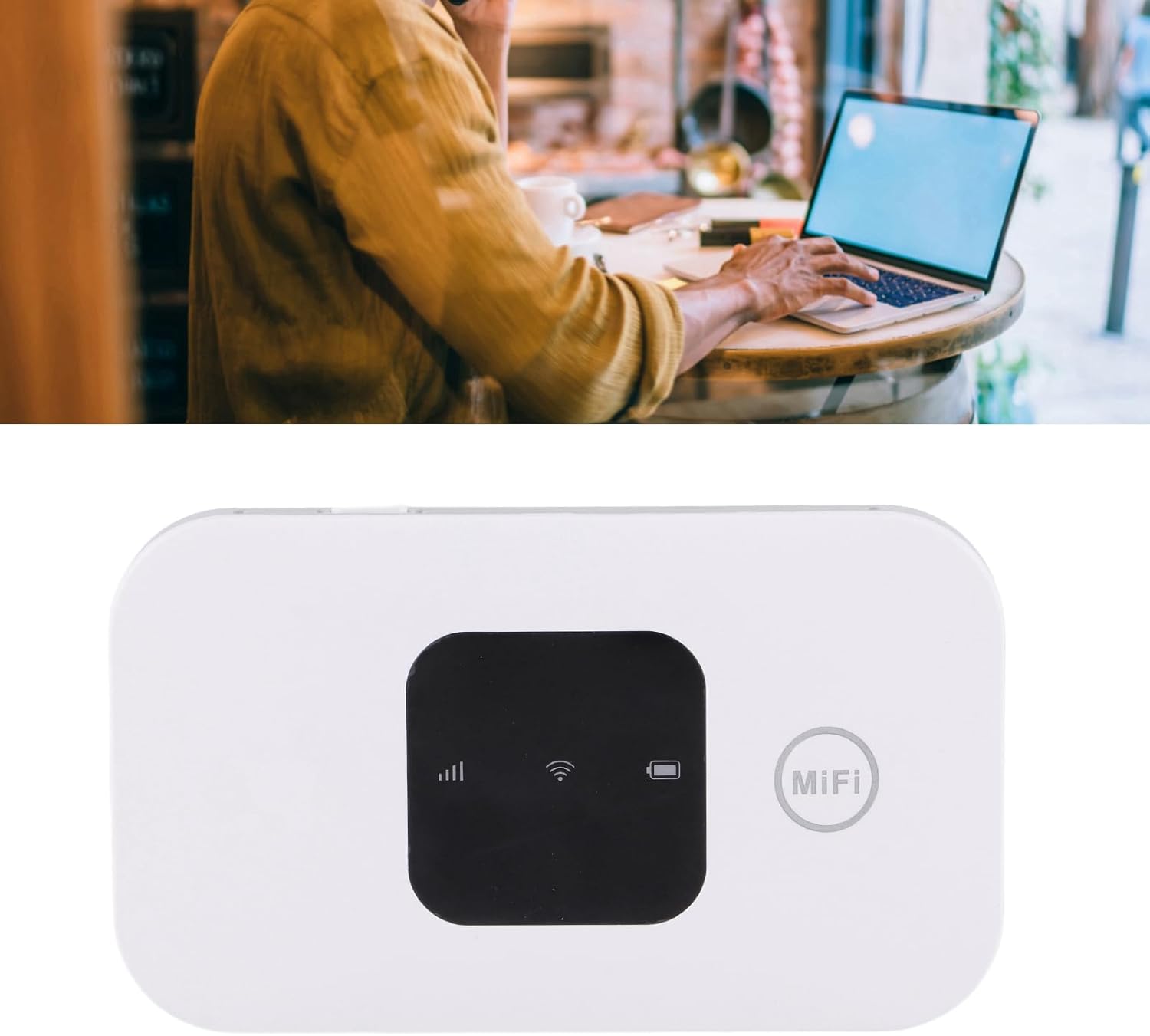
Image: A user working on a laptop, connected to the Diydeg Mobile Hotspot for internet access.
4.2 Төхөөрөмжийг цэнэглэх
Connect the provided USB charging cable to the hotspot's charging port and plug the other end into a USB power adapter or a computer's USB port. The battery indicator on the display will show charging status.
4.3 Powering Off the Device
Press and hold the power button for a few seconds until the LED display turns off, indicating the device has shut down.
5. Засвар үйлчилгээ
- Төхөөрөмжийг хуурай, чийгээс хол байлга.
- Хэт их температураас зайлсхий.
- Төхөөрөмжийг зөөлөн, хуурай даавуугаар цэвэрлэ. Шингэн цэвэрлэгч хэрэглэж болохгүй.
- Төхөөрөмжийг өөрөө задлах, засах гэж бүү оролдоорой.
- Батерейг хамгийн оновчтой ашиглахын тулд зайгаа ойр ойрхон бүрэн цэнэггүй болгохоос зайлсхий.
6. Алдаа засах
6.1 Сүлжээний дохио байхгүй
- SIM картыг зөв оруулж, идэвхжүүлсэн эсэхийг шалгана уу.
- Check if you are in an area with 3G/4G network coverage.
- Төхөөрөмжийг дахин эхлүүлнэ үү.
- Verify that your SIM card plan supports data usage.
6.2 WiFi-д холбогдож чадахгүй байна
- Confirm the WiFi password (Key) is entered correctly.
- Ensure the hotspot is powered on and broadcasting its WiFi signal.
- Check if too many devices are already connected (maximum 10).
- Restart both the hotspot and the device you are trying to connect.
6.3 Интернетийн хурд удаан
- Сүлжээний дохионы хүч илүү сайн газар руу нүү.
- Холбогдсон төхөөрөмжүүдийн тоог багасгах.
- Check your data plan for any speed limitations or data caps.
- Төхөөрөмжийг дахин эхлүүлнэ үү.
7. Техникийн үзүүлэлтүүд
| Онцлог | Тодорхойлолт |
|---|---|
| Загварын дугаар | Diydeghebi7gopvf |
| Зайны багтаамж | 2100 мАч |
| Max WiFi Users | 10 |
| Wireless Connection Speed | 150Mbps хүртэл |
| Зүйлийн жин | 3.88 унц |
| Багцын хэмжээ | 4.33 x 3.15 x 1.57 инч |
| Үйлдвэрлэгч | Дийдэг |
Жич: Техникийн үзүүлэлтүүдийг урьдчилан мэдэгдэлгүйгээр өөрчилж болно.
8. Баталгаат хугацаа ба дэмжлэг
Diydeg is committed to providing quality products and customer satisfaction. This product comes with:
- 12-Hour Response: Манай дэмжлэг үзүүлэх баг 12 цагийн дотор асуултад хариу өгөхийг зорьж байна.
- 365 хоногийн хязгаарлагдмал баталгаа: Худалдан авсан өдрөөс хойш нэг жилийн хугацаанд үйлдвэрлэлийн согогийг даатгана.
- Lifelong Unlimited Technical Support: Assistance with product usage and troubleshooting for the lifetime of the product.
For technical support or warranty claims, please contact Diydeg customer service through your purchase platform or visit our official webсайт.