Танилцуулга
Welcome to the user manual for your SWOFY D08 Android 13 MP3 Player. This device is designed to provide a versatile and high-quality portable audio and video experience. Featuring an Android 13 operating system, Bluetooth 5.0, dual-band Wi-Fi, and a 4-inch touchscreen, the D08 allows you to enjoy music, videos, and various applications with ease. Please read this manual carefully to ensure proper setup, operation, and maintenance of your device.
Багцын агуулга
Эхлэхээсээ өмнө бүх зүйл таны багцад байгаа эсэхийг шалгана уу:
- SWOFY D08 MP3 Player (160GB)
- USB төрөл-C кабель
- Утастай чихэвч
- Хэрэглэгчийн гарын авлага
Төхөөрөмж дууссанview
Familiarize yourself with the physical components of your SWOFY D08 MP3 Player.

Зураг: урд ба хажуу view of the SWOFY D08 MP3 Player, showcasing its 4-inch touchscreen and physical buttons.
- 4-inch HD Touchscreen: Харилцааны үндсэн интерфэйс.
- Цахилгаан товч: Хажуу талд нь байрладаг бөгөөд төхөөрөмжийг асаах/унтраах болон сэрээх/унтуулахад ашигладаг.
- Дууны товчлуурууд: Аудио гаралтын түвшинг тохируулна уу.
- USB-C порт: Цэнэглэх, өгөгдөл дамжуулах зориулалттай.
- 3.5 мм чихэвчний залгуур: Утастай аудио гаралтын хувьд.
- MicroSD картны үүр: Өргөтгөх боломжтой хадгалах зориулалттай.
- Суулгасан чанга яригч: Чихэвчгүйгээр аудио тоглуулах зориулалттай.
Тохиргоо
1. Төхөөрөмжийг цэнэглэж байна
Before first use, fully charge your SWOFY D08 MP3 Player. Connect the provided USB Type-C cable to the device's USB-C port and the other end to a USB power adapter (not included) or a computer's USB port. The battery indicator on the screen will show charging status.

Image: The SWOFY D08 MP3 Player displaying a 100% battery charge icon, indicating a full charge. The image also highlights the 2000mAh battery capacity and estimated usage times: 60 hours standby, 20 hours music, 6 hours video, and 3-4 hours charging time.
- Бүрэн цэнэглэхэд ихэвчлэн 3-4 цаг зарцуулдаг.
- The 2000mAh battery provides up to 35 hours of continuous music playback or 10 hours of 1080p video viewing.
2. Асаах/унтраах
- Асаахын тулд: Press and hold the Power button on the side of the device until the screen lights up.
- Унтраахын тулд: Асаах товчийг удаан дарж, дэлгэцэн дээрх сонголтуудаас "Асаах" гэснийг сонгоно уу.
- Унтах/сэрэхийн тулд: Төхөөрөмжийг унтах горимд оруулах эсвэл сэрээхийн тулд Асаах товчийг товч дарна уу.
3. Анхны тохиргоо болон Wi-Fi холболт
Upon first power-on, follow the on-screen prompts to complete the initial setup, including language selection and Wi-Fi connection.
- Үндсэн дэлгэцээс "Тохиргоо" дүрс дээр товшино уу.
- Select "Network & internet".
- Wi-Fi-г "Асаах" болгож сэлгэнэ үү.
- Жагсаалтаас хүссэн Wi-Fi сүлжээгээ сонгоно уу.
- Хэрэв асуувал сүлжээний нууц үгээ оруулаад "Холбох" дээр дарна уу.

Image: The SWOFY D08 MP3 Player's home screen, displaying a grid of application icons including Spotify, Pandora, Audible, FM Radio, Play Store, and Chrome, illustrating the Android 13 OS interface.
4. Expanding Storage with a MicroSD Card
The device comes with 32GB internal storage and a 128GB microSD card. You can expand storage further up to 1TB using an additional microSD card.
- Төхөөрөмжийн хажуу талд байгаа microSD картны үүрийг олоорой.
- MicroSD картыг үүрэнд нь товших хүртэл зөөлөн оруулаарай. Картыг зөв чиглүүлсэн эсэхийг шалгаарай.
- Авахын тулд картыг гарч иртэл дотогшоо зөөлөн түлхэнэ үү.
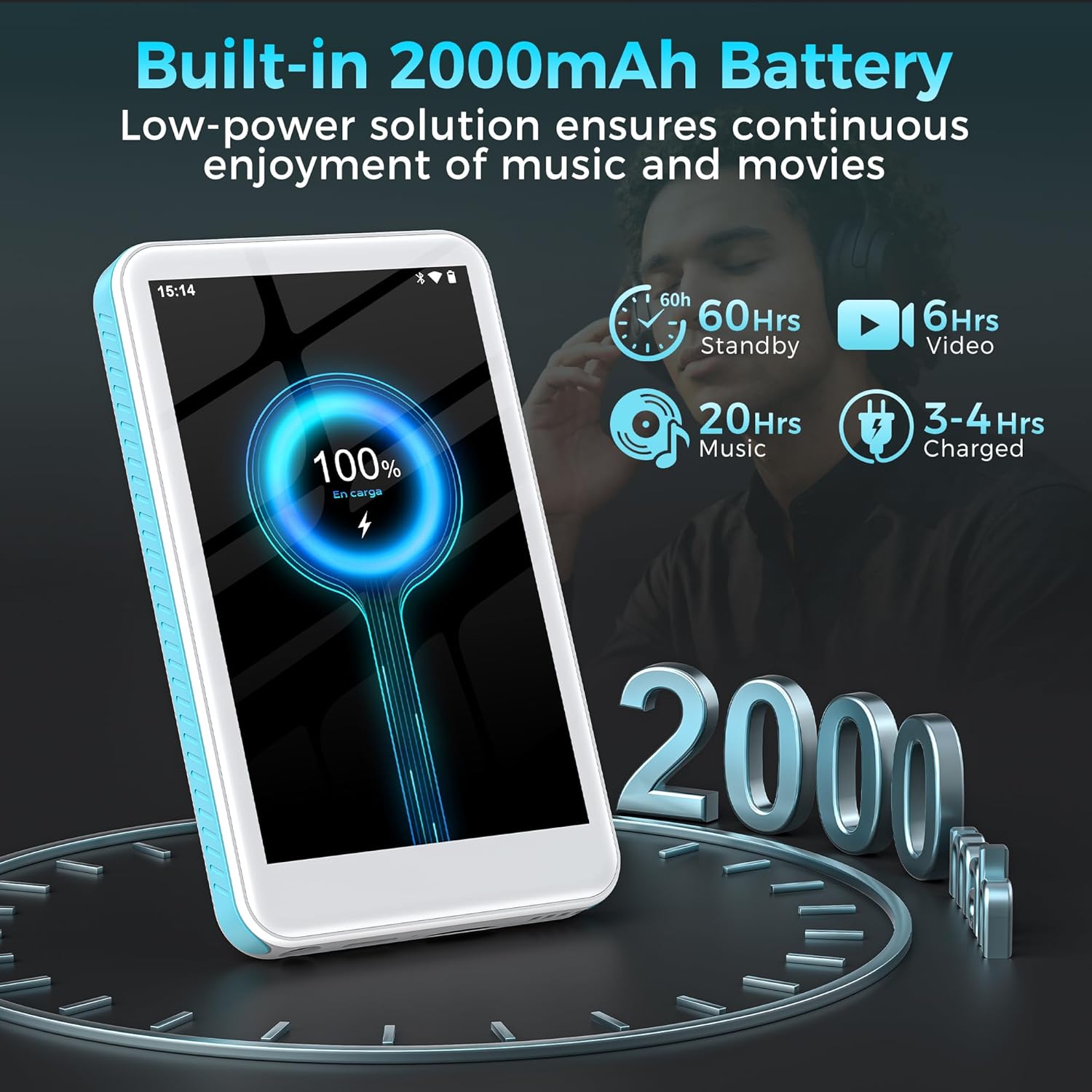
Image: The SWOFY D08 MP3 Player with a 1TB microSD card being inserted into its slot, illustrating the device's expandable storage capability. The image also highlights the 160GB total storage capacity.
Ашиглалтын заавар
1. Интерфэйсийг удирдах
The SWOFY D08 uses an Android 13 operating system with a 4-inch touchscreen. Swipe left/right to navigate between home screens, tap icons to open apps, and swipe down from the top for quick settings and notifications.
2. Хөгжим тоглуулах
The device supports various audio formats including MP3, FLAC, WAV, AAC, APE, DSD, M4A, and OGG. Use the pre-installed music player app or download your preferred streaming apps from the Play Store.
- Хөгжим нэмэх: Connect the player to your computer using the USB-C cable. The player will appear as a removable storage device. Drag and drop your music files into the "Music" folder.
- Хөгжим тоглох: Open the music player app. You can browse music by artist, album, genre, or create custom playlists.
- Тэгшитгэл: Access the built-in equalizer within the music app settings to customize bass and treble levels.

Image: The SWOFY D08 MP3 Player displaying a music playback screen with album art, song title "Crazy Dream", and playback controls. This illustrates the user interface for audio playback.
3. Видео тоглуулах
The D08 supports 1080p HD video playback and is compatible with formats such as RM, AVI, RMVB, FLV, MP4, DAT, MKV, MPG, MOV, and TS. Use the pre-installed video player app.
- Adding Videos: Connect the player to your computer and transfer video files to the "Videos" folder.
- Playing Videos: Open the video player app and select your desired video.

Image: The SWOFY D08 MP3 Player displaying a video playback screen with a high-definition image from a movie, highlighting its 1080p HD video capabilities and 4.0-inch IPS screen.
4. Bluetooth холболт
Connect your D08 to Bluetooth headphones, speakers, or car stereos using Bluetooth 5.0 for wireless audio.
- Ensure Bluetooth is enabled on your D08 (Settings > Connected devices > Bluetooth).
- Bluetooth дагалдах хэрэгслийг хослуулах горимд оруулна уу.
- On the D08, tap "Pair new device" and select your accessory from the list.
- Хослуулахыг асуувал баталгаажуулна уу.

Image: The SWOFY D08 MP3 Player displaying a music playback screen with icons indicating Bluetooth connectivity to headphones, a portable speaker, and a car audio system, demonstrating its versatile wireless pairing capabilities.
5. Бусад онцлог
- FM радио: Access the FM Radio app to listen to local radio stations.
- Дуу бичигч: Use the built-in voice recorder for memos or lectures.
- Цахим ном уншигч: Read e-books using compatible apps.
- Play Store: Download and install additional applications like Spotify, Pandora, Audible, and more.
Засвар үйлчилгээ
1. Төхөөрөмжөө цэвэрлэж байна
- Use a soft, lint-free cloth to clean the screen and body of the player.
- Avoid using abrasive cleaners, alcohol, or solvents, as these can damage the finish.
- Портуудыг тоос, хог хаягдалгүй байлга.
2. Зайны арчилгаа
- To prolong battery life, avoid exposing the device to extreme temperatures (hot or cold).
- Do not allow the battery to fully discharge frequently. Charge it when the battery level is low.
- If storing the device for an extended period, charge it to about 50% before storage.
3. Програм хангамжийн шинэчлэлтүүд
Periodically check for software updates to ensure optimal performance and access to new features. Go to Settings > System > System update.
Алдааг олж засварлах
Device Will Not Turn On
- Ensure the device is sufficiently charged. Connect it to a power source and wait a few minutes before attempting to power on.
- Албадан дахин асаахын тулд Power товчийг дор хаяж 10-15 секунд дарна уу.
Cannot Connect to Wi-Fi or Bluetooth
- Ensure Wi-Fi/Bluetooth is enabled in Settings.
- Restart the device and your router/Bluetooth accessory.
- For Wi-Fi, verify the password. For Bluetooth, ensure the accessory is in pairing mode and within range.
- Сүлжээ/төхөөрөмжийг мартаад дахин холбогдохыг оролдоно уу.
Audio/Video Playback Issues
- -г шалгана уу file format compatibility (refer to Specifications section).
- Дууг хаагаагүй эсвэл хэт бага тохируулаагүй эсэхийг шалгаарай.
- Өөр тоглоод үзээрэй file to determine if the issue is with a specific file.
- If using headphones, ensure they are properly connected or paired.
Device is Slow or Unresponsive
- Шаардлагагүй дэвсгэр програмуудыг хаа.
- Байнга ашиглагддаг аппликейшнуудын кэшийг цэвэрлэх (Тохиргоо > Аппликейшн > [Аппликейшны нэр] > Хадгалах сан ба кэш > Кэшийг цэвэрлэх).
- Төхөөрөмжийг дахин эхлүүлнэ үү.
- Хэрэв асуудал арилахгүй бол үйлдвэрийн тохиргоонд нь буцааж оруулах талаар бодож үзээрэй (Тэмдэглэл: Энэ нь бүх өгөгдлийг устгах болно. Нөөцлөлт чухал files эхлээд. Settings > System > Reset options > Erase all data (factory reset)).
Үзүүлэлтүүд
| Загварын нэр | D08 |
| Үйлдлийн систем | Android 13 |
| Процессор | 8 цөмт 2.0 GHz |
| RAM | 3 ГБ |
| Дотоод санах ой | 32GB (with included 128GB microSD card for 160GB total) |
| Өргөтгөх боломжтой хадгалах сан | MicroSD картаар 1TB хүртэл |
| Батерей | 2000 мАч лити полимер |
| Дэлгэц | 4-inch HD Touchscreen, 480*800P Resolution, IPS |
| Холболт | Bluetooth 5.0, Dual-Band Wi-Fi, USB-C |
| Аудио форматууд | MP3, FLAC, WAV, AAC, APE, DSD, M4A, OGG |
| Видео форматууд | RM, AVI, RMVB, FLV, MP4, DAT, MKV, MPG, MOV, TS |
| Онцлог шинж чанарууд | Built-In Speaker, Equalizer, FM Radio, Voice Recorder, E-book Reader, Play Store support |
| Хэмжээ | 5.83 x 5.83 x 0.75 инч |
| Жин | 7.4 унц |
Баталгаат болон дэмжлэг
Your SWOFY D08 MP3 Player comes with a standard manufacturer's warranty. Please refer to the warranty card included in your package for specific terms and conditions. For technical support, troubleshooting assistance, or warranty claims, please contact SWOFY customer service through the retailer where you purchased the product or visit the official SWOFY webсайт.
Нэмэлт эх сурвалж болон байнга асуудаг асуултуудын талаар та дараах хаягаар зочилж болно SWOFY Store on Amazon.
Аюулгүй байдлын чухал мэдээлэл
- Төхөөрөмжийг өөрөө задлах, засварлах, өөрчлөхийг хориглоно.
- Төхөөрөмжийг ус, чийг, хэт температурт өртөхөөс зайлсхий.
- Зөвхөн зөвшөөрөгдсөн цэнэглэгч болон дагалдах хэрэгслийг ашигла.
- Орон нутгийн дүрэм журмын дагуу төхөөрөмж болон түүний батерейг хариуцлагатайгаар устгана уу.


