1. Танилцуулга
This manual provides detailed instructions for the setup, operation, and maintenance of your EIGIIS KE3P Military GPS Smartwatch. Please read this manual thoroughly before using your device to ensure proper functionality and to maximize your user experience. Keep this manual for future reference.
2. Бүтээгдэхүүний тодорхойлолт
The EIGIIS KE3P is a rugged smartwatch designed for active lifestyles, featuring a 1.45-inch HD display and a durable construction. Key features include:
- Баригдсан GPS: For accurate route tracking without a phone.
- LED Flashlight & Compass: Essential tools for outdoor activities.
- 530 мАч батерей: Ашиглалтын хугацааг уртасгадаг.
- 3ATM Усны хамгаалалттай үнэлгээ: Suitable for swimming and various water sports.
- Цэргийн зэрэглэлийн бат бөх чанар: Designed to withstand harsh environments.
- Bluetooth дуудлага: Бугуйнаасаа шууд дуудлага хийх, хүлээн авах.
- Health & Fitness Monitoring: Includes 24/7 heart rate, sleep tracking, and over 110 sports modes.
- Ухаалаг мэдэгдэл: Receive alerts for messages and applications.

Зураг: Урд view of the EIGIIS KE3P Smartwatch, showcasing түүний дэлгэц болон бат бөх дизайн.
Video: A demonstration of the EIGIIS KE3P Smartwatch features and user interface.
3. Тохиргоо
3.1 Хайрцагт юу байгаа вэ
- 1 x EIGIIS Watch Body
- 1 x Цагны оосор
- 1 х цэнэглэх кабель
- 1 х Бэлэг дурсгалын Шигтгээ
- 1 х хэрэглэгчийн гарын авлага
Video: An unboxing of the EIGIIS KE3P Smartwatch, showing the contents of the package.
3.2 Ухаалаг цагийг цэнэглэх
Before initial use, fully charge your smartwatch. Connect the magnetic charging cable to the charging contacts on the back of the watch and plug the USB end into a power adapter (not included) or a computer's USB port. The watch display will indicate charging status.

Image: The EIGIIS KE3P Smartwatch displaying its battery level, indicating charging.
3.3 Програм суулгах, холбох
To unlock the full potential of your EIGIIS KE3P Smartwatch, download and install the companion app (GloryFit) on your smartphone. хайх "GloryFit" in your device's app store (Apple App Store for iOS, Google Play Store for Android).
- GloryFit аппликейшнийг татаж аваад суулгана уу.
- Аппликешныг нээж, дэлгэцэн дээрх зааврыг дагаж бүртгэл үүсгэх эсвэл нэвтрэх.
- Ухаалаг утсан дээрээ Bluetooth идэвхжсэн эсэхийг шалгаарай.
- In the GloryFit app, navigate to the device pairing section and select your EIGIIS KE3P Smartwatch from the list of available devices.
- Ухаалаг утас болон ухаалаг цагныхаа аль алинд нь хослуулах хүсэлтийг баталгаажуулна уу.
3.4 Keeping the App Running in the Background
To ensure continuous data synchronization and notification delivery, the GloryFit app needs to run in the background. Follow the instructions below for your specific phone operating system:
iPhone хэрэглэгчдийн хувьд:
Video: Instructions on how to configure the GloryFit app to run in the background on an iPhone.
Android хэрэглэгчдийн хувьд:
Video: Instructions on how to configure the GloryFit app to run in the background on an Android device.
4. Ашиглалтын заавар
4.1 Үндсэн навигаци
The EIGIIS KE3P Smartwatch features a touch screen and physical buttons for navigation:
- Мэдрэгчтэй дэлгэц: Swipe left/right, up/down to navigate menus and features. Tap to select.
- Upper Button (HOME): Үндсэн дэлгэц рүү буцах эсвэл төхөөрөмжийг сэрээхийн тулд дарна уу.
- Lower Button (BACK): Өмнөх дэлгэц рүү буцахын тулд дарна уу.
4.2 GPS хянах
The smartwatch features built-in GPS for tracking outdoor activities. You can use GPS independently or in conjunction with your smartphone.
Using GPS without a Cellphone:
Video: Instructions on how to use the EIGIIS KE3P Smartwatch's GPS tracking feature independently, without a connected cellphone.
Using GPS with a Cellphone:
Video: Instructions on how to use the EIGIIS KE3P Smartwatch's GPS tracking feature while connected to a cellphone.

Image: The EIGIIS KE3P Smartwatch displaying a GPS-tracked route on its screen.
4.3 Flashlight and Compass
The smartwatch includes a built-in LED flashlight and a digital compass for convenience during outdoor activities. Access these features through the watch's menu.
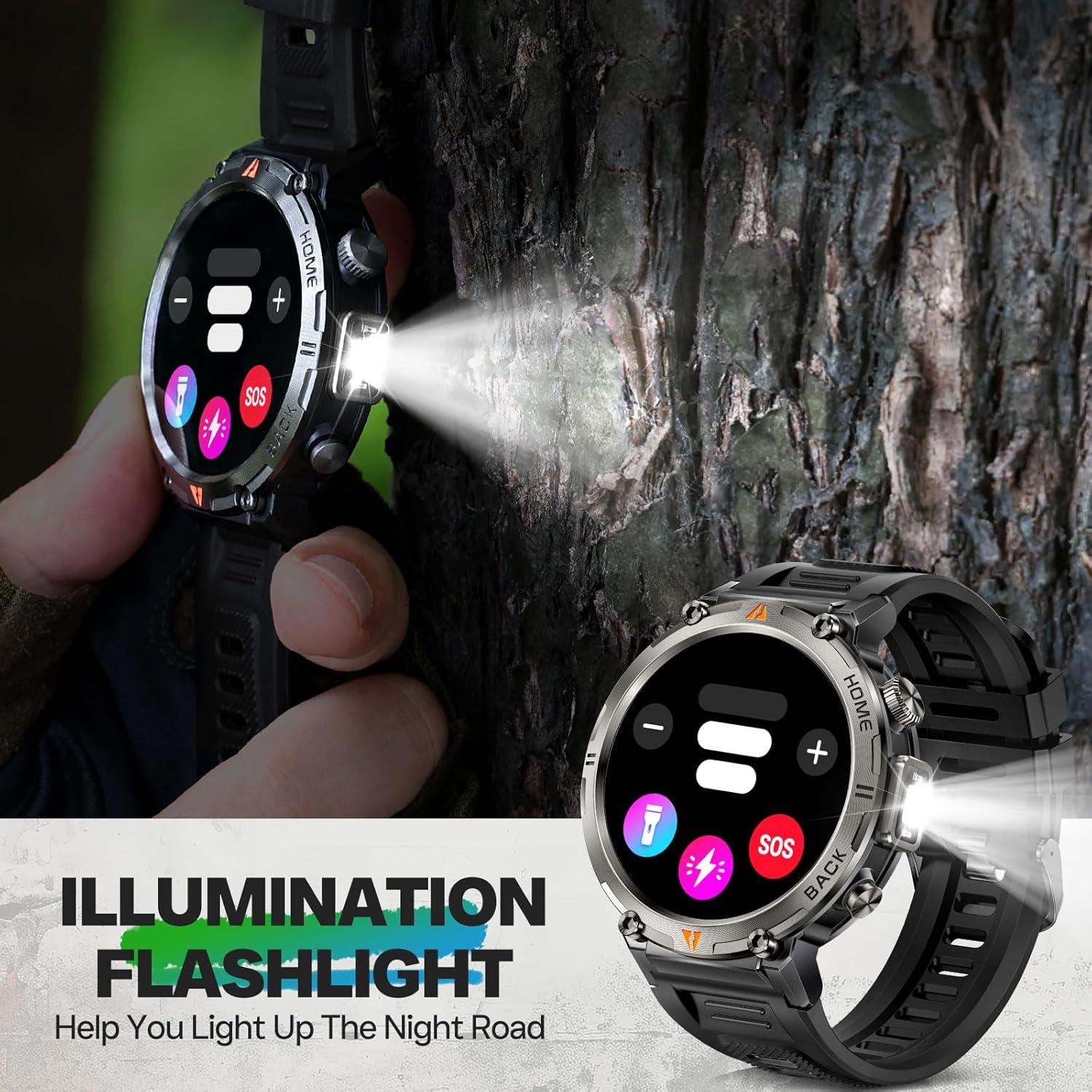
Image: The EIGIIS KE3P Smartwatch with its integrated LED flashlight activated.
4.4 Bluetooth дуудлага ба мэдэгдэл
Once paired with your smartphone, the smartwatch allows you to make and receive calls directly from your wrist. It also displays notifications for incoming messages and app alerts.
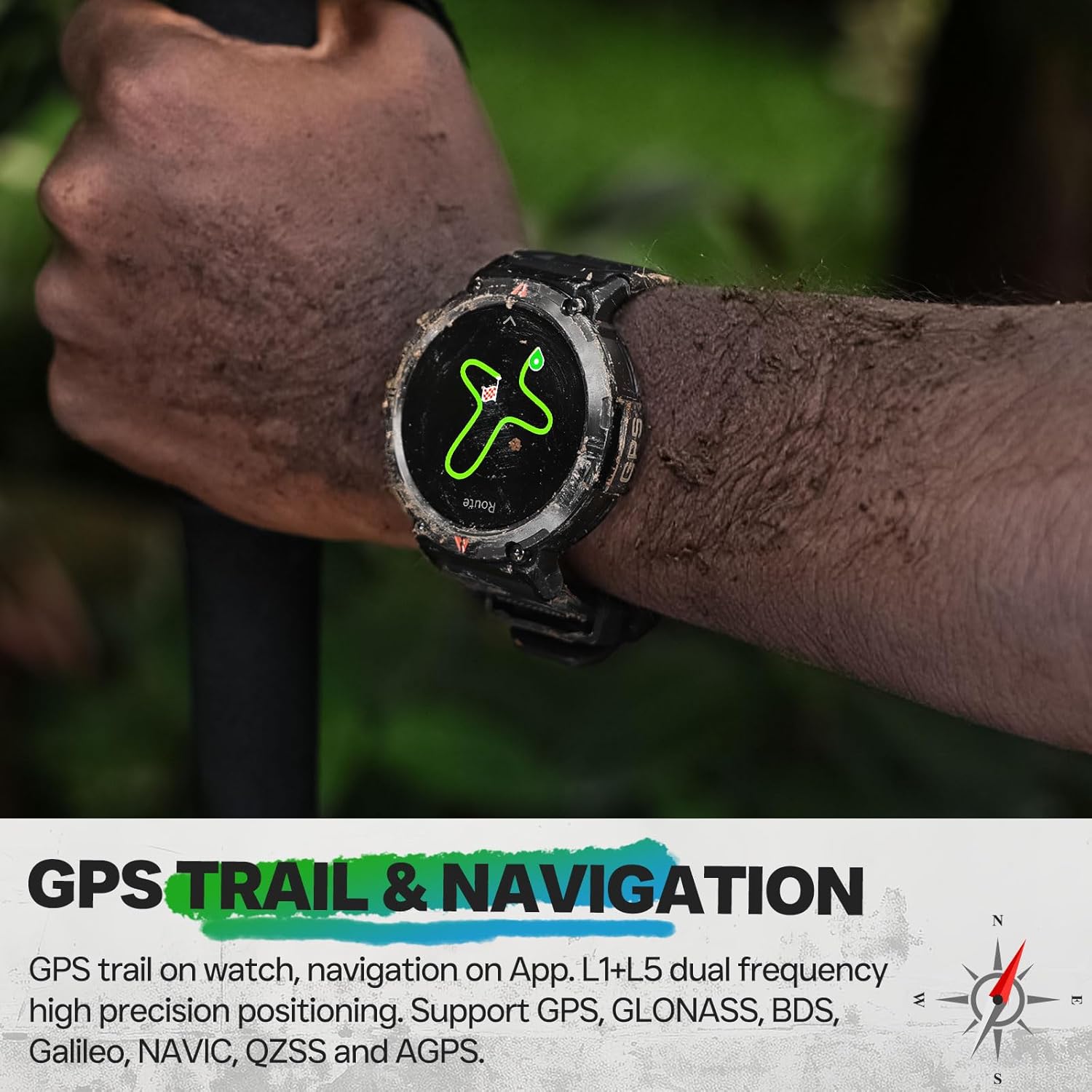
Image: The EIGIIS KE3P Smartwatch displaying an incoming call notification.
4.5 Эрүүл мэнд ба биеийн тамирын хяналт
The EIGIIS KE3P Smartwatch is equipped with sensors to monitor various health and fitness metrics:
- Зүрхний цохилтын хяналт: 24/7 зүрхний цохилтын тасралтгүй хяналт.
- Унтлагын хяналт: Унтах хэв маяг болон чанарыг хянадаг.
- 110+ Спортын горим: Track specific data for a wide range of activities.

Image: The EIGIIS KE3P Smartwatch displaying heart rate, calories, and activity duration during a workout.
4.6 Daily Life Assistant Features
Beyond fitness, the smartwatch offers several features to assist with daily tasks:
- Хөгжим тоглуулах хяналт
- Цаг агаарын урьдчилсан мэдээ
- Алсын камерын удирдлага
- Суурин сануулга
- Сэрүүлэгтэй цаг

Image: The EIGIIS KE3P Smartwatch displaying a grid of various application icons, representing its multi-functional capabilities.
5. Засвар үйлчилгээ
5.1 Waterproofing Guidelines
The EIGIIS KE3P Smartwatch has a 3ATM waterproof rating, meaning it is resistant to splashes, rain, and can be worn during swimming. However, it is not suitable for hot showers, saunas, or diving, as steam and high water pressure can compromise the seals.

Image: The EIGIIS KE3P Smartwatch submerged in water, illustrating its 3ATM waterproof capability.
5.2 Цэвэрлэгээ
Regularly clean your smartwatch and watch band with a soft, damp даавуу. Төхөөрөмжийг гэмтээж болох хүчтэй химийн бодис, зүлгүүрийн материалыг ашиглахаас зайлсхий.
5.3 Батерейны арчилгаа
To prolong battery life, avoid extreme temperatures and fully discharging the battery frequently. The 530mAh battery provides 7-10 days of typical use.
6. Алдаа засах
If you encounter issues with your EIGIIS KE3P Smartwatch, try the following steps:
- Төхөөрөмж асахгүй байна: Цаг бүрэн цэнэглэгдсэн эсэхийг шалгаарай. Цэнэглэгч кабель болон тэжээлийн эх үүсвэрт холбоно уу.
- Утастай хослуулах боломжгүй: Ensure Bluetooth is enabled on your phone and the watch. Restart both devices and try pairing again through the GloryFit app.
- Буруу өгөгдөл: Ensure the watch is worn snugly on your wrist. For GPS, ensure you are in an open area with a clear sky.
- Мэдэгдэл хүлээн аваагүй: Check app permissions on your phone to ensure GloryFit has access to notifications. Verify that the app is running in the background.
- Дэлгэц хариу өгөхгүй байна: Try restarting the watch by pressing and holding the power button (if available) or performing a hard reset if the option is present in the settings.
For further assistance, please refer to the official EIGIIS support channels.
7. Техникийн үзүүлэлтүүд
| Загварын дугаар | KE3P |
| Багцын хэмжээ | 6.73 x 4.37 x 1.06 инч |
| Зүйлийн жин | 5.6 унц (160 грамм) |
| Батерей | 1 С зай шаардлагатай (дагсан) |
| Байнгын дэлгэцийн хэмжээ | 1.45 инч |
| Санах ойн хадгалах багтаамж | 128 MB |
| Үйлдлийн систем | No (Proprietary OS) |
| Онцлог шинж чанарууд | GPS, 3ATM Waterproof, 530 mAh Large Battery, 1.45" Big Screen, Flashlight, Compass, Military Standard, Bluetooth Calling, Built-in Speaker, 110+ Sports Modes, Heart Rate Monitor, Sleep Tracker, Long Standby Time, Weather Forecast, Music Control, Sedentary Reminder, Remote Camera Control, Alarm Clock |
| Зайны багтаамж | 530 саяamp Цаг |
| Холболтын технологи | Bluetooth |
| Утасгүй холбооны стандарт | Bluetooth |
| GPS | Баригдсан GPS |
| Хэлбэр | Дугуй |
| Хэлний дэмжлэг | Англи, Франц, Герман, Итали, Испани |
| Үйлдвэрлэгч | EIGIIS |
8. Баталгаат хугацаа ба дэмжлэг
For warranty information and customer support, please refer to the documentation included with your product or visit the official EIGIIS webсайт. Худалдан авалтын баримтаа аливаа баталгаат нэхэмжлэлийг худалдан авсан баримт болгон хадгална уу.


