1. Танилцуулга
This manual provides essential information for the safe and efficient operation of your CHiQ 40QA10 QLED 40 Inch Full HD Google TV. Please read it thoroughly before using the television and retain it for future reference.
1.1 Аюулгүй байдлын мэдээлэл
- Ensure the television is placed on a stable surface to prevent tipping.
- Do not block ventilation openings. Maintain adequate space around the television for proper airflow.
- Avoid exposing the television to rain or moisture to prevent electric shock or fire.
- Do not open the television casing. Бүх үйлчилгээг мэргэшсэн боловсон хүчинд шилжүүлээрэй.
- Аянга шуурганы үед эсвэл удаан хугацаагаар ашиглаагүй үед цахилгааны утсыг салга.
2. Бүтээгдэхүүн дууссанview
The CHiQ 40QA10 is a 40-inch Full HD QLED Google TV, offering vibrant visuals and smart functionalities.
2.1 Гол онцлогууд
- Quantum Dot Color Technology: Delivers a wide color gamut for vibrant and realistic images.
- Full HD with HDR10: Provides sharp, detailed resolution with enhanced brightness and contrast.
- Google TV Smart Experience: Access streaming apps, integrated WiFi and Bluetooth, and Google Assistant for voice control.
- Dolby Audio and DBX-TV: Offers immersive sound with clear dialogues and rich effects.
- Chromecast суурилуулсан: Allows content casting from compatible devices.
2.2 Багцын агуулга
Савлагаанд бүх зүйл байгаа эсэхийг шалгана уу:
- CHiQ 40QA10 QLED TV
- Алсын удирдлага
- Эрчим хүчний адаптер
- Хэрэглэгчийн гарын авлага (энэ баримт бичиг)
- TV Stands and Screws

Figure 2.2.1: TV dimensions, remote control, and included accessories.
2.3 TV Ports and Connections
Familiarize yourself with the available ports on your television:

Зураг 2.3.1: Арын самбарын холболтууд.
- OF: For multimedia players or small projectors.
- НИЙТЛЭГ ИНТЕРФЕЙС: For digital multimedia players.
- HDMI 1.4 * 3: For Blu-ray players, game consoles, or AV receivers.
- ANT1: Антенны оролт.
- ANT2 SATELLITE: Satellite input.
- USB 2.0 * 2: For multimedia playback from USB drives.
- LAN: Утастай сүлжээний холболтод зориулагдсан.
- CUFFIE (Headphones): For headphones and external speakers.
- ДИЖИТАЛ АУДИО ГАРЦ: Дижитал аудио гаралтын хувьд.
3. Тохиргоо
3.1 Телевизийн тавиур суурилуулах
- Дэлгэцийг гэмтээхгүйн тулд зурагтыг зөөлөн, тэгш гадаргуу дээр доош харуулан болгоомжтой байрлуул.
- Align the stands with the corresponding slots on the bottom of the TV.
- Өгөгдсөн эрэг ашиглан тулгууруудыг бэхлэнэ.

Зураг 3.1.1: Views of the TV, including stand installation area.
3.2 Хананд суурилуулах (заавал биш)
The TV supports VESA 200x200mm wall mounts. Ensure you use a compatible wall mount and follow the instructions provided with the mount. Professional installation is recommended.

Зураг 3.2.1: Жишээ ньample of wall-mounted TV.
3.3 Анхдагч асаалт болон Google ТВ-ийн тохиргоо
- Connect the power adapter to the TV and a power outlet.
- Алсын удирдлага эсвэл ТВ дээрх цахилгаан товчийг дарна уу.
- Хэл сонгох, сүлжээний холболт (Wi-Fi эсвэл Ethernet), Google бүртгэлд нэвтрэх зэрэг Google TV-ийн анхны тохиргоог дуусгахын тулд дэлгэцэн дээрх зааврыг дагана уу.
4. Ажиллаж байгаа
4.1 ТВ-ийн үндсэн функцууд
- Асаах/унтраах: Алсын удирдлага дээрх цахилгаан товчийг ашиглана уу.
- Дууны хяналт: Дууны +/- товчлууруудыг ашиглана уу.
- Сувгийн сонголт: Use the Channel +/- buttons or number pad.
- Оролтын эх сурвалж: Press the 'Source' button to select HDMI, AV, Tuner, etc.
4.2 Google TV интерфэйс
Navigate the Google TV home screen to access apps, streaming services, and settings.

Зураг 4.2.1: Google TV-ийн үндсэн дэлгэц.
4.3 Google туслах
Use the built-in Google Assistant for voice commands. Press the Google Assistant button on your remote and speak into the microphone.

Figure 4.3.1: Using Google Assistant with the remote control.
4.4 Аудио тохиргоо
The TV features Dolby Audio and dbx-tv for enhanced sound. Adjust audio settings in the TV menu to optimize your listening experience.

Figure 4.4.1: Dolby Audio experience.

Figure 4.4.2: dbx-tv audio customization.
5. Холболт
5.1 Wi-Fi болон Bluetooth
The TV supports dual-band Wi-Fi for internet access and Bluetooth 5.0 for connecting wireless accessories like headphones or game controllers.
5.2 Chromecast суурилуулсан
Cast content directly from your Android, iOS, or Mac devices to the TV using Chromecast. Ensure your device and TV are on the same Wi-Fi network.
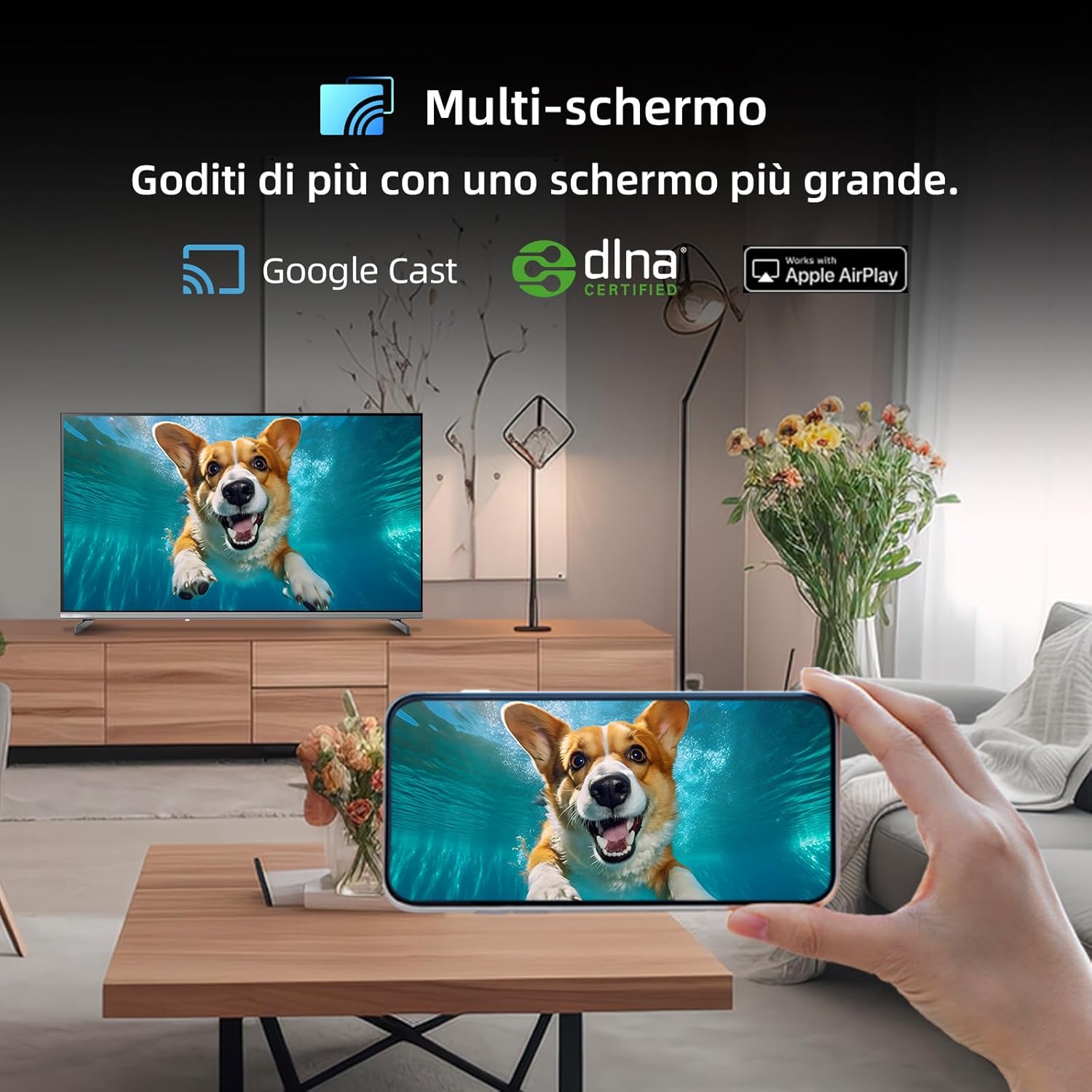
Figure 5.2.1: Multi-screen functionality with Google Cast.
6. Засвар үйлчилгээ
6.1 Дэлгэц цэвэрлэх
- ТВ-ээ унтрааж, цахилгааны утсыг салга.
- Зөөлөн, хөвөнгүй даавуугаар дэлгэцийг зөөлөн арчина.
- Зөрүүд тэмдгийн хувьд хөнгөнөөр dampдаавууг усаар эсвэл тусгай дэлгэц цэвэрлэгчээр угаана. Дэлгэц рүү шууд шингэн цацаж болохгүй.
6.2 C-г цэвэрлэхasing
Зурагтаа арчих casing зөөлөн, хуурай даавуугаар. Зүлгүүрийн цэвэрлэгч, уусгагч хэрэглэхээс зайлсхий.
7. Алдаа засах
Хэрэв та телевизортой холбоотой асуудалтай тулгарвал дараах нийтлэг асуудал болон шийдлүүдийг үзнэ үү.
| Асуудал | Боломжит шалтгаан | Шийдэл |
|---|---|---|
| Хүч чадалгүй | Цахилгааны утас салгагдсан, цахилгаан гаралтын асуудал | Цахилгааны холболтыг шалгаад өөр залгуурыг туршаад үзээрэй. |
| Зураг байхгүй ч дуу чимээ байна | Incorrect input source, faulty cable | Verify input source, check HDMI/AV cable connections. |
| Дуу алга, гэхдээ зураг байна | Дууг хаасан, гадаад аудио системийн асуудал | Unmute volume, check external audio connections. |
| Алсын удирдлага ажиллахгүй байна | Dead batteries, obstruction | Replace batteries, remove obstructions between remote and TV. |
| Smart features slow or unresponsive | Network issue, temporary software glitch | Restart TV, check Wi-Fi connection, update software. |
8. Техникийн үзүүлэлтүүд
Detailed technical specifications for the CHiQ 40QA10 QLED TV:
| Онцлог | Тодорхойлолт |
|---|---|
| Загвар | 40QA10 |
| Дэлгэцийн хэмжээ | 40 инч |
| Дэлгэцийн технологи | QLED, IPS |
| Шийдвэр | 1080p Full HD (1920 x 1080) |
| Сэргээх хурд | 60 Гц |
| HDR дэмжлэг | HDR10 |
| Үйлдлийн систем | Google TV |
| Аудио технологи | Dolby Audio, dbx-телевиз |
| Холболт | Wi-Fi (Dual Band), Bluetooth 5.0, Ethernet, HDMI (x3), USB (x2) |
| Тохируулагч технологи | DVB-C/T/T2/S/S2 |
| Нэмэлт онцлогууд | Chromecast Built-in, DLNA |
| Эрчим хүчний хэрэглээ | 55 ватт |
| Эрчим хүчний хэмнэлтийн ангилал | E |
| Бүтээгдэхүүний хэмжээ (ӨхӨХ) | 89.18 x 7.07 x 50.86 см (суурьгүй) |
| Жин | 5 кг |

Figure 8.1: Energy Efficiency Label. For more details, visit EPREL мэдээллийн сан.

Figure 8.2: Detailed Product Information Sheet. For more details, visit EPREL мэдээллийн сан.
9. Баталгаат хугацаа ба дэмжлэг
9.1 Баталгаат хугацааны мэдээлэл
The CHiQ 40QA10 TV typically comes with a manufacturer's warranty. Please refer to the warranty card included with your product for specific terms and conditions, including warranty duration and coverage details. Keep your proof of purchase for warranty claims.
9.2 Хэрэглэгчийн дэмжлэг
For technical assistance, troubleshooting beyond this manual, or warranty service, please contact CHiQ customer support. Contact information can usually be found on the official CHiQ webсайт эсвэл таны бүтээгдэхүүний баримт бичигт.
- Үйлдвэрлэгч: Changhong Europe Electric sro
- Хаяг: Dělnická 213/12, 17000 Praha 7, Czech Republic
- Webсайт: www.chiq.com
- Имэйл: info@chiq.com
- Утас: +420233325611