1. Танилцуулга
Welcome to the COLORROOM Kids Tablet A30L1 EVA user manual. This guide provides essential information to help you set up, operate, and maintain your new tablet. Designed for children aged 3-12, this tablet offers a safe and engaging digital environment for learning and entertainment, featuring robust parental controls and a durable design.
2. Аюулгүй байдлын мэдээлэл
- Хяналт: Always supervise children during tablet use.
- Цэнэглэж байна: Use only the provided charger and cable. Do not use the tablet while charging.
- Усанд өртөх: Keep the tablet away from water and moisture.
- Температур: Хэт их температураас зайлсхий.
- Цэвэрлэгээ: Clean the tablet with a soft, dry cloth. Do not use liquid cleaners.
- Дэлгэцийн цаг: Utilize parental controls to manage screen time and prevent excessive use.
3. Багцын агуулга
Таны багцад бүх зүйл байгаа эсэхийг шалгана уу:
- COLORROOM Kids Tablet A30L1 EVA (with EVA Protective Case)
- USB-C кабель
- Эрчим хүчний адаптер
- Хэрэглэгчийн гарын авлага (энэ баримт бичиг)
Видео тайлбар: This video demonstrates the unboxing process of the COLORROOM Kids Tablet, showcasing the tablet, its protective EVA case, and included accessories like the charging cable and adapter.
4. Тохиргоо
4.1 Анхдагч асаалттай
- Press and hold the power button (located on the side) until the screen lights up.
- Хэл болон бүс нутгаа сонгохын тулд дэлгэцэн дээрх зааврыг дагана уу.
4.2 Wi-Fi-д холбогдож байна
- Нүүр дэлгэцээс 'Тохиргоо' дүрс дээр товшино уу.
- Select 'Network & internet' then 'Wi-Fi'.
- Жагсаалтаас Wi-Fi сүлжээгээ сонгоод нууц үгээ оруулна уу.
- Tap 'Connect'.
4.3 Setting up Google Kids Space and Parental Controls
The tablet comes with Google Kids Space pre-installed, offering a curated selection of apps, books, and videos for children. Parental controls are managed through Google Family Link.
- Open the 'Google Kids Space' app.
- Follow the instructions to set up a child profile and link it to your Google Family Link account on your smartphone.
- On your smartphone, download and install the Google Family Link app.
- Use the Family Link app to manage your child's device, including app usage, screen time limits, and content restrictions.

Зургийн тайлбар: A close-up of the COLORROOM Kids Tablet screen displaying the Google Kids Space interface with various child-friendly app icons for playing, reading, watching, and creating.
Видео тайлбар: This video demonstrates how to use Google Family Link on a parent's smartphone to manage app restrictions and usage time for the child's tablet, ensuring a safe digital experience.
5. Таблетыг ажиллуулах
5.1 Үндсэн навигаци
- Мэдрэгчтэй дэлгэц: Сонгохын тулд товш, гүйлгэхийн тулд шудар, томруулахын тулд чимхээрэй.
- Үндсэн дэлгэц: Access all installed apps and widgets.
- Мэдэгдэл: Дэлгэцийн дээд хэсгээс доош шударна уу view мэдэгдэл болон хурдан тохиргоо.
5.2 Using Educational Apps and Content
The tablet provides access to thousands of high-quality educational content, including picture books, educational comics, children's books, early learning apps for alphabet and numbers, programming tools, and interactive games.

Зургийн тайлбар: The COLORROOM Kids Tablet in its purple EVA case, displaying a vibrant home screen with various educational and entertainment app icons, including STEM, ABC, and drawing applications.
Видео тайлбар: This video highlights the diverse range of educational apps available on the tablet, covering subjects like English, Kanji, and arithmetic, along with learning manga, children's books, games, and videos.
5.3 Accessing YouTube Kids
YouTube Kids is designed for children, offering a safe and easy way to enjoy videos. Filters can be flexibly adjusted according to your child's growth.
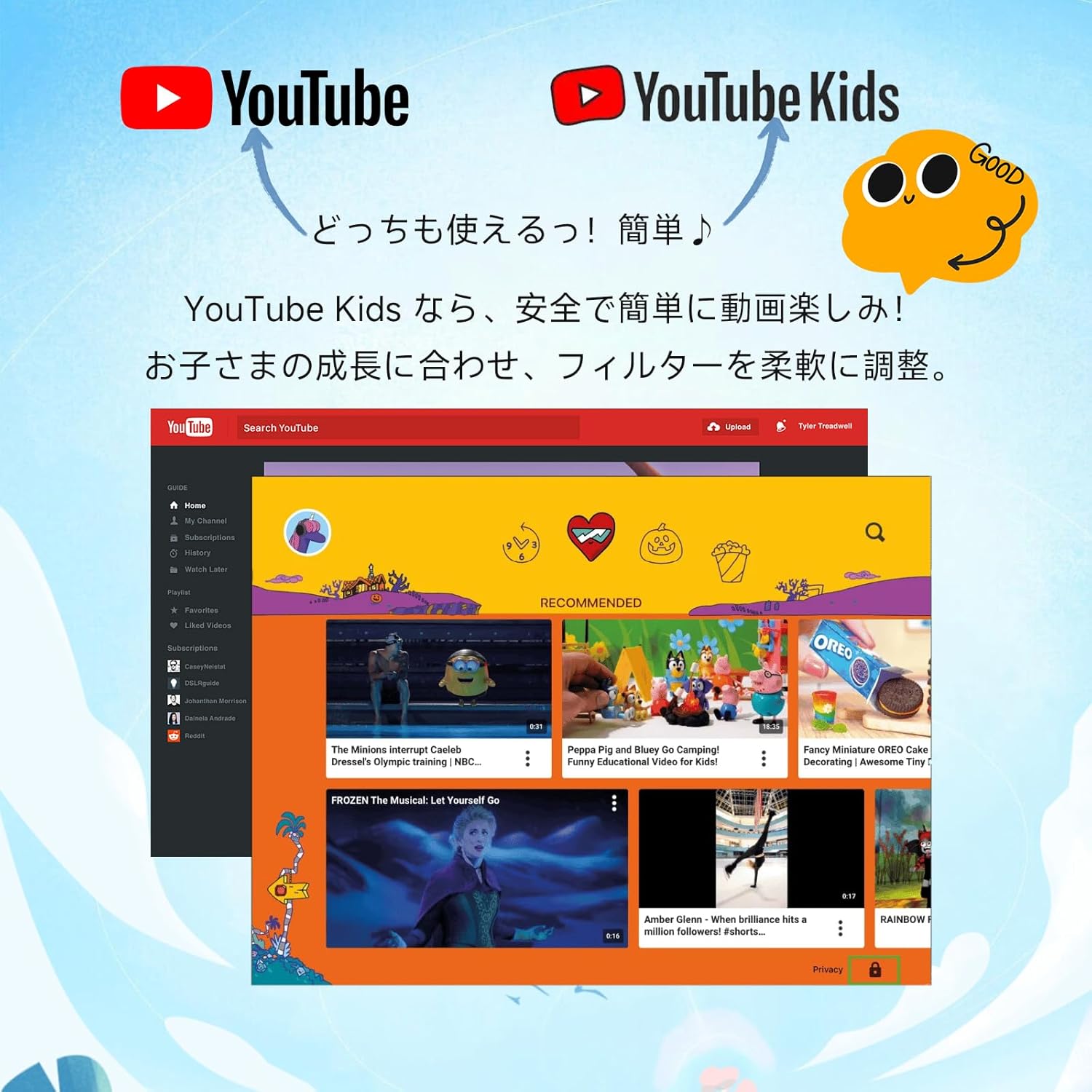
Зургийн тайлбар: An image comparing the interfaces of standard YouTube and YouTube Kids, emphasizing the child-friendly design and content filtering of YouTube Kids.
5.4 Камер ашиглах
The tablet features a 5MP front camera and an 8MP rear camera for capturing photos and videos.

Зургийн тайлбар: An illustration highlighting the 5MP front camera and 8MP rear camera of the COLORROOM Kids Tablet, with example photos of children.
5.5 AR Zoo Application
Explore augmented reality with the pre-installed AR Zoo app. Scan animal pictures to bring them to life on your tablet screen.
Видео тайлбар: This video demonstrates the AR Zoo game, where users can scan animal cards with the tablet's camera to see 3D augmented reality animals appear on the screen.
6. Эцэг эхийн хяналт
The tablet is equipped with comprehensive parental controls to ensure a safe and educational experience for your child. These features are primarily managed through the Google Family Link app on your smartphone.
- Custom Child Profiles: Хувийн мэргэжилтэн үүсгэfileхүүхэд бүрийн хувьд.
- Цагийн хязгаарлалт: Set precise daily usage limits in 15-minute increments to prevent overuse.
- App Approval: Individually approve safe apps and webсайтууд.
- Content Monitoring: Easily check your child's device usage and content viewed.
- Сурах зорилго: Set learning objectives, and restrict entertainment content until goals are met.
- GPS функц: Monitor the tablet's location through the Family Link app.

Зургийн тайлбар: A visual representation of the parental control dashboard, showing options for setting shutdown times, app restrictions, and educational goals for child profiles.
7. Онцлогууд дууссанview
7.1 Дэлгэц
- Хэмжээ: 10.1 инч
- Шийдвэр: 1280x800 HD IPS
- Widevine L1 дэмжлэг: Ensures high-quality streaming for services like Netflix and YouTube.

Зургийн тайлбар: The tablet screen showing a comparison between L1 (1080P) and L3 (720P) Widevine levels, indicating support for high-definition content streaming.
Видео тайлбар: This video showcases the 10.1-inch large screen of the tablet, highlighting its visual quality for children's content.
7.2 Гүйцэтгэл
- Үйлдлийн систем: Android 16 (personalized, secure, user-friendly)
- CPU: 2.0 ГГц найман цөмт
- RAM: 24GB (4GB физик + 20GB виртуал өргөтгөл)
- Дотоод санах ой: 64 ГБ ROM
- Өргөтгөх боломжтой хадгалах сан: Supports microSD cards up to 1TB

Зургийн тайлбар: The tablet screen displaying the Android 16 operating system, emphasizing enhanced privacy, improved operability, and AI features for a smart daily experience.
7.3 Батерей
- Хүчин чадал: 6000 мАч
- Зайны хугацаа: 8 цаг хүртэл тасралтгүй ашиглах боломжтой
- Supports fast charging and features low power consumption.

Зургийн тайлбар: The tablet screen showing a charging battery icon, alongside images of children using the tablet for studying, playing games, and watching videos, illustrating its long battery life.
7.4 Хамгаалалт
- EVA Protective Case: Lightweight and shock-absorbing, providing excellent protection against drops.
- 360-degree Rotating Handle/Stand: Босоо эсвэл хэвтээ байрлалыг зөвшөөрдөг viewing and easy portability.
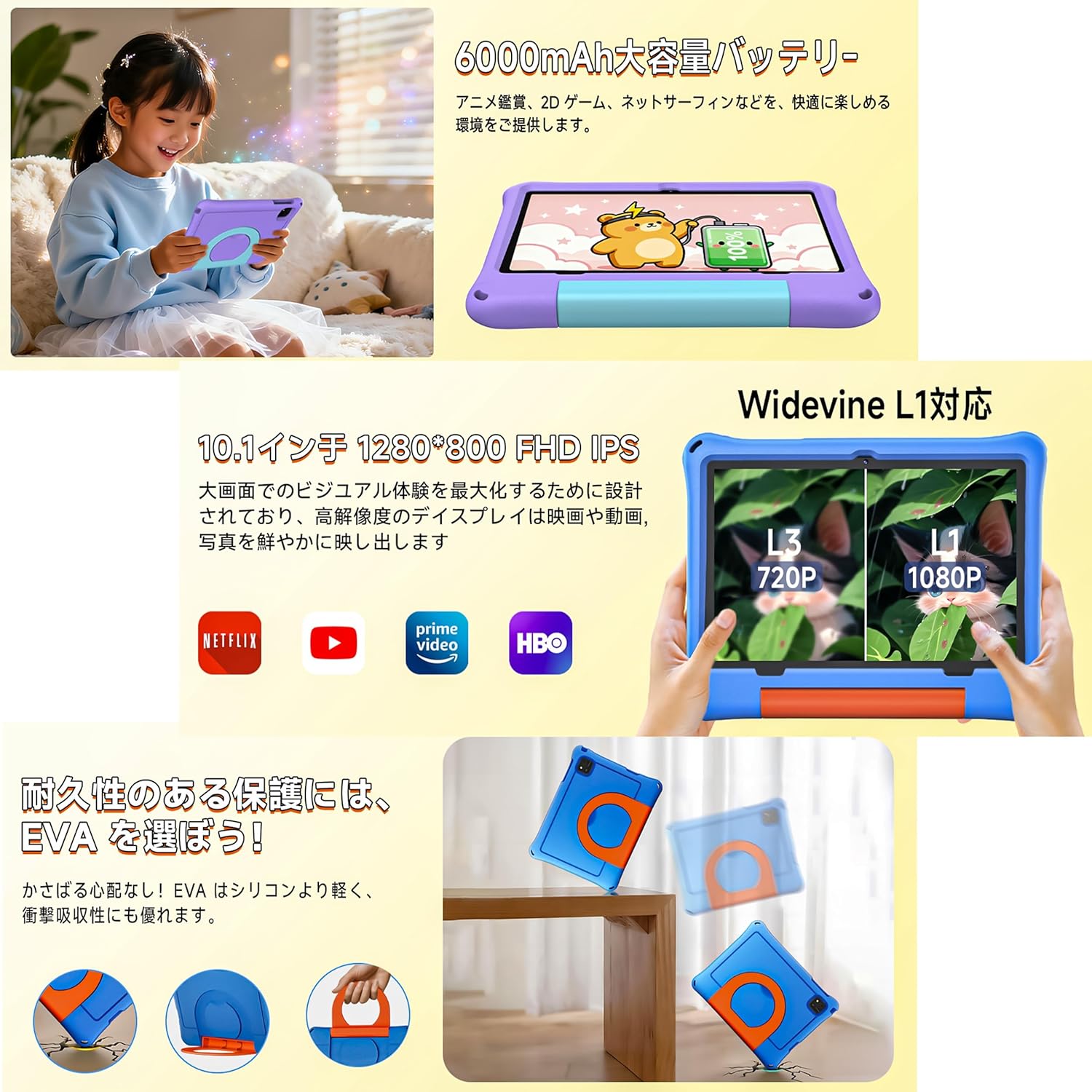
Зургийн тайлбар: The tablet in its EVA case, highlighting its shock-absorbing properties with illustrations of drops and the versatile 360-degree rotating handle that doubles as a stand.
Видео тайлбар: This video demonstrates the 360-degree rotating handle/stand and the durable, shock-resistant case of a 7-inch kids tablet. Note: This product is a 10.1-inch tablet, but features similar case design.
8. Засвар үйлчилгээ
8.1 Таблетыг цэвэрлэх
To clean the tablet screen and body, use a soft, lint-free cloth. For stubborn smudges, slightly dampдаавуугаар усаар. Химийн хатуу бодис, зүлгүүрийн материал ашиглахаас зайлсхий.
8.2 Батерейны арчилгаа
- Байнга зайгаа бүрэн цэнэглэхээс зайлсхий.
- Do not leave the tablet connected to the charger for extended periods after it's fully charged.
- Store the tablet in a cool, dry place when not in use for long periods.
8.3 Програм хангамжийн шинэчлэлтүүд
Periodically check for system updates to ensure optimal performance and security. Go to 'Settings' > 'System' > 'System update' to check for and install available updates.
9. Алдаа засах
- Таблет асахгүй байна: Батерей цэнэглэгдсэн эсэхийг шалгана уу. Цэнэглэгчийг холбоод дахин оролдоно уу.
- Screen frozen: Дахин эхлүүлэхийн тулд асаах товчийг 10 секундын турш удаан дар.
- Wi-Fi холболтын асуудал: Check if your Wi-Fi router is working correctly. Restart the tablet and try reconnecting.
- Гэмтсэн програмууд: Clear the app's cache in 'Settings' > 'Apps' > [App Name] > 'Storage' > 'Clear cache'. If the issue persists, reinstall the app.
- Удаан гүйцэтгэл: Шаардлагагүй арын аппликейшнуудыг хаах. Кэш болон түр зуурын програмуудыг цэвэрлэх files. Consider a factory reset if problems continue (back up data first).
10. Техникийн үзүүлэлтүүд
| Онцлог | Тодорхойлолт |
|---|---|
| Брэнд | ӨНГӨ ӨРӨӨ |
| Загварын нэр | A30L1 EVA |
| Үйлдлийн систем | Android 16 |
| CPU | 2.0 GHz Octa-Core (Unisoc) |
| RAM | 24 GB (4GB + 20GB virtual) |
| Хадгалах | 64 ГБ (microSD-ээр 1 ТБ хүртэл өргөтгөх боломжтой) |
| Дэлгэцийн хэмжээ | 10.1 инч |
| Дэлгэцийн нягтрал | 1280x800 pixels HD IPS |
| Урд камер | 5 МП |
| Арын камер | 8 МП |
| Зайны багтаамж | 6000 мАч |
| Зайны ашиглалт | 8 цаг хүртэл |
| Холболт | Wi-Fi (802.11ac), Bluetooth |
| Хэмжээ | 32 x 22.4 x 3.6 см |
| Жин | 500 гр |
11. Баталгаат хугацаа ба дэмжлэг
The COLORROOM Kids Tablet A30L1 EVA comes with a 1-year quality assurance service. If you encounter any issues with the product, please contact our specialized after-sales service team promptly. We are committed to providing efficient support to resolve your concerns and exceed your expectations.
For support, please refer to the contact information provided with your purchase or visit the COLORROOM brand store on Amazon.


