1. Танилцуулга
This manual provides essential information for setting up, operating, maintaining, and troubleshooting your NIMO 15.6" FHD Laptop (Model N158). Please read this manual thoroughly before using your device to ensure optimal performance and longevity.
Багцын агуулга
- 1 x NIMO N158 зөөврийн компьютер
- 1 x Type-C 100W PD хурдан цэнэглэгч
- 1 х хэрэглэгчийн гарын авлага
- Windows 11 Home үйлдлийн систем (урьдчилан суулгасан)
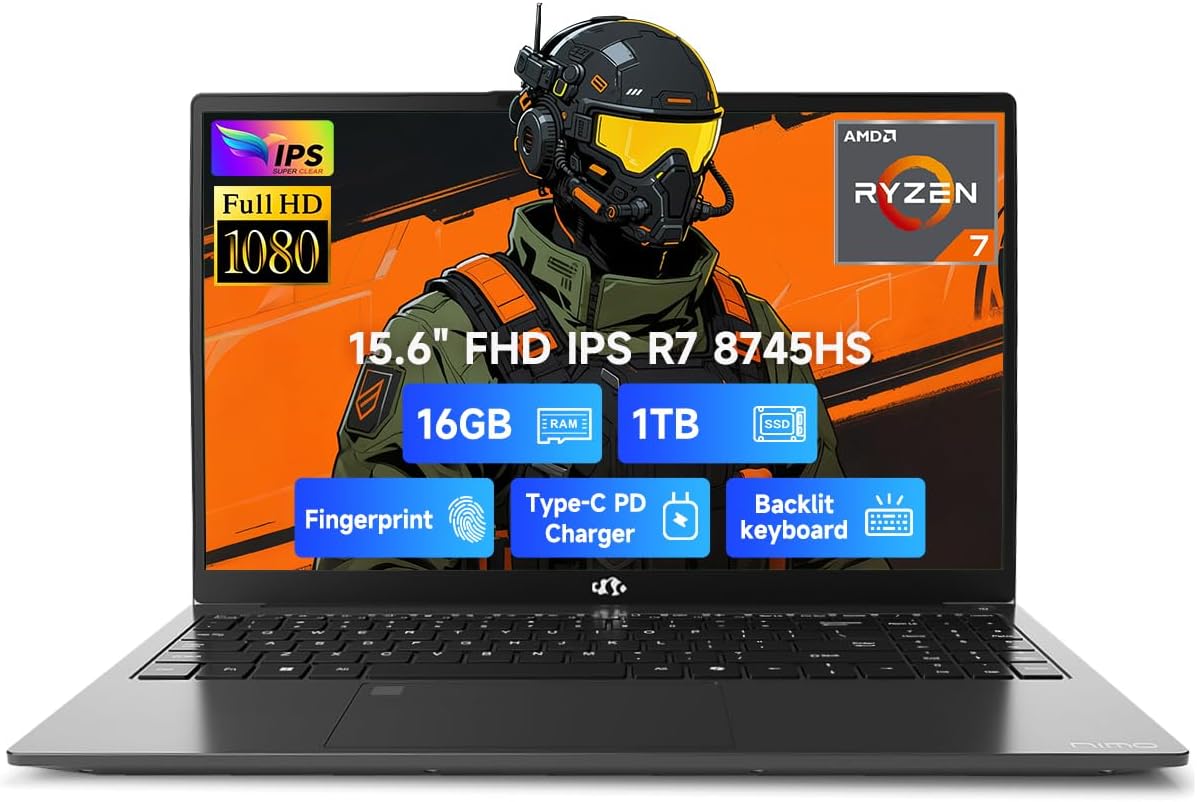
Image 1.1: NIMO 15.6 inch FHD Laptop, showcasing түүний гоёмсог дизайн, дэлгэц.
2. Анхны тохиргоо
2.1 Асаах болон цэнэглэх
Before first use, ensure your laptop is fully charged. Connect the provided 100W Type-C PD Fast Charger to the USB 4.0 Type-C port on the laptop and to a power outlet. The charging indicator light will illuminate.

Image 2.1: The NIMO laptop connected to its 100W USB-C fast charger, illustrating the charging process and battery capacity.
2.2 Эхний ачаалалт ба Windows 11-ийн тохиргоо
Press the power button to turn on the laptop. Follow the on-screen instructions to complete the initial setup of Windows 11 Home. This includes setting up your region, language, network connection, and user account.
2.3 Хурууны хээ мэдрэгчийн тохиргоо
For enhanced security, configure the integrated fingerprint sensor. During Windows 11 setup or via Windows Settings > Accounts > Sign-in options, you can register your fingerprint for quick and secure login.

Image 2.2: Close-up of the NIMO laptop's keyboard, highlighting the backlit keys and the integrated fingerprint sensor on the touchpad.
3. Зөөврийн компьютерээ ажиллуулах
3.1 Гар ба мэдрэгчтэй самбар
The laptop features a full-size keyboard with a numeric keypad and adjustable backlighting for comfortable typing in various lighting conditions. The precision gesture touchpad supports multi-touch gestures for intuitive navigation. The fingerprint sensor is integrated into the touchpad for convenient unlocking.
3.2 Холболтын портууд
Your NIMO laptop is equipped with a variety of ports for connecting external devices:
- USB 4.0 Type-C: For high-speed data transfer, video output, and power delivery (charging).
- USB 3.2: Multiple ports for connecting peripherals like external drives and mice.
- USB 2.0: Стандарт USB төхөөрөмжүүдийн хувьд.
- HDMI: Гадны дэлгэц эсвэл проектортой холбогдоход зориулагдсан.
- Чихэвчний Жак: Аудио гаралтын хувьд.
- SD картны үүр: Санах ойн карт унших зориулалттай.
- Кенсингтон цоожны үүр: Бие махбодийн аюулгүй байдлын үүднээс.
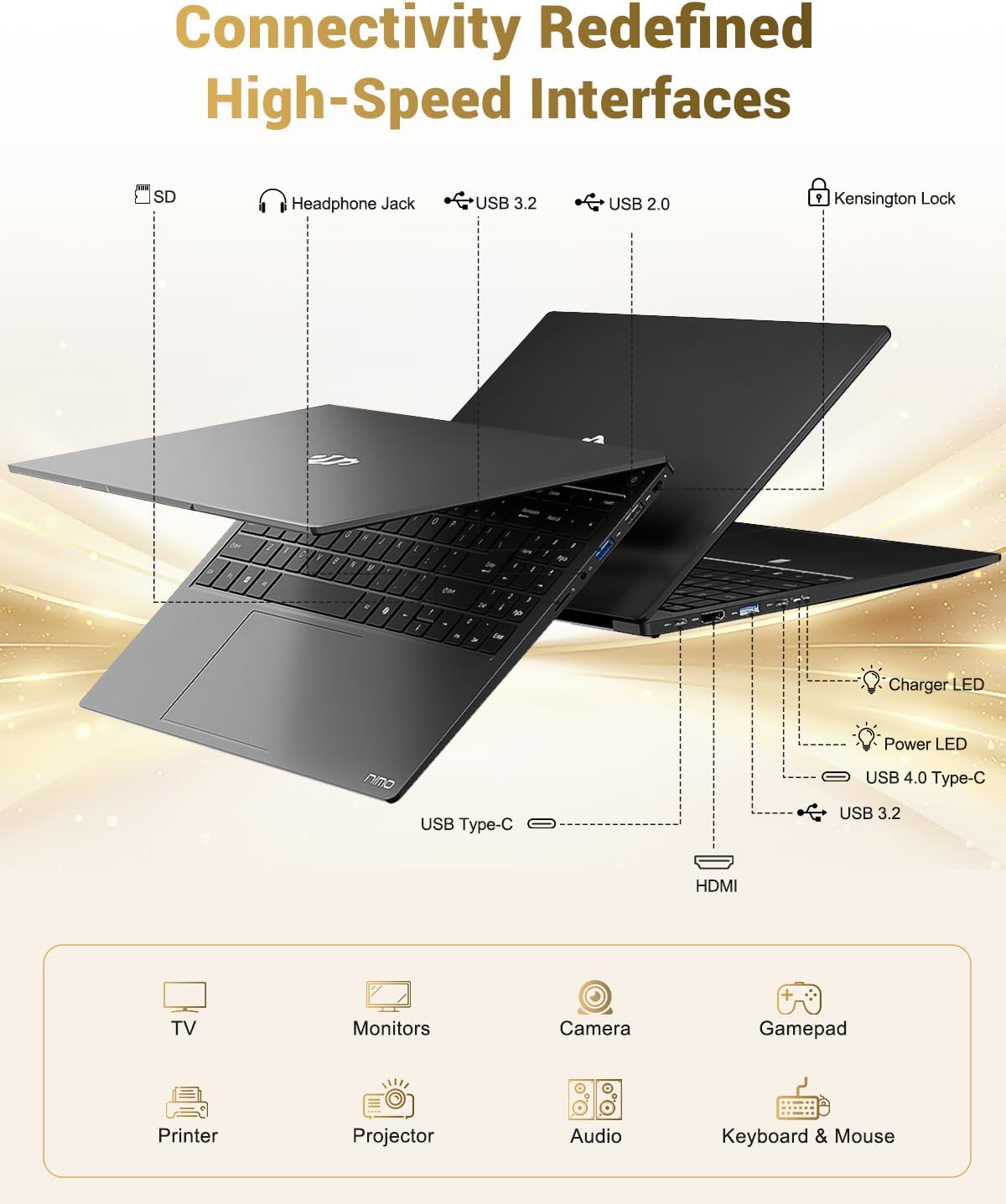
Image 3.1: Diagram illustrating the various input/output ports available on the NIMO laptop, including USB, HDMI, and audio jacks.
3.3 Webкамерын хэрэглээ
Нэгдсэн 2 MP webcam is suitable for video calls and online meetings. For privacy, the laptop includes a physical privacy switch to disable the webашиглаагүй үед камер.

Image 3.2: A visual representation of the laptop's webcam with an open and closed privacy switch, emphasizing user control over privacy.
4. Засвар үйлчилгээ, арчилгаа
4.1 Батерейны арчилгаа
The laptop is equipped with a 75Wh Smart Battery, providing an average battery life of 15.5 hours. To prolong battery lifespan:
- Хэт их температураас зайлсхий.
- Зайг ойр ойрхон бүрэн цэнэглэж болохгүй.
- If storing the laptop for extended periods, charge it to approximately 50-60%.
4.2 Upgradable Components
The NIMO laptop features an upgradable design, allowing for expansion of memory (DDR5 RAM) and storage (PCIe 4.0 SSD) to meet future needs. Consult a qualified technician for upgrades to avoid damaging components.

Image 4.1: Visual representation of the laptop's multitasking capabilities and ample storage, highlighting 1TB PCIe 4.0 SSD and 16GB DDR5 RAM.
4.3 Зөөврийн компьютерээ цэвэрлэх
Use a soft, lint-free cloth to clean the screen and exterior surfaces. For stubborn marks, dampУс эсвэл дэлгэцэнд тэсвэртэй цэвэрлэгчээр даавууг бага зэрэг арчина. Хүчтэй химийн бодис эсвэл зүлгүүрийн материалаас зайлсхий.
5. Алдаа засах
Энэ хэсэгт таны NIMO зөөврийн компьютерт тулгарч болох нийтлэг асуудлуудыг авч үзэх болно.
5.1 Эрчим хүчний асуудал
- Зөөврийн компьютер асахгүй байна: Ensure the charger is securely connected and the power outlet is functional. If the battery is completely drained, it may take a few minutes of charging before the laptop can power on.
- Зай цэнэглэгдэхгүй байна: Verify the Type-C charger and cable are undamaged. Try a different power outlet.
5.2 Дэлгэцийн асуудал
- Дэлгэц хоосон байна: Check if the laptop is powered on. Try connecting an external monitor via HDMI to determine if the issue is with the laptop's display or the graphics output.
- Дэлгэц анивчсан эсвэл гажуудсан: График драйверуудаа шинэчилнэ үү. Хэрэв гадаад дэлгэц ашиглаж байгаа бол кабелийн холболтыг шалгана уу.
5.3 Холболтын асуудал
- Wi-Fi холбогдоогүй байна: Windows тохиргоонд Wi-Fi идэвхжсэн эсэхийг шалгана уу. Чиглүүлэгч болон зөөврийн компьютерээ дахин асаана уу. Шинэчлэгдсэн Wi-Fi драйверуудыг шалгана уу.
- USB төхөөрөмжүүд танигдаагүй: Try connecting the device to a different USB port. Ensure device drivers are installed.
If you encounter issues not covered here, please refer to the support section for assistance.
6. Техникийн үзүүлэлтүүд
Detailed technical specifications for the NIMO 15.6" FHD Laptop (Model N158).
| Онцлог | Тодорхойлолт |
|---|---|
| Брэнд | NIMO |
| Загварын нэр | NIMO N158L |
| Загварын дугаар | NIMO N158 |
| Дэлгэцийн хэмжээ | 15.6 инч |
| Дэлгэцийн нягтрал | 1920 x 1080 пиксел (FHD IPS) |
| Процессор | AMD Ryzen 7 8745HS (8 цөм, 16 утас, 4.9 GHz хүртэл) |
| RAM | 16 ГБ DDR5 (4800 МГц) |
| Хатуу диск | 1024 ГБ SSD (PCIe 4.0) |
| График процессор | AMD Radeon 780M (Нэгдсэн) |
| Үйлдлийн систем | Windows 11 Нүүр хуудас |
| Утасгүй төрөл | 802.11a/b/g/n/ac |
| USB портууд | 1 x USB 2.0, 3 x USB 3.0, 1 x USB 4.0 Type-C |
| Батерейны дундаж хугацаа | 15.5 цаг (75Вт.ц) |
| Зүйлийн жин | 3.8 фунт |
| Бүтээгдэхүүний хэмжээс | 14.07 x 8.98 x 0.76 инч |
| Өнгө | Хар |
| Арын Webкамерын нягтрал | 2 МП |
| Онцлог шинж чанарууд | Арын гэрэлтүүлэгтэй гар, хурууны хээ уншигч, HD аудио, тоон товчлуур |

Image 6.1: The NIMO laptop's 15.6-inch FHD IPS display, emphasizing clear visuals and screen size.

Image 6.2: Close-up of the AMD Ryzen 7 8745HS processor, detailing its 8 cores, 16 threads, and 4.9GHz boost clock.
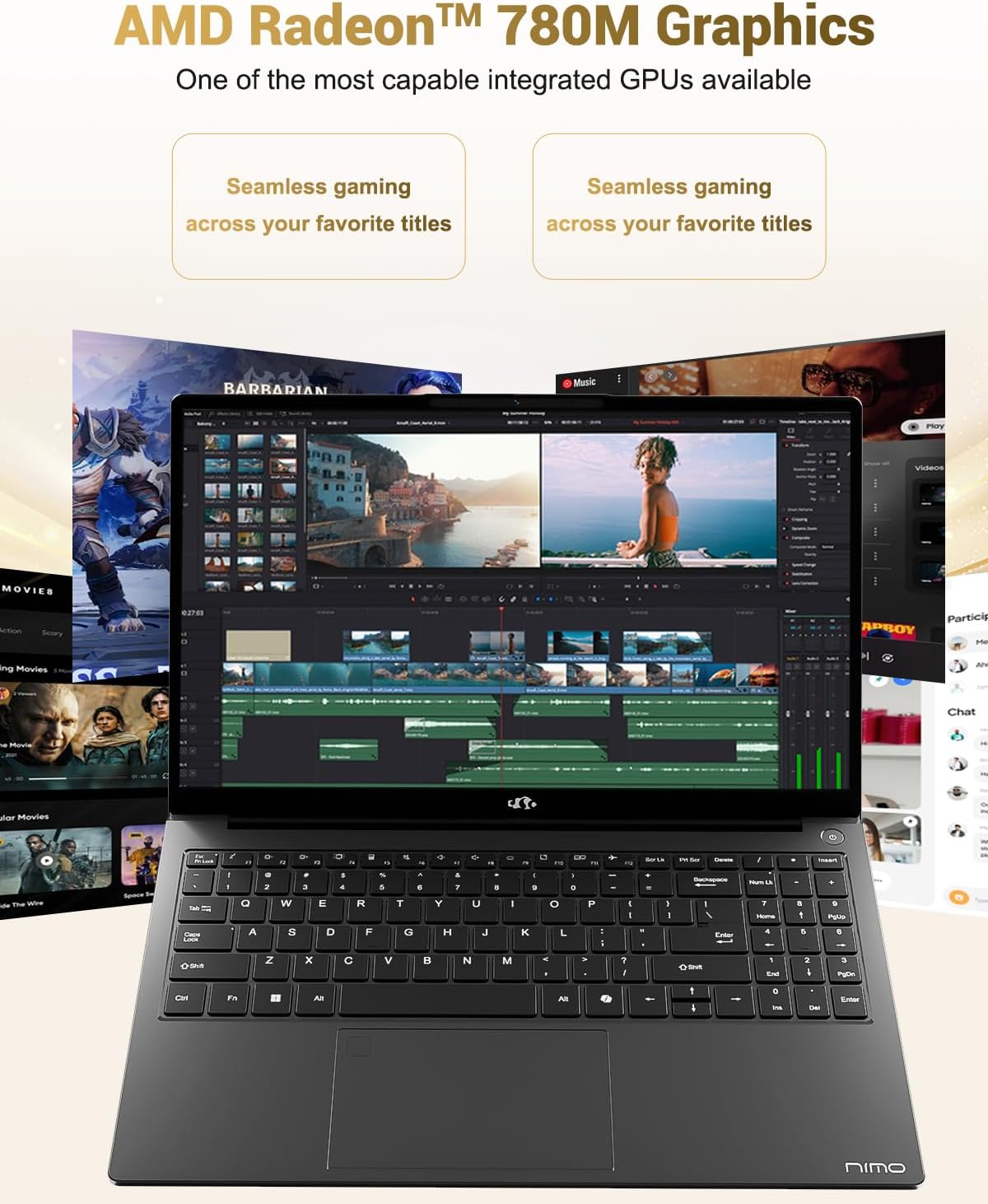
Image 6.3: The AMD Radeon 780M Graphics, highlighting its capability for seamless gaming and creative tasks.
7. Баталгаат хугацааны мэдээлэл
Таны NIMO зөөврийн компьютер дараахтай хамт ирдэг. 2 жилийн баталгаат хугацаа from the date of purchase. This warranty covers manufacturing defects and hardware malfunctions under normal use. Additionally, NIMO offers a 90 хоногийн асуудалгүй буцаах бодлого таны тав тухыг хангах үүднээс.
For warranty claims or return inquiries, please contact our customer support team using the information provided in the Support section.

Image 7.1: Icon representing 2-year support for NIMO products.

Image 7.2: Icon representing the 90-day return policy for NIMO products.
8. Хэрэглэгчийн дэмжлэг
NIMO is committed to providing excellent customer service. Our dedicated support team is available to assist you with any questions or issues you may have.
Холбоо барих мэдээлэл
- Имэйл: service@nimopc.com
- Үйлчилгээний цаг: 24-hour service available
For quick solutions and a worry-free experience, please reach out to us. We are ready to provide professional assistance.

Image 8.1: Illustration of professional customer assistance, indicating support availability.


