Танилцуулга
This manual provides detailed instructions for the setup, operation, and maintenance of your Zebronics Juke Bar 4120 200W Soundbar. Please read this manual thoroughly before using the product to ensure proper functionality and to maximize your audio experience. Keep this manual for future reference.

Image: The Zebronics Juke Bar 4120 Soundbar system, including the soundbar unit, subwoofer, wireless microphone, and remote control.
Хайрцагт юу байна
Агуулгыг сайтар задалж, бүх зүйл байгаа эсэхийг шалгаарай:
- Дууны бар - 1 нэгж
- Subwoofer - 1 Unit
- Wireless Mic - 1 Unit
- Remote Control - 1 Unit
- Input Cable - 1 Unit
- Wall Mount Fasteners - 1 Unit
- QR кодын гарын авлага - 1 нэгж
Гол онцлогууд
- Хүчтэй гаралт: Delivers an impressive total output power of 200W RMS, with 120W from the subwoofer and 80W (40W x 2) from the soundbar.

Image: A soundbar and subwoofer setup in a modern living room, illustrating the powerful 200W RMS output with visual sound waves.
- Гайхалтай Аудио: The soundbar features two (5 cm x 9 cm) drivers that provide balanced audio across a wide range of frequencies. Complementing this, the subwoofer houses a single 13.33 cm driver, specially designed to deliver deep, powerful bass that enhances the overall sound experience.
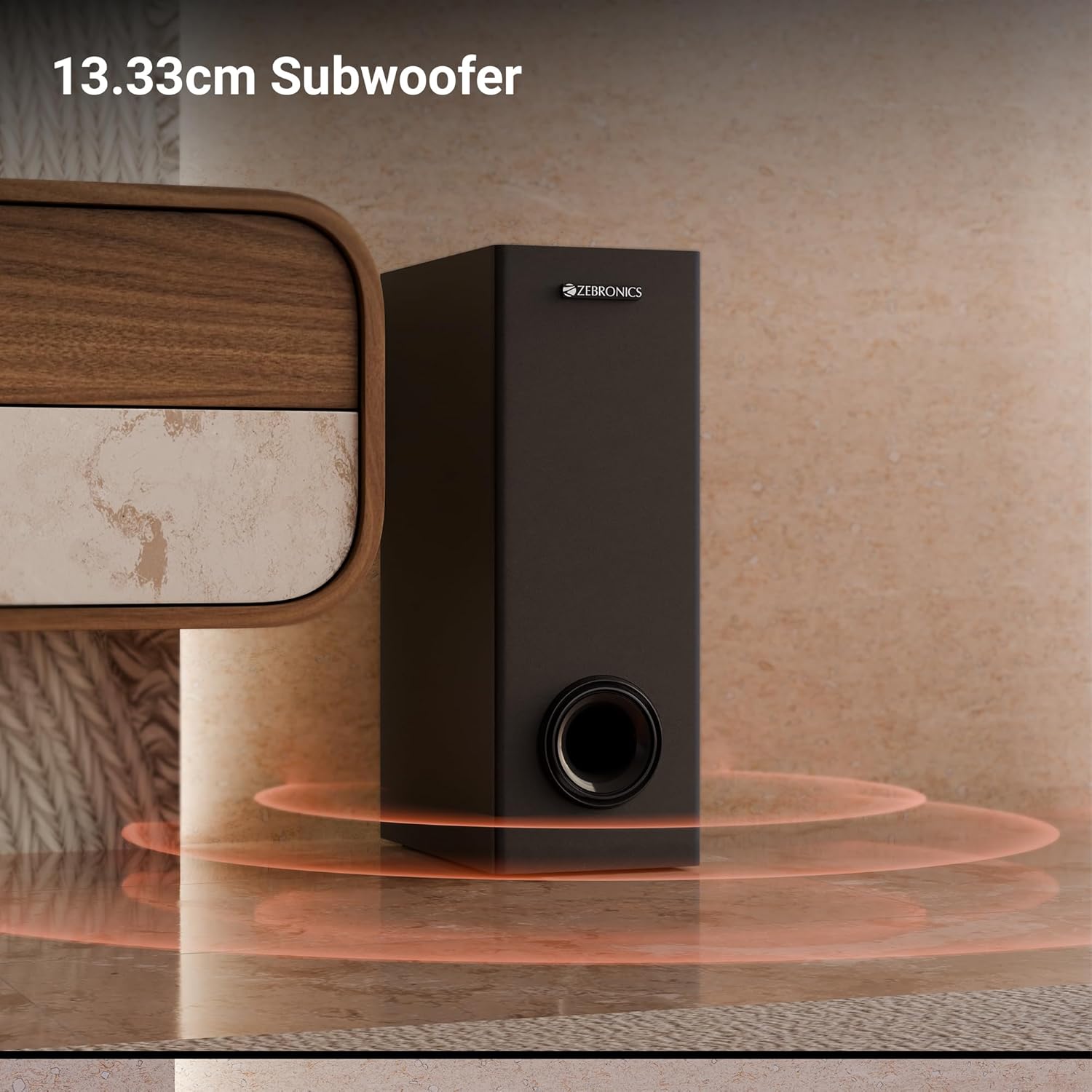
Зураг: Ойрын зураг view of the 13.33cm subwoofer, highlighting its design and bass output.

Image: The soundbar mounted below a television, with visual cues indicating sound projection from its dual drivers.
- Виртуал 5.1 хүрээлэл: To elevate your audio experience, this soundbar features virtual 5.1 surround sound, simulating multi-channel audio for immersive, cinematic sound.
- Олон холболт: The soundbar comes with multi-connectivity, such as BT v5.3 support, and options like TV (ARC), USB, and AUX inputs.
- Хананд холбох боломжтой: Designed for space efficiency, this soundbar is wall-mountable, which allows you to save floor space and maintain a clean, organized look in your living areas.
- Лэд дэлгэц: The LED display shows real-time information such as power status, volume levels, and connectivity modes, offering clarity and convenience.
- Караоке функц: Enjoy fun sing-alongs with the wireless mic and built-in karaoke function, perfect for parties, gatherings, or solo performances.
Тохиргоо
1. Байрлуулах
Position the soundbar centrally below your television for optimal sound projection. The subwoofer can be placed on the floor near the soundbar, ideally in a corner for enhanced bass response.
2. Хананд бэхлэх
The soundbar can be wall-mounted to save space. Use the provided wall mount fasteners and follow these steps:
- Mark the desired mounting position on the wall, ensuring it is level and centered with your TV.
- Тэмдэглэгдсэн байрлалд туршилтын цооног өрөмдөх.
- Insert wall anchors (if necessary) and secure the mounting brackets using the screws.
- Дууны самбарыг суурилуулсан хаалтанд болгоомжтой холбоно.
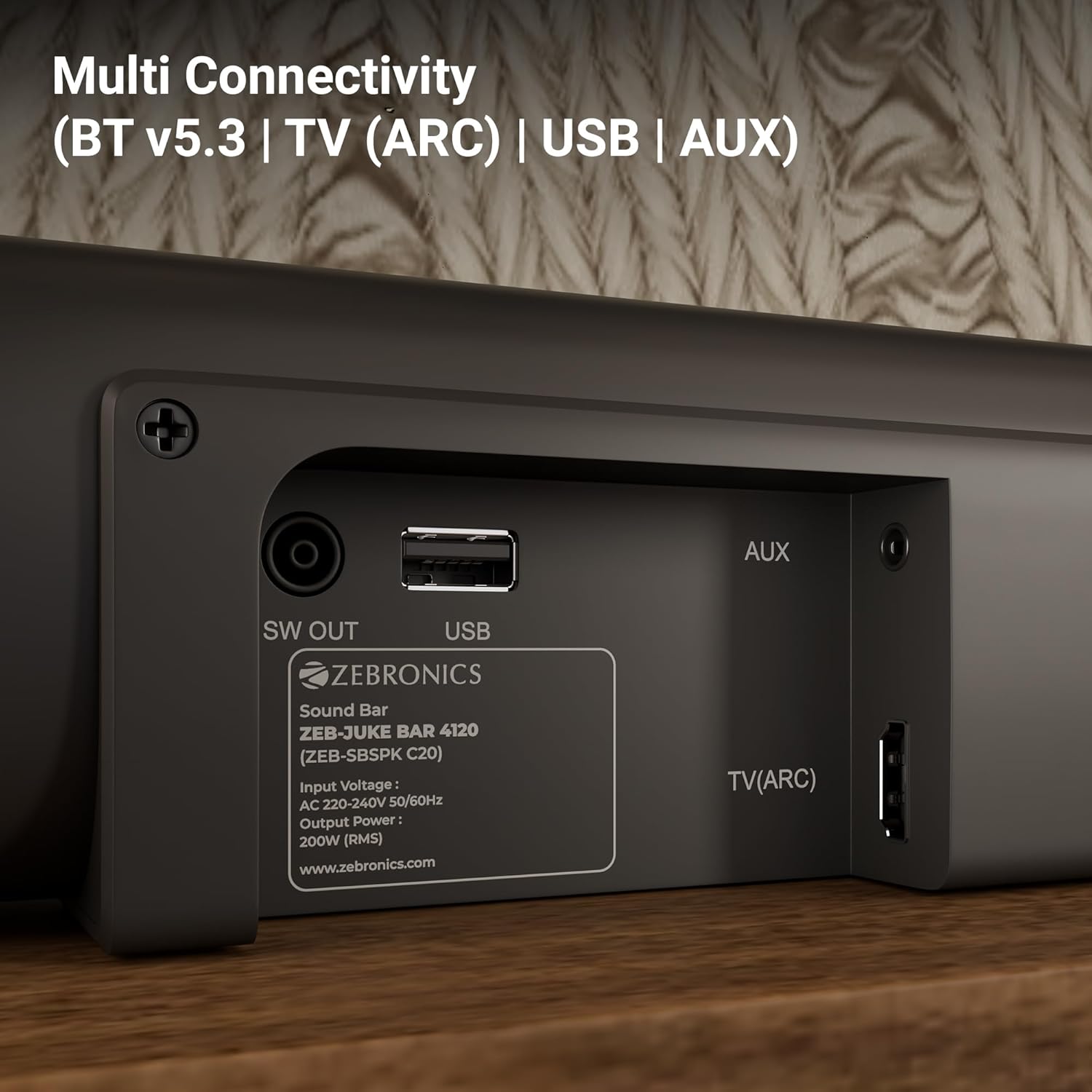
Image: The soundbar is shown securely mounted on a wall beneath a television, demonstrating its space-saving design.
3. Эрчим хүчний холболт
Connect the power cable to the soundbar and then plug it into a suitable power outlet. Ensure the subwoofer is also connected to its power source.
Холболт
The Zebronics Juke Bar 4120 offers multiple connectivity options:
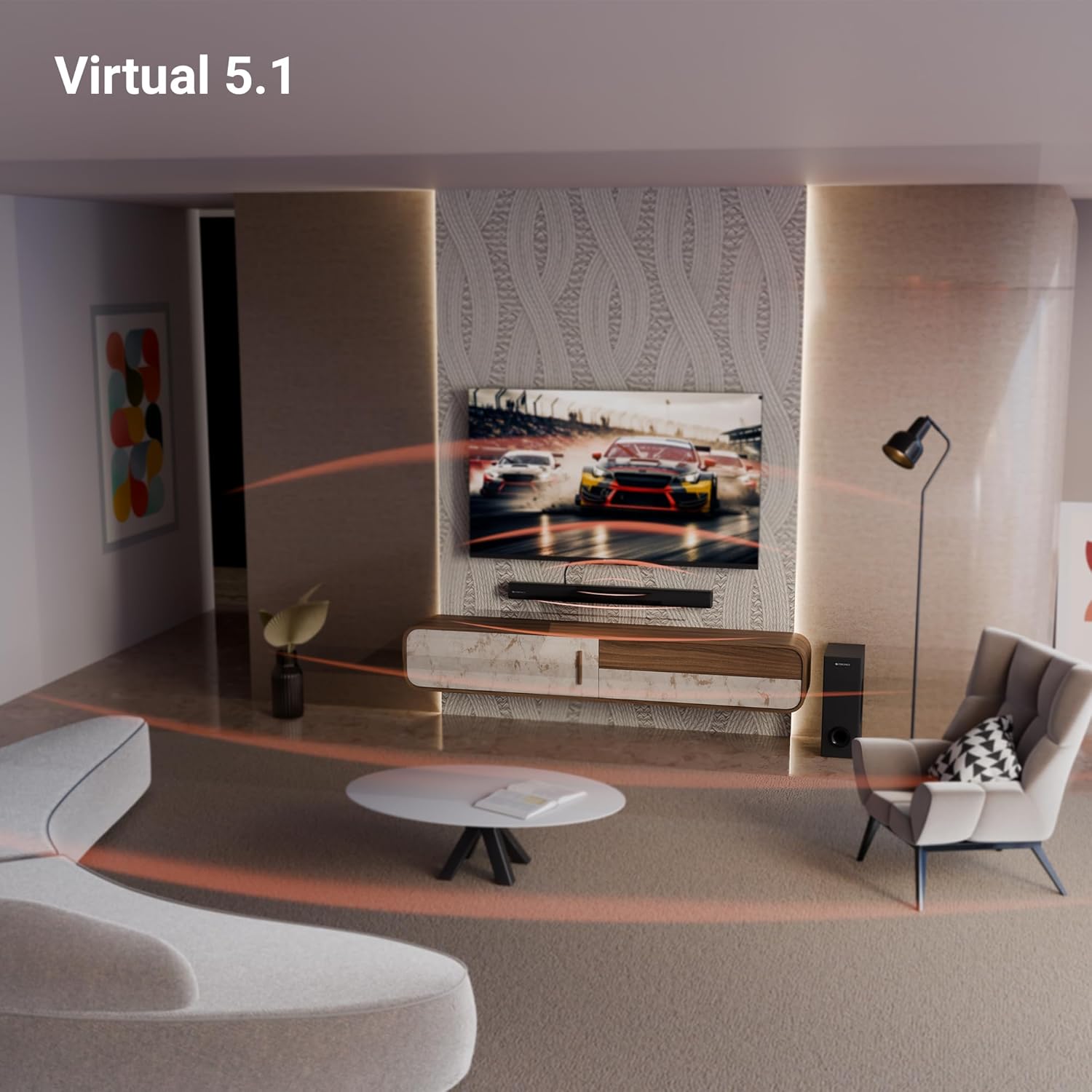
Image: A close-up of the soundbar's rear panel, displaying the SW OUT, USB, AUX, and TV (ARC) input ports for various connections.
1. Bluetooth (BT v5.3)
Bluetooth-ээр холбогдохын тулд:
- Turn on the soundbar and select Bluetooth mode using the remote or unit controls.
- Өөрийн төхөөрөмж (ухаалаг утас, таблет гэх мэт) дээр Bluetooth-г идэвхжүүлнэ үү.
- хайх "ZEB-JUKE BAR 4120" in your device's Bluetooth list and pair.
- Хослуулсны дараа дууны самбар амжилттай холболтыг илтгэнэ.
2. TV (ARC)
For optimal audio quality and control, connect your TV using the HDMI ARC port:
- Connect an HDMI cable from the TV (ARC) port on the soundbar to the HDMI ARC port on your television.
- Select the HDMI ARC input on the soundbar.
- ТВ-ийнхээ аудио гаралтын тохиргоог HDMI ARC-д тохируулсан эсэхийг шалгаарай.
3 дугаартай USB
To play media from a USB drive:
- Саундбар дээрх USB порт руу USB драйв оруулна уу.
- Select USB mode using the remote or unit controls.
- The soundbar will automatically detect and play compatible audio files.
4. AUX
To connect via an auxiliary cable:
- Connect a 3.5mm audio cable from your device's audio output to the AUX input on the soundbar.
- Select AUX mode using the remote or unit controls.
Ашиглалтын заавар
1. Асаах/унтраах
Төхөөрөмжийг асаах эсвэл унтраахын тулд дууны самбар эсвэл алсын удирдлага дээрх асаах товчийг дарна уу.
2. Дууны түвшний хяналт
Аудио түвшинг тохируулахын тулд дууны самбар эсвэл алсын удирдлага дээрх Дууг нэмэгдүүлэх (+) болон Дууг бууруулах (-) товчлууруудыг ашиглана уу.
3. Оруулах сонголт
Press the 'Input' or 'Mode' button on the soundbar or remote control to cycle through available input sources (BT, TV ARC, USB, AUX).
4. LED дэлгэц
The integrated LED display provides visual feedback on the current status of the soundbar, including selected input mode, volume level, and other settings.

Зураг: Нарийвчилсан view of the soundbar's LED display, showing a clear indicator for current status or mode.
5. Караоке функц
The soundbar includes a wireless microphone for karaoke. Simply power on the microphone, and it will automatically connect to the soundbar. Use the remote control to adjust microphone volume and echo effects.

Image: The wireless microphone, designed for use with the soundbar's karaoke function.
6. Алсын удирдлага
The included remote control provides full functionality for the soundbar, allowing you to power on/off, switch inputs, adjust volume, control playback, and manage karaoke settings.

Image: The remote control for the Zebronics soundbar, showing various buttons for function control.
7. Virtual 5.1 Surround Sound
The soundbar's virtual 5.1 surround sound technology creates an immersive audio experience, simulating multi-channel sound without the need for additional speakers. This enhances movie watching and gaming by providing a wider soundstage.

Image: A living room scene with the soundbar and subwoofer, visually representing the expansive sound field created by virtual 5.1 surround sound.
Засвар үйлчилгээ
Таны soundbar-ийн урт наслалт, оновчтой ажиллагааг хангахын тулд:
- Clean the surfaces with a soft, dry cloth. Avoid using abrasive cleaners or solvents.
- Keep the soundbar and subwoofer away from direct sunlight, heat sources, and excessive moisture.
- Хэт халалтаас урьдчилан сэргийлэхийн тулд нэгжийн эргэн тойронд зохих агааржуулалтыг хангана.
Алдааг олж засварлах
Хэрэв танд ямар нэгэн асуудал тулгарвал дараах нийтлэг асуудал, шийдлүүдийг үзнэ үү.
| Асуудал | Боломжит шийдэл |
|---|---|
| Хүч чадалгүй | Check if the power cable is securely connected to both the soundbar/subwoofer and the power outlet. Ensure the power outlet is functional. |
| Дуу алга | Verify the correct input source is selected. Check volume levels on both the soundbar and the connected device. Ensure all audio cables are properly connected. |
| Bluetooth холбогдоогүй байна | Ensure the soundbar is in Bluetooth pairing mode. Turn off and on Bluetooth on your device. Move your device closer to the soundbar. |
| Алсын удирдлага ажиллахгүй байна | Check the remote control batteries and replace if necessary. Ensure there are no obstructions between the remote and the soundbar. |
Үзүүлэлтүүд
| Онцлог | Дэлгэрэнгүй |
|---|---|
| Загварын нэр | ZEB-JUKE BAR |
| Чанга яригчийн төрөл | Дууны самбар |
| Онцлог шинж чанар | Баригдсан микрофон |
| Тохиромжтой төхөөрөмжүүд | Television, mobile |
| Хүрээлэн буй орчны дууны сувгийн тохиргоо | 2.1 (Virtual 5.1) |
| Өнгө | Хар |
| Бүтээгдэхүүний хэмжээс | 7.7D x 86W x 7.7H Сантиметр |
| Зүйлийн жин | 5300 Grams (5 kg 300 g) |
| Хяналтын арга | Алсын удирдлага |
| Утасгүй холбооны технологи | Bluetooth |
| Чанга яригчийн хэмжээ | 13.33 Centimetres (Subwoofer) |
| Эрчим хүчний эх үүсвэр | Утастай цахилгаан |
| Дуу шуугианы харьцаа | 66 дБ |
| Woofer диаметр | 13.33 сантиметр |
| Аудио драйверын төрөл | Динамик драйвер |
| Аудио драйверын хэмжээ | 5 Centimetres (Soundbar) |
| Загвар | ZEB-JUKE BAR 4120 |
| Bluetooth хувилбар | 5.3 |
| Илтгэгч Ampбэхэлгээний төрөл | Идэвхтэй |
| Ватtage | 200 ватт |
| Суурилуулах төрөл | Ханын бэхэлгээ |
| Холболтын технологи | Туслах, Bluetooth, HDMI, Оптик, USB |
Баталгаат болон дэмжлэг
This product comes with a standard brand warranty. For specific warranty details, claims, or technical support, please refer to the warranty card included in the packaging or visit the official Zebronics webсайт. Та мөн зочилж болно Амазон дээрх ZEBRONICS дэлгүүр дэлгэрэнгүй мэдээллийг авна уу.


