Танилцуулга
This manual provides essential information for setting up, operating, and maintaining your Apple Watch Series 11 GPS + Cellular 42mm. Please read these instructions carefully to ensure proper use and to maximize the device's capabilities.
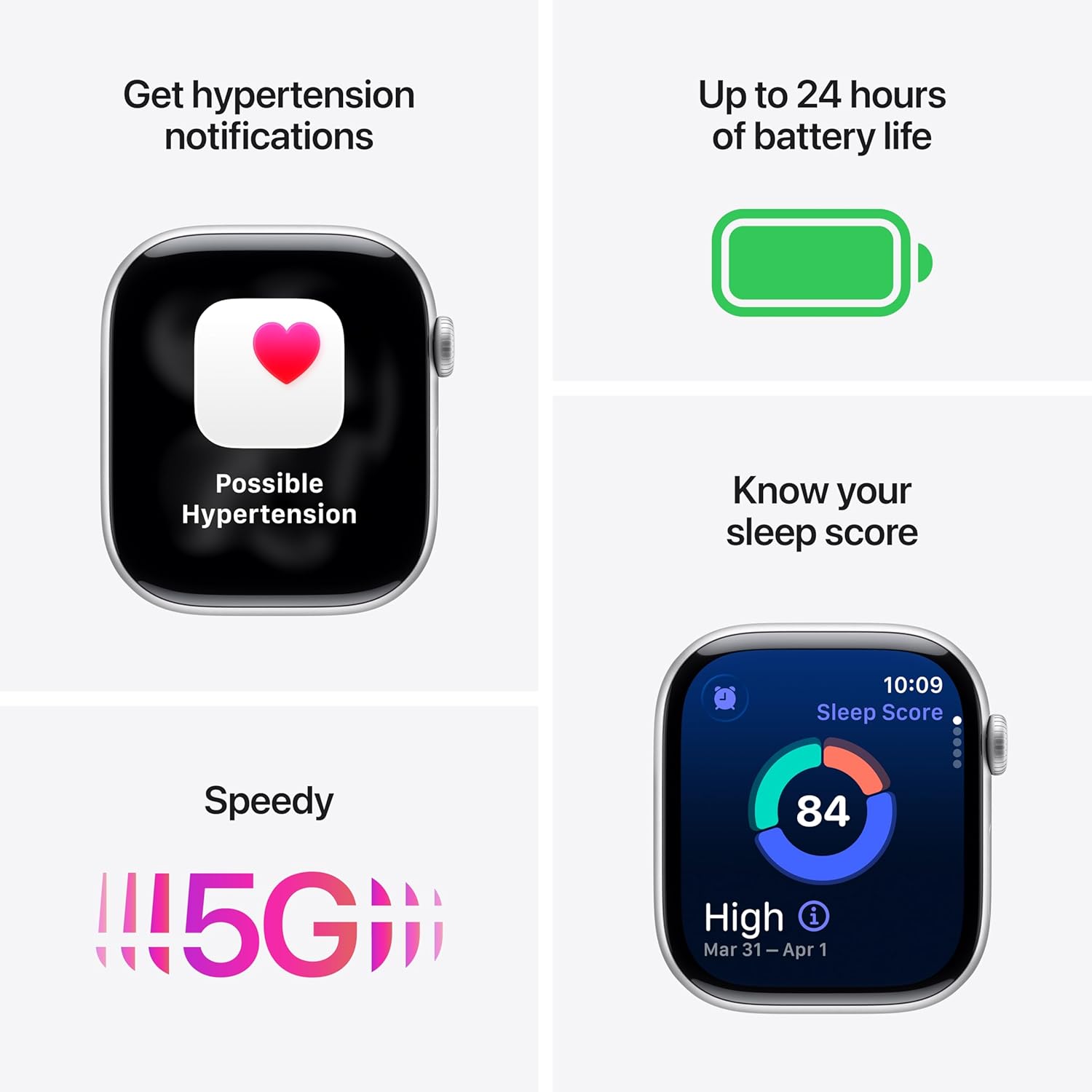
Image: The Apple Watch Series 11, showcasing its design with a Natural Titanium Case and Natural Milanese Loop band.
Хайрцагт юу байна
Савлагаанд бүх зүйл байгаа эсэхийг шалгана уу:
- Apple Watch Series 11 GPS + Cellular 42mm Natural Titanium Case
- Natural Milanese Loop
- 1м соронзон цэнэглэгч кабель

Image: A visual representation of the Apple Watch Series 11, its Milanese Loop band, and the USB-C Magnetic Fast Charging Cable, as found in the product box.
Тохиргоо
- Apple цагаа цэнэглэ: Connect the magnetic charging cable to the back of your Apple Watch and plug the USB-C end into a power adapter (sold separately) or a USB-C port. Allow the watch to charge until it powers on.
- iPhone-той хослуулах: Ensure your iPhone is updated to the latest iOS version and has Bluetooth enabled. Open the Apple Watch app on your iPhone. Follow the on-screen instructions to pair your watch. Position your iPhone so the Apple Watch appears in the viewологч.
- Set Up Cellular (GPS + Cellular models): During the pairing process, you will be prompted to set up cellular service. This requires an active cellular plan with a compatible carrier. Follow the steps provided by your carrier.
- Тохиргоог өөрчлөх: Personalize your watch settings, including passcode, Apple Pay, and app preferences.
Төхөөрөмжийг ажиллуулах
Эрүүл мэндийн хяналт
The Apple Watch Series 11 offers advanced health tracking capabilities:
- Гипертензийн мэдэгдэл: The watch can detect signs of chronic high blood pressure and provide notifications.
- Унтлагын оноо: Track and understand your sleep quality with detailed sleep scores.
- ЭКГ програм: Take an electrocardiogram (ECG) at any time to record your heart's electrical activity.
- Зүрхний цохилтын хяналт: Зүрхний цохилт өндөр, нам эсвэл жигд бус байгаа талаар мэдэгдэл хүлээн авах.
- Цусны хүчилтөрөгчийн програм: Цусан дахь хүчилтөрөгчийн хэмжээг хэмжинэ.
- Vitals програм: View overnight health metrics for comprehensive insights.
- Унтах апноэ мэдэгдлүүд: Receive alerts for possible sleep apnea events.

Image: The Apple Watch Series 11 screen showing current heart rate and an overview of overnight vitals, illustrating its health monitoring features.
Фитнесс хянах
Utilize the watch for comprehensive fitness tracking:
- Үйл ажиллагааны цагираг: Өдөр тутмын хөдөлгөөн, дасгал хөдөлгөөн, зогсож буй зорилгоо хянаж байгаарай.
- Дасгал хийх програм: Pacer, зүрхний цохилтын бүс, сургалтын ачаалал зэрэг янз бүрийн дасгалын дэвшилтэт хэмжигдэхүүнүүдэд хандах.
- Дасгалын найз: Connect with Apple Intelligence on your iPhone for enhanced workout support.

Image: The Apple Watch Series 11 displaying activity rings on one screen and an active 'Outdoor Run' workout on another, highlighting its fitness tracking capabilities.
Холболт
Stay connected with your Apple Watch:
- 5G and LTE: Make calls, send texts, download music, and access emergency services without your iPhone nearby.
- Wi-Fi болон Bluetooth: Connect to wireless networks and accessories.

Image: A person wearing the Apple Watch Series 11, with text indicating "A 5G leap in connectivity," demonstrating its advanced cellular capabilities.
Аюулгүй байдлын онцлогууд
The watch includes features designed for your safety:
- Уналтын илрүүлэг: Automatically detects hard falls and can initiate a call to emergency services.
- Гэмтэл илрүүлэх: Can detect severe car crashes and connect you with emergency services.
- Яаралтай тусламж: Press and hold the side button to quickly contact emergency services.
- Бүртгүүлэх: Automatically notifies a loved one when you arrive at your destination.
Хяналтууд
- Дижитал титэм: Navigate menus, zoom, and scroll with haptic feedback.
- Хажуугийн товчлуур: Access the Dock, Apple Pay, and Emergency SOS.
- Double Tap and Wrist Flick Gesture: Interact with the watch using simple hand movements.
- Сири: Use voice commands for various tasks with on-device processing.
Зайны хугацаа ба цэнэглэх
The Apple Watch Series 11 is designed for extended use:
- Ердийн хэрэглээ: Батерейны ашиглалтын хугацаа 24 цаг хүртэл.
- Бага эрчим хүчний горим: Батерейны ашиглалтын хугацаа 38 цаг хүртэл.
- Fast-Charge Capable: Achieve up to 80% charge in approximately 30 minutes.
- Quick Charge for Short Use: 15 minutes of charging provides up to 8 hours of normal use, or 5 minutes for up to 8 hours of sleep tracking.
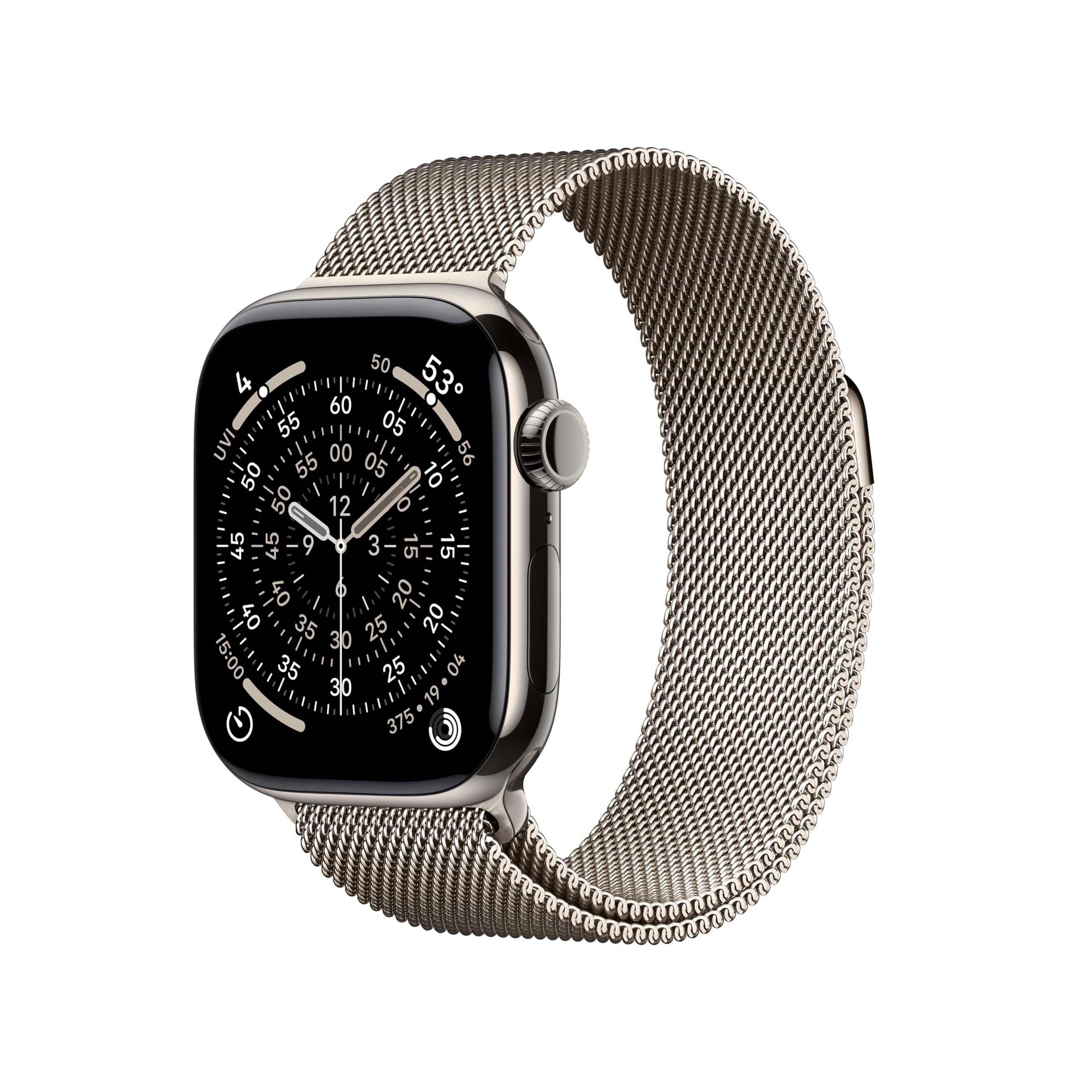
Image: A composite image highlighting key features of the Apple Watch Series 11, including hypertension notifications, up to 24 hours of battery life, sleep score display, and 5G connectivity.
Durability and Care
Your Apple Watch Series 11 is built for resilience:
- Усны эсэргүүцэл: Water resistant up to 50 meters, suitable for swimming.
- Тоосны эсэргүүцэл: IP6X dust resistant.
- Дэлгэцийн бат бөх чанар: Features a superdurable glass display that is 2x more scratch resistant than Series 10. Titanium cases include a sapphire front crystal.
Арчилгааны заавар:
- Clean your watch regularly with a soft, lint-free cloth.
- Цагийг хэт өндөр температур эсвэл хүчтэй химийн бодист өртүүлэхээс зайлсхий.
- Усанд орсны дараа цагийг сайтар хатаана.
Алдааг олж засварлах
If you encounter issues with your Apple Watch, consider the following steps:
- Цагаа дахин эхлүүлэх: Унтраах гулсагч гарч ирэх хүртэл хажуугийн товчлуурыг удаан дарж, гулсагчийг чирнэ үү. Үүнийг дахин асаахын тулд Apple-ийн лого харагдах хүртлээ хажуугийн товчлуурыг дахин дарна уу.
- Холболтуудыг шалгах: Ensure your Apple Watch is properly paired with your iPhone and that Bluetooth and Wi-Fi are enabled. For cellular models, verify your cellular plan is active.
- Програм хангамжийг шинэчлэх: Таны Apple Watch болон iPhone хоёулаа хамгийн сүүлийн үеийн програм хангамжийн хувилбаруудыг ажиллуулж байгаа эсэхийг шалгаарай.
- Тохиргоог дахин тохируулах: If problems persist, you may need to reset your Apple Watch settings via the Apple Watch app on your iPhone.
- Дэмжлэгтэй холбоо барина уу: Нэмэлт тусламж авахыг хүсвэл Apple-ийн албан ёсны дэмжлэгт зочилно уу webсайт эсвэл Apple-ийн харилцагчийн үйлчилгээтэй холбогдоно уу.
Үзүүлэлтүүд
| Бүтээгдэхүүний хэмжээс | 9.4 x 3 x 1.2 инч |
| Зүйлийн жин | 1.28 унц |
| Үйлдвэрлэгч | Apple |
| Загварын дугаар | MF8P4LW/A |
| Үйлдлийн систем | watchOS |
| Санах ойн хадгалах багтаамж | 64 ГБ |
| Онцлог шинж чанарууд | Activity Tracker, Always On Display, Cycle Tracking, GPS, Heart Rate Monitor |
| Зайны багтаамж | 327 саяamp Цаг |
| Холболтын технологи | 5G and LTE, GPS + Cellular |
| Утасгүй холбооны стандарт | 802.11a/g/n/ac, Bluetooth |
| GPS | Баригдсан GPS |
| Хэлбэр | Тэгш өнцөгт |
| Дэлгэцийн хэмжээ | 42 миллиметр |
| Материал | Хөнгөн цагаан эсвэл титан |
| Хэмжээ (42мм) | Өндөр: 42мм, Өргөн: 36мм, Гүн: 9.7мм |
| Case Weight (Titanium) | 34.6 гр |
| Дэлгэц | Always-On Retina display, up to 2,000 nits brightness, 326 pixels per inch |
| Чип | 64 битийн хоёр цөмт процессортой, 4 цөмт Apple Neural Engine бүхий S10 SiP |
| Мэдрэгч | Electrical heart sensor, Optical heart sensor, Blood oxygen sensor, Temperature sensor, Compass, Altimeter, Gyroscope, Accelerometer, Ambient light sensor, Depth gauge, Water temperature sensor |
| Бат бөх чанар | Усны хамгаалалт 50м (усанд үл нэвтрэх), тоосны эсэргүүцэл IP6X |
Баталгаат болон дэмжлэг
Your Apple Watch Series 11 is covered by Apple's standard limited warranty. For detailed warranty information, technical support, service options, and additional resources, please visit the official Apple Support webсайт:
You can also find information regarding AppleCare+ for extended coverage and accidental damage protection.


