1. Танилцуулга
The Mercusys Halo H3600BE (2-Pack) is a Whole Home Mesh Wi-Fi 7 System designed to provide extensive and high-speed wireless coverage throughout your home. This system combines advanced Wi-Fi 7 technology with a mesh network architecture to eliminate dead zones and deliver seamless connectivity for multiple devices. This manual provides instructions for setting up, operating, and maintaining your Halo H3600BE system.
2. Багцын агуулга
Таны багцад бүх зүйл байгаа эсэхийг шалгана уу:
- 2 × Halo H3600BE Units
- 1 × RJ45 Ethernet кабель
- 2 × Power Adapters
- Шуурхай суулгах гарын авлага
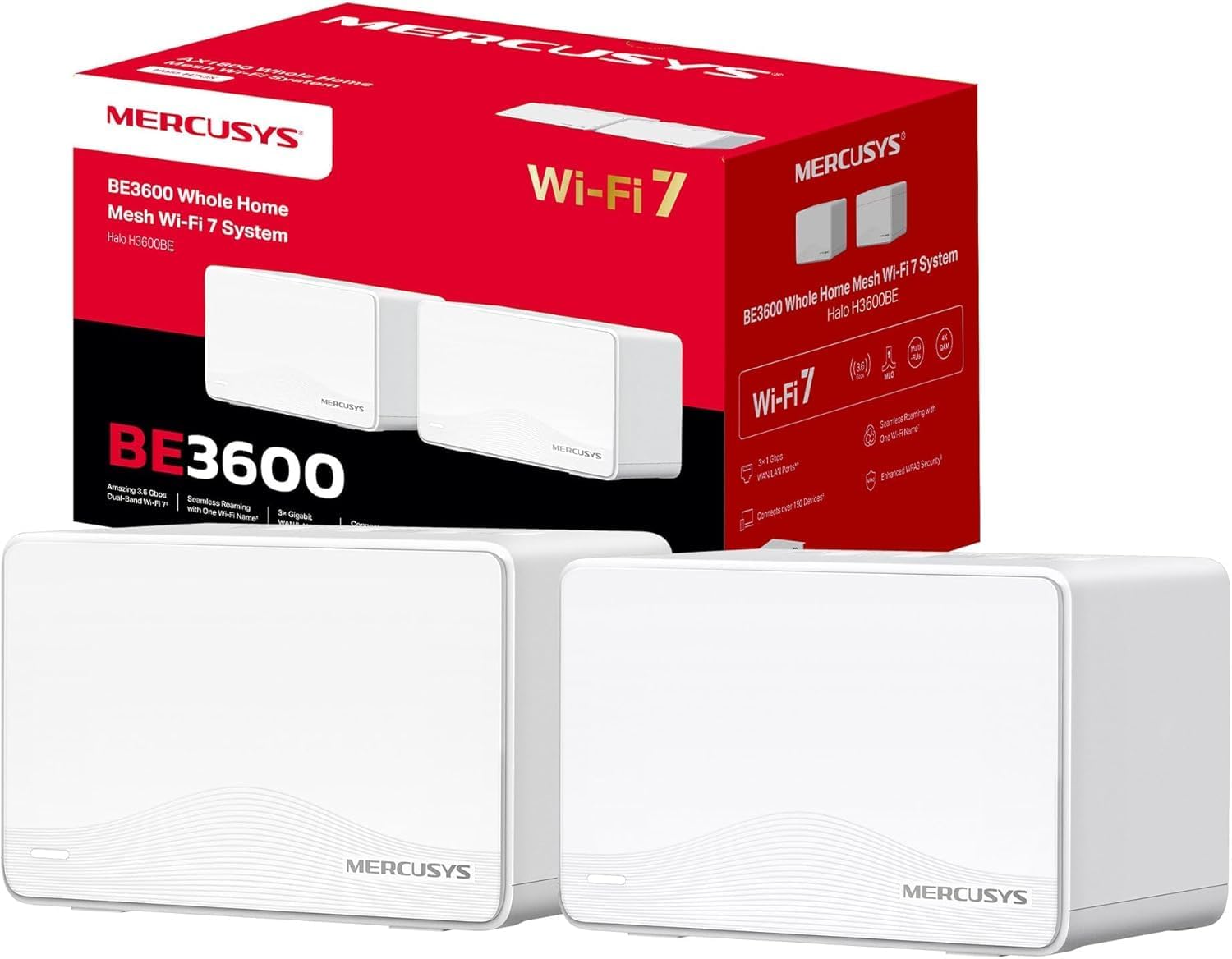
Image: The Mercusys Halo H3600BE (2-Pack) Mesh WiFi 7 System, showing two units and their retail packaging.
3. Тохируулах гарын авлага
Follow these steps to set up your Mercusys Halo H3600BE Mesh WiFi System:
- Step 1: Unpack the Devices. Сав баглаа боодолоос бүх бүрэлдэхүүн хэсгүүдийг салгана.
- Step 2: Connect the Main Halo Unit.
- Connect one Halo unit to your modem or existing router using the provided Ethernet cable. Plug one end into any of the Gigabit ports on the Halo unit (these ports are auto-sensing WAN/LAN) and the other end into your modem/router's LAN port.
- Connect the power adapter to the main Halo unit and plug it into an electrical outlet. Wait for the LED indicator on the Halo unit to turn solid white, indicating it is ready for setup.
- Step 3: Download and Configure via Mercusys App.
- Download the Mercusys app from the App Store (iOS) or Google Play Store (Android).
- Open the app and follow the on-screen instructions to create a Mercusys ID and set up your main Halo unit. The app will guide you through creating your Wi-Fi network name (SSID) and password.
- Step 4: Add Additional Halo Units.
- Place the second Halo unit in a central location within your home, ideally between the main Halo unit and the area needing improved coverage.
- Connect the power adapter to the additional Halo unit and plug it into an electrical outlet.
- The additional unit will automatically detect and join the existing mesh network. The LED indicator will turn solid white once successfully connected.
- Step 5: Verify Connection. Once all units are set up, check the Mercusys app to ensure all Halo units are online and functioning correctly.

Image: A visual representation of the Mercusys Halo H3600BE setup process, including connecting power, Ethernet, and using the mobile application for configuration.
4. Ашиглалтын заавар
4.1. Network Management via Mercusys App
The Mercusys app provides comprehensive control over your mesh network. Key features include:
- Эцэг эхийн хяналт: Тодорхой төхөөрөмжүүдийн интернетэд нэвтрэх хугацаа, агуулгыг удирдах.
- Зочин сүлжээ: Зочдод зориулж тусдаа Wi-Fi сүлжээ үүсгэн үндсэн сүлжээгээ аюулгүй байлгаарай.
- Төхөөрөмжийн төлөв: View connected devices, their signal strength, and manage their access.
- Үйлчилгээний чанар (QoS): Prioritize bandwidth for specific applications or devices.
- Сарын тайлангууд: Receive summaries of network usage and security events.
4.2. Тасралтгүй роуминг
The Halo H3600BE system supports seamless roaming, meaning your devices will automatically switch to the strongest Wi-Fi signal as you move around your home, without experiencing drops or interruptions.
4.3. Wi-Fi 7 технологи
This system utilizes Wi-Fi 7 (802.11be) technology, offering:
- Хос зурвасын ажиллагаа: Combines 5GHz (up to 2880Mbps) and 2.4GHz (up to 688Mbps) bands for high-speed data transfer.
- Өндөр хүчин чадал: Supports over 150 devices simultaneously.
- Бага хоцролт: Optimized for demanding applications like 4K/8K streaming and VR/AR gaming.
- WPA3 аюулгүй байдал: Enhanced security protocols for your wireless network.

Зураг: Дууслааview of Mercusys Halo H3600BE features, including Wi-Fi 7 dual-band speeds, device capacity, and Gigabit ports.
5. Засвар үйлчилгээ
- Програм хангамжийн шинэчлэлтүүд: Regularly check the Mercusys app for available firmware updates to ensure optimal performance and security.
- Байршил: Ensure Halo units are placed in open areas, away from obstructions and sources of interference (e.g., microwaves, cordless phones).
- Цэвэрлэгээ: Gently wipe the units with a soft, dry cloth. Do not use liquid cleaners or aerosols.
- Дахин эхлүүлэх: If you experience network issues, try restarting your Halo units and modem.
6. Алдаа засах
- Интернет холболт байхгүй:
- Таны модем зөв ажиллаж байгаа эсэхийг шалгана уу.
- Үндсэн Halo төхөөрөмж болон модемийн хоорондох Ethernet кабель найдвартай холбогдсон эсэхийг шалгаарай.
- Restart your modem and all Halo units.
- Сул Wi-Fi дохио эсвэл үхсэн бүсүүд:
- Relocate the additional Halo units closer to the main unit or to a more central location.
- Ensure there are no major physical obstructions (thick walls, large metal objects) between the units.
- Wi-Fi-д холбогдох боломжгүй:
- Та зөв Wi-Fi сүлжээний нэр (SSID) болон нууц үг ашиглаж байгаа эсэхээ шалгана уу.
- Холбогдохыг оролдож буй төхөөрөмжөө дахин эхлүүлээд үзээрэй.
- Check the Mercusys app to ensure the network is broadcasting.
- Удаан хурд:
- Ensure your internet service provider (ISP) is delivering the expected speeds.
- Minimize interference by moving other wireless devices away from the Halo units.
- Програм хангамжийн шинэчлэлт байгаа эсэхийг шалгана уу.
7. Техникийн үзүүлэлтүүд
| Онцлог | Дэлгэрэнгүй |
|---|---|
| Брэнд | БУРХАН |
| Загварын нэр | Halo H3600BE |
| Утасгүй холболтын төрөл | 802.11.be (Wi-Fi 7) |
| Давтамжийн зурвасын ангилал | Хос хамтлаг |
| Онцлог шинж чанарууд | Parental Control, Guest Networks, Mesh, WPA3 |
| Тохиромжтой төхөөрөмжүүд | Smartphone, Laptop, Smart TV, IoT Devices |
| Зөвлөмж болгож буй хэрэглээ | Гэр |
| Нэгжийн тоо | 2-Багц |
| Хамрах хүрээ (2 багц) | Up to 460m² / 5,000 ft² |
| Хамгийн их холбогдсон төхөөрөмжүүд | 150-аас дээш |
| Ethernet Ports per Unit | 3 Gigabit (Auto-sensing WAN/LAN) |
| Хэмжээ (нэгж тутамд) | Ойролцоогоор 21.9 x 16.4 x 15.9 см |
| Жин (нэгж тутамд) | Ойролцоогоор 660 гр |
| Үйлдлийн систем | TP-Link үйлдлийн систем |

Зураг: Ар талд view of a Mercusys Halo H3600BE unit, displaying the power input, reset button, and three Gigabit WAN/LAN ports.
8. Баталгаат хугацаа ба дэмжлэг
Баталгаат хугацаа болон техникийн дэмжлэг авахыг хүсвэл албан ёсны Mercusys-ээс лавлана уу website or contact Mercusys customer service. The Quick Installation Guide included in your package may also contain specific warranty details for your region.
Та нэмэлт мэдээлэл, тусламжийн эх сурвалжийг эндээс авах боломжтой Mercusys Brand Store.


