1. Танилцуулга
The Marstek Venus E GEN 3.0 is a powerful and flexible AC energy storage system designed for residential and small commercial applications. This manual provides essential information for the safe and efficient operation of your device. Please read it thoroughly before installation and use.
Key features include a compact design, integrated Plug & Play technology for quick setup, dedicated LAN port for stable communication, and expandability up to 7.5 kW power and 15.36 kWh storage capacity. It also offers an integrated backup power output of up to 2,500 W during outages and is 100% compatible with existing PV installations.

Зураг 1: Дууслааview of Marstek Venus E GEN 3.0 key features, including new design, PV system compatibility, stable LAN connection, expandability, MARSTEK Intelligence, 2500W on-grid input/output, 6000+ life cycles, 10-year warranty, grid feed-in with smart meter, and potential annual savings.
2. Аюулгүй ажиллагааны заавар
Always adhere to the following safety guidelines to prevent injury, damage to the device, or property damage:
- Төхөөрөмжийг ажиллуулахын өмнө бүх зааврыг уншина уу.
- Do not attempt to disassemble, repair, or modify the unit. Refer all servicing to qualified personnel.
- Төхөөрөмжийн эргэн тойронд зохих агааржуулалтыг хангах. Агааржуулалтын нүхийг хааж болохгүй.
- Төхөөрөмжийг ус, чийг болон шатамхай материалаас хол байлга.
- Зөвхөн өгсөн эсвэл зөвшөөрөгдсөн дагалдах хэрэгслийг ашиглана уу.
- Хэрэв төхөөрөмж ямар нэгэн байдлаар гэмтсэн бол түүнийг ажиллуулж болохгүй.
- Ensure the unit is installed on a stable, level surface.
- This device contains a LiFePO4 battery. Handle with care and dispose of according to local regulations.
3. Багцын агуулга
Бүх зүйл багцад байгаа эсэхийг шалгана уу:
- Marstek Venus-E GEN 3.0 Unit
- АС тэжээлийн кабель
- Wi-Fi антен
- Суурилуулах хэрэгслүүд
- Хэрэглэгчийн гарын авлага (энэ баримт бичиг)
4. Тохиргоо
4.1 Савлах ба байрлуулах
Carefully remove the Venus E GEN 3.0 from its packaging. Place the unit on a flat, stable surface in a well-ventilated area, away from direct sunlight, heat sources, and moisture. Ensure sufficient clearance for air circulation around the unit.
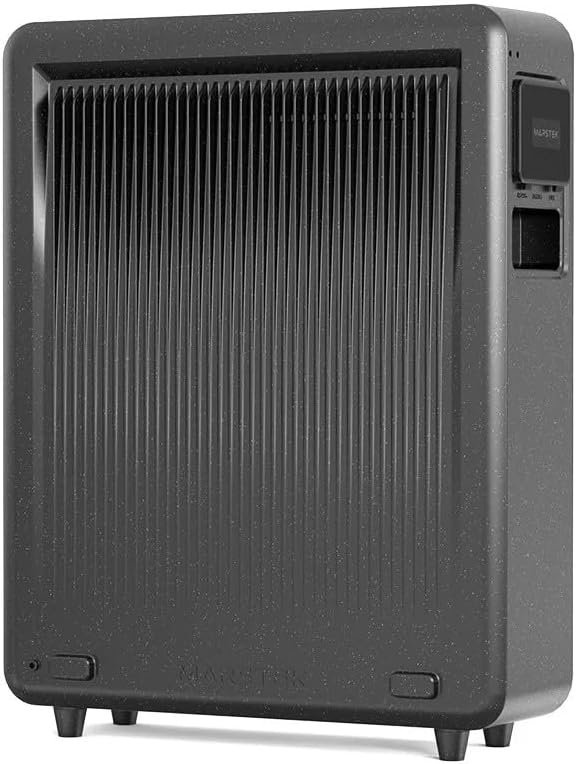
Зураг 2: Арын view of the Marstek Venus E GEN 3.0, highlighting the ventilation fins for optimal heat dissipation.
4.2 Цахилгаан тэжээлд холбогдох
- Connect the provided AC power cable to the AC input port on the Venus E GEN 3.0.
- Plug the other end of the AC power cable into a grounded wall outlet.
- The unit will automatically begin charging or enter standby mode.

Зураг 3: Side panel of the Marstek Venus E GEN 3.0, showing the protective cover open to reveal the AC input and output ports for connecting to the grid and appliances.
4.3 Network Connection (LAN/Wi-Fi)
For optimal performance and smart features, connect the device to your home network.
- LAN холболт: For a stable and faster connection, use an Ethernet cable to connect the dedicated LAN port on the Venus E GEN 3.0 to your router.
- Wi-Fi холболт: Attach the provided Wi-Fi antenna to the designated port. Follow the instructions in the MARSTEK app to configure the Wi-Fi connection.
4.4 Анхдагч асаалттай
Press and hold the power button on the unit for a few seconds until the indicators light up. The unit will perform a self-check. Refer to the display indicators for status.
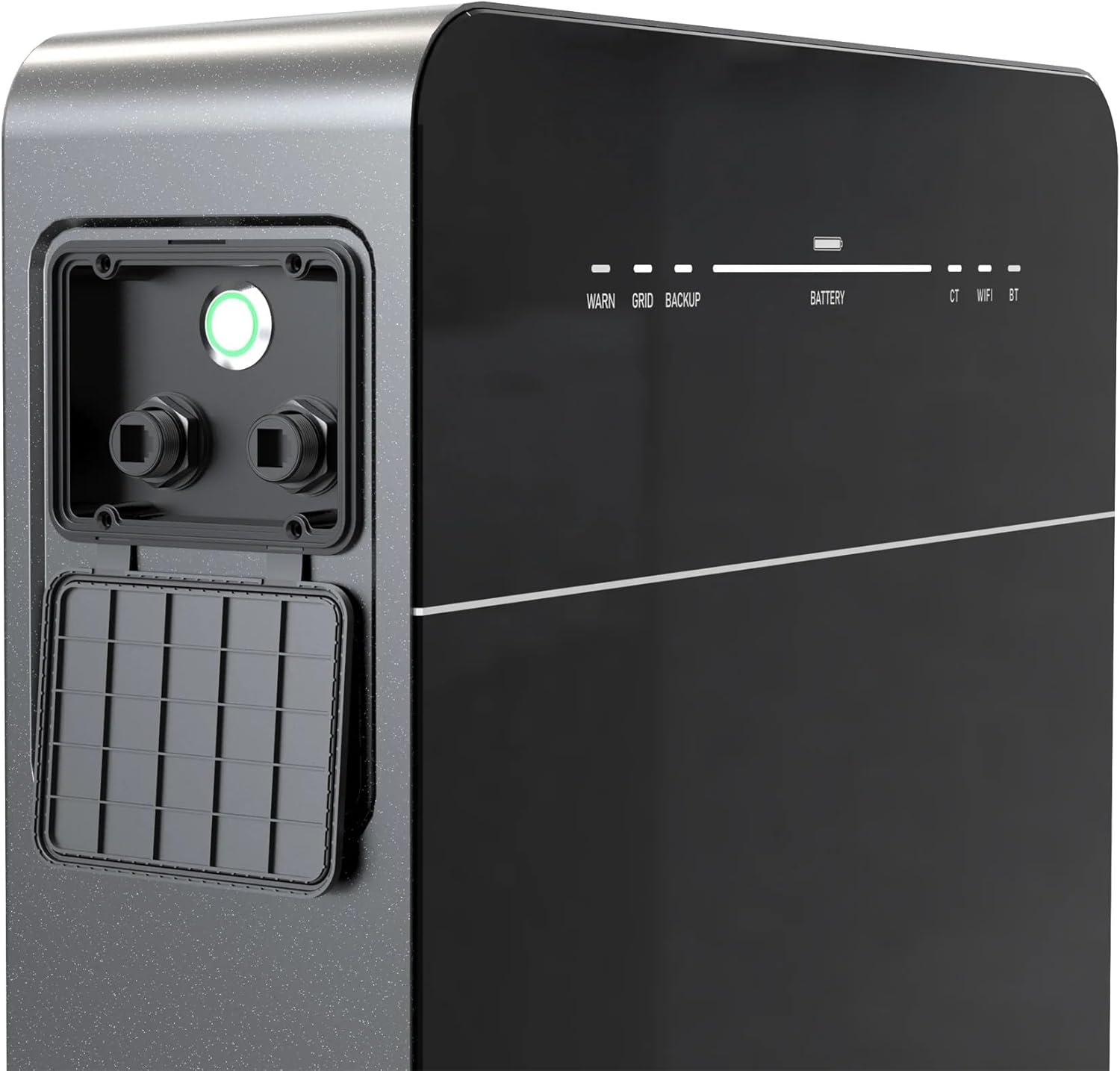
Зураг 4: Front panel of the Marstek Venus E GEN 3.0, displaying LED indicators for WARN, GRID, BACKUP, BATTERY level, CT, WIFI, and BT status.
5. Ашиглалтын заавар
5.1 MARSTEK App Control
The Venus E GEN 3.0 is primarily controlled via the MARSTEK mobile application. Download the app from your device's app store.
- Install the MARSTEK app on your smartphone.
- Бүртгэлээ бүртгүүлээд нэвтэрнэ үү.
- Follow the in-app instructions to add your Venus E GEN 3.0 device.
- Through the app, you can monitor energy flow, battery status, and select operating modes.
5.2 Үйлдлийн горимууд
The MARSTEK app offers various operating modes to optimize energy usage:
- Self-Consumption Mode: Prioritizes using stored energy from the battery or solar panels before drawing from the grid.
- Гарын авлагын хяналтын горим: Allows direct control over charging and discharging times.
- AI Optimized Mode: Utilizes dynamic electricity tariffs, consumption habits, and weather forecasts to automatically optimize charge/discharge cycles for maximum savings.
5.3 Backup Power Function
Хүчтэй болсон тохиолдолд уtage, the integrated backup output provides up to 2,500 W of power to essential appliances. For full home backup (single-phase or three-phase), additional equipment may be required.
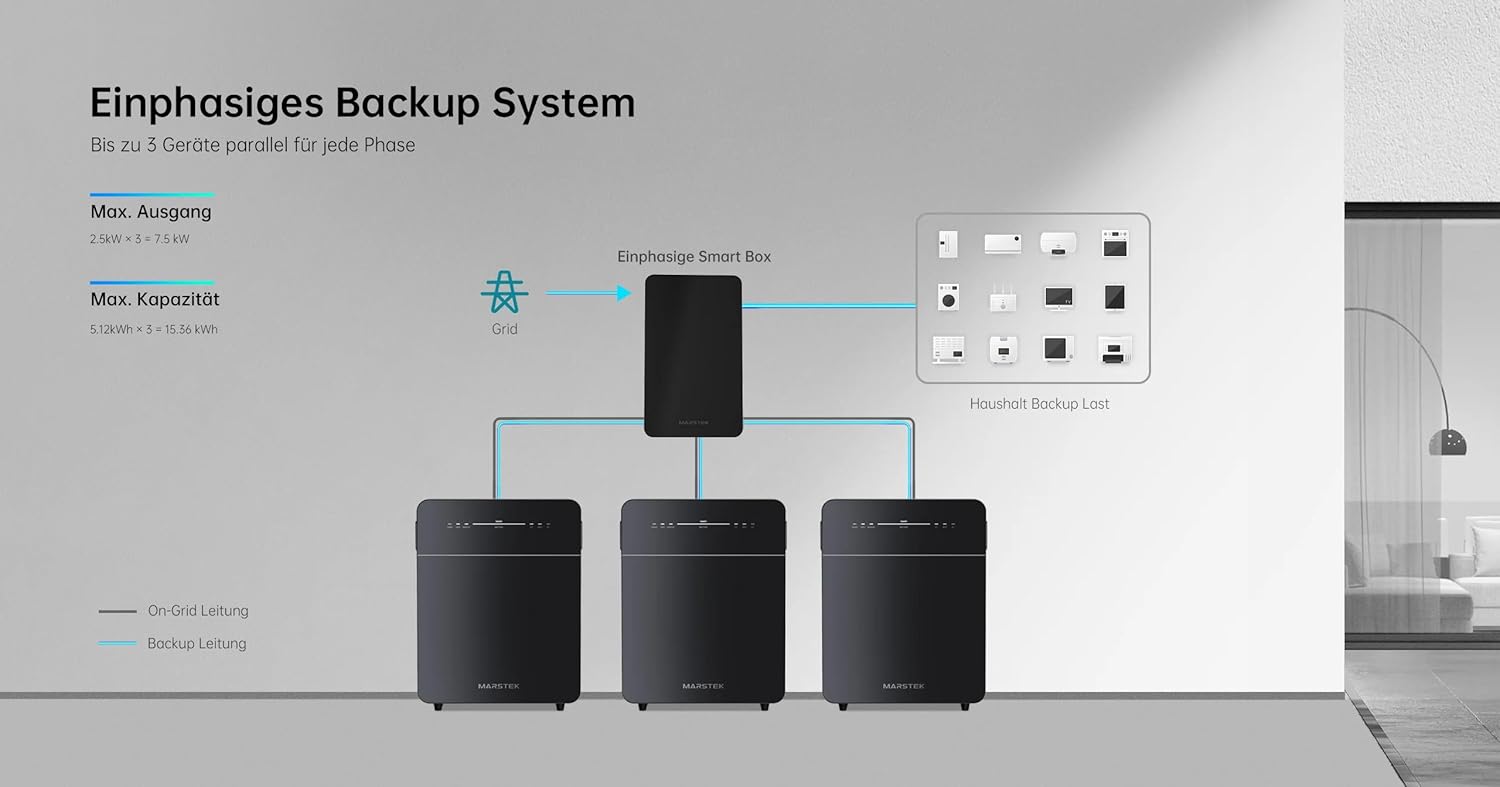
Зураг 5: Schematic illustrating a single-phase backup system configuration, showing how multiple Marstek Venus E GEN 3.0 units can be integrated with a Smart Box and the grid to provide backup power to household loads.

Зураг 6: Schematic illustrating a three-phase backup system configuration, detailing the connection of multiple Marstek Venus E GEN 3.0 units, a Smart Box, PV inverters, and micro-inverters to the grid and household backup loads.
6. Засвар үйлчилгээ
Regular maintenance ensures the longevity and optimal performance of your Venus E GEN 3.0.
- Цэвэрлэгээ: Төхөөрөмжийн гадна талыг цэвэрлэхийн тулд зөөлөн, хуурай даавуу ашиглана уу. Шингэн цэвэрлэгч, уусгагчийг бүү ашигла.
- Агааржуулалт: Periodically check that the ventilation openings are free from dust and debris.
- Програм хангамжийн шинэчлэлтүүд: Ensure the MARSTEK app and device firmware are kept up-to-date for new features and performance improvements.
- Батерейны эрүүл мэнд: The LiFePO4 battery is designed for over 6,000 charge cycles. Monitor its health via the MARSTEK app.
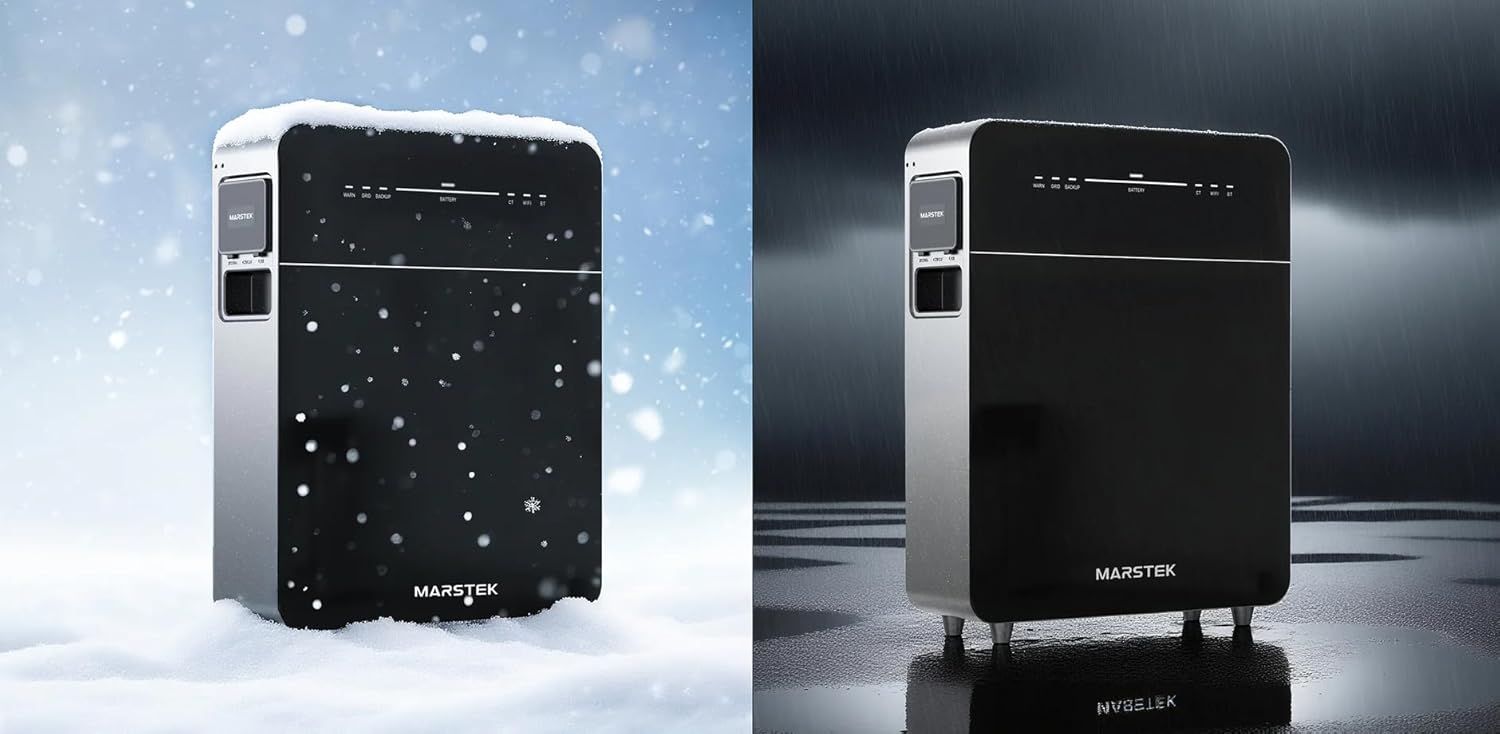
Зураг 7: The Marstek Venus E GEN 3.0 demonstrating its robust design and IP65 protection, suitable for operation in various environmental conditions, including snow and rain.
7. Алдаа засах
Хэрэв танд асуудал тулгарвал дараах нийтлэг асуудал, шийдлүүдийг үзнэ үү.
| Асуудал | Боломжит шалтгаан | Шийдэл |
|---|---|---|
| Төхөөрөмж асахгүй байна. | No power from AC outlet; power cable not connected; unit fault. | Check AC power connection; ensure outlet is functional; contact support if problem persists. |
| Сүлжээний холболт байхгүй. | Wi-Fi antenna not attached; incorrect Wi-Fi password; LAN cable disconnected; router issue. | Ensure Wi-Fi antenna is attached; re-enter Wi-Fi password in app; check LAN cable connection; restart router. |
| Батерейг цэнэглэхгүй байна. | AC input issue; charging mode not active; temperature outside operating range. | Verify AC input; check app for charging mode; ensure ambient temperature is within -20°C to 50°C. |
| Backup power not activating. | Backup function not enabled; battery low; overload. | Ensure backup mode is enabled in app; check battery level; reduce load on backup output. |
For issues not listed here, please contact Marstek customer support.
8. Техникийн үзүүлэлтүүд
| Онцлог | Дэлгэрэнгүй |
|---|---|
| Загвар | MVE3 |
| Хэмжээ (L x W x H) | 62.4 x 48 x 15.3 см |
| Зайны төрөл | LiFePO4 |
| Хүчин чадал | 5120 Wh (extensible up to 15.36 kWh) |
| АС оролт/гаралтын чадал | Up to 2500 W (800 W default) |
| Backup Power Output | 2500 Вт хүртэл |
| Холболт | LAN (RJ45), Wi-Fi |
| Ашиглалтын температур | Up to -20 °C |
| Дуу чимээний түвшин | 30 дБ-ээс доош |
| Хамгаалалтын үнэлгээ | IP65 |
| PV System Compatibility | 100% нийцэж байна |
9. Баталгаат хугацаа ба дэмжлэг
9.1 Баталгаат хугацааны мэдээлэл
The Marstek Venus E GEN 3.0 comes with a 10 жилийн баталгаат хугацаа on the integrated LiFePO4 battery, ensuring long-term reliability with over 6,000 charge cycles while maintaining 80% capacity. Please retain your proof of purchase for warranty claims.
9.2 Хэрэглэгчийн дэмжлэг
For technical assistance, warranty claims, or further inquiries, please contact Marstek customer support through their official website or the MARSTEK app. Ensure you have your model number (MVE3) and purchase details ready.
Албан ёсны Webсайт: www.marstek.com (Жич: Энэ бол орлуулагч юм URL, please refer to your product documentation for the actual support webсайт.)