1. Танилцуулга
Thank you for choosing the Blackstorm 27-inch QHD Mini-LED Gaming Monitor. This monitor is designed to provide an exceptional visual experience for gaming enthusiasts, offering unparalleled precision and performance. Featuring a 27-inch IPS panel with advanced Mini-LED backlighting, it delivers superior image quality, making every gaming moment vivid and immersive. This manual will guide you through the setup, operation, and maintenance of your new monitor.
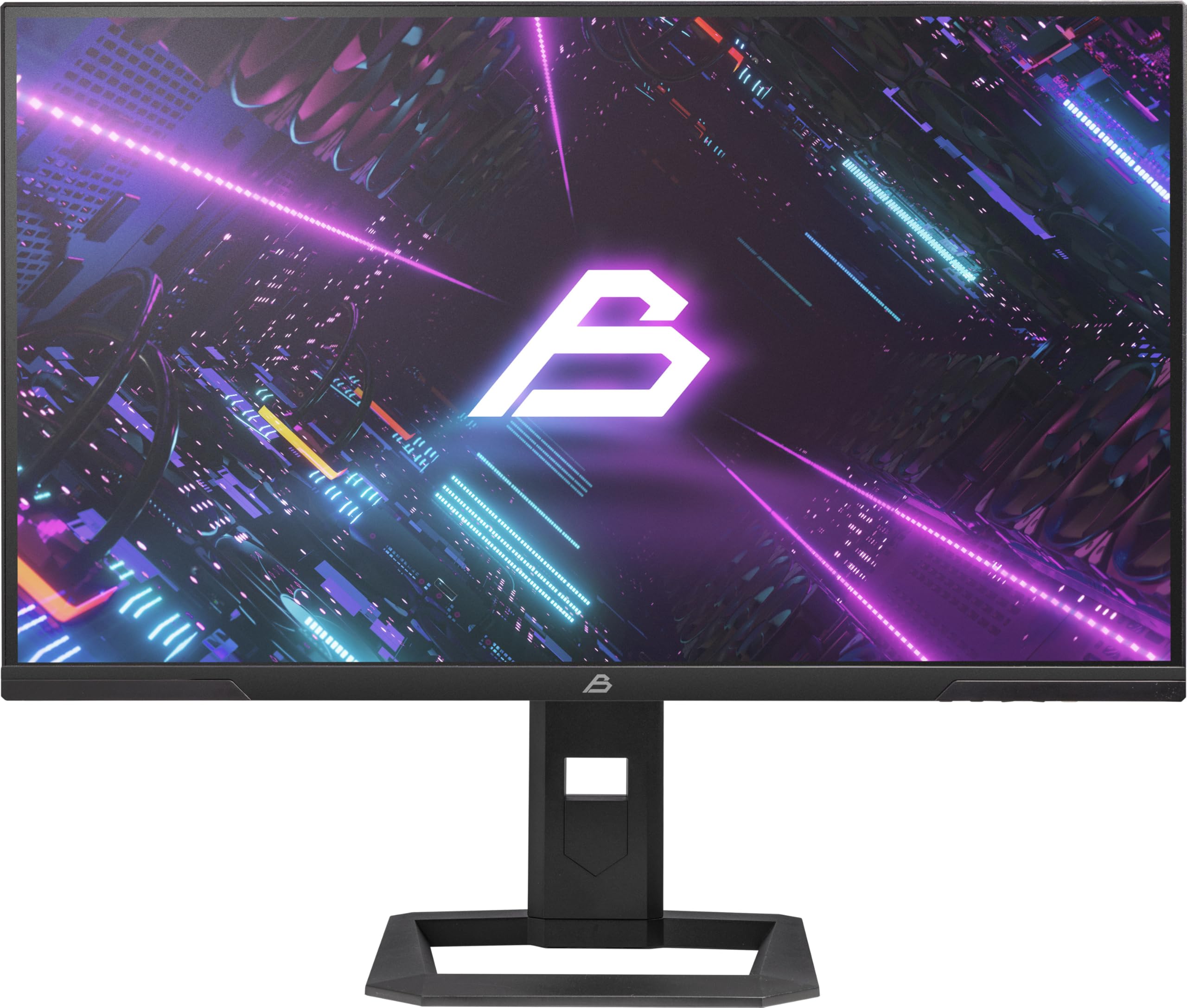
Зураг 1: Урд view of the Blackstorm 27-inch QHD Mini-LED Gaming Monitor.
2. Үндсэн шинж чанарууд
- High-Performance Gaming Display: A 27-inch IPS panel with Mini-LED backlighting provides exceptional brightness, contrast, and color reproduction, ideal for visual precision and performance in all game types.
- Smooth Gaming Experience: WQHD resolution (2560 x 1440) and a 180 Hz refresh rate ensure smooth, detailed visuals. A rapid 2 ms response time is crucial for fast-paced games.
- Superior Color Reproduction and Brightness: Covers 99% of AdobeRGB and DCI-P3 color spaces for accurate and vibrant colors. Features 450 nits (SDR) brightness and HDR1000 compatibility for an impressive gaming experience in any environment.
- Ergonomic Design and Connectivity: The ergonomic stand allows for height, tilt, swivel, and pivot adjustments. VESA 100x100 mount compatible. Includes HDMI 2.1 and DisplayPort 1.4 connections for high-resolution, fast image transfer.
- Дэлгэцийн дэвшилтэт технологи: IPS panel with Mini-LED technology, 576 dimming zones, and a 1,000,000:1 contrast ratio.
3. Багцын агуулга
Багцын агуулгыг сайтар шалгана уу. Хэрэв ямар нэг зүйл дутуу эсвэл гэмтсэн бол жижиглэн худалдаалагчтайгаа холбоо барина уу.
- Blackstorm 27-inch QHD Mini-LED Gaming Monitor
- Мониторын тавиур (суурь ба хүзүү)
- Цахилгаан кабель
- HDMI кабель
- DisplayPort кабель
- Хэрэглэгчийн гарын авлага (энэ баримт бичиг)
- Баталгаат карт (хэрэв байгаа бол)
4. Тохируулах заавар
4.1 Стенд угсрах
- Монитор болон тавиурын эд ангиудыг савлагаанаас болгоомжтой авч хая.
- Дэлгүүрийн хүзүүг мониторын самбарт холбоно. Шуурхай эхлүүлэх гарын авлагад заасны дагуу энэ нь найдвартай байрлалтай эсвэл эрэг шургаар бэхлэгдсэн эсэхийг шалгаарай.
- Attach the stand base to the stand neck. Tighten any screws firmly to ensure stability.
- Угсарсан мониторыг тогтвортой, тэгш гадаргуу дээр байрлуул.

Зураг 2: Ар талд view of the monitor showing the stand attachment and port area.
4.2 Компьютерт холбогдох
- Ensure both your computer and the monitor are powered off.
- Connect one end of the provided HDMI or DisplayPort cable to the corresponding port on your computer's graphics card.
- Connect the other end of the cable to the HDMI 2.1 or DisplayPort 1.4 input on the back of the monitor.
- Цахилгааны кабелийг дэлгэцийн тэжээлийн оролтод холбож, дараа нь нөгөө үзүүрийг нь цахилгааны залгуурт залгаарай.
- Power on your computer, then power on the monitor. The monitor should automatically detect the input signal.
4.3 Эргономикийн тохируулга
Мониторын тавиур нь таныг оновчтой болгохын тулд янз бүрийн тохируулга хийх боломжийг олгодог viewтав тухтай байдал:
- Өндөр тохируулга: Gently push or pull the monitor up or down to your desired height.
- Налалтын тохируулга: Хамгийн оновчтой дэлгэцийг олохын тулд дэлгэцийг урагш эсвэл арагшаа хазайлгана viewөнцөг.
- Эргэлтийн тохируулга: Мониторыг суурин дээр нь зүүн эсвэл баруун тийш эргүүлнэ үү.
- Эргэлтийн тохируулга: Хэвтээ болон босоо чиглэлийн хооронд шилжихийн тулд дэлгэцийг 90 градус эргүүлнэ үү.

Зураг 3: Хажуу тал view illustrating the monitor's adjustable stand.
5. Мониторыг ажиллуулах
5.1 Дэлгэц дээрх дэлгэц (OSD) цэс
The OSD menu allows you to adjust various monitor settings. Typically, buttons are located on the back or bottom edge of the monitor. Refer to the quick start guide for exact button locations.
- Press the OSD button to open the menu.
- Use the navigation buttons (up/down/left/right) to browse through menu options.
- Дэд цэс рүү орох эсвэл тохиргоог баталгаажуулахын тулд сонгох товчийг дарна уу.
- Press the exit button to return to the previous menu or close the OSD.
5.2 Дэлгэцийн тохиргоог тохируулах
Таны тохируулж болох гол тохиргоонууд нь:
- Гэрэлтүүлэг/Ялгарал: Adjust for optimal visual comfort.
- Өнгөний тохиргоо: Fine-tune color temperature, gamma, and color space (e.g., AdobeRGB, DCI-P3).
- Сэргээх хурд: Ensure your computer's display settings are configured to utilize the monitor's 180 Hz refresh rate for the smoothest experience.
- HDR горим: Enable HDR1000 for compatible content to experience enhanced dynamic range.
- Динамик арын гэрэлтүүлэг: This feature enhances depth and realism. For competitive gaming requiring extreme responsiveness, you may choose to disable dynamic backlighting for a more consistent and precise image.
6. Засвар үйлчилгээ
Proper care ensures the longevity and optimal performance of your monitor.
- Дэлгэц цэвэрлэх:
- Цэвэрлэхийн өмнө үргэлж унтрааж, мониторыг залгуураас нь салга.
- Зөөлөн, хөвөнгүй даавууг хөнгөн хэрэглээрэй dampус эсвэл аммиакгүй, спиртгүй дэлгэц цэвэрлэгчээр хангана.
- Wipe the screen gently to remove dust and smudges. Avoid applying direct pressure.
- C цэвэрлэхasing:
- Мониторыг зөөлөн хуурай даавуугаар арчих casing.
- Гадаргууг гэмтээж болзошгүй зүлгүүрийн цэвэрлэгч эсвэл уусгагчийг ашиглахаас зайлсхий.
- Агааржуулалт: Хэт халалтаас сэргийлэхийн тулд мониторын агааржуулалтын нүхийг хаагаагүй эсэхийг шалгаарай.
- Хадгалах: Удаан хугацаагаар ашиглаагүй бол мониторыг хуурай, сэрүүн газар, хамгийн тохиромжтой нь анхны савлагаанд нь хадгалаарай.
7. Алдаа засах
Хэрэв танд монитортой холбоотой асуудал гарвал дараах нийтлэг шийдлүүдийг үзнэ үү.
| Асуудал | Боломжит шийдэл |
|---|---|
| Дэлгэц дээр зураг алга / "Дохио алга" гэсэн мессеж |
|
| Зураг бүдгэрсэн эсвэл гажуудсан байна |
|
| Монитор асахгүй байна |
|
| Өнгө буруу харагдаж байна |
|
If the problem persists after trying these solutions, please contact Blackstorm customer support.
8. Техникийн үзүүлэлтүүд
| Онцлог | Тодорхойлолт |
|---|---|
| Брэнд | Хар шуурга |
| Загвар | GMF27QHD180-MLED |
| Дэлгэцийн хэмжээ | 27 инч |
| Дэлгэцийн технологи | IPS with Mini-LED |
| Шийдвэр | 2560 x 1440 пиксел (WQHD) |
| Сэргээх хурд | 180 Гц |
| Хариу өгөх хугацаа | 2 миллисекунд |
| Brightness (SDR) | 450 candela/square meter |
| Ялгаатай харьцаа | 1,000,000:1 |
| Өнгөний хүрээ | 99% AdobeRGB, DCI-P3 |
| HDR дэмжлэг | HDR1000 |
| Бүдгэрэх бүсүүд | 576 |
| Харьцаа | 16:9 (1.77:1) |
| Тоног төхөөрөмжийн интерфейс | DisplayPort 1.4, HDMI 2.1 |
| Онцлог шинж чанарууд | HDR, Height Adjustment, Tilt Adjustment, Swivel Adjustment, Pivot Adjustment, Adjustable Stand |
| VESA нийцтэй байдал | 100x100 мм |
| Бүтээгдэхүүний хэмжээс | 23.5 x 54 x 96 см; 12.66 кг |

Figure 4: Energy efficiency label. For more details, visit EPREL мэдээллийн сан.
9. Баталгаат хугацаа ба дэмжлэг
For warranty information, please refer to the separate warranty card included with your product or visit the official Blackstorm website. For technical support, troubleshooting assistance beyond this manual, or service inquiries, please contact Blackstorm customer support through their official channels.
Дэлгэрэнгүй мэдээлэл болон холбоо барих хаягийг хаягаас авах боломжтой Blackstorm Store on Amazon.