Танилцуулга
Thank you for choosing the Altec Lansing Comfort Pro Over Ear Bluetooth Headphones. These headphones are designed to provide a high-quality audio experience with advanced features such as Active Noise Cancellation (ANC), Environmental Noise Cancellation (ENC), Spatial Audio, and a long-lasting battery. This manual will guide you through the setup, operation, and maintenance of your new headphones.
Хайрцагт юу байна
- Altec Lansing Comfort Pro Wireless Headphones
- USB-C цэнэглэгч кабель (тодорхой жагсаалтад ороогүй боловч цэнэглэх зориулалттай)
- Audio Cable (not explicitly listed but common for wired use)
- Carrying Case (implied by images)
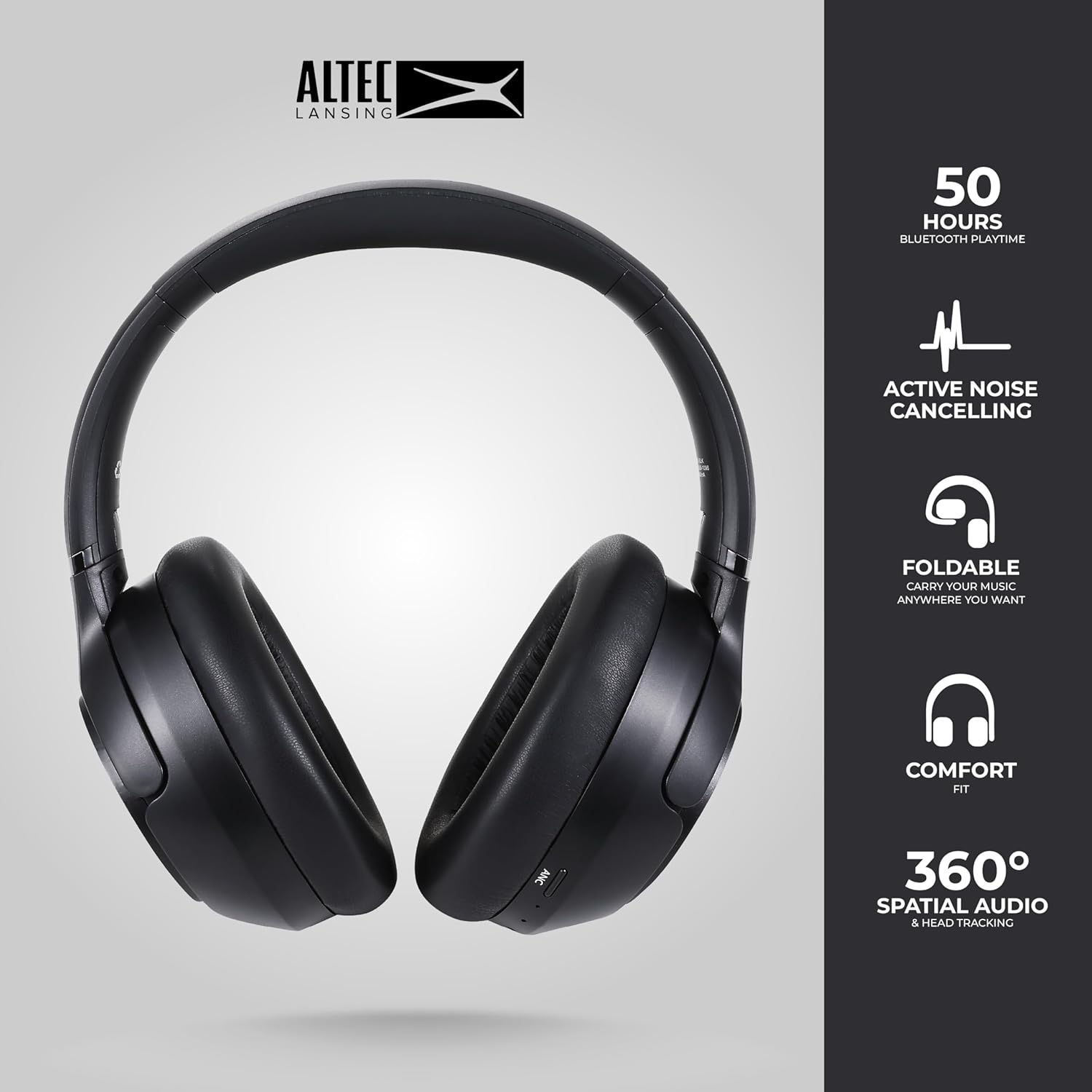
Image: The Altec Lansing Comfort Pro headphones, showcasing their sleek design and key features like 50 hours Bluetooth playtime, Active Noise Cancelling, foldable design, comfort fit, and 360° Spatial Audio & Head Tracking.
Тохиргоо
1. Чихэвчийг цэнэглэх
Before first use, fully charge your headphones. Connect the provided USB-C charging cable to the charging port on the headphones and the other end to a USB power source. The LED indicator will show charging status and turn off or change color when fully charged. A full charge typically takes approximately two hours.
2. Асаах/унтраах
- Асаахын тулд: LED заагч асах хүртэл Power товчийг ойролцоогоор 3 секундын турш дарна уу.
- Унтраахын тулд: LED заагч унтрах хүртэл Power товчийг ойролцоогоор 3 секундын турш барина уу.
3. Bluetooth хослол
The headphones support Bluetooth 5.4 for stable connectivity and multipoint pairing for connecting to two devices simultaneously.
- Чихэвч унтарсан эсэхийг шалгаарай.
- Press and hold the Power button for approximately 5-7 seconds until the LED indicator flashes rapidly (usually blue and red), indicating pairing mode.
- On your device (smartphone, laptop, tablet), go to Bluetooth settings and enable Bluetooth.
- хайх available devices and select "Altec Lansing Comfort Pro" from the list.
- Холбогдсоны дараа LED индикатор анивчхаа больж, цэнхэр хэвээр үлдэнэ.
- For multipoint pairing, connect to the first device, then put the headphones back into pairing mode and connect to the second device. The headphones will intelligently switch between the two connected devices.

Зураг: Нарийвчилсан view of the Altec Lansing Comfort Pro headphones highlighting the adjustable headband and the soft, lightweight ear cushions designed for comfort during extended use.
Ажиллаж байна
Чихэвчний удирдлага
The headphones feature intuitive controls located on the earcups. Refer to the image below for button identification.

Зураг: Ойрын зураг view of the right earcup of the Altec Lansing Comfort Pro headphones, showing the power button, volume controls, and other function buttons.
- Цахилгаан товч: Press and hold to power on/off. Short press for play/pause, answer/end calls.
- Дууны хэмжээг нэмэгдүүлэх (+): Дууны хэмжээг нэмэгдүүлэхийн тулд богино дарна уу. Дараагийн дууг удаан дарна уу.
- Дууг багасгах (-): Дууны хэмжээг багасгахын тулд богино дарна уу. Өмнөх дууг удаан дар.
- ANC товчлуур: Press to cycle through Active Noise Cancellation modes (ANC On, Ambient Mode, ANC Off).
- Олон үйлдэлт товчлуур (MFB): Double press to activate Voice Assistant (Siri/Google Voice). Triple press to activate Low Latency Mode.
Идэвхтэй дуу чимээг арилгах (ANC) ба хүрээлэн буй орчны дуу чимээг арилгах (ENC)
The Comfort Pro headphones feature powerful ANC to block out external noise and ENC for clear calls. Press the dedicated ANC button to toggle between ANC On, Ambient Mode (allowing some environmental sounds for awareness), and ANC Off. ENC is automatically active during calls to ensure your voice is clear.
Орон зайн аудио
Experience immersive sound with Spatial Audio. This feature creates a 3D soundstage, making audio feel more lifelike. Spatial Audio is automatically enabled when supported by your device and content.
Хоцролт бага горим
For gaming or video playback where audio-visual synchronization is critical, activate Low Latency Mode by triple-pressing the MFB. This reduces audio delay for a more synchronized experience.
Дуут туслах
Access your device's voice assistant (Siri or Google Voice) by double-pressing the MFB. You can then issue commands through the headphone's microphone.
Дуудлага удирдах
- Дуудлагад хариулах/дуусах: Power товчийг богино хугацаанд дарна уу.
- Дуудлагаас татгалзах: Power товчийг 2 секундын турш дарна уу.
Засвар үйлчилгээ
Цэвэрлэгээ
Чихэвчнийхээ гүйцэтгэл, харагдах байдлыг хадгалахын тулд:
- Чихний шил болон толгойн боолтыг зөөлөн, хуурай, хөвөнгүй даавуугаар арчина.
- Зөрүүд шороонд бага зэрэг dampАлчуурыг усаар норгоно. Хүчтэй химийн бодис, уусгагч эсвэл зүлгүүрийн цэвэрлэгч хэрэглэхээс зайлсхий.
- Ямар ч нүхэнд чийг оруулахыг бүү зөвшөөр.
Хадгалах
When not in use, store your headphones in the provided carrying case to protect them from dust, scratches, and impacts. The foldable design allows for compact storage.

Image: The Altec Lansing Comfort Pro headphones neatly folded and stored inside their protective carrying case, emphasizing portability and protection.
Батерейны арчилгаа
- Байнга зайгаа бүрэн цэнэглэхээс зайлсхий.
- Store the headphones with a partial charge if not used for extended periods.
- Батерейны ашиглалтыг бууруулж болзошгүй хэт температураас зайлсхий.
Алдааг олж засварлах
If you encounter any issues with your Altec Lansing Comfort Pro headphones, refer to the following common solutions:
- Чихэвч асахгүй: Чихэвч бүрэн цэнэглэгдсэн эсэхийг шалгаарай. Тэдгээрийг тэжээлийн эх үүсвэрт холбож, хэдэн минутын дараа дахин оролдоно уу.
- Төхөөрөмжтэй хослуулах боломжгүй:
- Чихэвч хослуулах горимд байгаа эсэхийг шалгаарай (LED хурдан анивчдаг).
- Төхөөрөмж дээрээ Bluetooth-ийг унтрааж, асаана уу.
- Delete "Altec Lansing Comfort Pro" from your device's Bluetooth list and attempt to pair again.
- Төхөөрөмжтэй холбоотой асуудлуудыг үгүйсгэхийн тулд өөр төхөөрөмжтэй хослуулж үзнэ үү.
- Дуу байхгүй эсвэл дуу багатай:
- Чихэвч болон холбогдсон төхөөрөмжийнхөө дууны түвшнийг шалгана уу.
- Чихэвчийг Bluetooth-ээр зөв холбосон эсэхийг шалгана уу.
- Хэрэв утастай холболт ашиглаж байгаа бол аудио кабелийг чихэвч болон аудио эх үүсвэрт бүрэн оруулсан эсэхээ шалгаарай.
- ANC үр дүнтэй ажиллахгүй байна:
- ANC товчийг дарж ANC идэвхжсэн эсэхийг шалгана уу.
- Чихнийхээ эргэн тойронд сайн битүүмжлэлтэй байхын тулд чихэвчнийхээ тааралтыг тохируулна уу.
- ANC is most effective against low-frequency, constant noise. It may not completely block out voices or sudden, high-frequency sounds.
- Дуут туслах хариу өгөхгүй байна: Ensure your device's voice assistant is enabled and that the headphones are properly connected. Double-press the MFB firmly.
Үзүүлэлтүүд
| Загварын нэр | MX3050 (MZX3050-BLK-STK-6) |
| Холболтын технологи | Утасгүй (Bluetooth) |
| Bluetooth хувилбар | 5.4 |
| Зайны ашиглалт | Up to 60 Hours (40 Hours with ANC activated) |
| Дуу чимээний хяналтын онцлогууд | Идэвхтэй дуу чимээг арилгах (ANC), хүрээлэн буй орчны дуу чимээг арилгах (ENC) |
| Чихэвчний хэлбэр | Чихний дээгүүр |
| Хяналтын арга | App, Voice, On-headphone buttons |
| Тохиромжтой төхөөрөмжүүд | Ухаалаг утас, зөөврийн компьютер, таблет |
| Материал | Fabric/Silicone and Plastic/Metal (Combination) |
| Зүйлийн жин | 1 фунт |
| Усны эсэргүүцлийн түвшин | Усны хамгаалалттай |
Баталгаат болон дэмжлэг
For warranty information and customer support, please refer to the documentation included with your purchase or visit the official Altec Lansing website. You can typically find detailed warranty terms, FAQs, and contact information for technical assistance there.
Онлайн нөөцүүд: www.alteclansing.com


