1. Танилцуулга
This manual provides essential information for setting up, operating, maintaining, and troubleshooting your Auusda 16-inch FHD Laptop T161N. Please read this manual thoroughly before using your device to ensure proper function and longevity.
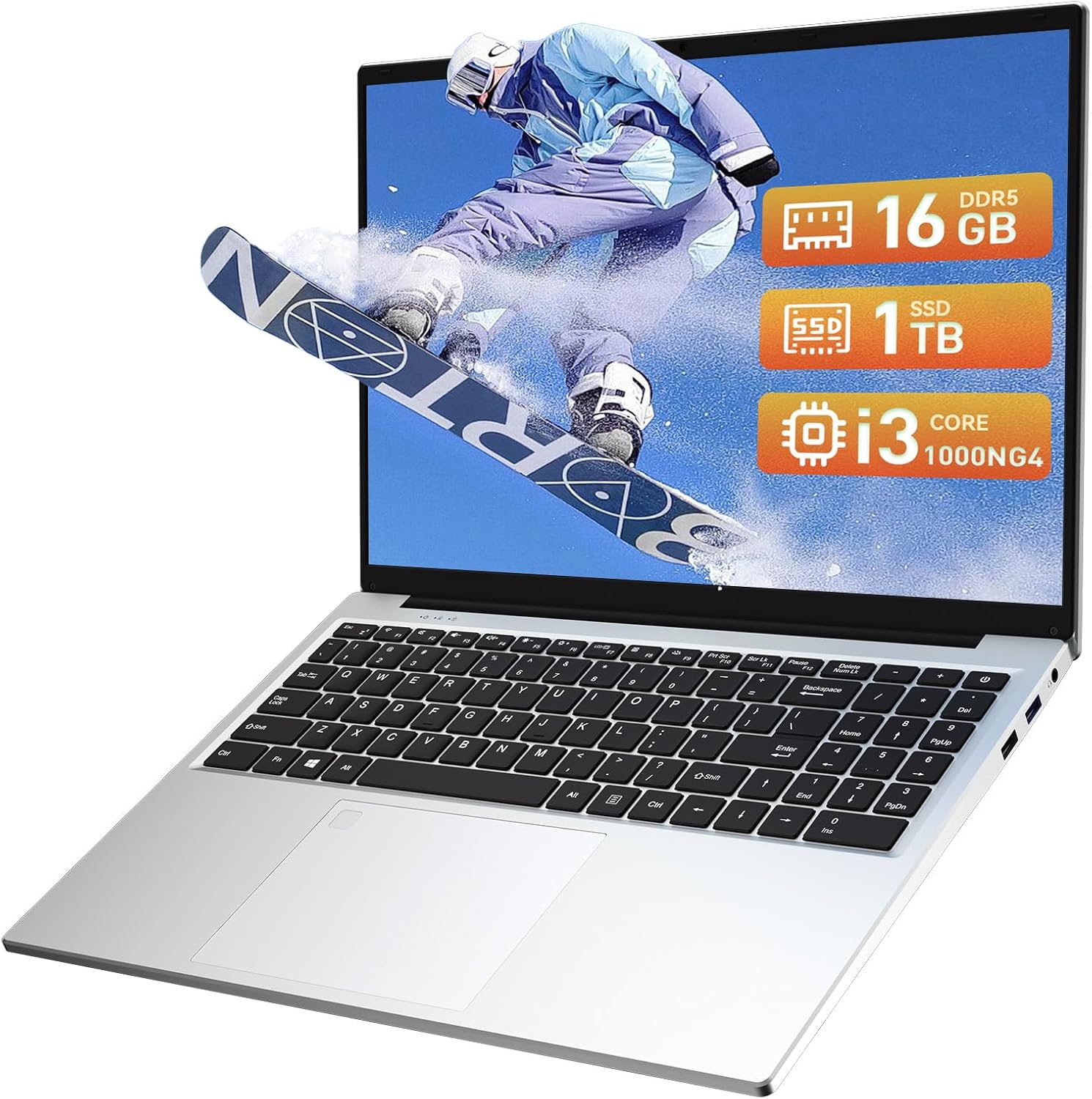
Image: The Auusda 16-inch FHD Laptop T161N, showcasing its sleek design and screen.
2. Хайрцагт юу байна
Upon opening your Auusda T161N laptop package, verify that all the following items are included:
- Auusda 16-inch FHD Laptop T161N
- Цахилгаан адаптер/цэнэглэгч
- Хэрэглэх заавар (энэ баримт бичиг)
- Гарны хавтас

Image: A visual representation of the items included in the Auusda T161N laptop packaging.
3. Бүтээгдэхүүн дууссанview
3.1 Гол онцлогууд
- Дэлгэц: 16-inch Full HD (1920x1080) IPS screen with 180° viewөнцөг.
- Процессор: Intel Core i3-1000NG4 (up to 3.2GHz).
- Санах ой: 16GB DDR4 RAM.
- Хадгалах: 1TB PCIe SSD.
- Холболт: Wi-Fi 6, Bluetooth 5.3.
- Аюулгүй байдал: Fingerprint Reader.
- Оруулах: Backlit Keyboard.
- Үйлдлийн систем: Windows 11 Pro.
3.2 Порт ба холбогч
The Auusda T161N laptop is equipped with various ports for versatile connectivity:
- USB 3.0 портууд (x2)
- Full-Function Type-C Port (x1) - Supports data transfer, screen mirroring, and charging.
- USB 2.0 порт (x1)
- Mini HDMI Port (x1)
- 3.5mm Standard Headphone Jack (x1)
- Microphone Input (shared with headphone jack)
- Цэнэглэх порт

Image: A detailed diagram illustrating the location and type of ports on the Auusda T161N laptop.
3.3 Харагдах байдалview
Видео: Дууслааview of the Auusda 16-inch FHD Laptop T161N, demonstrating its design and key features.
4. Тохиргоо
4.1 Анхны цэнэглэлт
- Connect the power adapter to the charging port on the laptop.
- Цахилгаан адаптерийг ханын залгуурт холбоно уу.
- Зөөврийн компьютерээ ашиглахаасаа өмнө дор хаяж 30 минутын турш цэнэглэхийг зөвшөөрнө үү, эсвэл батерейны үзүүлэлт хангалттай цэнэгийг харуулах хүртэл.
4.2 Powering On and Initial Windows Setup
- Зөөврийн компьютерийг асаахын тулд гар дээрх асаах товчийг дарна уу.
- Windows 11 Pro-г тохируулах процессыг дуусгахын тулд дэлгэцэн дээрх зааврыг дагана уу. Үүнд бүс нутаг, хэлээ сонгох, Wi-Fi сүлжээнд холбогдох, хэрэглэгчийн бүртгэл үүсгэх зэрэг орно.
- Ensure you have an active internet connection for Windows updates and driver installations during the setup.
5. Ашиглалтын заавар
5.1 Keyboard Functions (Fn + Function Keys)
The laptop features a full-size keyboard with dedicated function keys that can be accessed by pressing the Fn харгалзах функцийн товчлууртай (F1-F12) хамт товчлуурыг дарна уу.
- Арын гэрэлтүүлэгтэй гар: дарна уу Fn + F9 to cycle through 2 brightness levels. Pressing it a third time turns the backlight off.
- Num Lock: дарна уу Fn + Num Lk to toggle the numeric keypad on or off.
- Дууны хяналт: Ашиглах Fn + Speaker keys (F1-F3) to mute, decrease, or increase volume.
- Гэрэлтүүлгийн хяналт: Ашиглах Fn + Sun keys (F4-F5) to decrease or increase screen brightness.

Image: A visual guide to using the Fn (Function) keys on the Auusda T161N keyboard for various controls.
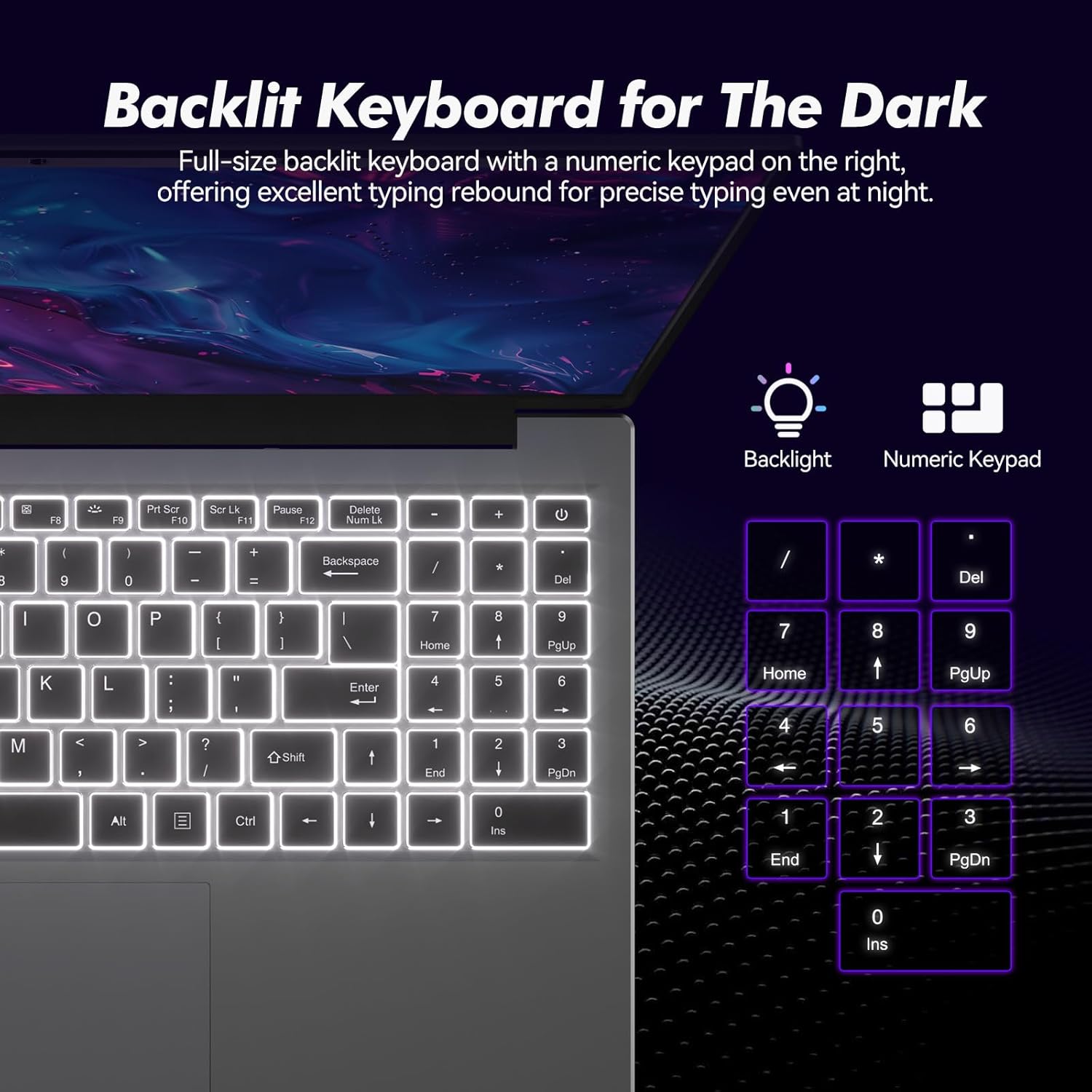
Зураг: Ойролцоогоор view of the backlit keyboard and numeric keypad, highlighting their functionality.
5.2 хурууны хээ уншигч
The integrated fingerprint reader provides a secure and fast way to unlock your laptop. To set up fingerprint recognition:
- Windows тохиргоо > Бүртгэл > Нэвтрэх сонголтууд руу очно уу.
- Under 'Windows Hello Fingerprint', click 'Set up'.
- Хурууны хээгээ бүртгүүлэхийн тулд дэлгэцэн дээрх зааврыг дагана уу.
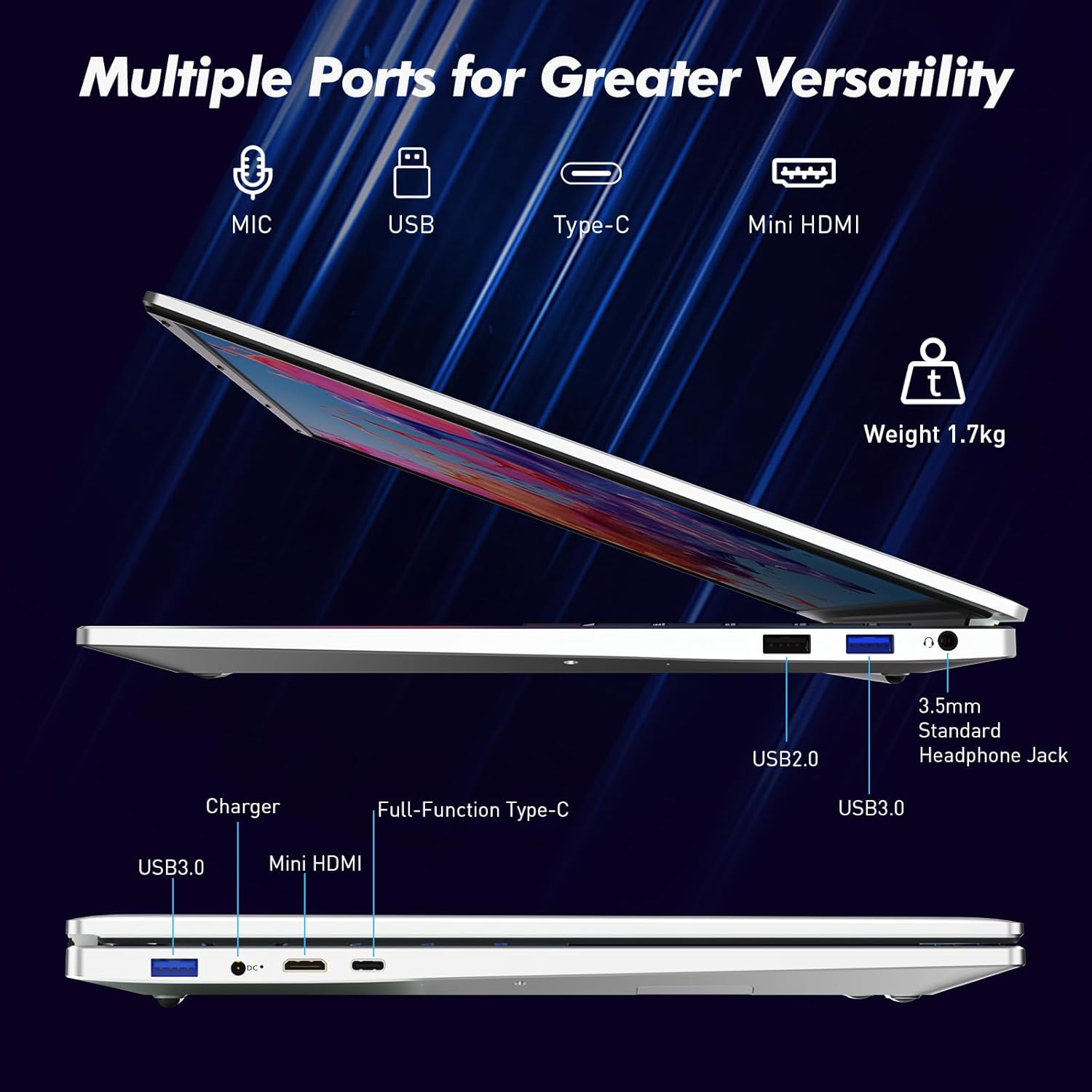
Image: A visual representation of the fingerprint reader location and its quick unlock capability.
5.3 Type-C Connectivity
The full-function Type-C port offers versatile connectivity options:
- Өгөгдөл дамжуулах: Connect compatible devices for high-speed data exchange.
- Дэлгэц толин тусгал: Output video to an external display using a compatible Type-C to HDMI/DisplayPort adapter (sold separately).
- Цэнэглэж байна: Charge the laptop using a compatible Type-C power delivery charger.
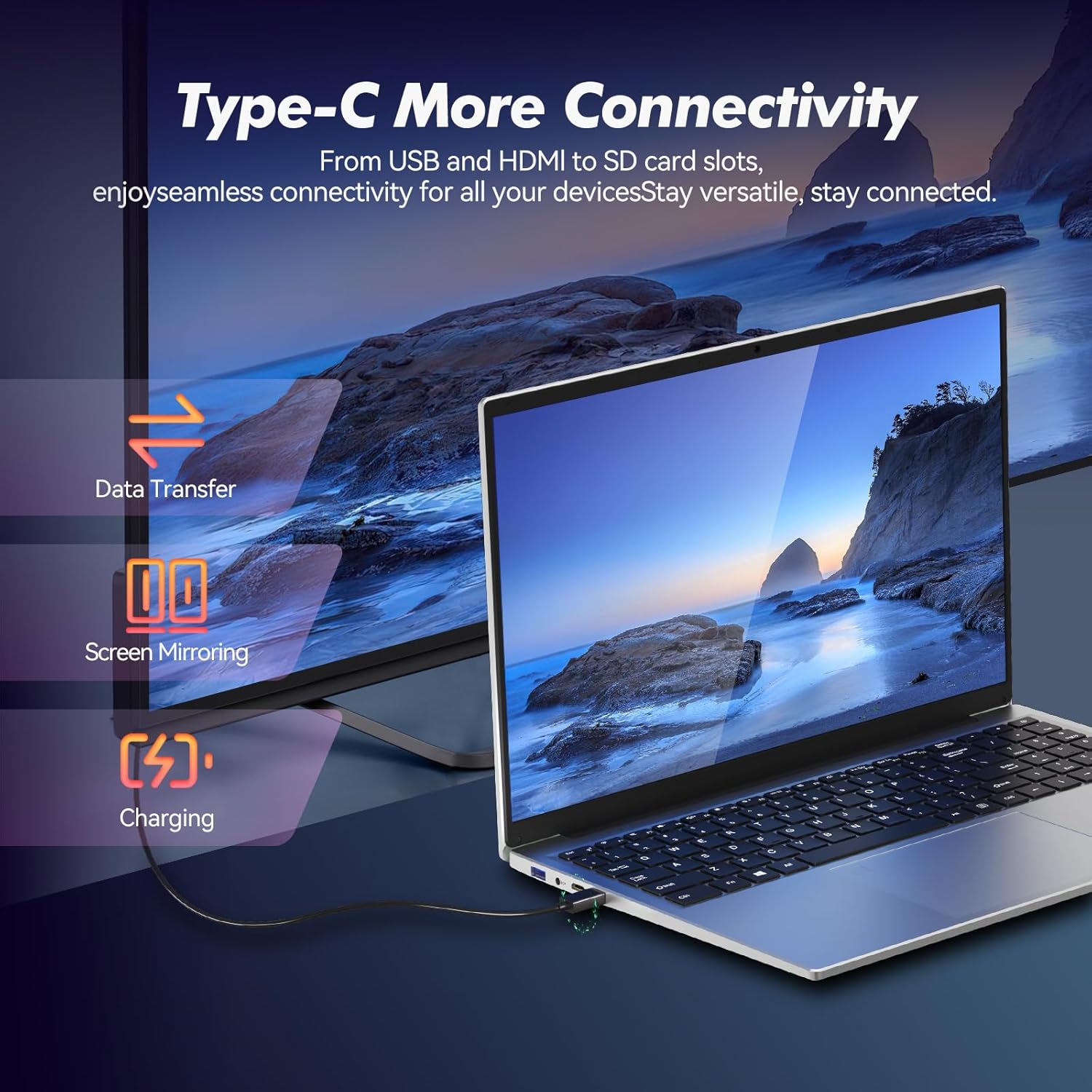
Image: Illustrates the multi-functional capabilities of the Type-C port, including data transfer, screen mirroring, and charging.
5.4 Wi-Fi 6 and Bluetooth 5.3
The laptop supports Wi-Fi 6 for faster and more stable wireless internet connections and Bluetooth 5.3 for connecting wireless peripherals.
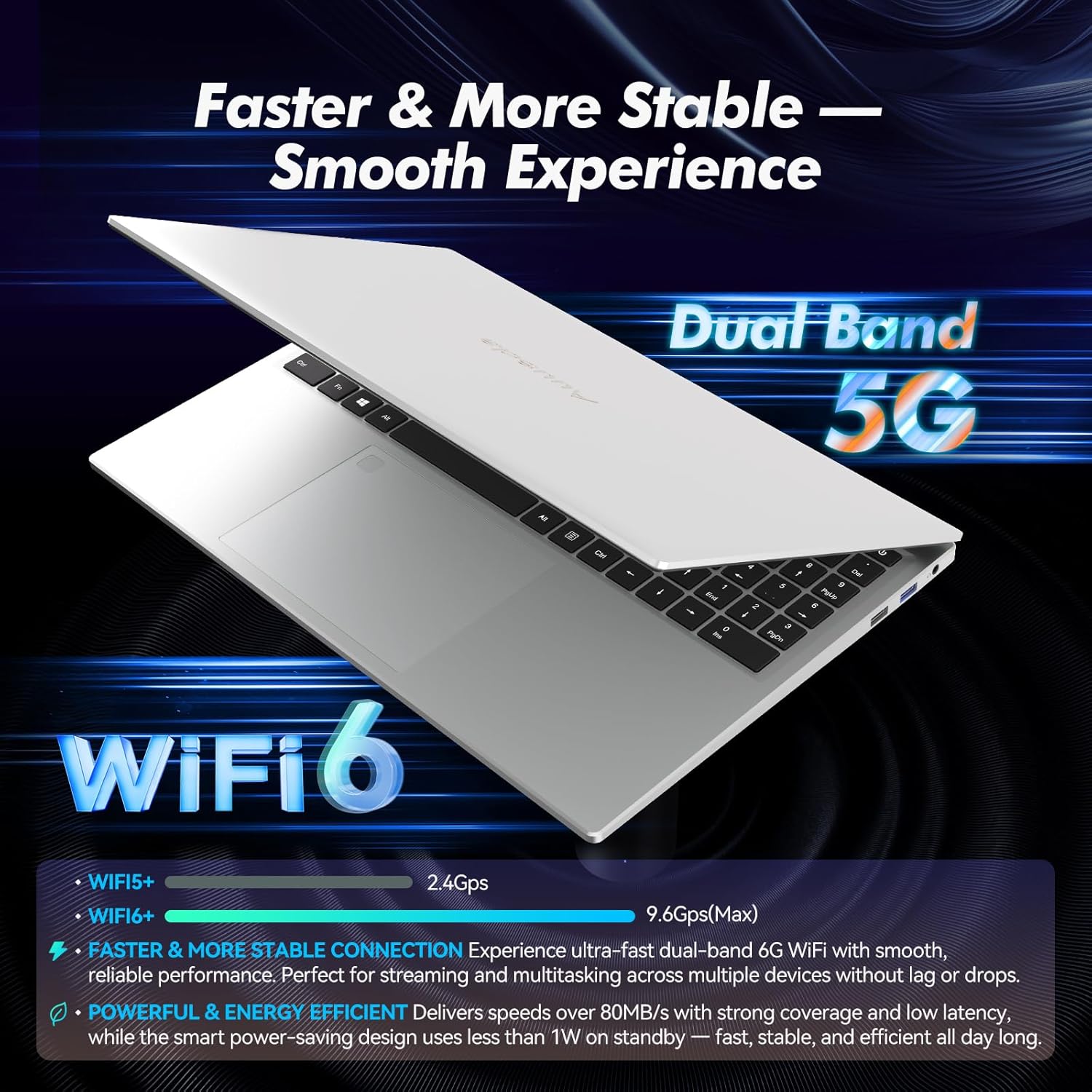
Image: Highlights the advanced wireless connectivity of the laptop, including Wi-Fi 6 and Dual Band 5G support.
6. Техникийн үзүүлэлтүүд
Below are the detailed technical specifications for the Auusda 16-inch FHD Laptop T161N:
| Онцлог | Тодорхойлолт |
|---|---|
| Загварын дугаар | T161N |
| Дэлгэцийн хэмжээ | 16 инч |
| Дэлгэцийн нягтрал | 1920 x 1080 пиксел (FHD) |
| Процессор | Intel Core i3-1000NG4 (1.09 GHz, up to 3.2 GHz) |
| RAM | 16 ГБ DDR4 SDRAM |
| Хатуу диск | 1 TB SSD (PCIe) |
| График процессор | Iris Plus Graphics G4 48EUs (Integrated) |
| Үйлдлийн систем | Windows 11 Pro |
| Утасгүй төрөл | 802.11ax (Wi-Fi 6), Bluetooth 5.3 |
| USB 3.0 портууд | 2 |
| USB 2.0 портууд | 1 |
| Зүйлийн жин | 5.21 фунт |
| Бүтээгдэхүүний хэмжээс | 14.17 x 10.83 x 0.71 инч |
| Өнгө | Мөнгө |
| Батерей | 1 12V зай (дагсан) |
7. Засвар үйлчилгээ
Regular maintenance helps ensure the optimal performance and longevity of your laptop.
7.1 Цэвэрлэгээ
- Дэлгэц болон гаднах гадаргууг цэвэрлэхдээ зөөлөн, хөвөнгүй даавуу ашиглаарай. Зөрүүд толбыг бага зэрэг арчина.ampдаавуугаар усаар эсвэл дэлгэцэнд аюулгүй цэвэрлэгчээр угаана.
- Зөөврийн компьютер дээр шингэнийг шууд цацахаас зайлсхий.
- Гарны товчлуур болон агааржуулалтын сараалжнаас тоосыг цэвэрлэхийн тулд шахсан агаар ашиглана уу.
7.2 Програм хангамжийн шинэчлэлтүүд
- Regularly check for and install Windows updates to ensure system stability and security. Go to Settings > Windows Update.
- Keep your drivers updated. Windows Update typically handles this, but you may occasionally need to check the Auusda support website for specific driver updates.
7.3 Батерейны арчилгаа
- Байнга зайгаа бүрэн цэнэглэхээс зайлсхий.
- Зөөврийн компьютерээ удаан хугацаагаар ашиглаагүй бол сэрүүн, хуурай газар хадгална уу.
8. Алдаа засах
Энэ хэсэгт таны зөөврийн компьютерт тулгарч болох нийтлэг асуудлуудыг авч үзэх болно.
8.1 Зөөврийн компьютер асахгүй байна
- Цахилгаан адаптер нь зөөврийн компьютер болон ажиллаж байгаа цахилгаан залгуурт найдвартай холбогдсон эсэхийг шалгаарай.
- Өөр төхөөрөмжийг залгах замаар цахилгааны залгуур ажиллаж байгаа эсэхийг шалгана уу.
- Хэрэв батерей бүрэн дууссан бол дахин асаахаасаа өмнө дор хаяж 15-30 минут цэнэглээрэй.
8.2 Wi-Fi холболтын асуудал
- Check if Wi-Fi is enabled in Windows settings (Settings > Network & internet > Wi-Fi).
- Чиглүүлэгч болон модемоо дахин эхлүүлнэ үү.
- Та Wi-Fi сүлжээнийхээ хүрээнд байгаа эсэхээ шалгаарай.
- Update your Wi-Fi drivers if necessary.
8.3 Гар эсвэл мэдрэгч самбар хариу өгөхгүй байна
- Зөөврийн компьютераа дахин эхлүүлнэ үү.
- Check for any physical obstructions or debris under the keys or on the touchpad.
- Ensure the touchpad has not been accidentally disabled (some laptops have a function key or a setting to toggle the touchpad).
Нэмэлт тусламж авахыг хүсвэл доорх дэмжлэгийн хэсгээс лавлана уу.
9. Баталгаат хугацаа ба дэмжлэг
Auusda provides customer support and warranty services for its products.
9.1 Баталгаат хугацааны мэдээлэл
Auusda laptops typically come with a two-year after-sales service period. Please retain your proof of purchase for warranty claims.
9.2 Хэрэглэгчийн дэмжлэг
If you encounter issues or require technical assistance, please contact Auusda customer support:
- Имэйл тусламж: Send your order number and a video demonstrating the problem to Auusda.ltd@gmail.com.
- Amazon Buyer Account: Log in to your Amazon buyer account, find your order, and click "Get Help" or "Ask questions" for direct support.


