1. Танилцуулга
This manual provides essential information for setting up, operating, maintaining, and troubleshooting your Google Pixel 10 Pro XL smartphone. Please read this guide thoroughly to ensure optimal performance and longevity of your device.
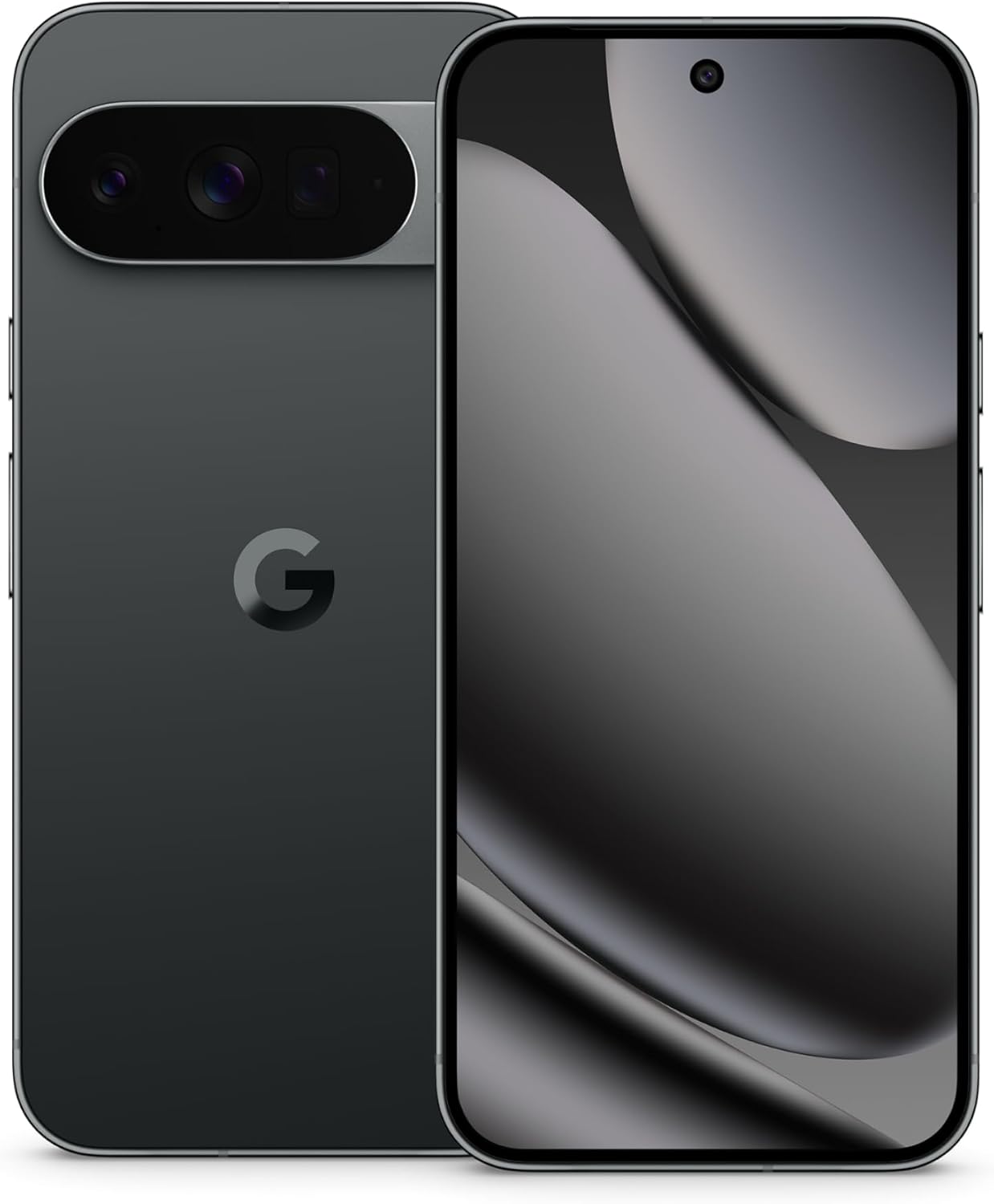
Image: The Google Pixel 10 Pro XL in Obsidian, showcasing its sleek design and camera bar.
2. Тохиргоо
2.1. Хайрцагт юу байна
Upon opening your Google Pixel 10 Pro XL package, you should find the following items:
- Google Pixel 10 Pro XL Cell Phone
- USB төрөл-C кабель
Please note that other accessories, such as a power adapter or headphones, may be sold separately.
2.2. Хайрцагнаас задлах, анхны үзлэг
Carefully remove the phone and accessories from the packaging. Inspect the device for any visible damage before proceeding with setup.
Video: An unboxing demonstration of the Google Pixel 10 Pro XL. This video illustrates the packaging contents and the initial appearance of the device.
2.3. Асаалт ба анхны тохиргоо
- Press and hold the Power button (located on the right side of the device) until the Google logo appears.
- Хэлээ сонгох, Wi-Fi сүлжээнд холбогдох, үйлчилгээний нөхцөлийг зөвшөөрөхийн тулд дэлгэцэн дээрх зааврыг дагана уу.
- Sign in with your Google Account or create a new one. This is essential for accessing Google services and the Play Store.
- Transfer data from your old device (optional). The setup wizard will guide you through options like Quick Switch Adapter or cloud backup.
2.4. SIM Card Activation (eSIM)
The Google Pixel 10 Pro XL supports eSIM technology, eliminating the need for a physical SIM card. During phone setup, you will be prompted to activate your eSIM. For more details, visit g.co/pixel/esim.
3. Төхөөрөмжөө ажиллуулах
3.1. Үндсэн навигаци
Your Pixel 10 Pro XL runs on Android 16, offering intuitive gesture navigation. Swipe up from the bottom to go home, swipe up and hold for recent apps, and swipe from the left or right edge to go back.
3.2. Камерын систем
The device features a Triple Rear Camera System. Open the Camera app to access various modes, including Photo, Video, Portrait, and Night Sight.

Image: The Pixel 10 Pro XL's 100x Pro Res Zoom in action, capturing distant subjects with clarity.
-г ашиглах 100x Pro Res Zoom for detailed distant shots. The upgraded 50 MP camera also supports Super Steady Videos for stable cinematic footage.

Image: The Pixel 10 Pro XL's Super Steady Video feature, ensuring smooth recording even during dynamic scenes.
3.3. Ихрийн ордны хиймэл оюун ухааны туслах
Your Pixel 10 Pro XL integrates the Gemini AI Assistant. Access it by saying "Hey Google" or by swiping from a corner (configurable). Gemini can assist with tasks, answer questions, and provide real-time information.

Image: The Gemini Live feature on the Pixel 10 Pro XL, allowing users to share their camera view for real-time AI assistance.
3.4. Зайны удирдлага
The device is equipped with a fast-charging battery designed to last 24+ цаг on a single charge. To optimize battery life:
- Дэлгэцийн тод байдлыг тохируулна уу.
- Enable Battery Saver mode when needed.
- Цаана ажиллаж байгаа ашиглагдаагүй програмуудыг хаа.
For faster charging, use a compatible USB Type-C fast charger (sold separately).
3.5. Дэлгэц
Experience vibrant visuals on the 6.8" Super Actua Display. This display offers high brightness and clarity for various viewнэвтрэх нөхцөл.

Image: Details of the Pixel 10 Pro XL's Super Actua display and its robust build quality.
4. Засвар үйлчилгээ
4.1. Төхөөрөмжөө цэвэрлэж байна
To clean your Pixel 10 Pro XL:
- Зөөлөн, хөвөн даавуу хэрэглэх.
- Зүлгүүрийн материал эсвэл хатуу химийн бодисоос зайлсхий.
- Зөрүүд толбоны хувьд бага зэрэг dampдаавуугаар усаар.
4.2. Software Updates (Pixel Drops)
Google regularly releases software updates, known as "Pixel Drops," to enhance features, improve performance, and provide security patches. Ensure your device is connected to Wi-Fi and has sufficient battery life before installing updates.

Image: The Pixel Drops program, illustrating how the phone receives ongoing software enhancements.
4.3. Зайны арчилгаа
To prolong the lifespan of your battery:
- Хэт их температураас зайлсхий.
- Do not consistently drain the battery to 0% or charge it to 100% if not necessary.
- Use certified charging accessories.
5. Алдаа засах
5.1. Нийтлэг асуудлууд
- Төхөөрөмж хариу өгөхгүй байна: Дахин асаахын тулд асаах товчийг 30 секунд орчим барина уу.
- Холболтын асуудлууд (Wi-Fi/Bluetooth): Try toggling Wi-Fi or Bluetooth off and on. If the issue persists, restart your device or reset network settings.
- Гэмтсэн програмууд: Clear the cache and data for the problematic app in Settings > Apps. If it continues, uninstall and reinstall the app.
5.2. Үйлдвэрийн тохиргоонд дахин тохируулах
A factory reset will erase all data from your phone and restore it to its original factory settings. This can resolve persistent software issues but should be used as a last resort. Үргэлжлүүлэхээсээ өмнө өгөгдлөө нөөцөл.
- Тохиргоо > Систем > Дахин тохируулах сонголтууд руу очно уу.
- "Бүх өгөгдлийг устгах (үйлдвэрийн тохиргоо)" -г сонгоно уу.
- Шийдвэрээ баталгаажуулж, асуувал PIN/нууц үгээ оруулна уу.
6. Техникийн үзүүлэлтүүд
The Google Pixel 10 Pro XL is engineered for advanced performance and user experience.

Image: An illustration of the Pixel 10 Pro XL's internal components, emphasizing its powerful processor and memory.
| Онцлог | Дэлгэрэнгүй |
|---|---|
| Загварын нэр | Pixel 10 Pro XL |
| Үйлдлийн систем | Android 16 |
| Процессор | Google Tensor (3.78 GHz CPU Speed) |
| RAM | 16 ГБ |
| Дотоод санах ой | 256 GB (Maximum 256 GB Flash Memory Supported) |
| Дэлгэцийн хэмжээ | 6.8 Inches Super Actua Display |
| Дэлгэцийн нягтрал | 3292 x 3292 |
| Зайны багтаамж | 5200 mAh (Battery Power Rating: 5200) |
| Холболт | Bluetooth, NFC, Wi-Fi, USB Type-C |
| Хэмжээ (Бүтээгдэхүүн) | 6.4 x 3 x 0.3 инч |
| Зүйлийн жин | 12.3 унц (0.35 килограмм) |
| Өнгө | Обсидиан |
| Утасгүй зөөгч | Бүх тээвэрлэгчдэд зориулсан түгжээг тайлсан |
7. Баталгаат хугацаа ба дэмжлэг
7.1. Хязгаарлагдмал баталгаат хугацаа
Your Google Pixel 10 Pro XL is covered by a limited warranty from Google. This warranty typically covers defects in materials and workmanship under normal use. For specific terms and conditions, including duration and coverage details, please refer to the warranty information provided with your purchase or visit the official Google support webсайт.
7.2. Хэрэглэгчийн дэмжлэг
For further assistance, technical support, or warranty claims, please contact Google Support:
- Онлайн дэмжлэг: Visit the official Google Pixel Help Center (support.google.com/pixelphone).
- Олон нийтийн форумууд: Шийдлийн талаар Pixel-ийн бусад хэрэглэгчид болон мэргэжилтнүүдтэй холбогдоорой.
When contacting support, have your device's serial number and proof of purchase ready.


