1. Танилцуулга
This manual provides essential information for setting up, operating, and maintaining your Auusda 15.6-inch FHD Laptop. Designed for work, study, and entertainment, this laptop features an Athlon Silver 3050E Processor, 32GB DDR4 RAM, and a 1TB SSD for efficient performance and ample storage. Its thin and light design enhances portability, making it suitable for various environments.
Key features include a vibrant 15.6-inch Full HD IPS display, comprehensive connectivity options, a secure fingerprint reader, and a backlit keyboard for comfortable use in diverse lighting conditions. The laptop comes pre-installed with Windows 11 Pro.


2. Тохиргоо
2.1 Хайрцагнаас задлах, анхны үзлэг
Carefully remove the laptop and its accessories from the packaging. Ensure all components are present and undamaged.
- Auusda 15.6" FHD Laptop
- 12V 3A цэнэглэгч
- US Layout Keyboard Cover
- Хэрэглэгчийн гарын авлага (энэ баримт бичиг)
2.2 Асаалт ба анхны тохиргоо
- Connect the charger to the laptop's DC-in port and a power outlet.
- Зөөврийн компьютерын тагийг нээ. Зөөврийн компьютер автоматаар асах эсвэл асаах товчийг дарах шаардлагатай байж магадгүй.
- Хэл, бүс нутаг, сүлжээний холболт, хэрэглэгчийн бүртгэл үүсгэх зэрэг Windows 11 Pro тохиргоог дуусгахын тулд дэлгэц дээрх зааврыг дагана уу.
- For secure login, configure the integrated fingerprint reader during setup or via Windows Settings later.
3. Үйл ажиллагаа
3.1 Дэлгэц ба дүрслэл
The laptop features a 15.6-inch Full HD (1920x1080) IPS display, providing crisp and vibrant visuals. The narrow bezel design enhances the viewing experience for various tasks, from document editing to streaming media.

3.2 Процессор ба гүйцэтгэл
Powered by an Athlon Silver 3050E Processor with 2 cores and 4 threads, the laptop offers a base frequency of 1.4 GHz and a maximum turbo frequency of up to 2.8 GHz. This configuration supports daily office tasks, online learning, and video playback efficiently.

3.3 Санах ой ба санах ой
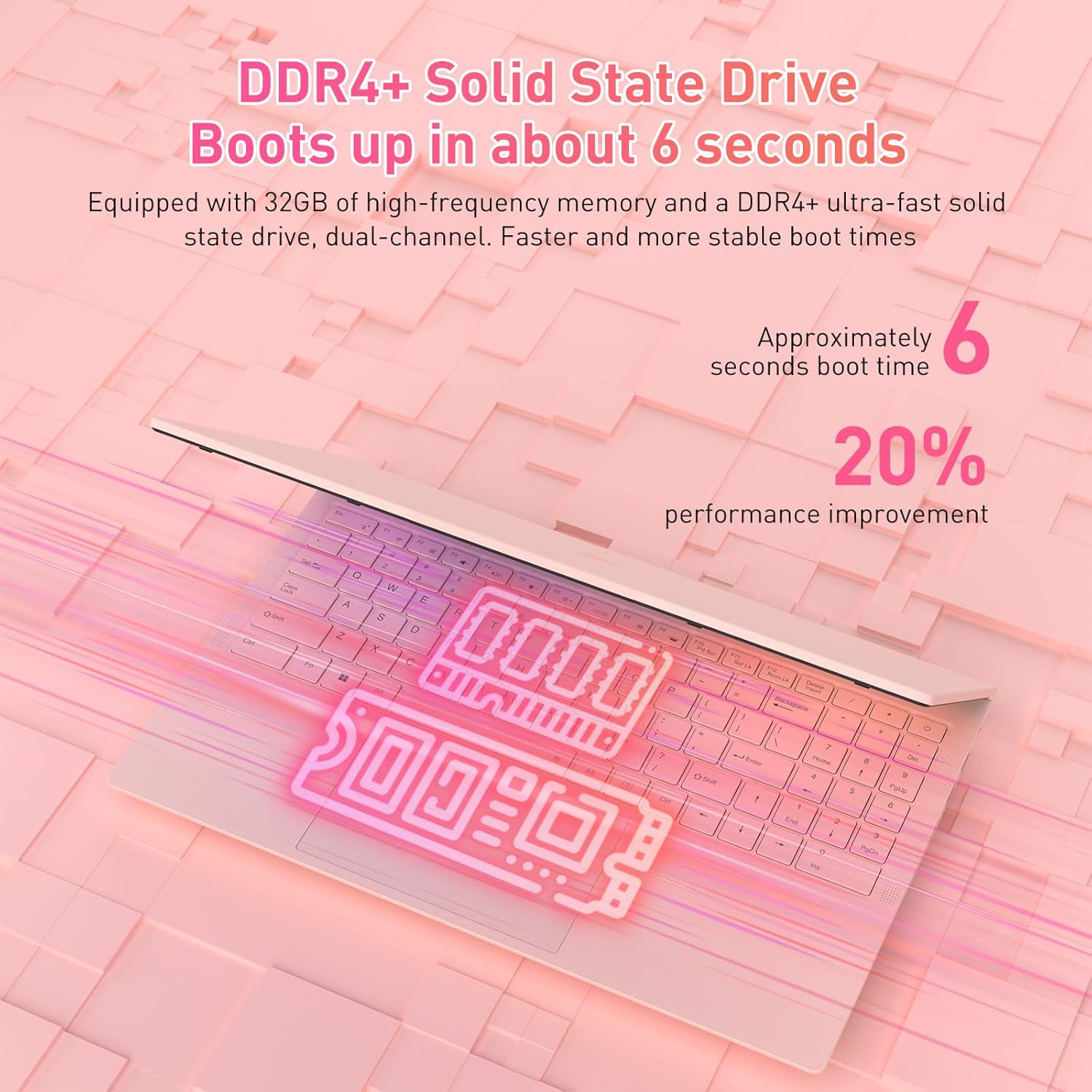
The laptop is equipped with 32GB of DDR4 RAM (2400 MHz) and a 1TB M.2 SATA 3.0 SSD. This combination ensures fast boot times (approximately 6 seconds) and smooth multitasking, allowing you to run multiple applications without significant slowdowns.

3.4 Keyboard and Security Features
The full-size backlit keyboard includes a numeric keypad for enhanced productivity. The large touchpad provides precise navigation. For secure access, the laptop is equipped with an integrated fingerprint reader, allowing for quick and reliable unlocking.

The laptop also features a privacy camera, which can be physically covered for enhanced security.
3.5 Холболт
The Auusda laptop offers a variety of ports and wireless options for versatile connectivity:
- USB портууд: 1х USB 3.0, 2х USB 2.0
- Төрөл-C порт: Full-featured, supporting charging and data transfer.
- HDMI: Гадаад дэлгэцтэй холбогдоход зориулагдсан.
- Аудио: 3.5 мм чихэвчний залгуур.
- Карт уншигч: TF картны үүр.
- Утасгүй: Built-in Wi-Fi 5 (802.11a/b/g/n) and Bluetooth 5.0.
- Аюулгүй байдал: Security Lock Slot.
- Эрчим хүч: DC Jack for charging.

3.6 Олон дэлгэцийн өргөтгөл
The laptop supports multi-screen expansion, allowing you to connect external monitors via the HDMI port for an extended desktop experience, enhancing productivity for work or entertainment.
While not primarily a gaming laptop, the Athlon Silver 3050E processor with RX Vega 3 integrated graphics can handle some lighter gaming titles. For optimal performance in gaming, ensure your system drivers are up to date.
4. Засвар үйлчилгээ
4.1 Цэвэрлэгээ
- Дэлгэцийг цэвэрлэхийн тулд зөөлөн, хөвөнгүй даавуу ашиглана уу. Зөрүүд толбоны хувьд dampдаавууг ус эсвэл дэлгэцийн тусгай уусмалаар арчина.
- Wipe the keyboard and chassis with a slightly damp даавуу. Хэт их чийгээс зайлсхий.
- Хөргөлтийн гүйцэтгэлд нөлөөлж болзошгүй тоос хуримтлагдахаас сэргийлж сэнсний агааржуулалтын нүхийг тогтмол цэвэрлэж байгаарай.
4.2 Батерейны арчилгаа
- Байнга зайгаа бүрэн цэнэглэхээс зайлсхий.
- Зөөврийн компьютерээ удаан хугацаагаар ашиглаагүй бол сэрүүн, хуурай газар хадгал.
- Use only the provided charger to prevent damage to the battery and laptop.
4.3 Програм хангамжийн шинэчлэлтүүд
Regularly check for and install Windows updates and driver updates (especially for graphics and chipset) to ensure optimal performance and security. You can typically find driver updates on the Auusda support webсайт эсвэл AMD-ийн албан ёсны website for the Athlon processor.
5. Алдаа засах
Хэрэв та зөөврийн компьютер дээрээ асуудалтай тулгарвал дараах нийтлэг алдааг олж засварлах алхмуудыг дагана уу.
- Зөөврийн компьютер асахгүй байна: Ensure the charger is securely connected and the power outlet is functional. Try pressing and holding the power button for 10-15 seconds.
- Дэлгэцийн асуудал (дэлгэц байхгүй, анивчих): Connect an external monitor via HDMI to check if the issue is with the laptop's internal display. Restart the laptop.
- Удаан гүйцэтгэл: Close unnecessary applications, check for background processes, ensure sufficient free storage space, and run a malware scan.
- Холболтын асуудлууд (Wi-Fi, Bluetooth): Check if wireless adapters are enabled in Windows settings. Restart your router/modem for Wi-Fi issues.
- Гар эсвэл мэдрэгч самбар хариу өгөхгүй байна: Restart the laptop. Ensure no external devices are interfering.
- Хэт халалт: Ensure the laptop's vents are clear and not obstructed. Use the laptop on a hard, flat surface to allow for proper airflow.
For persistent issues, please contact Auusda customer support.
6. Техникийн үзүүлэлтүүд
| Онцлог | Дэлгэрэнгүй |
|---|---|
| Брэнд | Ауусда |
| Загварын нэр | T156A-3050E-32GB+1TB |
| Загварын дугаар | 3050E |
| Дэлгэцийн хэмжээ | 15.6 инч |
| Дэлгэцийн нягтрал | 1920 x 1080 пиксел (Full HD IPS) |
| Процессор | AMD Athlon Silver 3050E (1.4 GHz base, up to 2.8 GHz) |
| RAM | 32 ГБ DDR4 SDRAM (2400 МГц) |
| Хадгалах | 1 TB SSD (PCIE x 2 interface) |
| График процессор | RX Vega 3 (Integrated Graphics) |
| Үйлдлийн систем | Windows 11 Pro |
| Утасгүй төрөл | 802.11a/b/g/n (Wi-Fi 5), Bluetooth 5.0 |
| USB портууд | 1x USB 3.0, 2x USB 2.0, 1x Type-C (Full-Featured) |
| Бусад портууд | HDMI, 3.5mm Headphone Jack, TF Card Slot, DC Jack, Security Lock Slot |
| Зүйлийн жин | 3.7 фунт |
| Бүтээгдэхүүний хэмжээс | 14 x 11 x 0.7 инч |
| Өнгө | Ягаан |
| Онцлог шинж чанарууд | Anti Glare Coating, Backlit Keyboard, Fingerprint Reader, Numeric Keypad, Portable |
| Батерей | 1x 12V battery (included) |
7. Баталгаат хугацаа ба дэмжлэг
7.1 Үйлдвэрлэгчийн баталгаа
Your Auusda laptop comes with a 2-year manufacturer-backed coverage. This warranty covers defects in materials and workmanship under normal use. Please retain your proof of purchase for warranty claims.
7.2 Хэрэглэгчийн дэмжлэг
For technical assistance, warranty claims, or any questions regarding your Auusda laptop, please contact our customer support team:
- Имэйл: Auusda.ltd@gmail.com (as per A+ content FAQ)
- Онлайн: Log in to your Amazon buyer account, find your order, and click "Get Help" or "Ask questions" to reach the seller.
When contacting support, please provide your order number and a detailed description of the issue, including any relevant videos or screenshots.


