1. Танилцуулга
Thank you for choosing the WOLFANG WT08-WB 4G Solar-Powered Outdoor Security Camera. This manual provides detailed instructions for the proper installation, operation, and maintenance of your camera. Please read this manual thoroughly before use to ensure optimal performance and longevity of your device. This camera is designed for outdoor surveillance in areas without Wi-Fi access, utilizing 4G LTE connectivity and solar power for continuous operation.
2. Бүтээгдэхүүн дууссанview
The WOLFANG WT08-WB is a robust outdoor security camera featuring 2.5K HD video, 4G LTE connectivity, solar power, and advanced night vision capabilities. It is ideal for monitoring remote locations such as farms, cabins, or wildlife areas where traditional power and Wi-Fi are unavailable.
Гол онцлогууд:
- 4G LTE холболт: Operates independently without Wi-Fi, connecting to the strongest available 4G signal.
- Нарны эрчим хүчээр ажилладаг: Equipped with a 3W solar panel and a high-capacity 7800mAh built-in battery for continuous power.
- 2.5K HD Video: Delivers clear images and video recordings.
- Пан/Хазайлгах/Томруулах (PTZ): Offers 355° horizontal rotation, 90° vertical tilt, and 4x digital zoom for comprehensive coverage.
- Two Night Vision Modes: Supports black-and-white IR night vision and color night vision with integrated spotlights.
- PIR хөдөлгөөн илрүүлэх: Intelligent motion detection reduces false alarms and sends real-time notifications.
- Хоёр талын аудио: Allows for remote communication.
- Орон нутгийн болон үүлэн хадгалах сан: Includes a 32GB SD card for local recording and supports cloud storage services.
- Цаг агаарт тэсвэртэй: IP66 rated for outdoor use, withstanding temperatures from -15°C to 50°C.
Багцын агуулга:
- WOLFANG WT08-WB 4G Camera
- Нарны хавтан (3Вт)
- Суурилуулах бэхэлгээ ба шураг
- 32 ГБ SD карт
- SIM Card (with 300MB trial data)
- Хэрэглэгчийн гарын авлага
3. Тохиргоо
3.1 SIM болон SD карт оруулах
Before mounting, ensure the SIM card and SD card are correctly inserted into their respective slots on the camera. The camera comes with a pre-installed SIM card and a 32GB SD card.
- Locate the SIM and SD card slots, usually protected by a rubber cover on the camera body.
- Тагийг нь болгоомжтой нээнэ үү.
- Insert the provided 4G SIM card into the SIM slot with the gold contacts facing down and the notched corner aligned correctly.
- Insert the 32GB SD card into the SD card slot until it clicks into place.
- Close the rubber cover firmly to ensure waterproofing.
3.2 Камер болон нарны хавтанг суурилуулах
Choose a location with good 4G signal reception and direct sunlight exposure for the solar panel. The camera can be mounted on a wall or tree.
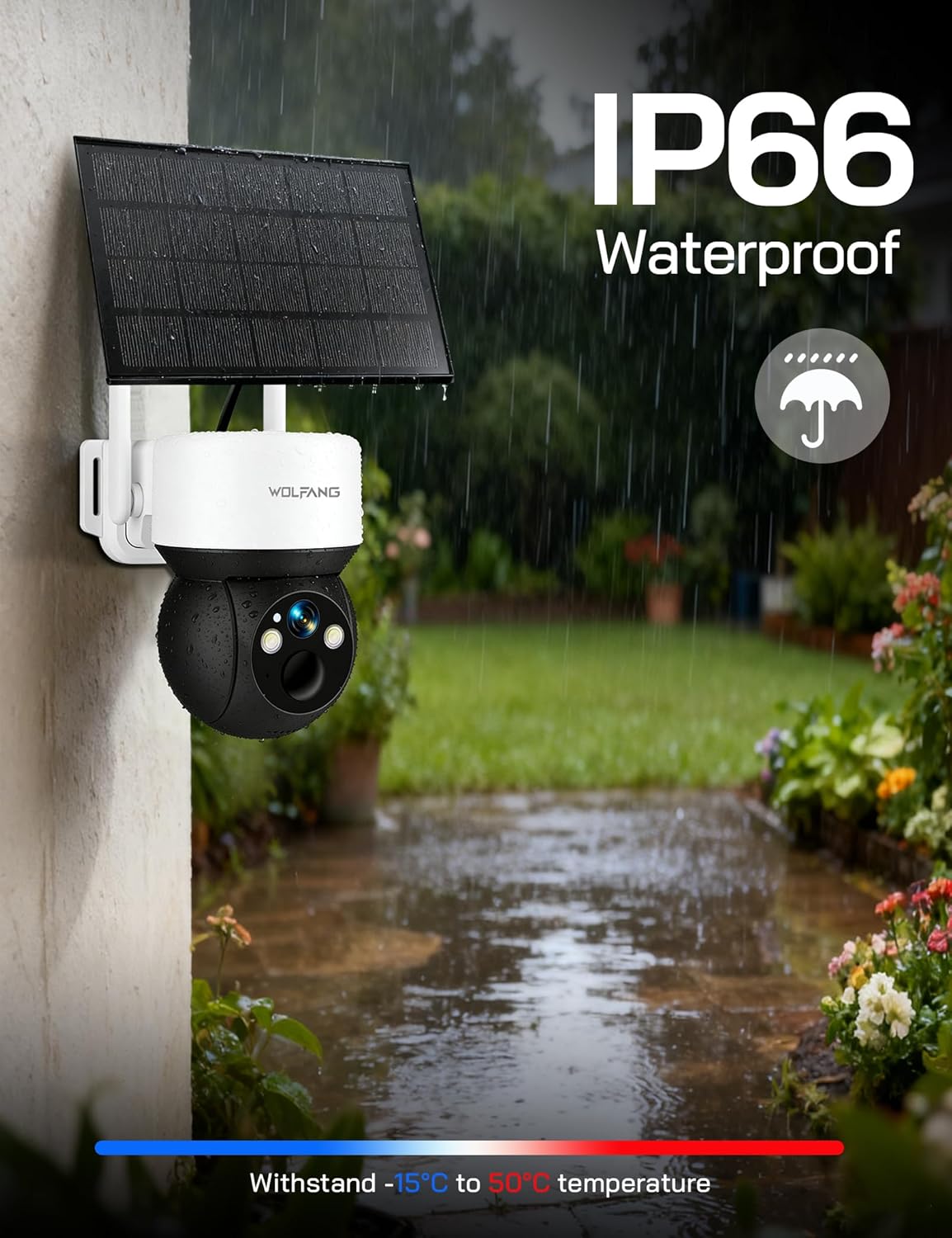
Image: The WOLFANG WT08-WB camera and solar panel mounted on an outdoor wall, illustrating a typical installation scenario for continuous power.
- Байршлыг сонгох: Identify a mounting spot that provides the desired viewing angle and ensures the solar panel receives maximum sunlight throughout the day.
- Хаалт суурилуулах: Use the provided screws and mounting bracket to securely attach the camera to a wall or tree.
- Нарны хавтанг хавсаргах: Connect the solar panel to the camera using the provided cable. Ensure the connection is secure and weatherproof.
- Өнцөг тохируулах: Adjust the camera and solar panel angles to optimize surveillance coverage and solar charging efficiency.
3.3 App Download and Initial Connection
The camera is controlled via the UBox app.
- Апп татаж авах: хайх "UBox" in your smartphone's app store (iOS or Android) and download it.
- Бүртгэл бүртгүүлэх: Open the UBox app and follow the on-screen instructions to register a new account.
- Төхөөрөмж нэмэх: Power on the camera. In the UBox app, tap "Add Device" or the '+' icon. Follow the prompts to scan the QR code on the camera or manually add the device.
- Connect to 4G: The camera will automatically attempt to connect to the 4G network. Once connected, you should see the camera's live feed in the app.
4. Ашиглалтын заавар
4.1 Амьд View болон Бичлэг
Access the camera's live feed and initiate manual recordings through the UBox app.
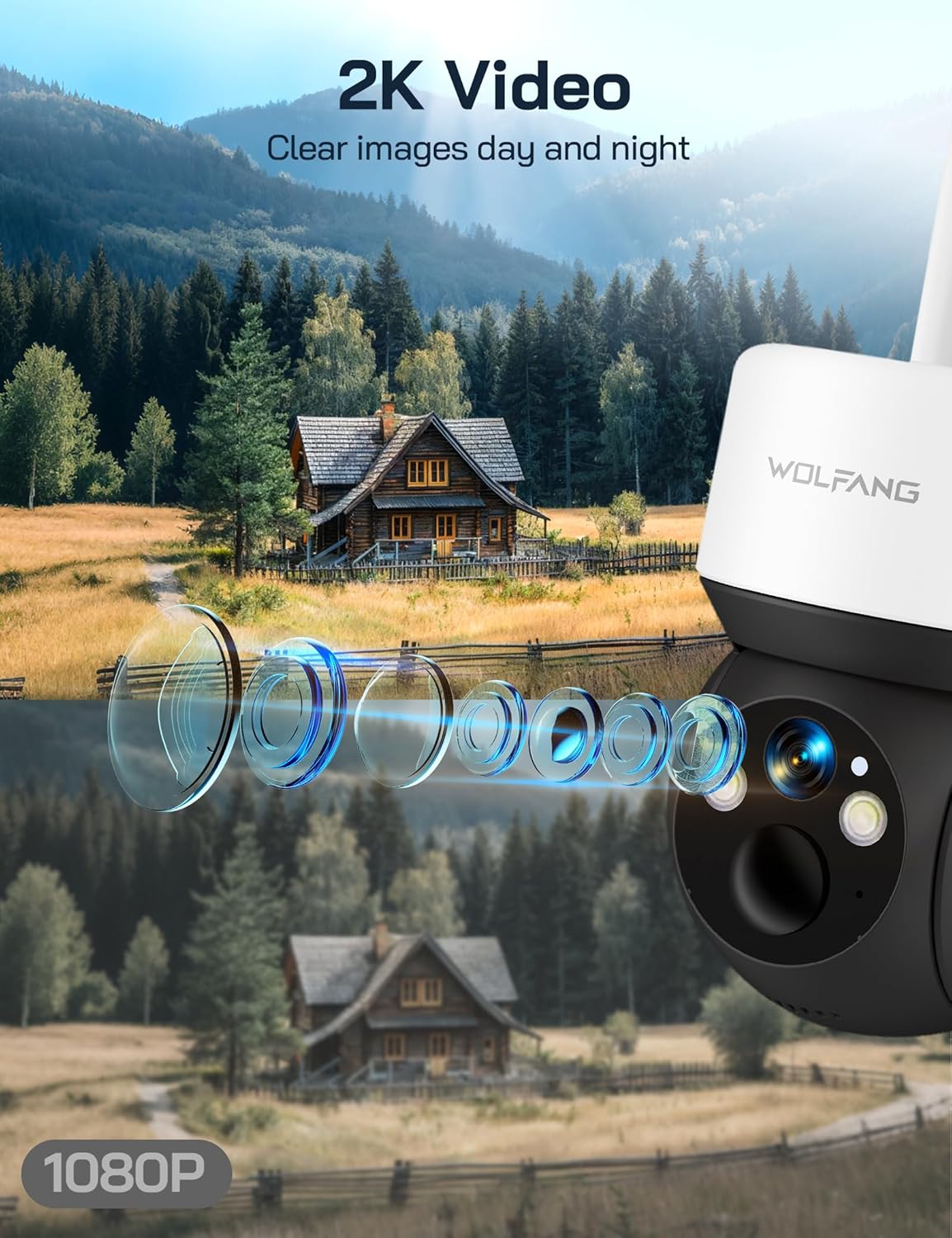
Image: A visual comparison demonstrating the superior clarity of 2.5K video resolution compared to 1080P, showcasing the camera's detailed image capture.
- Open the UBox app and select your camera from the device list.
- The live feed will display. You can tap the record button to start or stop manual recording.
- Recorded videos are saved to the SD card or cloud storage, depending on your settings.
4.2 Pan, Tilt, and Digital Zoom
Камерыг хянах viewалсаас харах өнцөг.
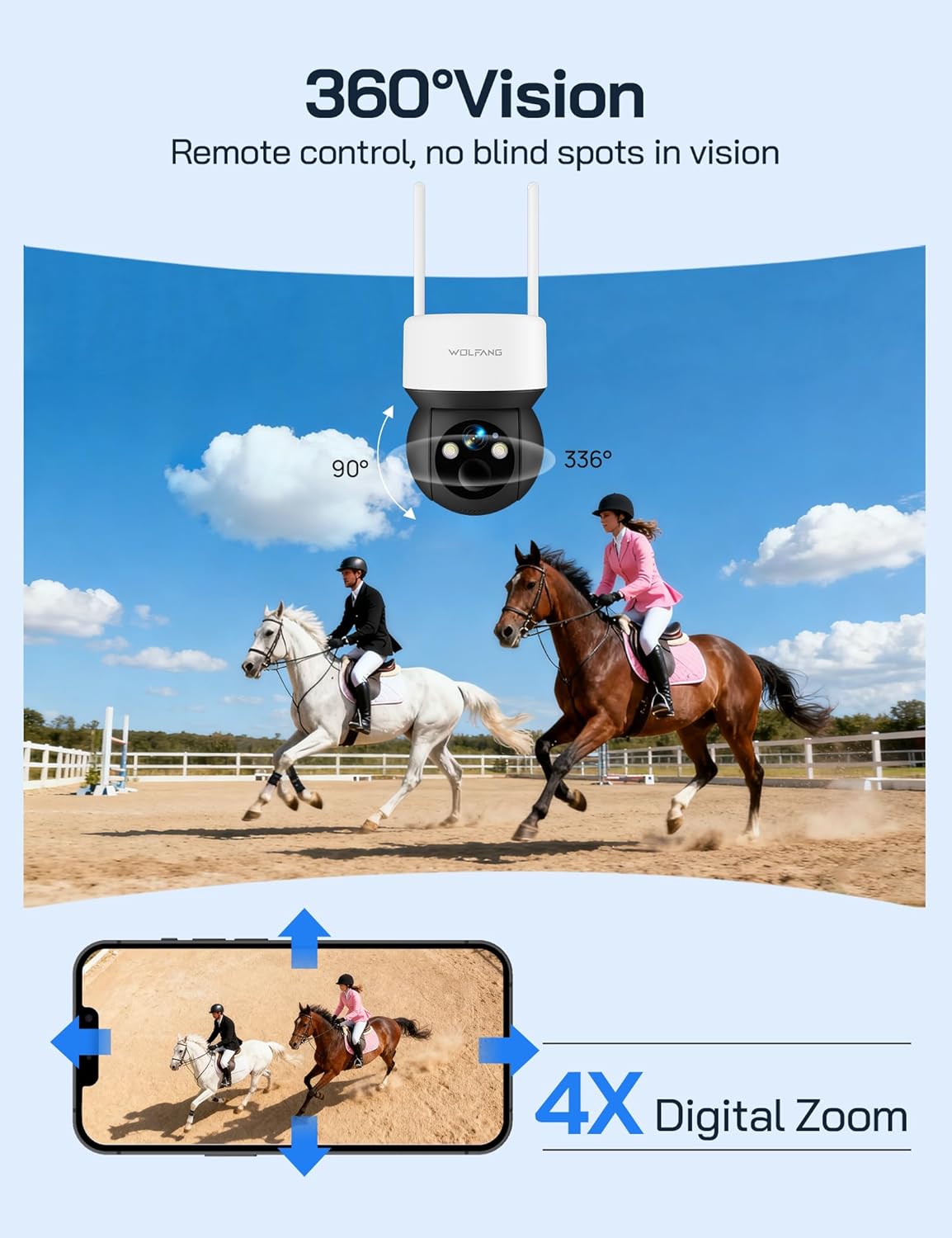
Image: The camera's 360-degree vision is depicted with directional arrows for pan and tilt, alongside a smartphone interface illustrating the 4x digital zoom function.
- Шууд нэвтрүүлэг дээр view screen in the UBox app, use the directional controls to pan (355° horizontally) and tilt (90° vertically) the camera.
- Pinch to zoom on the live feed to utilize the 4x digital zoom feature.
4.3 Шөнийн харааны горимууд
The camera offers two night vision options for different surveillance needs.

Image: A demonstration of the camera's night vision capabilities, including full-color night vision with spotlight, infrared (IR) black-and-white night vision, and smart night vision that automatically activates the spotlight.
- Шөнийн хараа: Automatically activates in low-light conditions, providing clear black-and-white video without visible light.
- Өнгөт шөнийн хараа: When enabled, the camera's built-in spotlights illuminate the area, allowing for full-color video recording at night. This can be manually activated or set to trigger upon motion detection.
- Adjust night vision settings in the UBox app.
4.4 Хөдөлгөөн илрүүлэх ба дохиолол
Receive instant notifications when motion is detected.
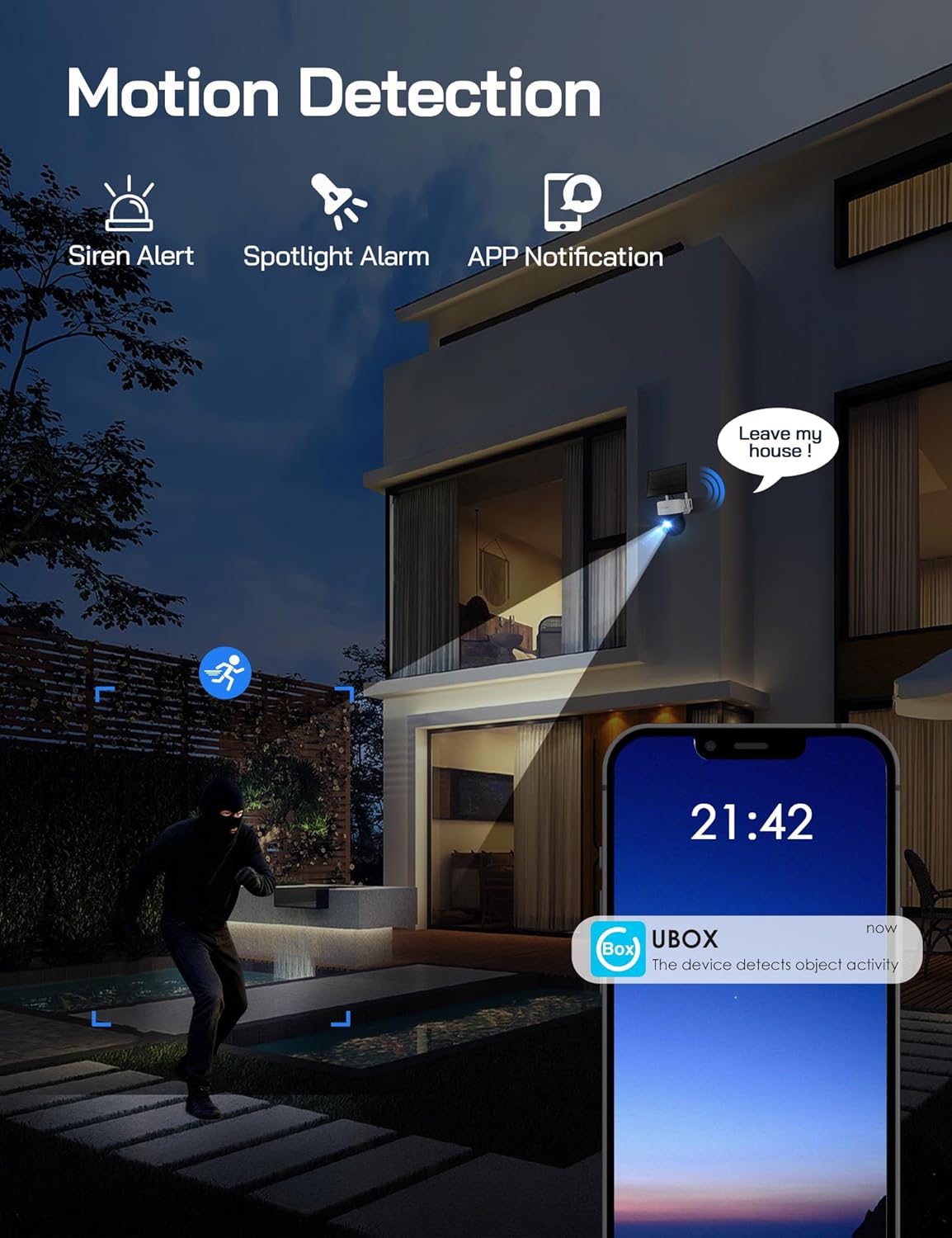
Image: A visual representation of the camera's motion detection system, showing a person being detected, which activates a spotlight, an audible siren, and sends an immediate notification to the user's smartphone via the UBox app.
- Enable motion detection in the UBox app settings.
- Adjust PIR sensitivity to minimize false alarms.
- When motion is detected, the camera will record a video clip, send a notification to your phone, and can optionally activate the spotlight and siren.
4.5 Хоёр талын аудио
Communicate through the camera using the UBox app.
- Шууд нэвтрүүлэг дээр view screen, tap the microphone icon to speak through the camera's speaker.
- Камерын микрофоноос аудио сонсохын тулд чанга яригчийн дүрс дээр товшино уу.
5. Засвар үйлчилгээ
5.1 Цэвэрлэгээ
- Камерын линз болон нарны зайг зөөлөн, damp cloth to ensure clear images and efficient charging.
- Химийн хатуу бодис, зүлгүүрийн материалыг бүү ашигла.
5.2 Батерейны удирдлага
- The solar panel is designed to keep the built-in battery charged. Ensure the solar panel is free from obstructions and receives adequate sunlight.
- Monitor battery levels through the UBox app. If the battery level is consistently low, check the solar panel's placement and cleanliness.
5.3 SIM Card Data
- The included SIM card provides 300MB of trial data. After this is used, you will need to renew the data package through the UBox app or replace the SIM card with one from your preferred provider.
- Ensure your SIM card has an active data plan for continuous 4G connectivity.
5.4 Програм хангамжийн шинэчлэлтүүд
- Periodically check the UBox app for available firmware updates. Updates can improve performance, add new features, and enhance security.
- Follow the app's instructions carefully when performing firmware updates.
6. Алдаа засах
6.1 Camera Not Connecting to 4G Network
- SIM картыг шалгах: SIM картыг зөв оруулсан, өгөгдлийн төлөвлөгөө идэвхтэй байгаа эсэхийг шалгаарай.
- Дохионы хүч: Verify that the camera is in an area with sufficient 4G signal coverage. Relocate the camera if necessary.
- Restart Camera: Power cycle the camera by temporarily removing and reinserting the SIM/SD card cover (if accessible) or by pressing the reset button if available.
6.2 Батерейг цэнэглэхгүй байна
- Нарны хавтанг байрлуулах: Ensure the solar panel is positioned to receive direct sunlight for several hours daily.
- Саад бэрхшээл: Clear any dirt, dust, or debris from the solar panel surface.
- Кабелийн холболт: Нарны хавтангийн кабель камертай найдвартай холбогдсон эсэхийг шалгана уу.
6.3 Motion Detection Not Working or Too Many False Alarms
- Онцлогыг идэвхжүүлэх: Confirm motion detection is enabled in the UBox app settings.
- Мэдрэмжийг тохируулах: Lower the PIR sensitivity in the app settings to reduce false alarms caused by small animals or environmental factors. Increase sensitivity if detections are missed.
- Илрүүлэх бүс: Камерын талбарыг баталгаажуулна уу view covers the desired detection area.
6.4 Видеоны чанар муу
- Цэвэр линз: Камерын линзийг цэвэрлэж, толбо, шороог арилгана.
- 4G дохио: A weak 4G signal can affect live stream quality. Ensure good signal strength.
- Апп тохиргоо: Check video quality settings in the UBox app; higher quality settings require more bandwidth.
7. Техникийн үзүүлэлтүүд
| Онцлог | Тодорхойлолт |
|---|---|
| Загварын дугаар | WT08-WB |
| Видеоны нягтрал | 2.5K HD |
| Холболт | 4G LTE (No Wi-Fi) |
| Эрчим хүчний эх үүсвэр | 3W Solar Panel, 7800mAh Built-in Battery |
| Пан өнцөг | 355° |
| Налалтын өнцөг | 90° |
| Дижитал томруулах | 4x |
| Шөнийн хараа | IR (Black & White), Color (with Spotlight) |
| Хадгалах | 32GB SD Card (included), Cloud Storage Support |
| Аудио | Хоёр талын харилцаа холбоо |
| Цаг агаарын эсэргүүцэл | IP66 |
| Ашиглалтын температур | -15 хэмээс 50 хэм хүртэл |
| Хэмжээ (L x W x H) | 11 x 13.8 x 14.8 см |
| Жин | 1.04 кг |
8. Баталгаат хугацаа ба дэмжлэг
For warranty information or technical assistance, please contact WOLFANG customer service. Our support team is available to help with any questions or issues you may encounter with your WT08-WB camera.
- Имэйл тусламж: support.vc@wolfang.co
- Please provide your model number (WT08-WB) and a detailed description of your issue when contacting support.


