1. Танилцуулга
Thank you for choosing the Nakamichi TW016 Wireless Earphones. This manual provides essential information for the proper use and maintenance of your device. Please read it thoroughly before use and keep it for future reference.
2. Багцын агуулга
Бүх зүйл багцад байгаа эсэхийг шалгаарай:
- Nakamichi TW016 Wireless Earphones (Left and Right)
- Цэнэглэх хайрцаг
- USB цэнэглэгч кабель
- Хэрэглэгчийн гарын авлага
3. Бүтээгдэхүүн дууссанview
The Nakamichi TW016 earphones are designed for comfort and high-quality audio. Each earbud weighs approximately 3g, providing a lightweight and secure fit for extended listening. The compact charging case allows for easy portability.

Image: Nakamichi TW016 Wireless Earphones and Charging Case. This image displays the white earbuds and their charging case, highlighting key features such as Bluetooth 5.4, 13mm dynamic drivers, clear calls, game mode, and 20-hour playback.
Гол онцлогууд:
- Bluetooth 5.4 технологи: Ensures stable and efficient wireless connection with improved data transfer speed and reduced latency.
- 13мм динамик драйверууд: Deliver balanced audio with deep bass and clear mid-high tones, supporting AAC codec for enhanced sound quality.
- Гаргүй дуудлагыг арилгах: Built-in microphones in both earbuds provide clear voice transmission by suppressing ambient noise.
- Тоглоомын горим: Reduces audio-visual latency for a more immersive gaming experience.
- Өргөтгөсөн тоглуулах: Up to 5 hours of listening on a single charge, with a total of 20 hours using the charging case.
- Компакт, хөнгөн дизайн: Each earbud weighs approximately 3g, and the charging case is small enough to fit in a pocket.
4. Тохиргоо
4.1 Initial Use and Charging
Before first use, or if the earphones are new, please follow these steps:
- Remove the protective film from the charging contacts on both earbuds.
- Хоёр чихэвчийг дахин цэнэглэх хайрцагт хийнэ үү.
- Connect the charging case to a power source using the provided USB cable to fully charge the earphones and case.

Image: Earbuds with protective film being removed. This image illustrates the process of removing the protective film from the earbud charging contacts, which is necessary before initial use or charging.
4.2 Төхөөрөмжтэй хослуулах
To pair your Nakamichi TW016 earphones with a Bluetooth-enabled device:
- Чихэвч цэнэглэгдсэн эсэхийг шалгаарай.
- Цэнэглэх хайрцгийг онгойлгоод хоёр чихэвчээ гарга. Тэд автоматаар хослуулах горимд орно.
- Төхөөрөмж дээрээ (ухаалаг утас, таблет, компьютер) Bluetooth тохиргоо руу очно уу.
- хайх available devices and select "Nakamichi TW016" from the list.
- Холбогдсоны дараа та баталгаажуулах дууг сонсох бөгөөд чихэвч ашиглахад бэлэн болно.
5. Ашиглалтын заавар
The Nakamichi TW016 earphones feature touch controls on each earbud. The following table outlines the various functions:
| Функцийн ангилал | Үйлдэл | Хяналт |
|---|---|---|
| Хөгжим тоглуулах | Тоглуулах/түр зогсоох | Tap L/R earbud 2 times |
| Өмнөх зам | Чихэвчний зүүн/баруун товчийг 2 секундын турш удаан дарна уу | |
| Дараагийн дуу | Чихэвчний зүүн/баруун товчийг 2 секундын турш удаан дарна уу | |
| Дуудлага удирдах | Дуудлагад хариулах | Tap L/R earbud 1 time |
| Дуудлага дуусгах | Tap L/R earbud 1 time | |
| Дуудлагаас татгалзах | Tap L/R earbud 2 times | |
| Дууны хяналт | Дууны хэмжээг нэмэгдүүлэх | Tap R earbud 1 time |
| Дууг багасгах | Tap L earbud 1 time | |
| Modes & Assistant | Game Mode / Music Mode Toggle | Tap L/R earbud 4 times |
| Дуут туслахыг идэвхжүүлнэ үү | Tap L/R earbud 3 times |
5.1 Тоглоомын горим
The Game Mode significantly reduces audio-visual latency, providing a more synchronized and immersive experience for gaming. To activate or deactivate Game Mode, tap either earbud four times.

Image: Smartphone displaying a game with Nakamichi TW016 earbuds and case. This image demonstrates the use of the earphones during a gaming session, highlighting the Game Mode feature.
6. Цэнэглэх
The Nakamichi TW016 earphones offer up to 20 hours of total playback time with the charging case.
6.1 Чихэвчийг цэнэглэж байна
Place the earbuds into the charging case. They will automatically begin charging. The indicator lights on the case will show the charging status.
6.2 Гэрийг цэнэглэх
Connect the charging case to a USB power adapter (DC 5V/0.2A input) using the provided USB cable. The indicator lights will show the charging progress. A full charge of the case provides multiple charges for the earbuds.
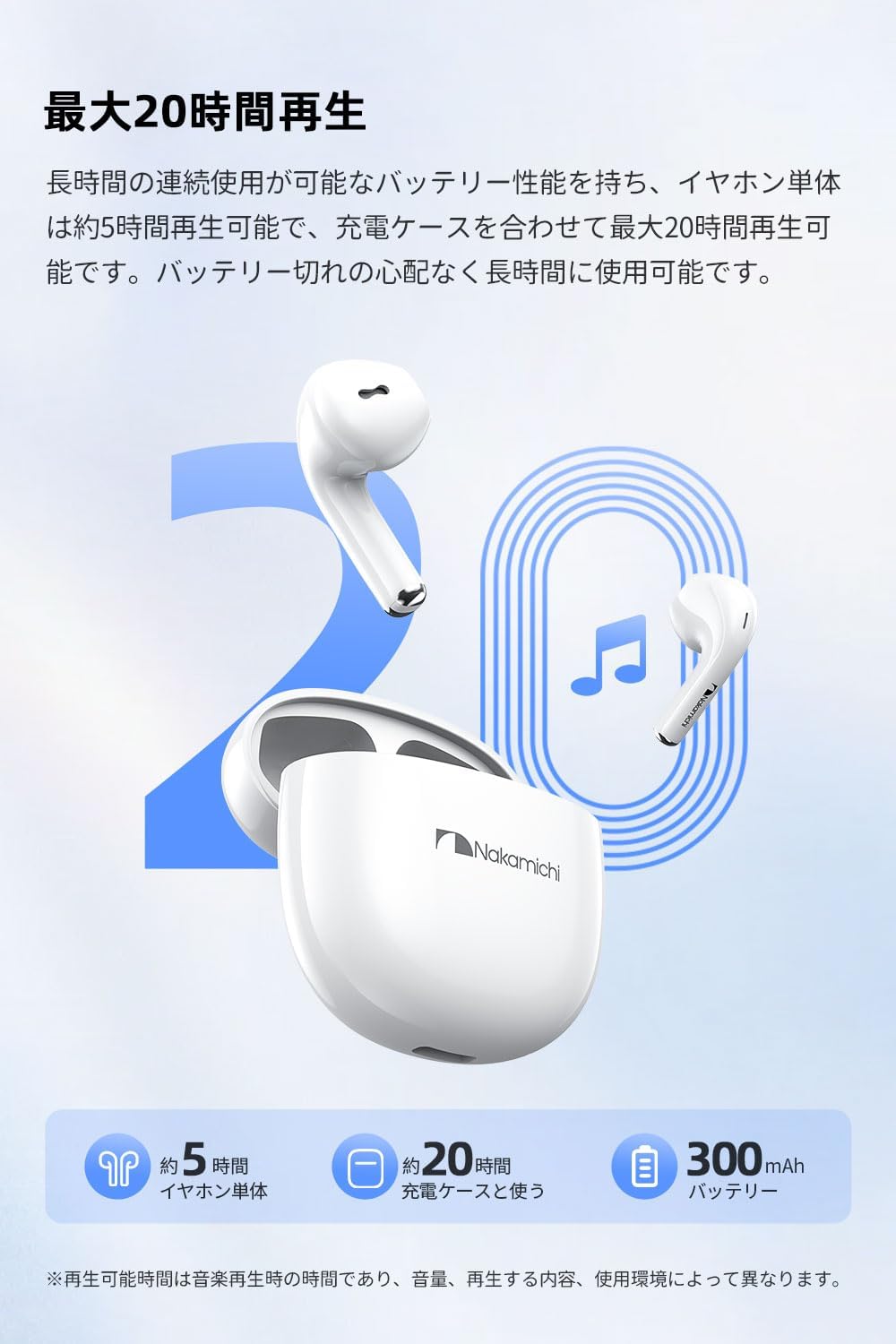
Image: Nakamichi TW016 Earbuds and Charging Case with 20-hour playback graphic. This image visually represents the extended battery life of the earphones and charging case, indicating approximately 5 hours for earbuds and 20 hours total with the case.
7. Техникийн үзүүлэлтүүд
| Онцлог | Тодорхойлолт |
|---|---|
| Загварын дугаар | TW016 |
| Bluetooth хувилбар | 5.4 |
| Жолоочийн хэмжээ | 13 мм динамик драйвер |
| Давтамжийн хариу үйлдэл | 20Гц - 20кГц |
| Мэдрэмж | 117 дБ |
| Эсэргүүцэл | 32 Ом |
| Чихэвчний жин (тус бүр) | Ойролцоогоор 3 гр |
| Нийт жин (чихэвч + гэр) | 40 гр |
| Чихэвчний батерейны ашиглалтын хугацаа | Ойролцоогоор 5 цаг |
| Тоглуулах нийт хугацаа (товчтой) | Ойролцоогоор 20 цаг |
| Кейсийн оролтыг цэнэглэж байна | DC 5V/0.2A |
| Цэнэглэх хайрцагны гаралт | DC 5V/300mA |
| Хяналтын төрөл | Хяналтанд хүрнэ үү |
| Тохиромжтой төхөөрөмжүүд | Game consoles, Tablets, Desktop PCs, Laptops, Mobile phones |
8. Засвар үйлчилгээ
Proper maintenance ensures the longevity of your earphones:
- Цэвэрлэгээ: Зөөлөн, хуурай даавуугаар чихэвч болон цэнэглэгчийг цэвэрлэ. Химийн хатуу бодис, зүлгүүрийн материалыг бүү ашигла.
- Цэнэглэх харилцагчид: Зөв цэнэглэж байгаа эсэхийг шалгахын тулд чихэвчний болон гэрний дотор талын цэнэглэгч контактуудыг хуурай хөвөн арчдасаар үе үе цэвэрлэж байгаарай.
- Хадгалах: Ашиглаагүй үед чихэвчийг тоос шороо, эвдрэлээс хамгаалахын тулд цэнэглэх хайрцагт нь хадгалаарай. Хуурай сэрүүн газар хадгална.
- Уснаас зайлсхийх: These earphones are not waterproof. Avoid exposure to water, moisture, or extreme temperatures.
9. Алдаа засах
Хэрэв танд ямар нэгэн асуудал тулгарвал дараах нийтлэг шийдлүүдийг үзнэ үү.
- Дуу/холболтын асуудал байхгүй:
- Чихэвч хоёулаа цэнэглэгдсэн эсэхийг шалгаарай.
- Таны төхөөрөмж дээр Bluetooth идэвхжсэн эсэхийг шалгана уу.
- Чихэвчээ төхөөрөмжтэйгээ салгаж, дахин холбож үзнэ үү.
- Ensure the earphones are within the Bluetooth range of your device.
- Чихэвч цэнэглэхгүй байна:
- Check if the protective film has been removed from the earbud charging contacts.
- Цэнэглэх хайрцаг цэнэглэгдсэн эсэхийг шалгаарай.
- Чихэвч болон хайрцаг дээрх цэнэглэх контактуудыг цэвэрлэ.
- Microphone Not Working Clearly:
- Микрофонд саад болохгүй байгаа эсэхийг шалгаарай.
- Check your device's audio input settings to ensure the earphones are selected.
- Илүү чимээгүй орчинд шилжихийг хичээгээрэй.
- Мэдрэгчийн удирдлага хариу өгөхгүй байна:
- Хуруугаа цэвэр, хуурай байлгах хэрэгтэй.
- Restart the earphones by placing them back in the case and taking them out again.
10. Баталгаат хугацаа ба дэмжлэг
Nakamichi products are designed and manufactured to the highest quality standards. For warranty information and customer support, please refer to the warranty card included in your package or visit the official Nakamichi webсайт. Баталгаат нэхэмжлэл гаргахын тулд худалдан авалтаа нотлох баримтаа хадгалаарай.
For further assistance, please contact Nakamichi customer service through the contact information provided on our official webсайт эсвэл таны бүтээгдэхүүний баримт бичигт.


