1. Танилцуулга
Thank you for choosing the KTC H25T7-3 24.5 Inch 240Hz FHD Gaming Monitor. This manual provides essential information for setting up, operating, and maintaining your monitor. Please read it thoroughly before use to ensure optimal performance and safety.
Аюулгүй байдлын мэдээлэл
- Гал түймэр гарах эсвэл цахилгаанд цохиулахаас сэргийлж мониторыг бороо эсвэл чийгэнд бүү гарга.
- Мониторыг нээж болохгүй casing. Дотор нь хэрэглэгчийн засвар үйлчилгээ хийх хэсэг байхгүй. Бүх үйлчилгээг мэргэшсэн боловсон хүчинд шилжүүлээрэй.
- Мониторыг унахаас сэргийлж тогтвортой, тэгш гадаргуу дээр байрлуул.
- Хэт халалтаас сэргийлэхийн тулд мониторын эргэн тойронд агааржуулалтыг сайтар хангана уу.
- Use only the power adapter and cables provided by KTC.
2. Хайрцагт юу байна
Дараах бүх зүйлс таны багцад байгаа эсэхийг шалгаарай:
- KTC H25T7-3 24.5" FHD 240Hz Monitor (x1)
- Monitor Stand (x1)
- Хурдан эхлүүлэх гарын авлага (QSG) (x1)
- DisplayPort (DP) Cable (x1)
- Эрчим хүчний адаптер (x1)
- Цахилгааны утас (x1)
3. Бүтээгдэхүүн дууссанview
The KTC H25T7-3 is a 24.5-inch Full HD (1920x1080) gaming monitor featuring a Fast IPS panel, 240Hz refresh rate, and 1ms MPRT response time for smooth visuals. It supports HDR400 and Adaptive-Sync technology to enhance your viewing болон тоглоомын туршлага.
Гол онцлогууд
- 24.5" FHD Fast IPS Panel: Delivers crisp 1080p resolution with wide 178° viewөнцөг.
- 240 Гц сэргээх хурд ба 1 мс MPRT: Ensures ultra-smooth motion and minimal ghosting.
- Дасан зохицох-синк хийх технологи: Synchronizes the monitor's refresh rate with your GPU for tear-free gameplay.
- HDR400 дэмжлэг: Provides enhanced contrast and color depth for a more immersive visual experience.
- Эргономикийн тавиур: Offers tilt, pivot, and height adjustments for personalized viewая тухтай байдал.
- Нүдний арчилгааны онцлогууд: Low blue light and flicker-free technology reduce eye strain during extended use.
- Олон холболтын сонголтууд: Includes 2x HDMI 2.0, 1x DisplayPort 1.4, and 1x USB 2.0.

Зураг 3.1: Илүүview of KTC H25T7-3 monitor features including Fast IPS, 240Hz, HDR400, and adjustable stand.
4. Тохиргоо
4.1 Стенд угсрах
- Монитор болон тавиурын эд ангиудыг савлагаанаас болгоомжтой авч хая.
- Өгөгдсөн эрэг ашиглан тавиурын суурийг тавиурын хүзүүнд холбоно.
- Align the assembled stand with the mounting slot on the back of the monitor and secure it firmly.

Зураг 4.1: Урд view of the KTC H25T7-3 monitor with its stand assembled.
4.2 VESA хананд бэхлэх (заавал биш)
Монитор нь 100x100 мм-ийн VESA суурьтай. Мониторыг хананд бэхлэхийн тулд:
- Хэрэв суурийг аль хэдийн суурилуулсан бол дэлгэцээс салга.
- Attach your VESA-compatible wall mount bracket to the four screw holes on the back of the monitor. Ensure the screws are appropriate for the VESA standard and do not overtighten.
- Аюулгүй суурилуулахын тулд VESA суурьтай хамт ирсэн зааврыг дагана уу.

Зураг 4.2: Ар талд view of the KTC H25T7-3 monitor, highlighting the input ports and VESA mounting area.
4.3 Холбох кабель
Connect the necessary cables to the corresponding ports on the monitor and your computer/device:
- Эрчим хүч: Connect the power adapter to the monitor's DC input and then plug the power cord into a power outlet.
- DisplayPort (DP): For optimal performance (240Hz, Adaptive-Sync), connect the provided DisplayPort cable from your graphics card to the monitor's DP 1.4 port.
- HDMI: Alternatively, connect an HDMI cable from your device to one of the monitor's HDMI 2.0 ports.
- USB: The USB 2.0 port can be used for firmware upgrades or connecting peripherals.
5. Ашиглалтын заавар
5.1 Асаах/унтраах
Press the power button (usually located on the back or bottom of the monitor) to turn the monitor on or off. The power indicator light will illuminate when the monitor is on.
5.2 OSD цэсийн навигаци
The On-Screen Display (OSD) menu is controlled by a joystick button, typically located on the back of the monitor. Use the joystick to navigate through the menu options and adjust settings.
- Түлхэх: Enter/Confirm selection.
- Дээшээ доошоо: Цэсийн сонголтуудаар шилжинэ үү.
- Зүүн/Баруун: Adjust values or move between sub-menus.
5.3 Дэлгэцийн тохиргоог тохируулах
Access the OSD menu to configure various display settings:
- Гэрэлтүүлэг/Ялгарал: Нийт гэрэлтүүлэг болон тодосгогч түвшинг тохируулна уу.
- Өнгөний тохиргоо: Өнгөний температур, гамма болон хувь хүний RGB утгыг нарийн тааруулна.
- Зургийн горим: Select from preset modes (e.g., Standard, Game, Movie, sRGB) or customize your own.
- Сэргээх хурд: Ensure your graphics card output is set to 240Hz for optimal performance.
- Дасан зохицох-синк: Enable this feature in the OSD menu and your graphics card control panel to eliminate screen tearing.
- HDR: Activate HDR400 for compatible content to experience enhanced dynamic range.
- Бага цэнхэр гэрэл: Adjust the blue light filter to reduce eye strain.

Figure 5.1: Visual representation of the 240Hz refresh rate for smooth motion.
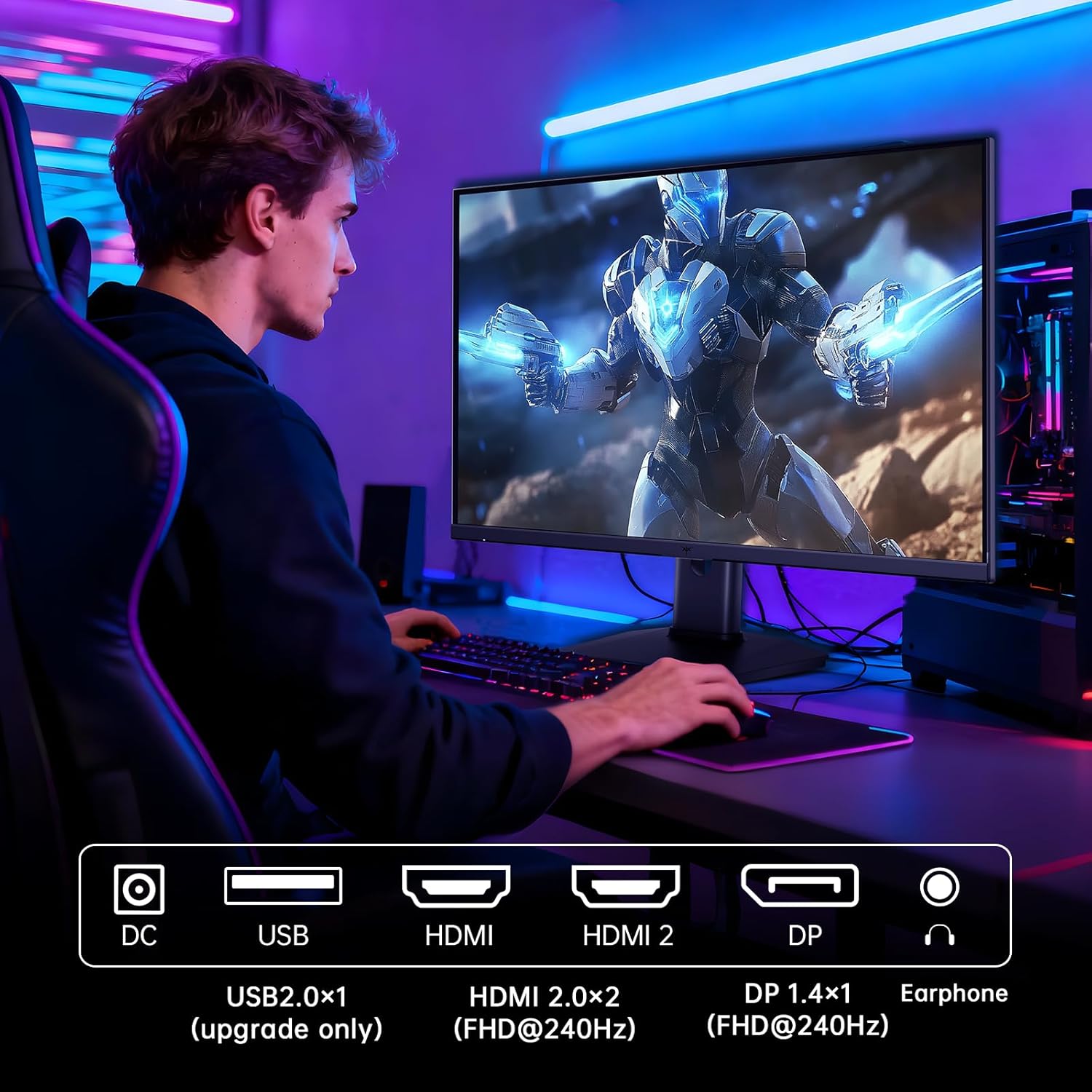
Figure 5.2: Comparison showing the effect of Adaptive-Sync on reducing stuttering and screen tearing.

Figure 5.3: Illustration of HDR400 technology delivering clear details in dark areas compared to HDR10.

Figure 5.4: Diagram illustrating hardware blue light reduction technology to filter harmful blue light bands.
5.4 Эргономикийн тохируулга
Мониторын тавиур нь таныг оновчтой болгохын тулд янз бүрийн тохируулга хийх боломжийг олгодог viewбайрлал:
- Хазайлт: Adjust the screen angle forward or backward (-5° to 20°).
- Пивот: Rotate the screen 90° for portrait mode.
- Өндөр тохируулга: Дэлгэцийг 110 мм хүртэл өсгөх эсвэл доошлуулах.
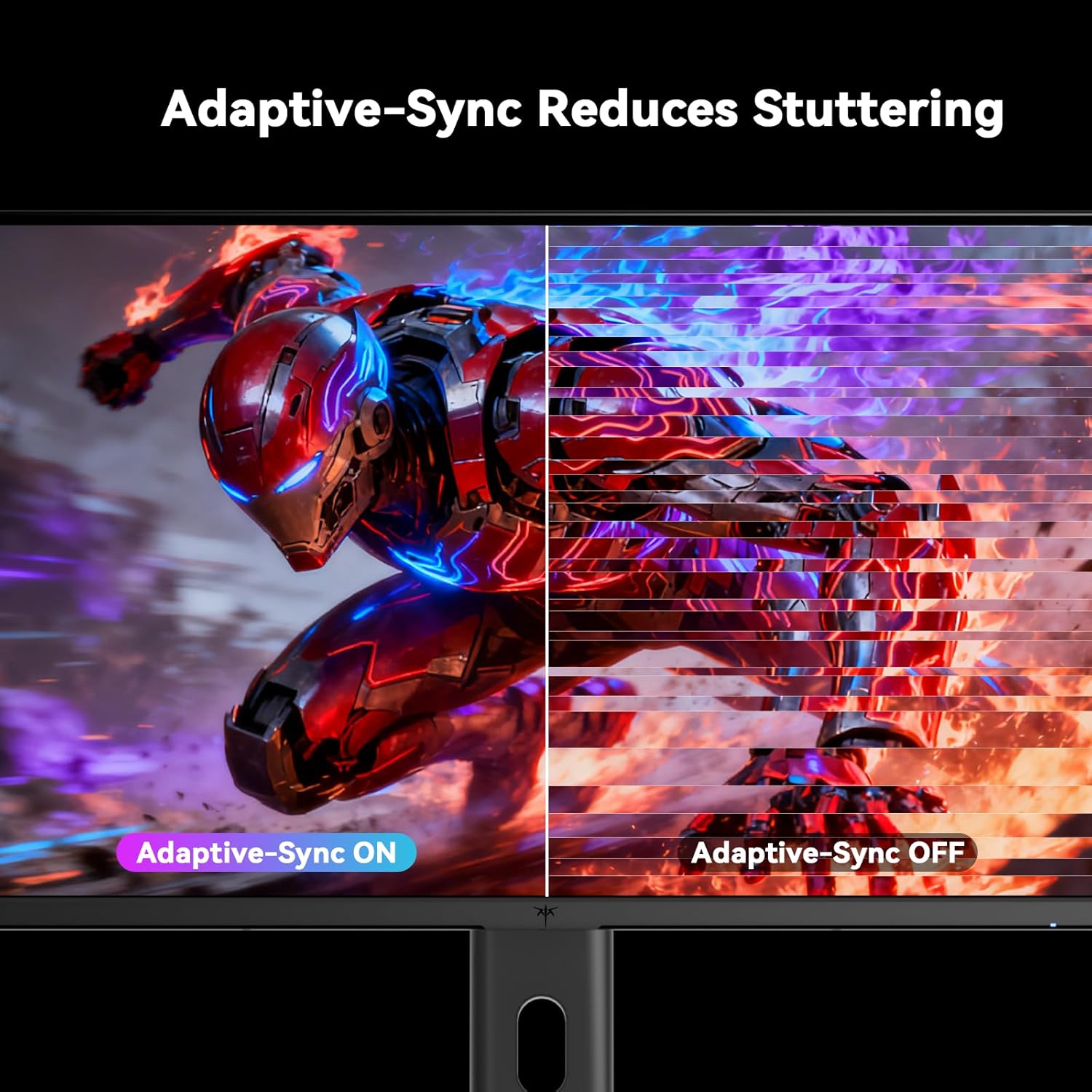
Figure 5.5: Diagram showing the tilt, pivot, and height adjustment capabilities of the monitor stand.
5.5 Бүтээгдэхүүний албан ёсны видео
Video 5.1: An official product video from KTC-Official showcasing the 24.5 Inch FHD 240Hz Gaming Monitor, demonstrating its features and performance.
6. Засвар үйлчилгээ
6.1 Мониторыг цэвэрлэх
Хяналтын дэлгэцийг цэвэрлэх ба casing:
- Цэвэрлэхийн өмнө мониторыг үргэлж цахилгааны залгуураас салга.
- Зөөлөн, хөвөнгүй даавууг хөнгөн хэрэглээрэй dampусаар эсвэл зүлгүүргүй дэлгэц цэвэрлэгчээр дүүргэнэ.
- Цэвэрлэгч бодисыг дэлгэц рүү шууд цацаж болохгүй.
- Бензол, шингэлэгч, аммиак дээр суурилсан цэвэрлэгч эсвэл зүлгүүрийн материал хэрэглэхээс зайлсхий.
6.2 Ерөнхий арчилгаа
- Keep the monitor away from direct sunlight, excessive heat, or cold.
- Монитор болон түүний кабель дээр хүнд зүйл байрлуулахаас зайлсхий.
- Монитор дээрх агааржуулалтын нүхийг хааж болохгүй.
7. Алдаа засах
Хэрэв танд монитортой холбоотой асуудал тулгарвал дараах нийтлэг асуудал, шийдлүүдийг үзнэ үү.
| Асуудал | Боломжит шалтгаан | Шийдэл |
|---|---|---|
| Хүч чадалгүй | Цахилгаан кабель холбогдоогүй; Цахилгаан залгуур ажиллахгүй байна | Ensure power cable is securely connected. Test the power outlet with another device. |
| Дохио алга | Video cable not connected; Incorrect input source selected; Computer/device not powered on | Check video cable connections. Select the correct input source via the OSD menu. Ensure your computer/device is on. |
| Дэлгэц анивчдаг | Incorrect refresh rate; Cable issue; Adaptive-Sync not enabled | Set refresh rate to 240Hz. Try a different video cable. Enable Adaptive-Sync in OSD and GPU settings. |
| Image distortion/poor quality | Incorrect resolution; Graphics driver issue; Monitor settings | Set resolution to 1920x1080. Update graphics drivers. Adjust OSD settings (brightness, contrast, color). |
7.1 Үйлдвэрийн тохиргоонд дахин оруулах
If problems persist, you may perform a factory reset through the OSD menu. This will revert all monitor settings to their default values.
8. Техникийн үзүүлэлтүүд
Detailed technical specifications for the KTC H25T7-3 monitor:
| Онцлог | Тодорхойлолт |
|---|---|
| Загварын дугаар | H25T7-3 |
| Дэлгэцийн хэмжээ | 24.5 инч |
| Самбарын төрөл | Хурдан IPS |
| Шийдвэр | FHD 1080p (1920 x 1080 пиксел) |
| Харьцаа | 16:9 |
| Сэргээх хурд | 240 Гц |
| Хариу өгөх хугацаа | 1мс (MPRT) |
| Дасан зохицох синк | Тиймээ |
| HDR дэмжлэг | HDR400 |
| Өнгөний хүрээ | 114% sRGB |
| Ялгаатай харьцаа | 1000:1 |
| Дэлгэцийн өнгө | 16.7 сая |
| Гэрэлтүүлэг | 350 кд/м² |
| Viewing өнцөг | 178° (H/V) |
| Холболт | 2x HDMI 2.0, 1x DisplayPort 1.4, 1x USB 2.0 |
| VESA бэхэлгээний нийцтэй байдал | 100x100 мм |
| Эргономикийн тохируулга | Tilt, Pivot, Height |
| Бүтээгдэхүүний хэмжээс (индэртэй) | 7.6 x 21.97 x 18.23 инч |
| Зүйлийн жин (индэртэй) | 11.58 фунт |
| Ботьtage | 12 вольт (ДС) |
9. Баталгаат хугацаа ба дэмжлэг
9.1 Баталгаат хугацааны мэдээлэл
KTC monitors are designed and manufactured to the highest quality standards. For specific warranty terms and conditions, please refer to the warranty card included with your product or visit the official KTC webсайт. Худалдан авалтын баримтаа баталгаат нэхэмжлэлд зориулж худалдан авалтын баталгаа болгон хадгална уу.
9.2 Хэрэглэгчийн дэмжлэг
If you have any questions, require technical assistance, or experience issues not covered in this manual, please contact KTC customer support. Contact details can typically be found on the official KTC webсайт эсвэл Түргэн эхлүүлэх гарын авлагад.


